https://github.com/caio-ishikawa/term-task-viewer
A lightweight terminal tool to manage processes in Unix machines.
https://github.com/caio-ishikawa/term-task-viewer
Last synced: 5 months ago
JSON representation
A lightweight terminal tool to manage processes in Unix machines.
- Host: GitHub
- URL: https://github.com/caio-ishikawa/term-task-viewer
- Owner: caio-ishikawa
- License: mit
- Created: 2023-08-22T18:07:31.000Z (almost 3 years ago)
- Default Branch: master
- Last Pushed: 2023-08-27T20:16:57.000Z (almost 3 years ago)
- Last Synced: 2024-04-22T04:50:14.999Z (about 2 years ago)
- Language: Rust
- Size: 14.6 KB
- Stars: 11
- Watchers: 1
- Forks: 1
- Open Issues: 0
-
Metadata Files:
- Readme: README.md
- License: LICENSE.md
Awesome Lists containing this project
- awesome-cli-apps-in-a-csv - TTV - terminal-task-viewer: a lightweight terminal tool to manage processes in Unix machines. (<a name="monitor-top"></a>Process viewers and monitoring (alternatives to top))
- awesome-cli-apps - TTV - terminal-task-viewer: a lightweight terminal tool to manage processes in Unix machines. (<a name="monitor-top"></a>Process viewers and monitoring (alternatives to top))
README
TTV v0.0.1
==========
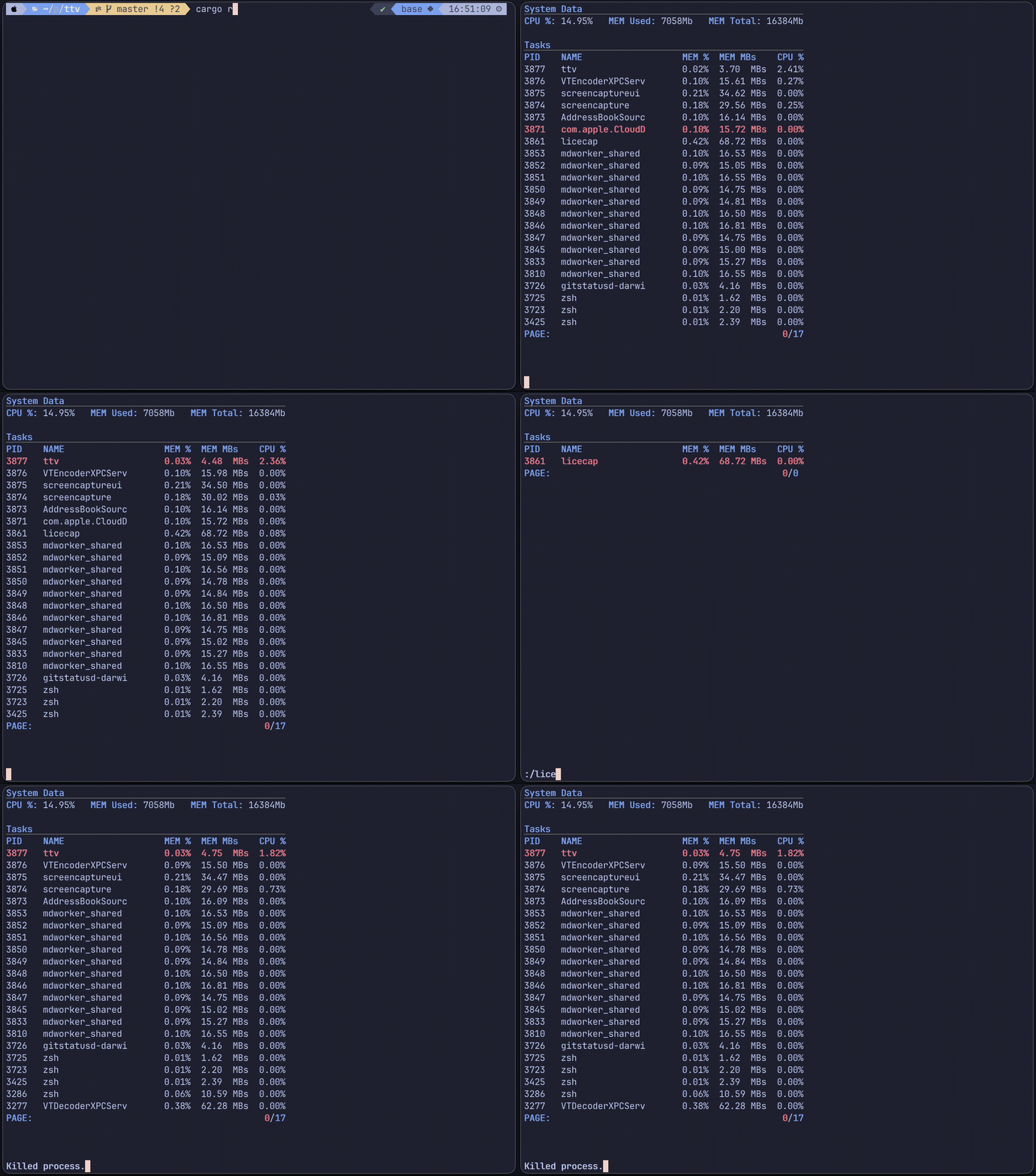
TTV (term-task-viewer) is a lightweight tool to view and manage active processes in Unix machines. It provides an easy interface with vim-like commands, which allows you to easily filter and monitor processes without leaving the terminal, and without wasting unnecessary resources.
⚠️ WARNING: Still under development and likely to contain bugs. ⚠️
Design Goals
------------
- Minimal interface with vim-like commands.
- Filter by memory usage and cpu usage, as well as by process name using a reactive UI.
- Update information in real-time.
Dependencies
------------
- [Cargo & Rust](https://www.rust-lang.org/tools/install)
Installation
------------
- Clone repository and cd into into it.
- Run `make build`.
- Run `make install`.
- To uninstall, cd into the cloned repository and run `make uninstall`.
How to use
----------
- Navigate the list using regular vim keybinds (h, j, k, l).
- Press / to enter search/filter mode. Press enter to navigate filtered list or Esc to return.
- Killing processes works like deleting a line in vim. Press D to select the process for deletion and confirm by pressing D again.
- Exit the application by pressing Esc.
Todo before 0.1.0
-------------------
- Implement filters for memory and CPU (ascending, descending.)
- Write tests.