https://github.com/caledoniaproject/didicitypickerviewcontroller
滴滴出行风格的城市选择器
https://github.com/caledoniaproject/didicitypickerviewcontroller
Last synced: 4 months ago
JSON representation
滴滴出行风格的城市选择器
- Host: GitHub
- URL: https://github.com/caledoniaproject/didicitypickerviewcontroller
- Owner: CaledoniaProject
- Created: 2016-08-03T02:14:57.000Z (almost 10 years ago)
- Default Branch: master
- Last Pushed: 2016-08-03T02:17:16.000Z (almost 10 years ago)
- Last Synced: 2025-05-15T10:40:31.358Z (about 1 year ago)
- Language: Objective-C
- Size: 101 KB
- Stars: 5
- Watchers: 2
- Forks: 0
- Open Issues: 0
-
Metadata Files:
- Readme: README.md
Awesome Lists containing this project
README
## 城市选择器
网上搜了一圈,就没找到好用的城市选择器
要么代码臃肿,要么各种崩溃,所以自己写一个吧
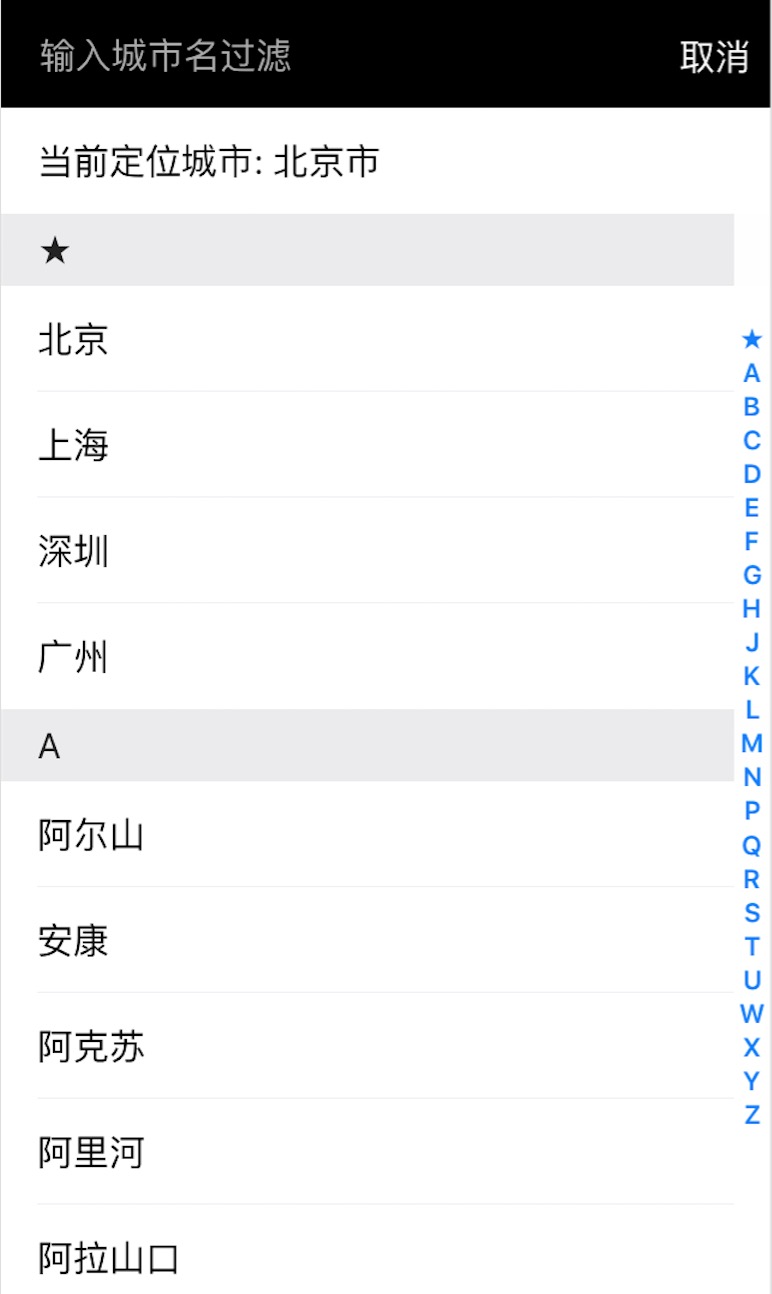
风格的话,看了几十个app,还是滴滴的设计最合理,所以按照滴滴的风格做一个,
## 用法
准备工作,
```
1. 拖拽 `src/CityPickerViewController/` 到你的项目目录,
2. 修改 `CityPickerViewController.m`,根据你的 navigationBar 风格,修改颜色
3. 修改 info.Plist,开启定位功能
```
下面开始使用这个 ViewController,首先实现 `CityPickerDelegate`
```
#import
#import "CityPickerViewController.h"
@interface ViewController : UIViewController
@end
```
然后实现对应的函数,
```
- (void)didPickCity:(NSString *)cityName
{
self.cityLabel.text = cityName;
}
```
设置好代理,e.g
```
- (IBAction)didTapCityButton:(id)sender {
CityPickerViewController *vc = [[CityPickerViewController alloc] init];
vc.delegate = self;
[self.navigationController pushViewController:vc animated:YES];
}
```
如果还是有疑问,看 example 目录的测试代码即可