https://github.com/caledoniaproject/sublime-encodingconverter
Reopen the current file and convert from whatever encoding you like to UTF-8
https://github.com/caledoniaproject/sublime-encodingconverter
Last synced: about 2 months ago
JSON representation
Reopen the current file and convert from whatever encoding you like to UTF-8
- Host: GitHub
- URL: https://github.com/caledoniaproject/sublime-encodingconverter
- Owner: CaledoniaProject
- Created: 2018-06-11T13:29:45.000Z (about 8 years ago)
- Default Branch: master
- Last Pushed: 2018-06-13T00:12:56.000Z (about 8 years ago)
- Last Synced: 2026-01-02T13:51:28.246Z (6 months ago)
- Language: Python
- Homepage: https://www.sublimetext.com/
- Size: 48.8 KB
- Stars: 1
- Watchers: 1
- Forks: 0
- Open Issues: 0
-
Metadata Files:
- Readme: readme.md
Awesome Lists containing this project
README
# Sublime-EncodingConvert
Reopen the current file and convert from whatever encoding you like to `UTF-8`. As `@kingkeith` pointed out, for some reason Sublime is unable to add more encoding in the `Reopen with Encoding` dialog, so a plugin must be created to suit my needs.
## Usage
At this moment I've add only two command palatte, for the `GBK` and `BIG5` encoding. The usage is as straightforward as the following screenshot:
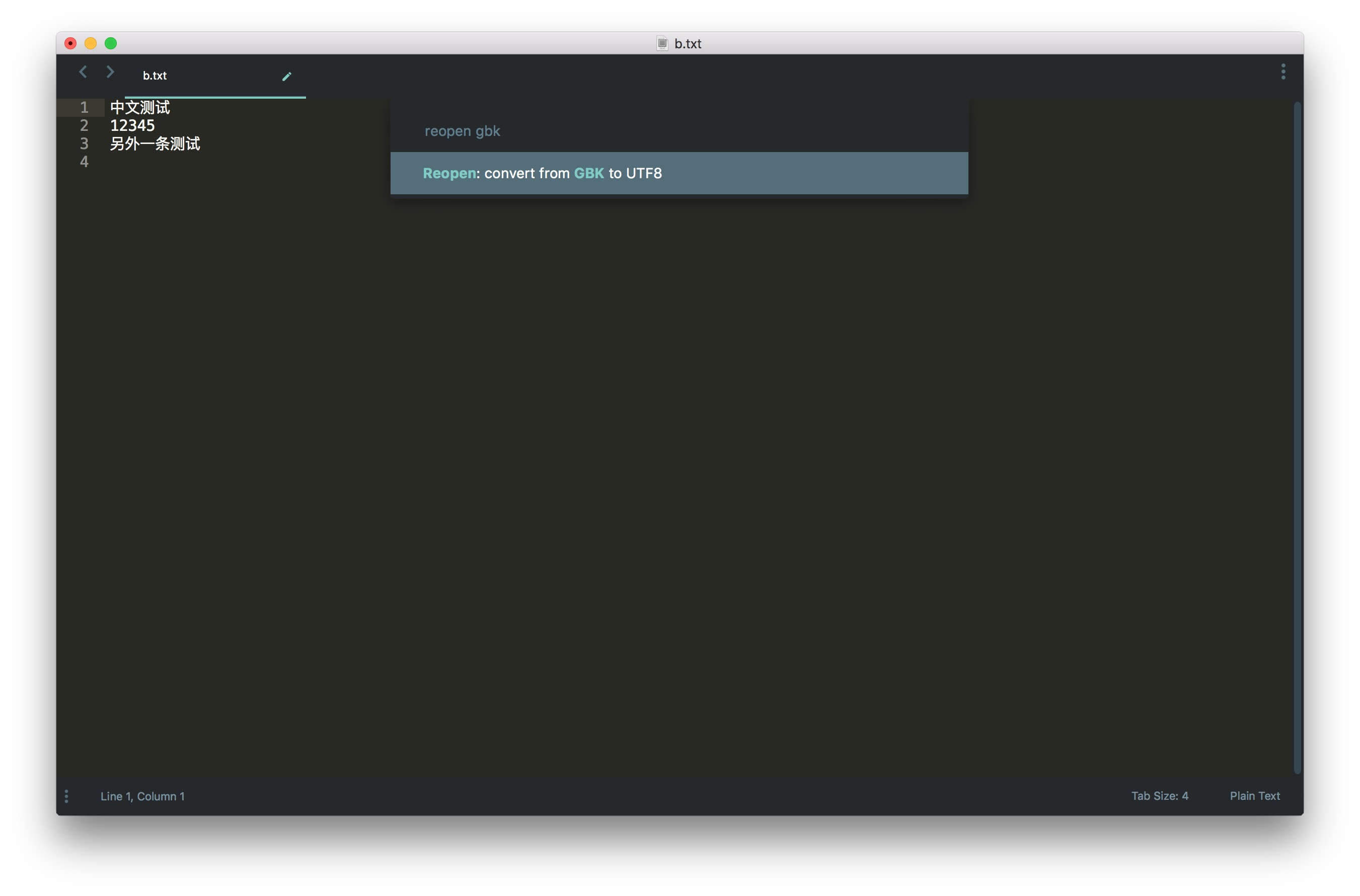
List of supported command palatte:
```
Reopen: convert from GBK to UTF8
Reopen: convert from BIG5 to UTF8
```
## Development
To be added.