https://github.com/capybara003/git-version
https://github.com/capybara003/git-version
Last synced: 2 months ago
JSON representation
- Host: GitHub
- URL: https://github.com/capybara003/git-version
- Owner: Capybara003
- License: mit
- Created: 2025-03-11T07:43:40.000Z (over 1 year ago)
- Default Branch: master
- Last Pushed: 2025-03-11T07:44:33.000Z (over 1 year ago)
- Last Synced: 2025-03-11T17:54:07.908Z (over 1 year ago)
- Language: JavaScript
- Size: 23.4 KB
- Stars: 0
- Watchers: 1
- Forks: 0
- Open Issues: 0
-
Metadata Files:
- Readme: README.md
- License: LICENSE
Awesome Lists containing this project
README
# Git Version Bumper
> Bump your git tag to the next version.
> Assuming you're following [semver](https://semver.org) conventions.
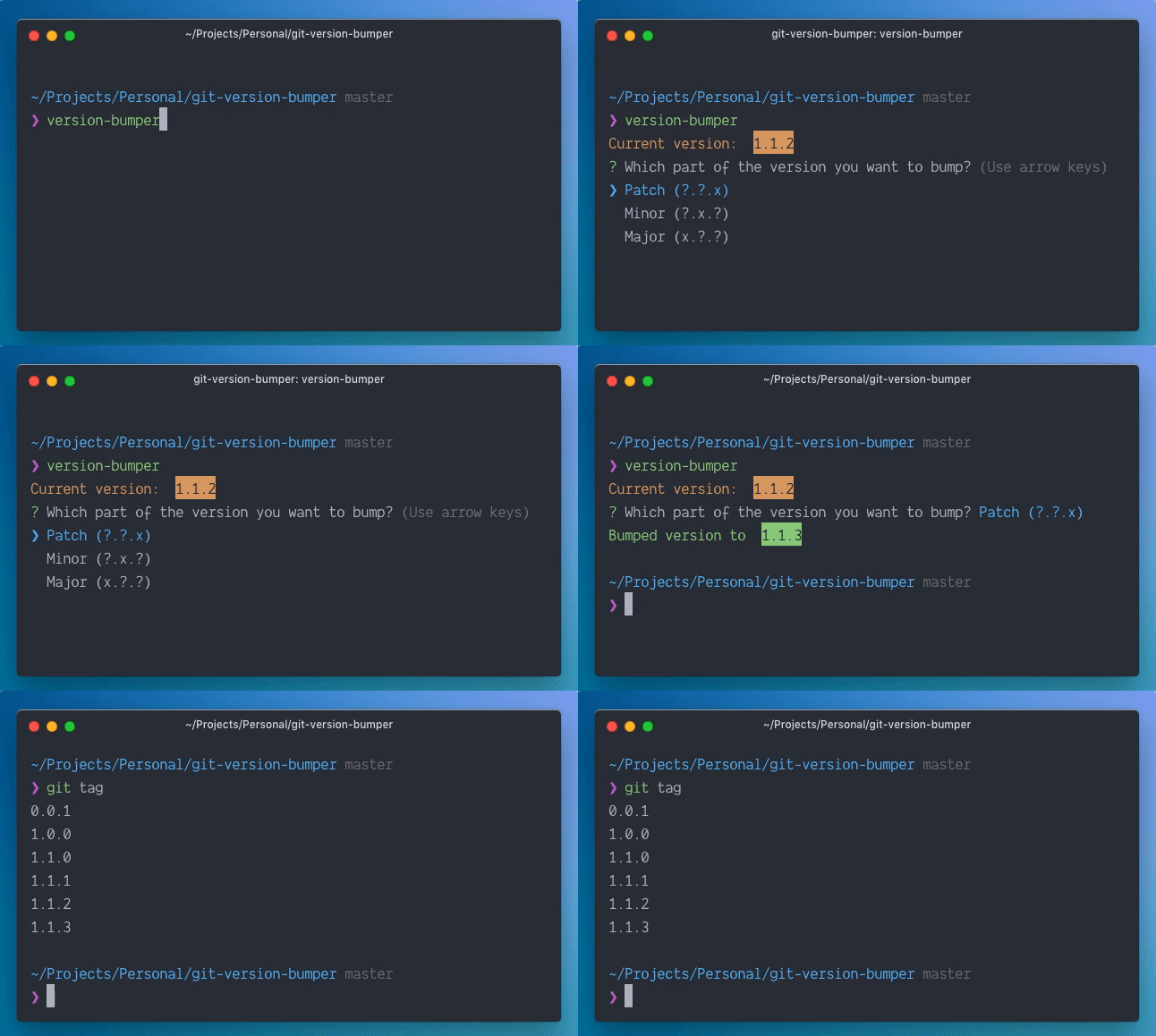
Do you go to check your git tags list, then search for the latest (larger) tag before you create new bumped tag?
This cli tool will help you bumping the version by just selecting which part of the version you want to increase.
## Installation
```bash
npm install -g git-version-bumper
```
## Usage
1. Make sure you're inside the root directory of the project you want to bump its version.
2. Run `version-bumper`
3. Use arrow keys to choose which part of the version you want to increase.
4. Hit enter.