https://github.com/catsand/zabbix-saml
How configure Zabbix with okta.com SAML
https://github.com/catsand/zabbix-saml
okta saml zabbix
Last synced: 3 months ago
JSON representation
How configure Zabbix with okta.com SAML
- Host: GitHub
- URL: https://github.com/catsand/zabbix-saml
- Owner: catsAND
- Created: 2020-05-27T17:49:06.000Z (about 6 years ago)
- Default Branch: master
- Last Pushed: 2020-05-28T11:28:03.000Z (about 6 years ago)
- Last Synced: 2025-11-09T10:03:59.021Z (7 months ago)
- Topics: okta, saml, zabbix
- Size: 441 KB
- Stars: 3
- Watchers: 1
- Forks: 0
- Open Issues: 0
-
Metadata Files:
- Readme: README.md
Awesome Lists containing this project
README
# Configure SAML for Zabbix with okta.com
## How configurate okta.com for Zabbix.
Go to https://okta.com and register or sign in to your account.
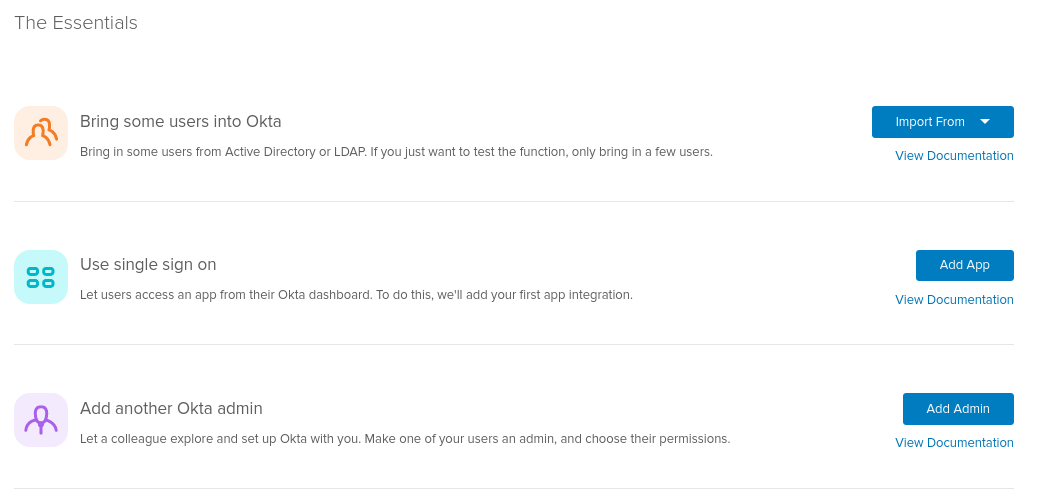
Press Add app. After press button "Create new App" in the top right corner.
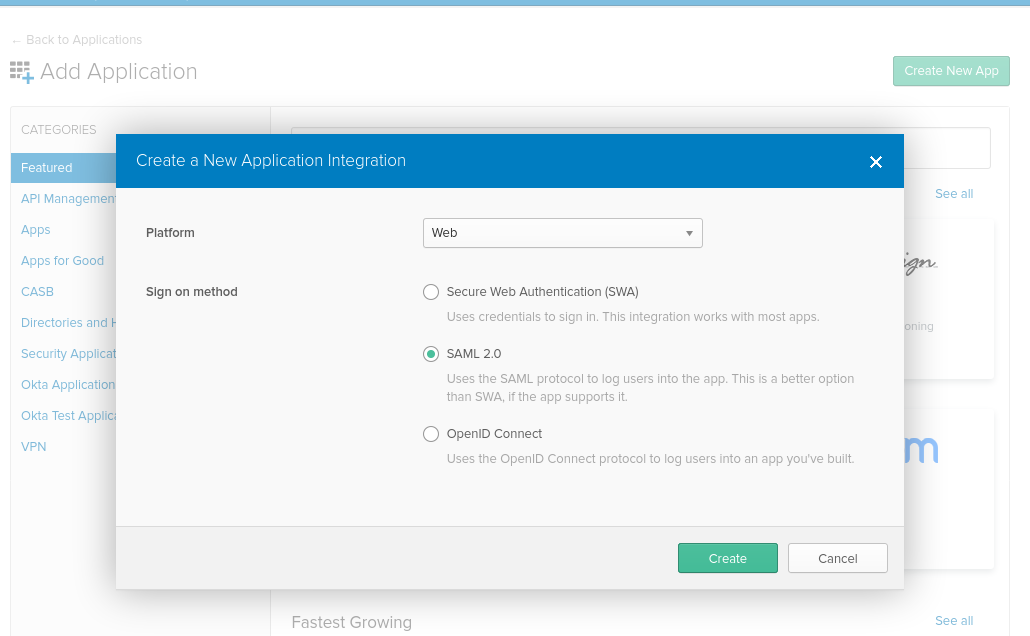
In popup select platform: Web, Sign on method: SAML 2.0 and press "Create".
### Configure okta.com
Fill first form and press "Next".
In next tab fill this fields:
Single sign on URL - *https://your-zabbix-url/ui/index_sso.php?acs*
Set checked to "_Use this for Recipient URL and Destination URL_"
Audience URI (SP Entity ID) - **zabbix** *(Audience Restriction: a value within the SAML assertion that specifies who (and only who) the assertion is intended for. The "audience" will be the service provider and is typically a URL but can technically be formatted as any string of data. If this value is not provided by the SP, try using the ACS)*
**Default RelayState stay empty.** *In Zabbix you can add custom redirect after login in "Administration -> Users" settings.*
And fill other settings how you need.
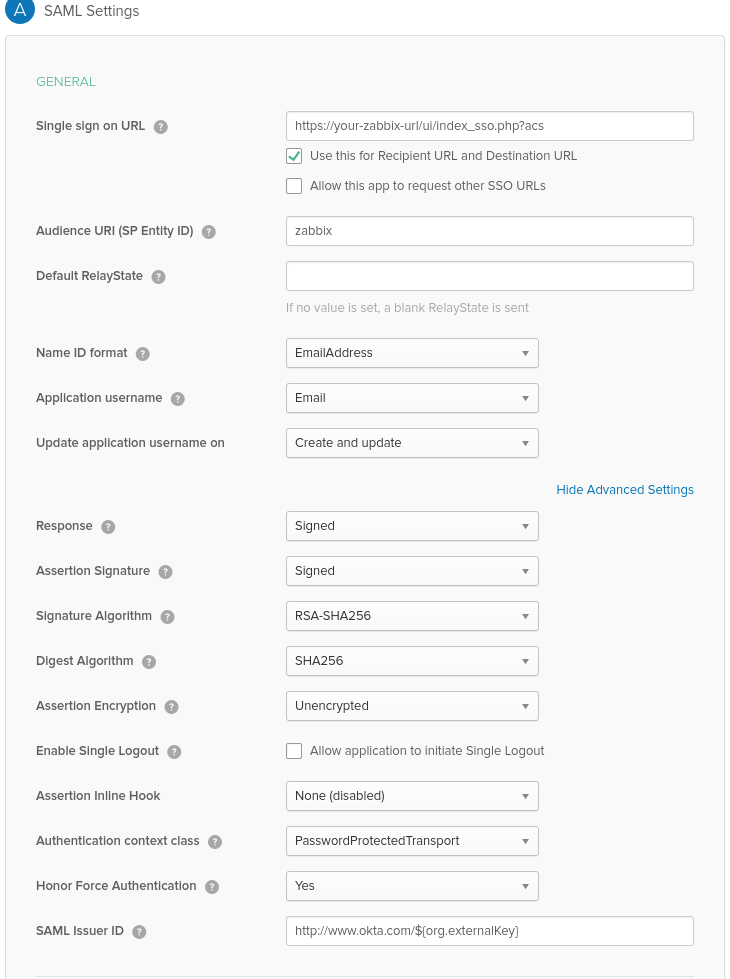
*Note: If you want encrypt your connection, you need generate private and public certificate. And upload your public certificate to okta.com. Certificate upload form available when you choose in "Assertion Encryption" value "Encrypted". For production it must have.*
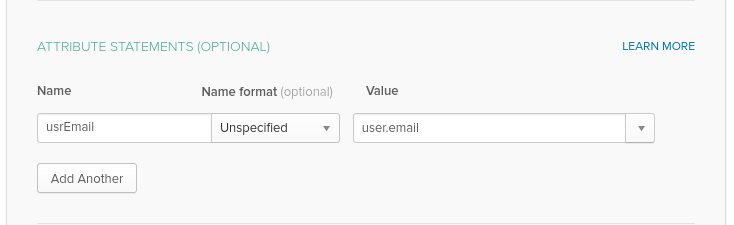
Then fill "Attribute Statements".
Add "Name" - **usrEmail**
And Value as **user.email**
In third step select I'm a software vendor. I'd like to integrate my app with Okta and press "Finish".
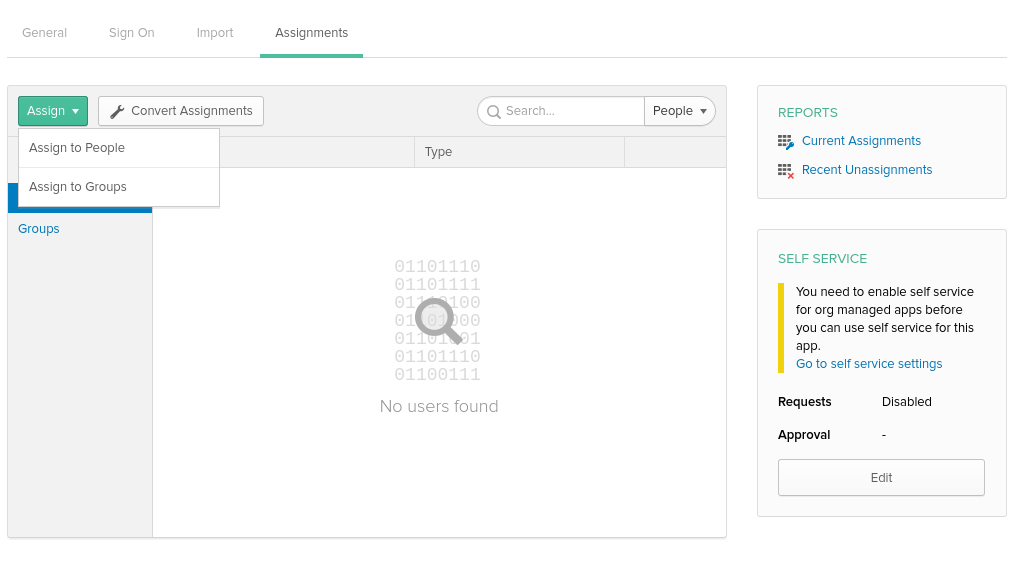
After go to tab "Assignments" and press button "Assign". In tooltip select "Assign to people"
In popup select people what we want assign to app and press "Save and go back"
### Configure Zabbix
Then go to tab "Sign On" and press button "View Setup Instruction"
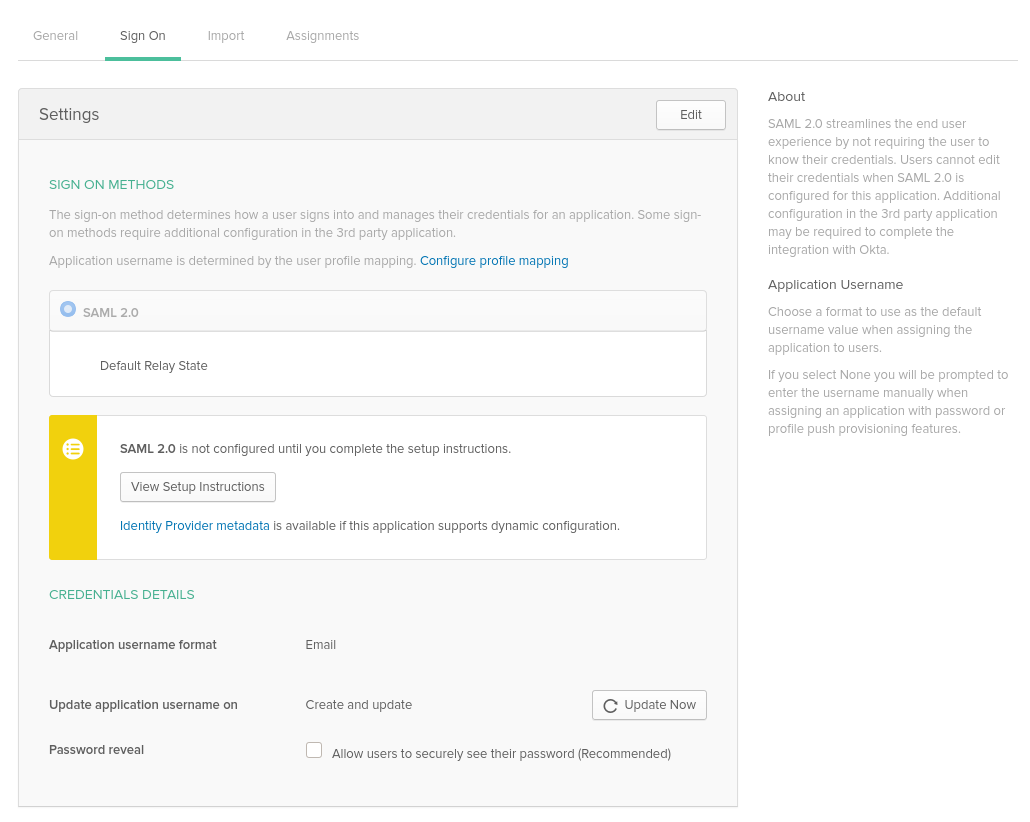
Identity Provider Single Sign-On URL: in Zabbix is **SSO service URL**
Identity Provider Issuer: in Zabbix is **IdP entity ID**
**Username attribute*** in Zabbix is attribute name. (*usrEmail*)
**SP entity ID** in Zabbix is Audience URI
Download certificate to **ui/conf/certs folder** as idp.crt and set permission *644* (*chmod 644 idp.crt*)
*Note: if you upgrade your Zabbix to 5.0 version you need edit your ui/conf/zabbix.conf.php to add this code:*
```php
// Used for SAML authentication.
// Uncomment to override the default paths to SP private key, SP and IdP X.509 certificates, and to set extra settings.
$SSO['SP_KEY'] = 'conf/certs/sp.key'; // Path to your private key.
$SSO['SP_CERT'] = 'conf/certs/sp.crt'; // Path to your public key.
$SSO['IDP_CERT'] = 'conf/certs/idp.crt'; // Path to IdP public key.
$SSO['SETTINGS'] = []; // Additional settings. More about here https://github.com/onelogin/php-saml/tree/3.4.1#settings
```
*If you choose in okta.com enrypt assertion you need check this checkbox in Zabbix too.*
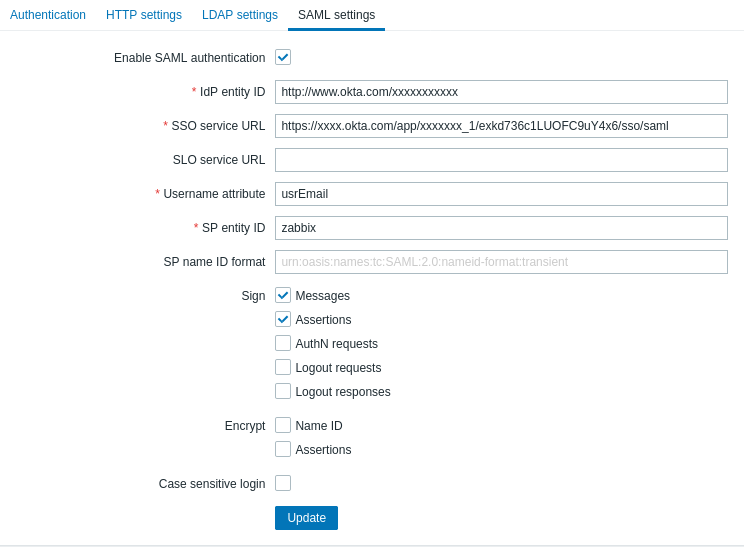
Create zabbix user with alias as email that user use in okta.com
#### Heplful links:
- https://support.okta.com/help/s/article/Common-SAML-Terms
- https://stackoverflow.com/a/5246045 - How generate certificates