https://github.com/ccakes/trk
Insanely simple time-series data tool for the CLI
https://github.com/ccakes/trk
Last synced: 5 months ago
JSON representation
Insanely simple time-series data tool for the CLI
- Host: GitHub
- URL: https://github.com/ccakes/trk
- Owner: ccakes
- License: mit
- Created: 2019-01-22T13:19:58.000Z (over 7 years ago)
- Default Branch: master
- Last Pushed: 2019-07-03T07:07:45.000Z (about 7 years ago)
- Last Synced: 2025-02-01T23:04:53.406Z (over 1 year ago)
- Language: Rust
- Size: 817 KB
- Stars: 2
- Watchers: 3
- Forks: 0
- Open Issues: 1
-
Metadata Files:
- Readme: README.md
- Changelog: CHANGES
- License: LICENSE
Awesome Lists containing this project
README
# trk
Really, **really** simple terminal-based time-series data recorder and plotter.
I have quite a few scripts which inject data into off-the-shelf apps, generate
reports, compare data in various systems and more. All the usual fun things you do
when you're working with a pile of legacy infrastructure (and cleaning it up).
This helps me track how many issues there are over time and quickly and easily identify
when large changes happen.
[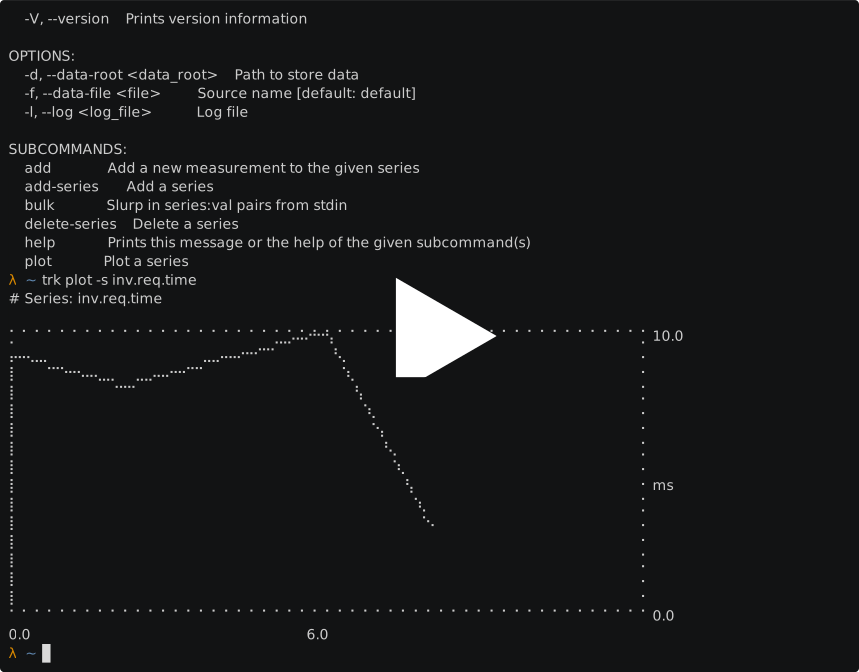](https://asciinema.org/a/lP7JcL7lX6mZexFX8HM0Z2LqM)
## Usage
```bash
# Add a new series with specific units
$ trk add-series -n inv.req.time -u ms
$ trk add-series -n devices.alive
# Or interactively
$ trk add-series
Series Name: services.provisioned
Input Unit (eg ms, bps): svc
Created services.valid
# Then add some data points
$ trk add -s inv.req.time 9
$ trk add -s inv.req.time 8
$ trk add -s inv.req.time 9
# Or via the bulk command (for integrating with scripts)
$ cat < points.txt
inv.req.time=3
devices.alive=42
services.provisioned=100
EOL
$ cat points.txt | trk bulk
# You can always use -c to auto-create the series if you don't want to pre-populate
$ trk add -c -s new.series 20
# trk stores files in $HOME/.trk by default, customise this if desired
$ trk -d ~/my-metrics bulk -c < points.txt
# Or use different data files to keep things separate
$ trk -f app1 add -c -s metric.a 33
$ trk -f app2 add -c -s metric.a 983
# And then plot the output (see screenshots below, the braille text doesn't space correctly here)
$ trk plot -s inv.req.time
# If you want the detail, add a table to
$ trk plot -s inv.req.time -t
# Or if you're not sure what you've been plotting, don't specify a series and use the interactive list
$ trk plot
```
## Contributing
Send a PR.
I'm fairly new using Rust so I expect that there's a lot which could be
fixed. Things which are at the top of my (low-priority) todo list:
- Find a nice SQL generator (like Perl's SQL::Abstract or ...)
- Support JSON maybe for bulk ingest?
- Clean up module structure
## LICENSE
See LICENSE file.
Code under `src/textplots` is MIT licensed but (C) Alexey Suslov