https://github.com/ccapton/android-slview
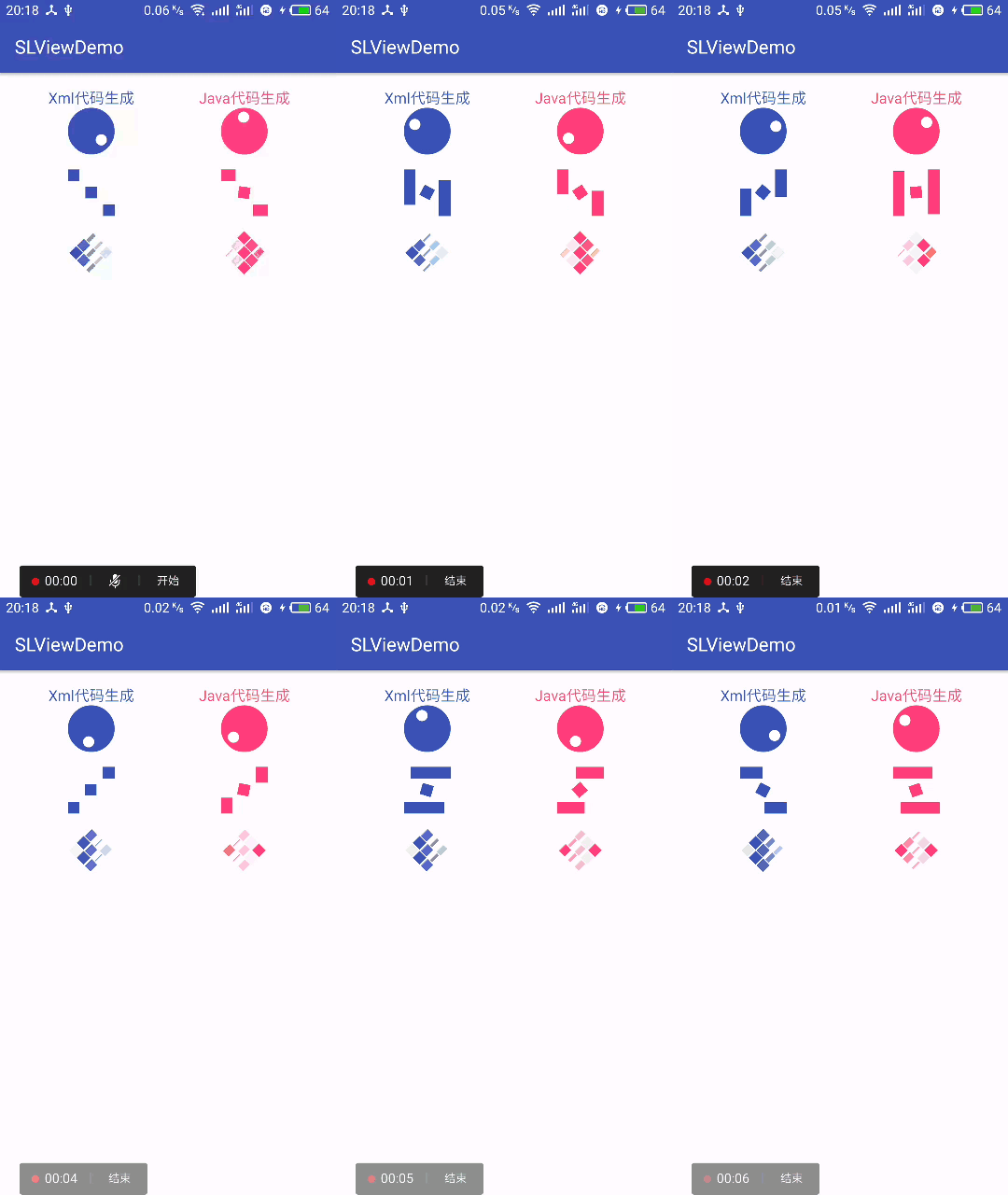
几个简单的动画,后续会有补充修改
https://github.com/ccapton/android-slview
Last synced: 8 months ago
JSON representation
几个简单的动画,后续会有补充修改
- Host: GitHub
- URL: https://github.com/ccapton/android-slview
- Owner: Ccapton
- Created: 2017-08-09T12:17:45.000Z (almost 9 years ago)
- Default Branch: master
- Last Pushed: 2017-08-09T12:45:19.000Z (almost 9 years ago)
- Last Synced: 2025-10-09T04:43:40.549Z (8 months ago)
- Language: Java
- Homepage:
- Size: 1.26 MB
- Stars: 1
- Watchers: 1
- Forks: 0
- Open Issues: 0
-
Metadata Files:
- Readme: README.md
Awesome Lists containing this project
README
# Android-SLView
几个简单的动画,后续会有补充修改
SLViewDemo.apk : https://raw.githubusercontent.com/Ccapton/Android-SLView/master/SLViewDemo.apk
### 如何配置
build.gradle(Project)
``` code
allprojects {
repositories {
...
maven { url 'https://jitpack.io' }
}
}
```
build.gradle(Module:app)
``` code
dependencies {
compile 'com.github.Ccapton:Android-SLView:1.0'
}
```
### 公共方法
``` code
setStyle(String style) //选择动画样式: SLView.STYLE_ROTATING_CIRCLE SLView.STYLE_MOVING_RECTANGLE SLView.STYLE_3D_ROTATING_RECTANGLE
setInterpolator(Interpolator interpolator) //设置插值器 例如 LinearInterpolator、 AccelerateInterpolator、FastOutLinearInInterpolator等等
setBackgroundColorRes(int colorRes) //设置动画主体颜色
setBallColorRes(int colorRes) //当动画样式为:STYLE_ROTATING_CIRCLE时,设置小球的颜色
```
### 使用方法
xml中
```
```
Activity中
```
private SLView slView;
private SLView slView2;
private SLView slView3;
private SLView slView4;
private SLView slView5;
private SLView slView6;
private LinearLayout linerlayout;
@Override
protected void onCreate(Bundle savedInstanceState) {
super.onCreate(savedInstanceState);
setContentView(R.layout.activity_main);
linerlayout= (LinearLayout) findViewById(R.id.container2);
slView= (SLView) findViewById(R.id.slview);
slView2= (SLView) findViewById(R.id.slview2);
slView3= (SLView) findViewById(R.id.slview3);
LinearLayout.LayoutParams lp=new LinearLayout.LayoutParams(DisplayUtil.dip2px(this,50), DisplayUtil.dip2px(this,50));
lp.setMargins(0,0,0, DisplayUtil.dip2px(this,16));
lp.gravity=Gravity.CENTER_HORIZONTAL;
TextView tv=new TextView(this);
tv.setLayoutParams(new LinearLayout.LayoutParams(ViewGroup.LayoutParams.MATCH_PARENT, ViewGroup.LayoutParams.WRAP_CONTENT));
tv.setGravity(Gravity.CENTER);
tv.setTextSize(16);
tv.setText("Java代码生成");
tv.setTextColor(getResources().getColor(R.color.colorAccent));
slView4=new SLView(this);
slView4.setLayoutParams(lp);
slView4.setStyle(SLView.STYLE_ROTATING_CIRCLE);
slView4.setInterpolator(new AccelerateInterpolator());
slView4.setBackgroundColorRes(R.color.colorAccent);
slView5=new SLView(this);
slView5.setLayoutParams(lp);
slView5.setStyle(SLView.STYLE_MOVING_RECTANGLE);
slView5.setInterpolator(new LinearInterpolator());
slView5.setBackgroundColorRes(R.color.colorAccent);
slView6=new SLView(this);
slView6.setLayoutParams(lp);
slView6.setStyle(SLView.STYLE_3D_ROTATING_RECTANGLE);
slView6.setBackgroundColorRes(R.color.colorAccent);
linerlayout.addView(tv);
linerlayout.addView(slView4);
linerlayout.addView(slView5);
linerlayout.addView(slView6);
}
```