https://github.com/ccapton/filechooser
An android file(path) chooser ,it's super easy to use. Android文件(路径)选择器,超简单配置
https://github.com/ccapton/filechooser
Last synced: about 1 year ago
JSON representation
An android file(path) chooser ,it's super easy to use. Android文件(路径)选择器,超简单配置
- Host: GitHub
- URL: https://github.com/ccapton/filechooser
- Owner: Ccapton
- Created: 2018-01-06T15:07:13.000Z (over 8 years ago)
- Default Branch: master
- Last Pushed: 2018-08-12T19:15:36.000Z (almost 8 years ago)
- Last Synced: 2025-05-13T00:48:35.529Z (about 1 year ago)
- Language: Java
- Homepage:
- Size: 562 KB
- Stars: 6
- Watchers: 1
- Forks: 1
- Open Issues: 1
-
Metadata Files:
- Readme: README.md
Awesome Lists containing this project
README
# FileChooser
Android文件(路径)选择器,超简单配置 :fire:
## 效果
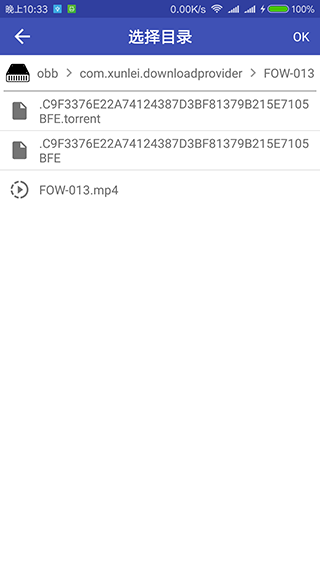
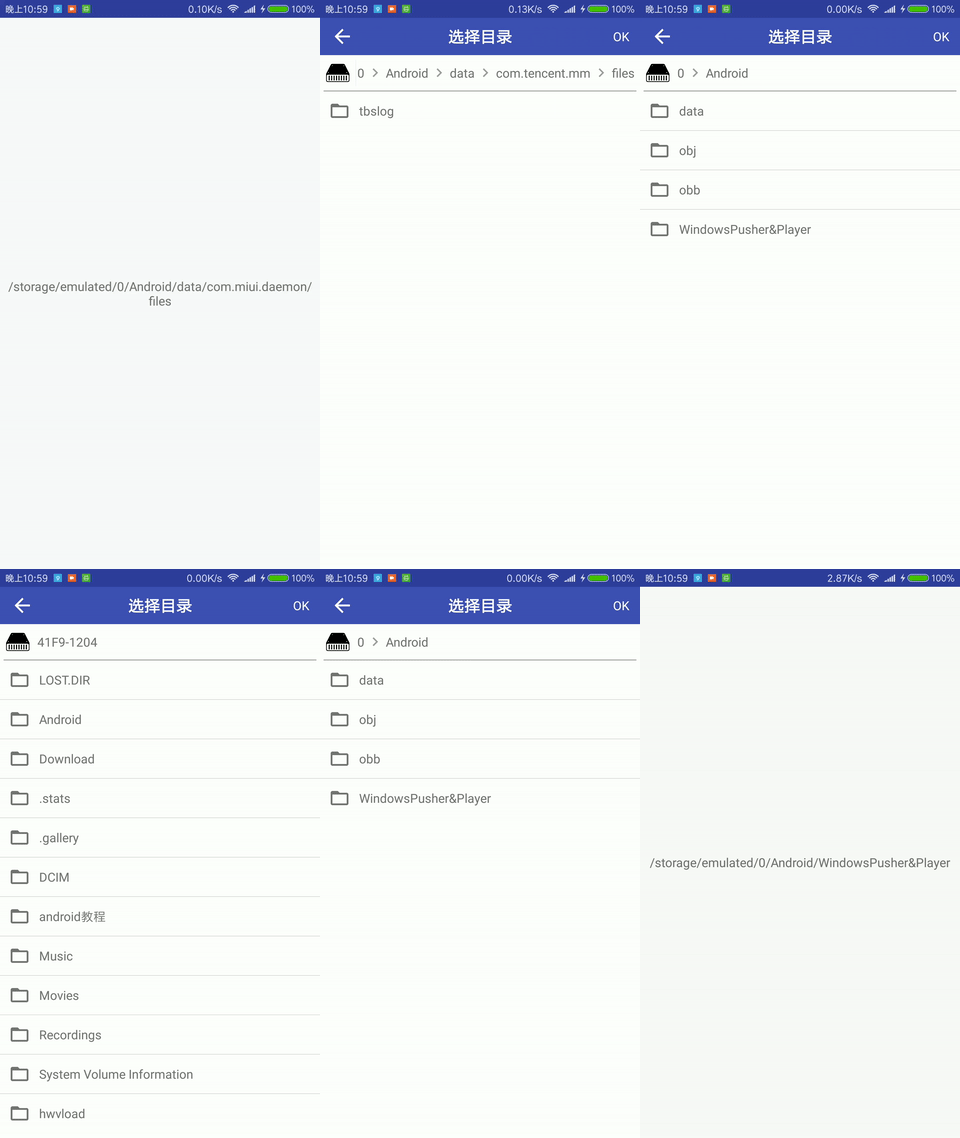
## gradle引入
build.gradle(Project)
```
allprojects {
repositories {
...
maven { url 'https://jitpack.io' }
}
}
```
build.gradle(Module:app)
```
dependencies {
compile 'com.github.Ccapton:FileChooser:1.0.1'
}
```
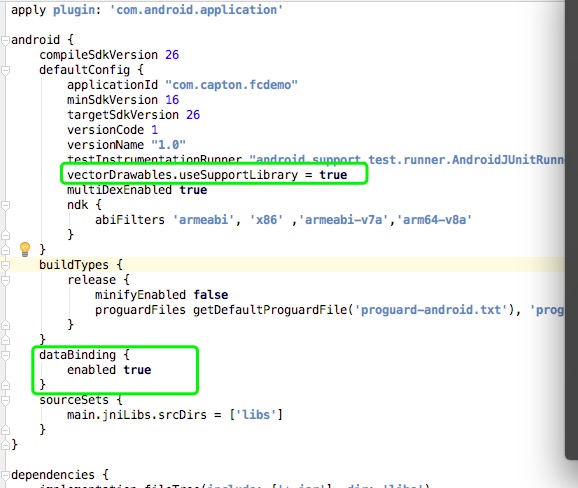
#### 重要配置
如果你的项目没有配置databinding和vectorDrawables
请在下图的位置分别加上这两句代码
```
vectorDrawables.useSupportLibrary = true
```
```
dataBinding {
enabled true
}
```
## 使用方法
示例代码:
```
FileChooser fileChooser = new FileChooser(MainActivity.this, new FileChooser.FileChoosenListener() {
@Override
public void onFileChoosen(String filePath) {
((TextView)findViewById(R.id.hello)).setText(filePath);
}
});
/*
* 1.默认配置
*/
fileChooser.open();
/*
* 2.自定义配置
*/
fileChooser.setThemeColor(R.color.colorPrimary)
.setTitle("选择目录")
.setCurrentPath("/storage/emulated/0/Android/data/com.tencent.mm/files")
.setBackIconRes(R.drawable.back_white)
.setDoneText("OK")
.showFile(false)
.open();
```