https://github.com/cda-tum/mnt-bench
MNT Bench - An MNT tool for Benchmarking FCN circuits
https://github.com/cda-tum/mnt-bench
benchmarking nanocomputing physical-design
Last synced: 4 months ago
JSON representation
MNT Bench - An MNT tool for Benchmarking FCN circuits
- Host: GitHub
- URL: https://github.com/cda-tum/mnt-bench
- Owner: cda-tum
- License: mit
- Created: 2023-10-24T12:16:03.000Z (over 2 years ago)
- Default Branch: main
- Last Pushed: 2025-11-21T05:02:11.000Z (6 months ago)
- Last Synced: 2026-01-26T12:42:23.788Z (4 months ago)
- Topics: benchmarking, nanocomputing, physical-design
- Language: HTML
- Homepage: https://www.cda.cit.tum.de/mntbench/
- Size: 1.66 MB
- Stars: 13
- Watchers: 2
- Forks: 0
- Open Issues: 5
-
Metadata Files:
- Readme: README.md
- License: LICENSE
Awesome Lists containing this project
README
[](https://pypi.org/project/mnt.bench/)
[](https://opensource.org/licenses/MIT)
[](https://github.com/cda-tum/mnt-bench/actions/workflows/coverage.yml)
[](https://github.com/cda-tum/mnt-bench/actions/workflows/deploy.yml)
[](https://codecov.io/gh/cda-tum/mnt-bench)

# MNT Bench: Layout Library for Field-coupled Nanocomputing Circuits
MNT Bench is a field-coupled nanocomputing circuit benchmark suite for multiple gate libraries and clocking schemes.
MNT Bench is part of the Munich Nanotech Toolkit (MNT) developed by the [Chair for Design Automation](https://www.cda.cit.tum.de/) at the [Technical University of Munich](https://www.tum.de/) and is hosted at [https://www.cda.cit.tum.de/mntbench/](https://www.cda.cit.tum.de/mntbench/).
This documentation explains how to use MNT Bench to filter and download benchmarks.
## Benchmark Selection
So far, the functions from the following benchmark sets are implemented and provided:
1. [Trindade16](https://ieeexplore.ieee.org/document/7724048)
2. [Fontes18](https://ieeexplore.ieee.org/document/8351001)
3. [ISCAS85](https://www.researchgate.net/publication/273775783_A_neutral_netlist_of_10_combinational_benchmark_circuits_and_a_targeted_translator_in_FORTRAN)
4. [EPFL](https://www.epfl.ch/labs/lsi/page-102566-en-html/benchmarks/)
## Gate Libraries
So far, MNT Bench supports the following native gate-sets:
1. [ONE](https://ieeexplore.ieee.org/document/7538997/) (for QCA) gate set: _\[AND, OR, NOT, BUF\]_
2. [Bestagon](https://www.cda.cit.tum.de/files/eda/2022_dac_hexagons_are_the_bestagons.pdf) (for SiDB) gate set: _\[AND, NAND, OR, NOR, XOR, XNOR, NOT, BUF\]_
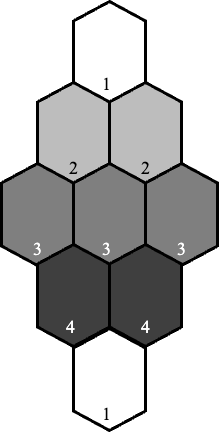
## Clocking Schemes
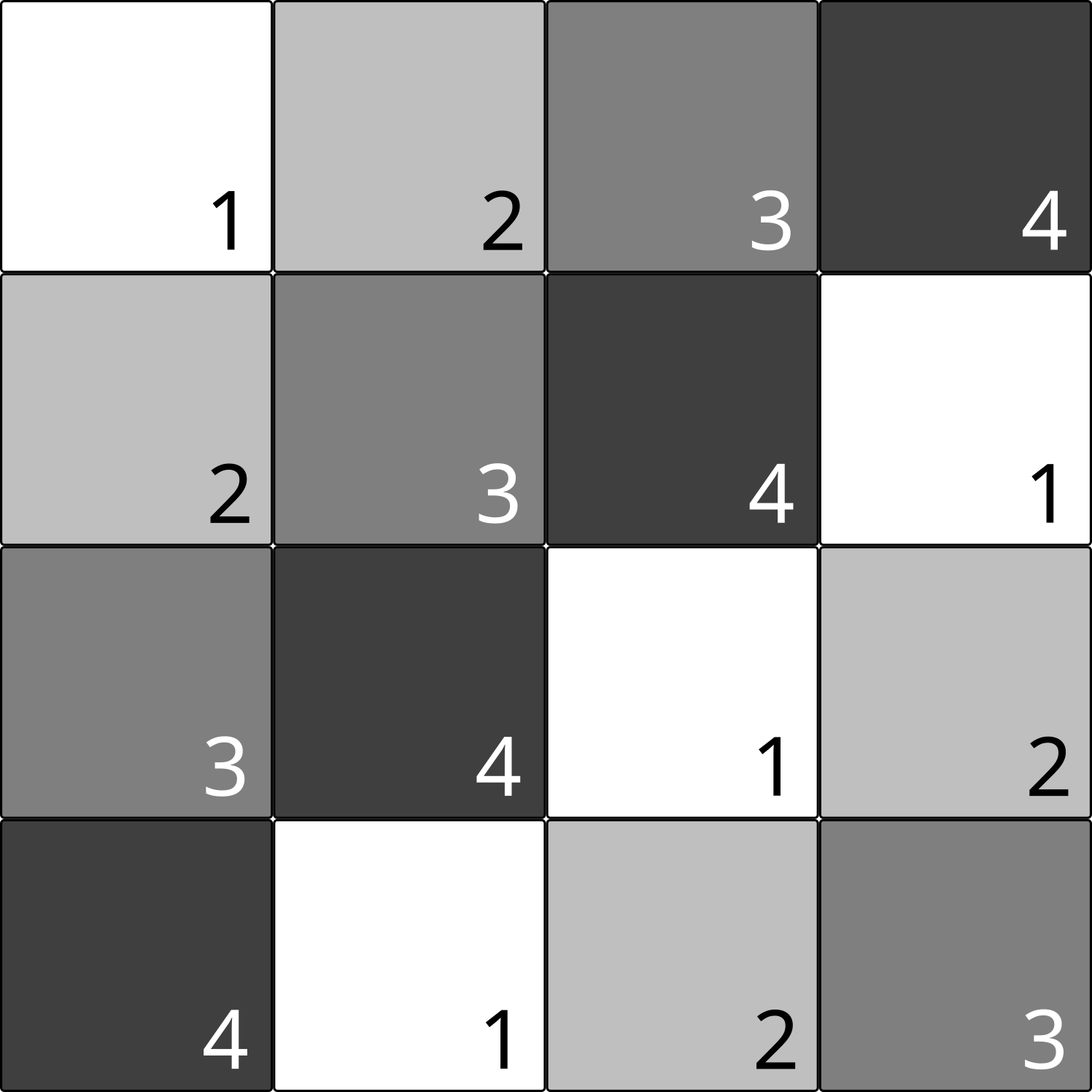
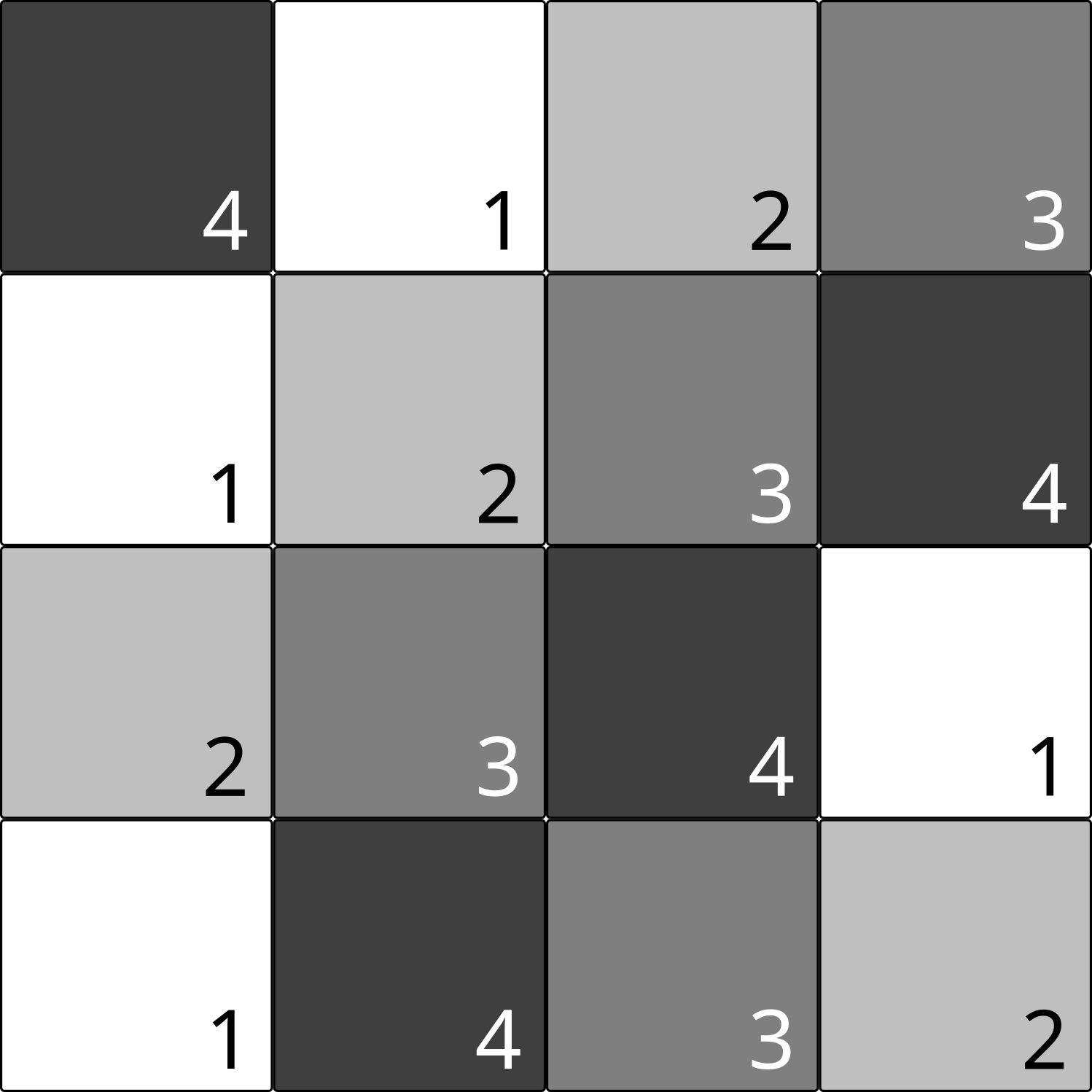
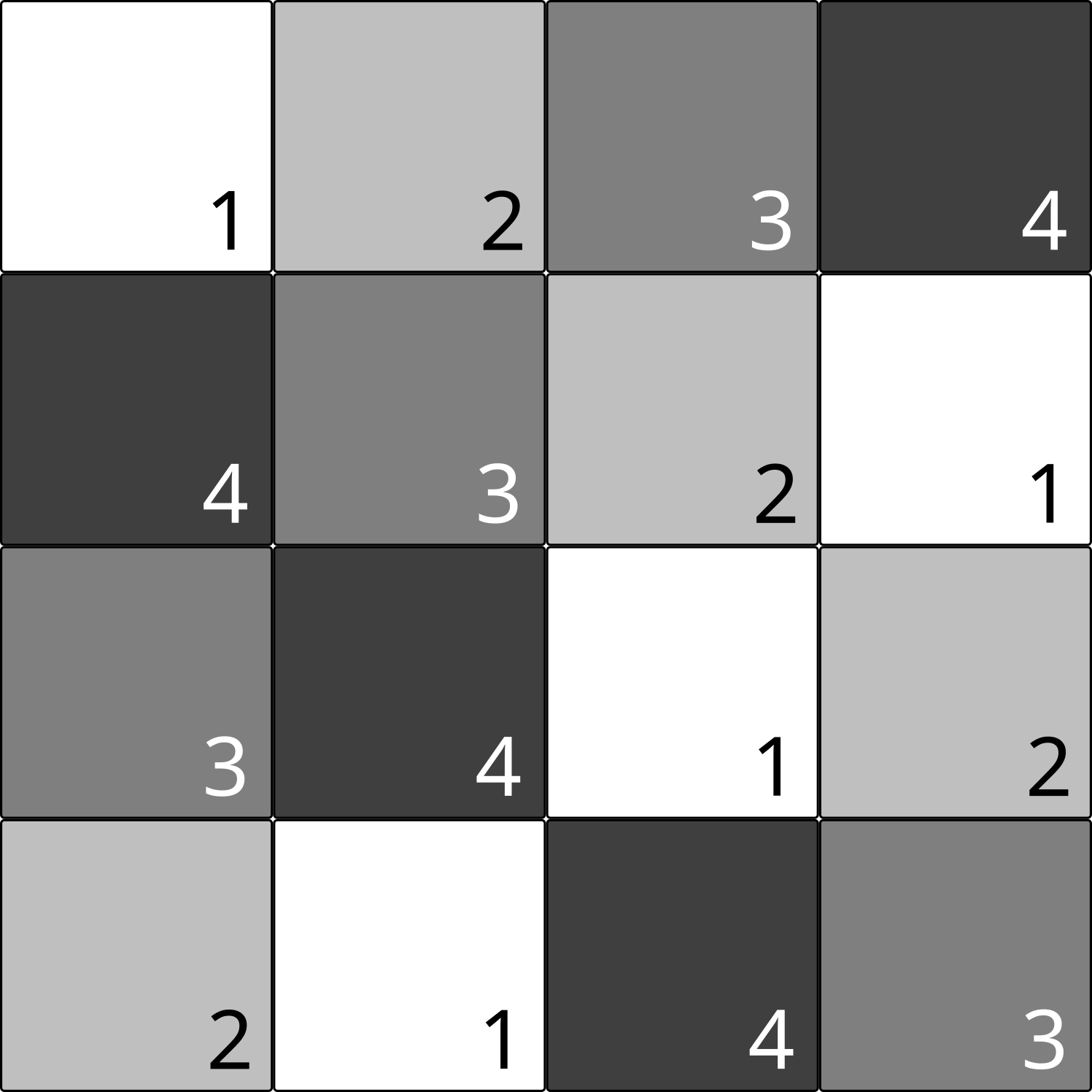
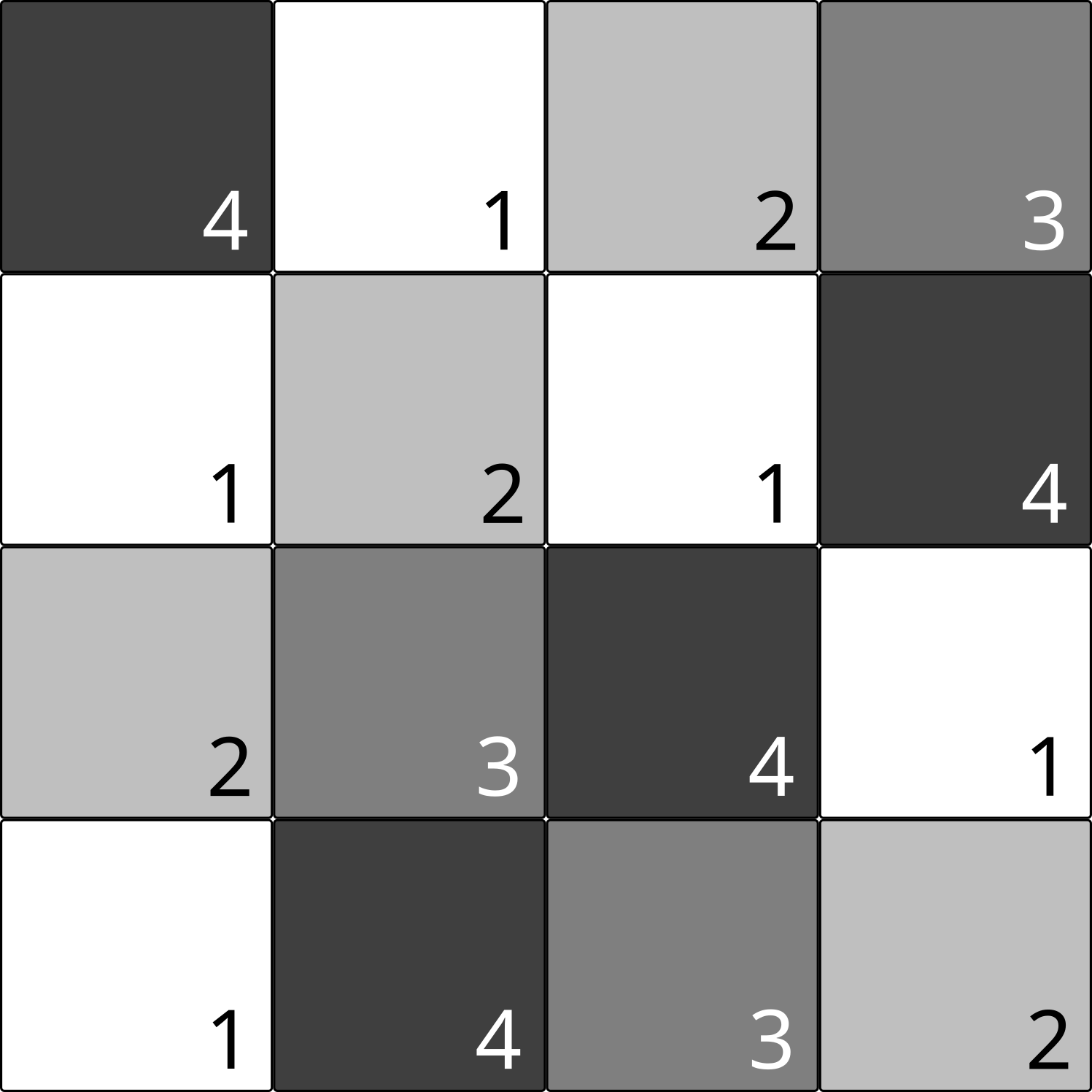
Most of the layouts are available for any of the following clocking schemes:
| [2DDWave](https://ieeexplore.ieee.org/document/1717097) | [ESR](https://link.springer.com/content/pdf/10.1007/s10470-020-01760-4.pdf) |
| :-------------------------------------------------------------------------------------------------------------------------------: | :-----------------------------------------------------------------------------------------------------------------------: |
|  |
|  |
|
| [USE](https://ieeexplore.ieee.org/document/7219390) | [RES](https://www.tandfonline.com/doi/abs/10.1080/21681724.2019.1570551) |
| :-----------------------------------------------------------------------------------------------------------------------: | :-----------------------------------------------------------------------------------------------------------------------: |
|  |
|  |
|
| [Row](https://ieeexplore.ieee.org/document/573740) |
| :-----------------------------------------------------------------------------------------------------------------------: |
|  |
|
# Repository Structure
- src/mnt/: main source directory
- bench: Directory for the webpage (which can be started locally and is also hosted at
[https://www.cda.cit.tum.de/mntbench/](https://www.cda.cit.tum.de/mntbench/))
- tests: Directory for the tests for MNT Bench
# Repository Usage
There are three ways how to use this benchmark suite:
1. Via the webpage hosted at [https://www.cda.cit.tum.de/mntbench/](https://www.cda.cit.tum.de/mntbench/)
2. Via the pip package `mnt.bench`
3. Directly via this repository
Since the first way is rather self-explanatory, the other two ways are explained in more detail in the following.
## Usage via pip package
MNT Bench is available via [PyPI](https://pypi.org/project/mnt.bench/)
```console
(venv) $ pip install mnt.bench
```
### Locally hosting the MNT Bench Viewer
Additionally, this python package includes the same webserver used for the hosting of the
[MNT Bench webpage](https://www.cda.cit.tum.de/mntbench).
After the `mnt.bench` Python package is installed via
```console
(venv) $ pip install mnt.bench
```
the MNT Bench Viewer can be started from the terminal via
```console
(venv) $ mnt.bench
```
This first searches for the most recent version of the benchmark files on GitHub and offers to download them.
Afterwards, the webserver is started locally.
## Usage directly via this repository
For that, the repository must be cloned and installed:
```
git clone https://github.com/cda-tum/mnt-bench.git
cd mnt-bench
pip install .
```
Afterwards, the package can be used as described [above](#Usage-via-pip-package).