https://github.com/cdaringe/3d-adjacency
find "clusters" of adjacent values/cells from a 3d array
https://github.com/cdaringe/3d-adjacency
Last synced: about 1 year ago
JSON representation
find "clusters" of adjacent values/cells from a 3d array
- Host: GitHub
- URL: https://github.com/cdaringe/3d-adjacency
- Owner: cdaringe
- Created: 2016-05-29T02:15:28.000Z (about 10 years ago)
- Default Branch: master
- Last Pushed: 2024-08-06T05:55:26.000Z (about 2 years ago)
- Last Synced: 2025-07-25T05:10:33.075Z (about 1 year ago)
- Language: JavaScript
- Size: 830 KB
- Stars: 0
- Watchers: 2
- Forks: 0
- Open Issues: 16
-
Metadata Files:
- Readme: README.md
Awesome Lists containing this project
README
# 3d-adjacency
[](https://greenkeeper.io/)
[ ](https://codeship.com/projects/155284) [](https://coveralls.io/github/cdaringe/3d-adjacency?branch=master) 
find "clusters" of adjacent cells from a 3d array. the array does _not_ need to be cubic, but it does need to be a rectangular prism.
## example
suppose you had a three dimensional array, full of 0s and 1s. 0s are white, and 1s are green. graphically, it may look like:
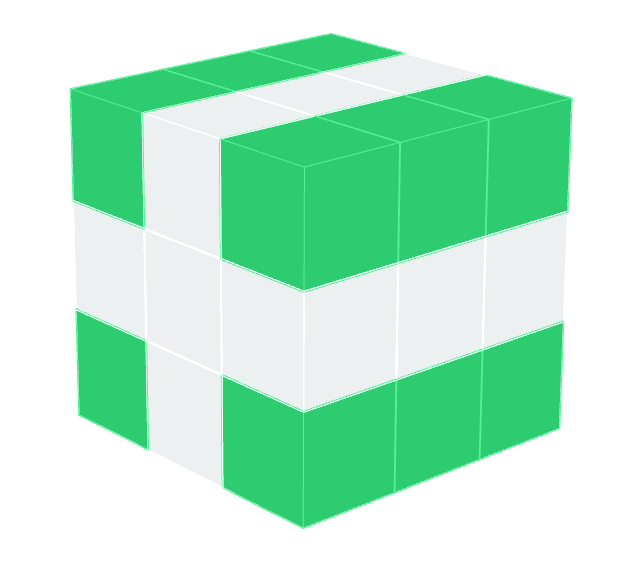
what you desire is the sets of connected green cells. graphically, it may look like:
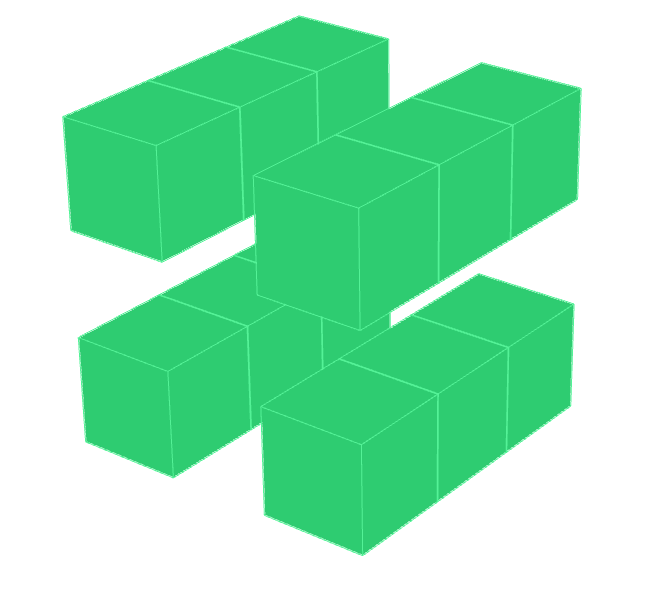
well, that's exactly what this module provides! yahoo!
```js
const adj3d = require('3d-adjacency')
const exampleCube = [ // as shown above
[
[1, 0, 1], [0, 0, 0], [1, 0, 1],
],
[
[1, 0, 1], [0, 0, 0], [1, 0, 1],
],
[
[1, 0, 1], [0, 0, 0], [1, 0, 2],
],
]
const groups = adj3d.find(exampleCube)
// ==>
/*
[ // four groups of green blocks
[
{ x: 0, y: 0, z: 0, value: 1 },
{ x: 1, y: 0, z: 0, value: 1 },
{ x: 2, y: 0, z: 0, value: 1 }
],
[
{ x: 0, y: 0, z: 2, value: 1 },
{ x: 1, y: 0, z: 2, value: 1 },
{ x: 2, y: 0, z: 2, value: 1 }
],
[
{ x: 0, y: 2, z: 0, value: 1 },
{ x: 1, y: 2, z: 0, value: 1 },
{ x: 2, y: 2, z: 0, value: 1 }
],
[
{ x: 0, y: 2, z: 2, value: 1 },
{ x: 1, y: 2, z: 2, value: 1 },
{ x: 2, y: 2, z: 2, value: 2 }
]
]
*/
```
_"Hey, why is output not matching the same form as the input?"_
Valid question. Specifically, the output is a set of objects that are coordinates+values. the input is the actual data. Although one might expect the output to be something like `[ [0, 1, 2] ]`, where `0, 1, 2` are coordinates, the input was not coordinate sets to begin with.
## install
`npm install --save 3d-adjacency`
## usage
See example above and the [offcial API docs](http://cdaringe.github.io/3d-adjacency)
### changelog
- 0.0.2 handle much larger arrays. remove recursive calls to keep stack down