https://github.com/ceccopierangiolieugenio/ttkode
Terminal ToolKit Studio Code editor
https://github.com/ceccopierangiolieugenio/ttkode
cross-platform editor ide pytermtk python python3 terminal text-editor ttkode
Last synced: 10 months ago
JSON representation
Terminal ToolKit Studio Code editor
- Host: GitHub
- URL: https://github.com/ceccopierangiolieugenio/ttkode
- Owner: ceccopierangiolieugenio
- License: mit
- Created: 2022-04-08T20:00:39.000Z (about 4 years ago)
- Default Branch: main
- Last Pushed: 2025-05-01T18:00:08.000Z (about 1 year ago)
- Last Synced: 2025-05-01T19:22:37.369Z (about 1 year ago)
- Topics: cross-platform, editor, ide, pytermtk, python, python3, terminal, text-editor, ttkode
- Language: Python
- Homepage:
- Size: 58.6 KB
- Stars: 19
- Watchers: 2
- Forks: 0
- Open Issues: 3
-
Metadata Files:
- Readme: README.md
- License: LICENSE
Awesome Lists containing this project
README
# [DEPRECATED] [ttkode](https://github.com/ceccopierangiolieugenio/pyTermTk/tree/main/apps/ttkode) moved to the [pyTermTk](https://github.com/ceccopierangiolieugenio/pyTermTk)'s [monorepo](https://github.com/ceccopierangiolieugenio/pyTermTk/tree/main/apps) - please use https://github.com/ceccopierangiolieugenio/pyTermTk/tree/main/apps/ttkode
-----

-----




[](https://pypi.org/project/ttkode)
[](https://twitter.com/hashtag/pyTermTk?src=hashtag_click&f=live)
# ttkode - Freezed at: Fri 4 Apr 14:18:10 UTC 2025, latest available [here](https://github.com/ceccopierangiolieugenio/pyTermTk/tree/main/apps/ttkode)
TerminalToolKit (Studio) Code (editor)
A hopefully fast and mesmerizingly advanced [text-based](https://en.wikipedia.org/wiki/Text-based_user_interface) code editor inspired by [vscode](https://code.visualstudio.com)
## Features (TBD)
- Search Panel
- Highlight
- Bookmarks
- Shiny ASCII Red Peppers
[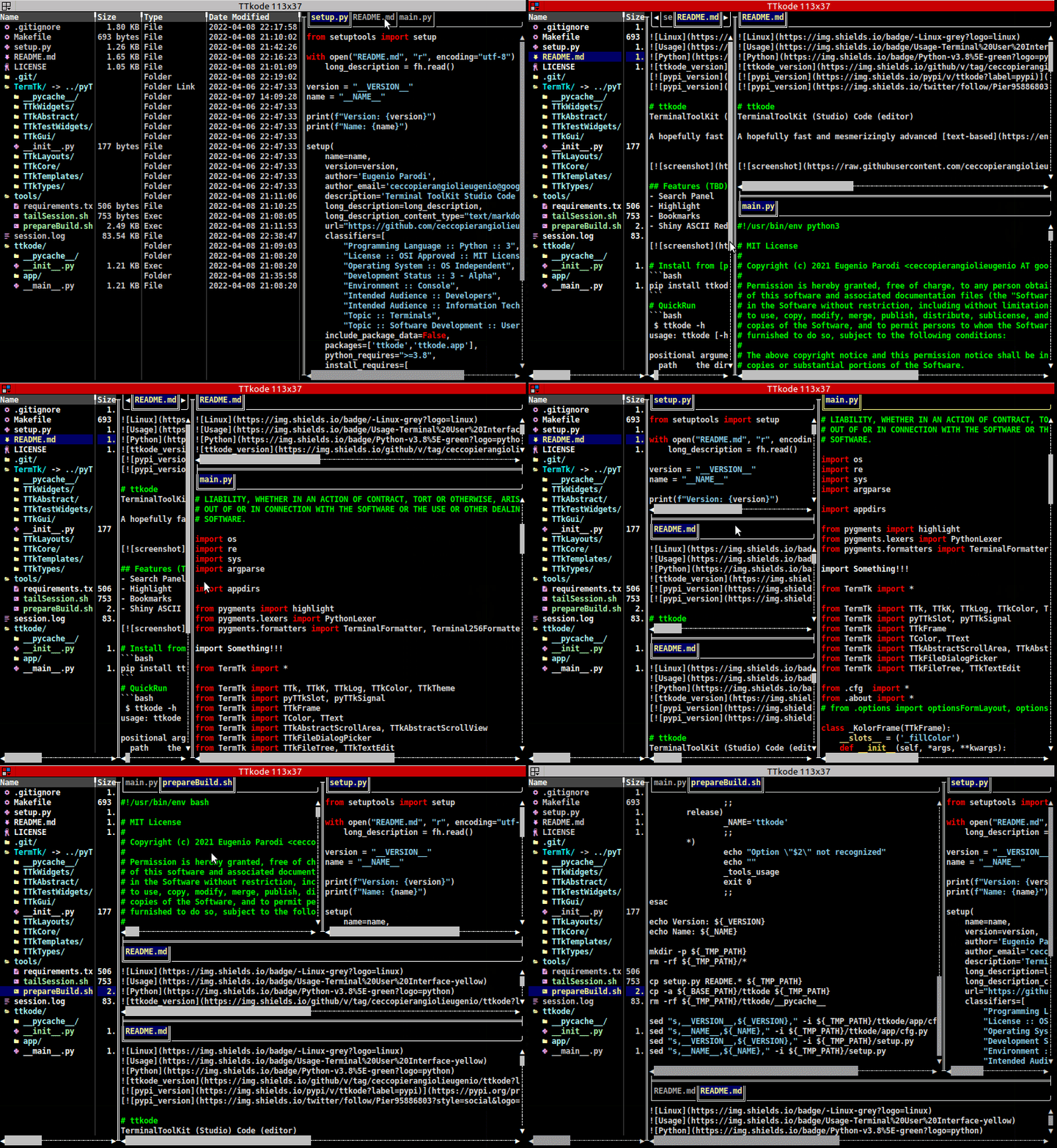](https://pypi.org/project/tlogg)
[Peek 2022-10-08 22-25.webm](https://user-images.githubusercontent.com/8876552/195099208-65d4707e-0340-4077-835a-87ae6c8ae3b6.webm)
# Install from [pypi](https://pypi.org/project/ttkode)
```bash
pip install ttkode
```
# QuickRun
```bash
$ ttkode -h
usage: ttkode [-h] [-c C] path [path ...]
positional arguments:
path the dir/filename/s
optional arguments:
-h, --help show this help message and exit
-c C config folder (default: "/home/user/.config/ttkode")
```
# Test
### Clone
```bash
git clone https://github.com/ceccopierangiolieugenio/ttkode.git
cd ttkode
```
### Run
```
python3 -m ttkode
```