https://github.com/ceramicnetwork/ceramic-anchor-service
Layer 2 service for anchoring batches of Ceramic commits into a single blockchain transaction.
https://github.com/ceramicnetwork/ceramic-anchor-service
ceramic
Last synced: 10 months ago
JSON representation
Layer 2 service for anchoring batches of Ceramic commits into a single blockchain transaction.
- Host: GitHub
- URL: https://github.com/ceramicnetwork/ceramic-anchor-service
- Owner: ceramicnetwork
- License: other
- Created: 2020-04-07T10:31:51.000Z (about 6 years ago)
- Default Branch: develop
- Last Pushed: 2024-08-05T20:07:26.000Z (almost 2 years ago)
- Last Synced: 2025-01-14T01:49:37.986Z (over 1 year ago)
- Topics: ceramic
- Language: TypeScript
- Homepage:
- Size: 37.9 MB
- Stars: 36
- Watchers: 10
- Forks: 19
- Open Issues: 28
-
Metadata Files:
- Readme: README.md
- License: LICENSE-APACHE
Awesome Lists containing this project
README
# Ceramic Anchor Service
[](https://app.fossa.com/projects/git%2Bgithub.com%2Fceramicnetwork%2Fceramic-anchor-service?ref=badge_shield)
Ceramic Anchor Service is a proof of concept implementation of an anchor service according to the Ceramic [specification](https://github.com/ceramicnetwork/specs).
This implementation currently uses the Ethereum blockchain but is built in order to be blockchain agnostic. It is fairly easy to add more modules to support other blockchains as well.
## Usage (Docker)
### Docker
**Build the CAS image:**
```sh
docker build . --target base -t cas
```
### Docker Compose
Docker compose will run two instances of CAS--the api in "server" mode and the anchor worker in "anchor" mode.
```sh
docker compose up
docker compose down
```
## Usage (Node.js)
In order to run the simulation you need to install [Node.js](https://nodejs.org).
Only major version 16 of Node.js is supported.
Configuration file is located under `./config` directory.
In order to run the application, you need to start the IPFS, Ganache, Postgres nodes locally.
You could do that by running:
```shell
docker-compose up ipfs ganache database
```
Then run the following commands in a new terminal:
```sh
npm run build
npm run start
```
## Testing
1. Install node modules by running `npm install`
1. Build source with `npm run build`
1. Compile smart contracts
1. Install [foundry](https://github.com/foundry-rs/foundry)
1. `npm run installContractDeps`
1. `npm run buildContract`
1. Run the tests: `npm run test`
1. (Optional) Run tests with coverage: `npm run coverage`
## Contributing
### Config
Values in the config files get their types auto-generated by [node-config-ts](https://github.com/tusharmath/node-config-ts) when running `npm run postinstall`.
## Maintainers
[@stephhuynh18](https://github.com/stephhuynh18)
## License
Apache-2.0 OR MIT
[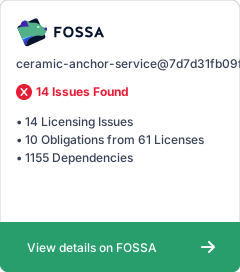](https://app.fossa.com/projects/git%2Bgithub.com%2Fceramicnetwork%2Fceramic-anchor-service?ref=badge_large)
## Team
Built with  from the [3Box Labs](https://3box.io) team.