https://github.com/cgkineo/adapt-search
Keyword-search extension for Adapt
https://github.com/cgkineo/adapt-search
adapt extension
Last synced: 5 months ago
JSON representation
Keyword-search extension for Adapt
- Host: GitHub
- URL: https://github.com/cgkineo/adapt-search
- Owner: cgkineo
- License: gpl-3.0
- Created: 2014-07-17T13:34:45.000Z (almost 12 years ago)
- Default Branch: master
- Last Pushed: 2025-11-03T18:22:07.000Z (8 months ago)
- Last Synced: 2025-11-03T20:24:13.076Z (8 months ago)
- Topics: adapt, extension
- Language: JavaScript
- Homepage:
- Size: 384 KB
- Stars: 4
- Watchers: 11
- Forks: 10
- Open Issues: 0
-
Metadata Files:
- Readme: README.md
- Contributing: .github/CONTRIBUTING.md
- License: LICENSE
Awesome Lists containing this project
README
# adapt-search
**Search** is an *extension* plugin for the [Adapt framework](https://github.com/adaptlearning/adapt_framework).
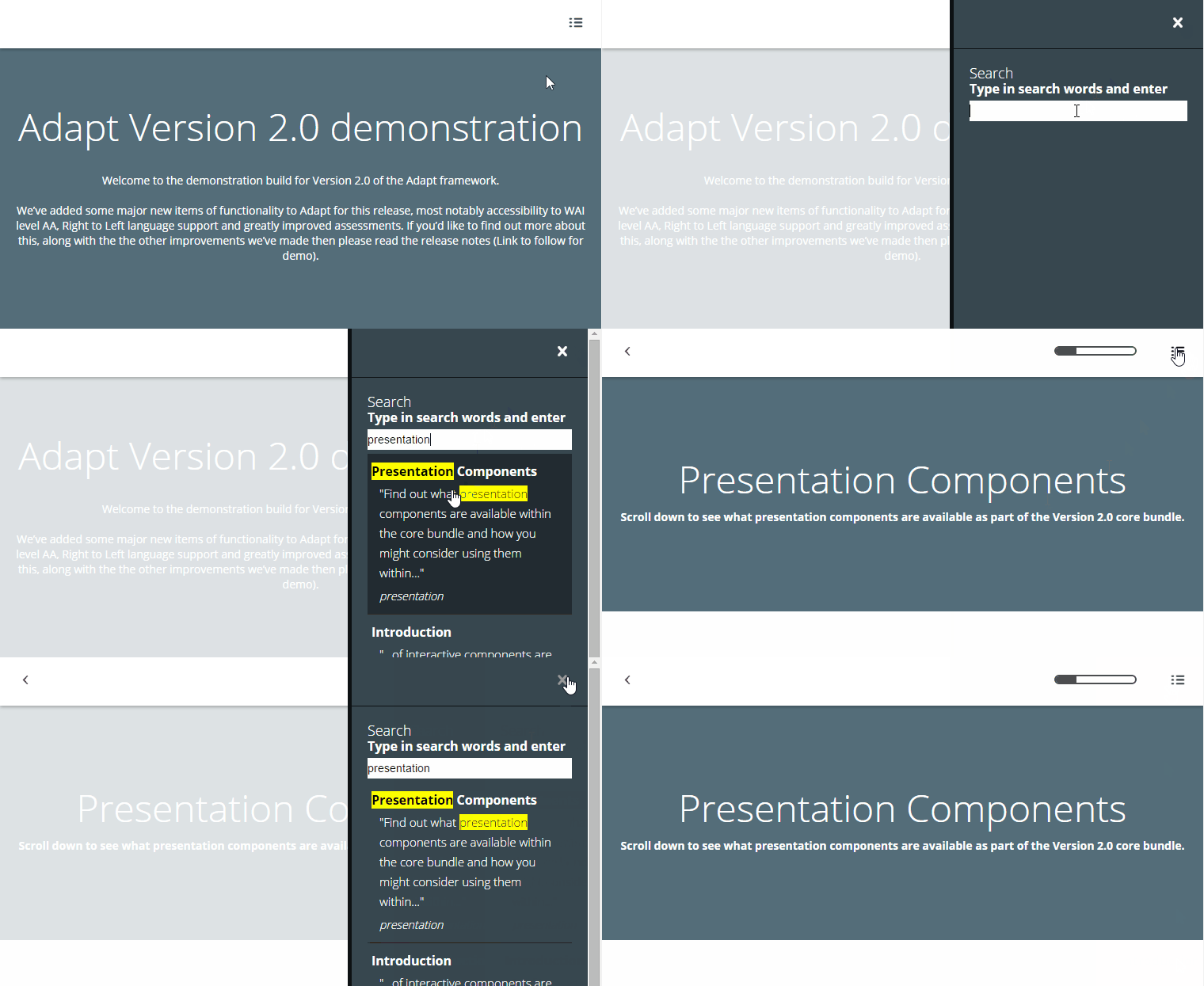
The search extension displays in the Adapt 'drawer', either as a single item or with other items - such as the [resources plugin](https://github.com/adaptlearning/adapt-contrib-resources).
## Installation
To install this extension using the Adapt CLI, run `adapt install adapt-search`
## Settings Overview
The search extension's main configuration should be added to *course.json*. Additional configuration of search 'keywords' may be included on contentObjects, articles, blocks and components.
## General Attributes
The attributes listed below are used in *course.json* to configure **Search**, and are properly formatted as JSON in [*example.json*](https://github.com/cgkineo/adapt-search/blob/master/example.json).
### title (string):
Extension title, defaults to `"Search"`.
### placeholder (string):
Search field text box 'placeholder' text, defaults to `""`.
### description (string):
Extension description, defaults to `"Type in search words"`.
### \_drawerOrder (number):
Determines the order in which this extension appears as a drawer item. You only need to set this if your course has more than one extension that appears in the drawer (e.g. [glossary](https://github.com/adaptlearning/adapt-contrib-glossary), [resources](https://github.com/adaptlearning/adapt-contrib-resources)) and you want to control the order in which they are listed when the drawer is opened.
### noResultsMessage (string):
Text displayed when no results are found, defaults to `"Sorry, no results were found"`.
### awaitingResultsMessage (string):
Message between having enough characters to search and having search results (More than 2 characters per word). Defaults to `"Formulating results..."`.
### \_showHighlights (boolean):
Show the yellow highlights on search results. Defaults to `true`.
### \_showFoundWords (boolean):
Show found words under the search results. Defaults to `true`.
### \_previewWords (integer):
The number of words taken from either side of the matching word. Defaults to `15`.
### \_previewCharacters (integer):
If the number of `_previewWords` cannot be found then use `x` number of characters. Defaults to `30`.
## Item Attributes
The attributes listed below are used in *contentObject.json*, *articles.json*, *blocks.json* and *components.json* to configure **Search Items**, and are properly formatted as JSON in [*example.json*](https://github.com/cgkineo/adapt-search/blob/master/example.json).
### \_search (object):
Container object for the `keywords` setting
### title (string):
Alternative title for search result.
### keywords (array):
A list of search keywords/phrases to be associated with the contentObject/article/block/component. Each item in the array must be a string.
**NOTE**: Keywords are exported with the `grunt translate:export` command. When localising content, use a process that ensures translated keywords are found in the actual translated course content.
## Limitations
No known limitations.
----------------------------
**Framework versions:** 5.8+
**Author / maintainer:** Kineo and community with [contributors](https://github.com/cgkineo/adapt-search/graphs/contributors)
**Accessibility support:** WAI AA
**RTL support:** No
**Cross-platform coverage:** Chrome, Chrome for Android, Firefox (ESR + latest version), Edge, IE11, Safari 14 for macOS/iOS/iPadOS, Opera