https://github.com/chammoru/q1view
Windows pixel viewer and frame comparer for raw buffers, codec output, and image pipeline debugging.
https://github.com/chammoru/q1view
10bit heic heif image-comparison image-viewer mfc nv12 nv21 opencv p010 pixel-inspection psnr raw-image rawviewer ssim super-resolution-compare video-frames windows yuv yuv-player
Last synced: about 1 month ago
JSON representation
Windows pixel viewer and frame comparer for raw buffers, codec output, and image pipeline debugging.
- Host: GitHub
- URL: https://github.com/chammoru/q1view
- Owner: chammoru
- License: mit
- Created: 2020-04-10T16:08:50.000Z (about 6 years ago)
- Default Branch: master
- Last Pushed: 2026-05-24T23:25:56.000Z (about 1 month ago)
- Last Synced: 2026-05-24T23:30:00.616Z (about 1 month ago)
- Topics: 10bit, heic, heif, image-comparison, image-viewer, mfc, nv12, nv21, opencv, p010, pixel-inspection, psnr, raw-image, rawviewer, ssim, super-resolution-compare, video-frames, windows, yuv, yuv-player
- Language: C++
- Homepage:
- Size: 226 MB
- Stars: 3
- Watchers: 1
- Forks: 1
- Open Issues: 22
-
Metadata Files:
- Readme: README.md
- License: LICENSE
Awesome Lists containing this project
README
# Q1View
[](#download)
[](#what-you-get)
[](#what-you-get)
[](#supported-inputs)
[](#supported-inputs)
Q1View is a Windows viewer and comparer for people who inspect pixels, decoded
frames, raw buffers, and codec output.
## Download
Get the latest Windows x64 build from the
[GitHub Releases page](https://github.com/chammoru/Q1View/releases/latest).
- **Installer**: `Q1ViewSetup-x64.exe`
- **Portable package**: `Q1View-windows-x64.zip`
The installer adds separate Start Menu entries for **Q1View Viewer** and
**Q1View Comparer**.
## What You Get
- **Viewer** opens images, raw dumps, image sequences, videos, and clipboard
images with pixel-level inspection.
- **Comparer** compares 2-4 sources with synchronized navigation, zooming,
color-space handling, PSNR, and SSIM.
## Why Q1View?
- Raw pixel formats are first-class: YUV, NV12/NV21, P010/P210, RGB/BGR/RGBA,
grayscale, packed RGB, and more.
- Image folders can be treated like frame sequences.
- Exact pixel values, coordinates, luma-only view, nearest-neighbor zoom, and
selected-region copy are built into the workflow.
- Multiple Viewer windows can link input controls for synchronized inspection.
- HEIF/HEIC/HIF and AVIF still images are supported in both Viewer and Comparer.
- Unicode Windows paths are supported, including Korean file and folder names.
- The release package includes the DLLs it needs, so users do not need to
install OpenCV or HEIF libraries separately.
Q1View is not trying to be a photo library. It is built for Windows pixel
debugging, frame comparison, and quick visual checks during codec or image
pipeline work.
## Supported Inputs
- BMP, JPEG, PNG, TIFF, WebP
- HEIF, HEIC, HIF
- AVIF / AV1 still images
- Video files supported by the packaged OpenCV/FFmpeg runtime
- Raw frame dumps and clipboard images
## Build From Source
Q1View builds with Visual Studio 2019 or newer on Windows x64.
```powershell
msbuild Viewer\Viewer.sln /m /restore /p:Configuration=Release /p:Platform=x64
msbuild Comparer\Comparer.sln /m /restore /p:Configuration=Release /p:Platform=x64
```
Normal builds restore OpenCV and libheif into `.deps` from published dependency
archives. Dedicated GitHub Actions workflows refresh those dependency archives
when needed.
## Release Pipeline
GitHub Actions builds Viewer and Comparer, stages the runtime files, creates the
portable zip, builds the Inno Setup installer, and publishes release assets for
version tags such as `v1.0.9`.
The pipeline also supports Authenticode signing when signing credentials are
configured through repository secrets.
## Project Layout
| Path | Purpose |
| --- | --- |
| `Viewer\` | Single-source viewer application |
| `Comparer\` | Multi-pane frame comparison application |
| `QVisionCore\` | Image loading, raw color conversion, HEIF/AVIF fallback, metrics |
| `build\` | Packaging, signing, and dependency helper scripts |
| `installer\` | Inno Setup installer definition |
| `docs\` | Focused technical notes |
## Videos
| Intro | Viewer | Comparer |
| --- | --- | --- |
| [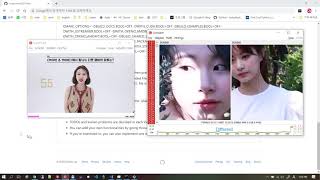](https://youtu.be/b8VgRVnrxL4) | [](https://youtu.be/g6K9bRTKJjY) | [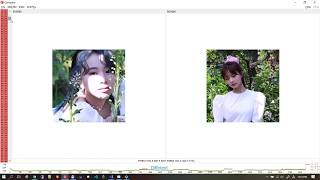](https://youtu.be/EybIIBZLV8Q) |
More videos:
- [Viewer 2](https://youtu.be/ROpGsgRDdRE)
- [Source code](https://youtu.be/ZbpRkBzK64Q)