https://github.com/charlieetienne/material-github
A Material Dark Theme for GitHub
https://github.com/charlieetienne/material-github
material-dark-theme material-github material-theme stylus usercss userstyles
Last synced: about 1 year ago
JSON representation
A Material Dark Theme for GitHub
- Host: GitHub
- URL: https://github.com/charlieetienne/material-github
- Owner: CharlieEtienne
- License: mit
- Created: 2019-01-07T14:38:06.000Z (over 7 years ago)
- Default Branch: master
- Last Pushed: 2021-11-26T10:13:23.000Z (over 4 years ago)
- Last Synced: 2025-06-07T21:43:35.986Z (about 1 year ago)
- Topics: material-dark-theme, material-github, material-theme, stylus, usercss, userstyles
- Language: CSS
- Homepage: https://userstyles.org/styles/174317/material-dark-github
- Size: 2.75 MB
- Stars: 127
- Watchers: 5
- Forks: 16
- Open Issues: 6
-
Metadata Files:
- Readme: README.md
- License: LICENSE
Awesome Lists containing this project
README
[](https://raw.githubusercontent.com/CharlieEtienne/material-github/master/material-github.user.css) [](https://paypal.me/webnancy)
# Material Theme for GitHub
A Material Dark Theme for GitHub
Based on awesome **[VSCode Material Theme](https://github.com/equinusocio/vsc-material-theme)** by **Mattia Astorino**
## How to use it
1. Install **Stylus Extension** [for Chrome](https://chrome.google.com/webstore/detail/stylus/clngdbkpkpeebahjckkjfobafhncgmne), [for Firefox](https://addons.mozilla.org/fr/firefox/addon/styl-us/) or [for Opera](https://addons.opera.com/en-gb/extensions/details/stylus/)
2. Install theme: [Click to install with Stylus](https://raw.githubusercontent.com/CharlieEtienne/material-github/master/material-github.user.css)
------
> **IMPORTANT NOTICE - 29/05/2020**
>
> The theme moved from userstyles.org to GitHub since userstyles.org is completely broken and unmaintened. For those who already installed [this theme](https://userstyles.org/styles/174317/material-dark-github), you will need to reinstall it by clicking [this link](https://raw.githubusercontent.com/CharlieEtienne/material-github/master/material-github.user.css) if you want to get next updates and to enjoy the new configurator.
>
> It is a breaking change so you may lose some of your previous customization. Since it's a completely different theme, you will have to copy and paste your custom code into the new theme after having installed it.
>
> From 29/05/2020, the theme on https://userstyles.org/styles/174317/material-dark-github won't receive new updates.
------
## Settings
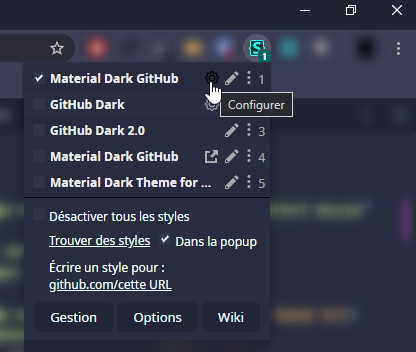
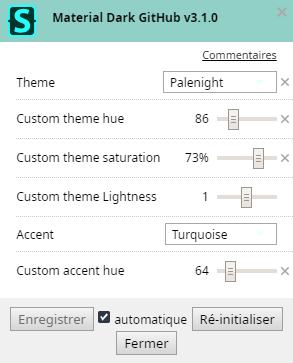
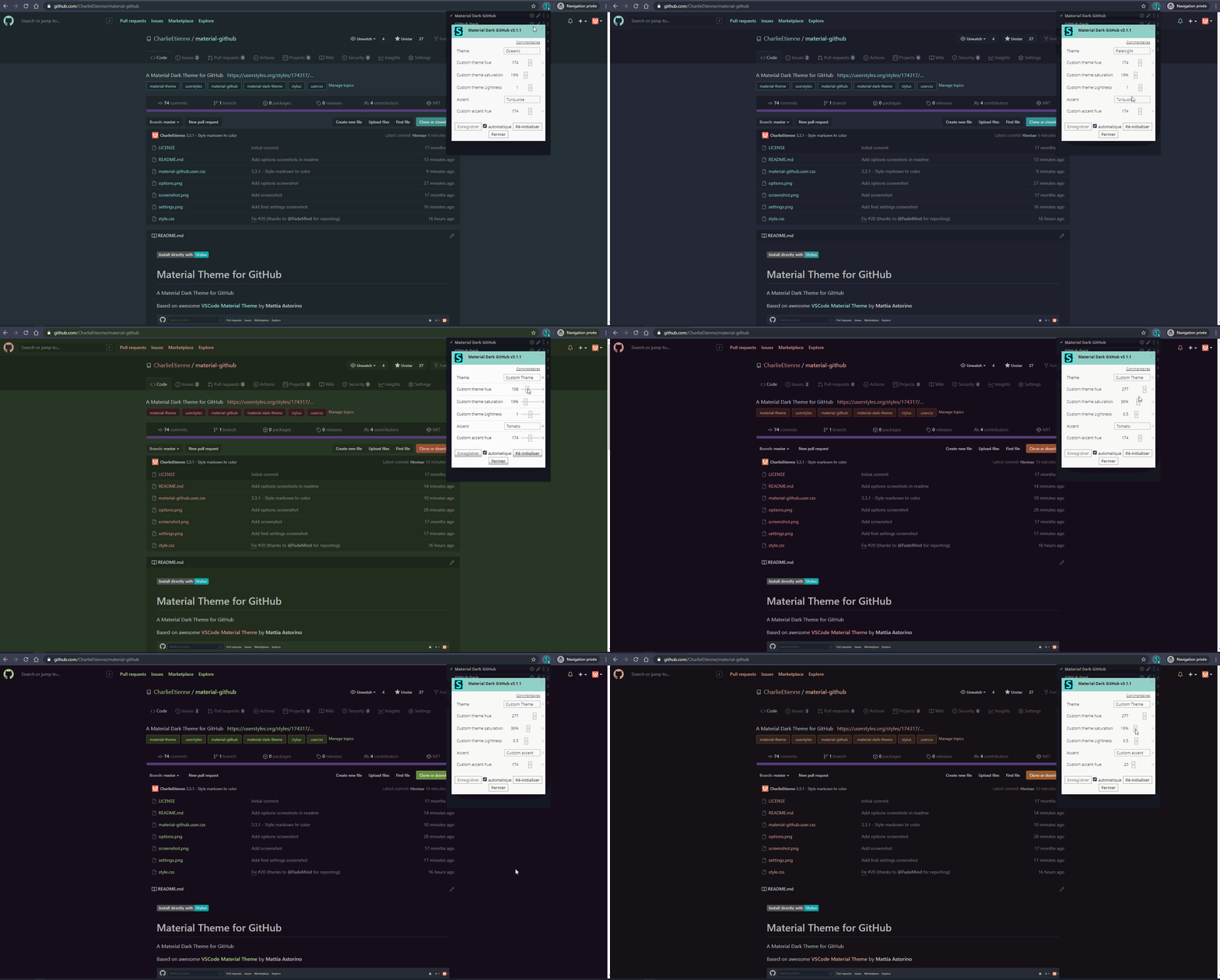
3 themes are available : Oceanic, Darker, Palenight
Or you can choose Custom theme and play with hue, saturation, and lightness cursors to have your own variations.
You can also choose from 23 accents colors, or make your own.
## Disclaimer
Keeping the theme up to date is very difficult because of changes github could bring to css at any moment.
If the theme is broken, don't hesitate to fill an issue here.
## Contributions
Contributions are very welcome! Feel free to suggest changes in a new issue or make a PR.
### Contributions Guidelines
- Please make one separate Pull Request per feat/fix.
- Please don't change something else than colors. Don't suggest changes for things like font-size, width, height, border-radius... We want to be as close as possible to GitHub in terms of design/UI.
- Please use CSS vars provided by Material GitHub when it's possible (ie. `var(--bg2)`):
**Background Color** (from darkest to lightest)
```css
--bg1
--bg2
--bg3
--bg4
--bg5
--bg6
--bg7
--bg8
--bg9
--bg10
--bg11
```
**Text Color** (from darkest to lightest)
```css
--text0
--text1
--text2
--text3
--text4
--text5
--text6
--text7
--text8
--text9
--text10
--text11
```
**Accent Color** (from lightest to darkest)
```css
--selected
--selected2
--btn
--btn2
--btn3
--btn4
```
- If GitHub uses a var (ie. `--color-bg-primary`), just redeclare it in `:root` like so:
```css
--color-bg-primary: var(--bg2);
```