https://github.com/cheesecake87/gitdeploy
GitDeploy allows you to deploy your git projects.
https://github.com/cheesecake87/gitdeploy
autodeploy deployment flask python python3 supervisor
Last synced: about 2 months ago
JSON representation
GitDeploy allows you to deploy your git projects.
- Host: GitHub
- URL: https://github.com/cheesecake87/gitdeploy
- Owner: CheeseCake87
- License: other
- Created: 2022-12-28T16:32:30.000Z (over 3 years ago)
- Default Branch: master
- Last Pushed: 2023-03-02T14:16:47.000Z (over 3 years ago)
- Last Synced: 2025-10-09T12:32:14.037Z (9 months ago)
- Topics: autodeploy, deployment, flask, python, python3, supervisor
- Language: Python
- Homepage:
- Size: 762 KB
- Stars: 1
- Watchers: 3
- Forks: 2
- Open Issues: 7
-
Metadata Files:
- Readme: README.md
- License: LICENSE.md
Awesome Lists containing this project
README
# GitDeploy
[](https://www.gnu.org/licenses/gpl-3.0)
GitDeploy is a simple tool to deploy your python projects to a docker container or VPS from a git repository.
It has webhooks support for github and gitlab, the end goal is to have Heroku style functionality.
## Docker
[ goto: [flaskplanet/gitdeploy](https://hub.docker.com/r/flaskplanet/gitdeploy) ]
Latest: v1.0.6 ( Stable )
### Notice
**Project is still in development, and may not work as intended.**
## Contributors wanted!
- Free to add your own ideas!
- Beginners are welcome and encouraged to join in!
### TODOs:
- [ ] Create auto install sh scripts for different distros
- [ ] Change the JavaScript to polling function to a websocket ( Flask-SocketIO )
- ( app/theme/static/js/alpine:global:x-data.js )
- [ ] Add support for more git providers ( Bitbucket, Gitlab, etc. )
- [ ] Ability to add multiple repositories, and start/stop their commands
- [ ] Add support to spin up a nginx container / local install to serve the app
- [ ] Add support to manage nginx proxy
- [ ] Add support to manage certbot ( Let's Encrypt )
See more in the issues section!
### How to contribute
- Fork the repository
- Make your changes
- Create a pull request
- Wait for review
If you are a beginner, you can also check out
[this guide](https://opensource.com/article/19/7/create-pull-request-github)
You can also join the [discord server](https://discord.gg/nZkQECDU) to discuss the project.
## Local setup
Clone the repository and install the requirements:
```bash
git clone https://github.com/Flask-Planet/GitDeploy.git
```
```bash
cd GitDeploy
```
**GNU/Linux / macOS:**
```bash
python3 -m venv venv
```
```bash
source venv/bin/activate
```
```bash
pip install -r requirements.txt
```
**_Staring the process in the foreground:_**
```bash
python3 start.py
```
**_Staring the process in the background:_**
```bash
python3 start.py --in-background
```
**_To stop the process:_**
```bash
python3 stop.py
```
**Windows:**
_**Run above in WSL**_
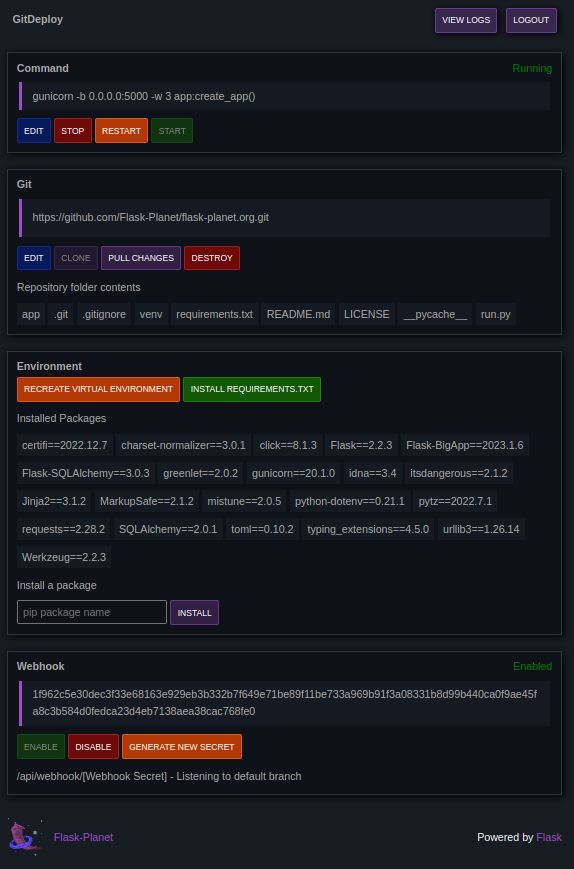
### Screenshots