https://github.com/chenshuiluke/jresume
A simple program that uses JSON to generate web resumes.
https://github.com/chenshuiluke/jresume
html java json pdf resume resume-template theme
Last synced: 6 months ago
JSON representation
A simple program that uses JSON to generate web resumes.
- Host: GitHub
- URL: https://github.com/chenshuiluke/jresume
- Owner: chenshuiluke
- License: mit
- Created: 2016-12-31T22:03:44.000Z (over 9 years ago)
- Default Branch: master
- Last Pushed: 2022-06-30T14:43:44.000Z (about 4 years ago)
- Last Synced: 2023-08-20T16:47:57.147Z (almost 3 years ago)
- Topics: html, java, json, pdf, resume, resume-template, theme
- Language: Java
- Homepage:
- Size: 38.3 MB
- Stars: 27
- Watchers: 7
- Forks: 9
- Open Issues: 6
-
Metadata Files:
- Readme: README.md
- License: LICENSE
Awesome Lists containing this project
README

The best JSON to HTML resume generator.
# Features:
1. You can keep all your resume information separate from it's layout in a JSON file.
2. Once you give JResume your resume JSON file and the desired theme, it will output an HTML resume for you.
3. Dont like the layout of your resume? You can simply choose a different theme. This has advantages over using Word because:
* If you wanted to completely change the look of your resume in Word, you may need to redo your resume from scratch because the content is intertwined with the presentation
* JResume allows you to keep the content of your resume separate from its presentation.
* You can easily upload your resume to your website because it's really just another webpage (although you will need to upload the generated `resources` folder in addition to the HTML file).
4. You can simply use your browser's print-to-pdf feature to save the resume as a PDF file.
5. A web frontend is being developed at [jresume-web](https://jresume.lukecs.com/) :)
6. Can run as a server.
* You can send your JSON resume as a POST request to /webresume and get a full zip containing the HTML file and its resources.
* You can currently test it out by going to [jresume-web](https://jresume.lukecs.com/). This is a frontend that sends the generated JSON to an instance of JResume running in server mode.
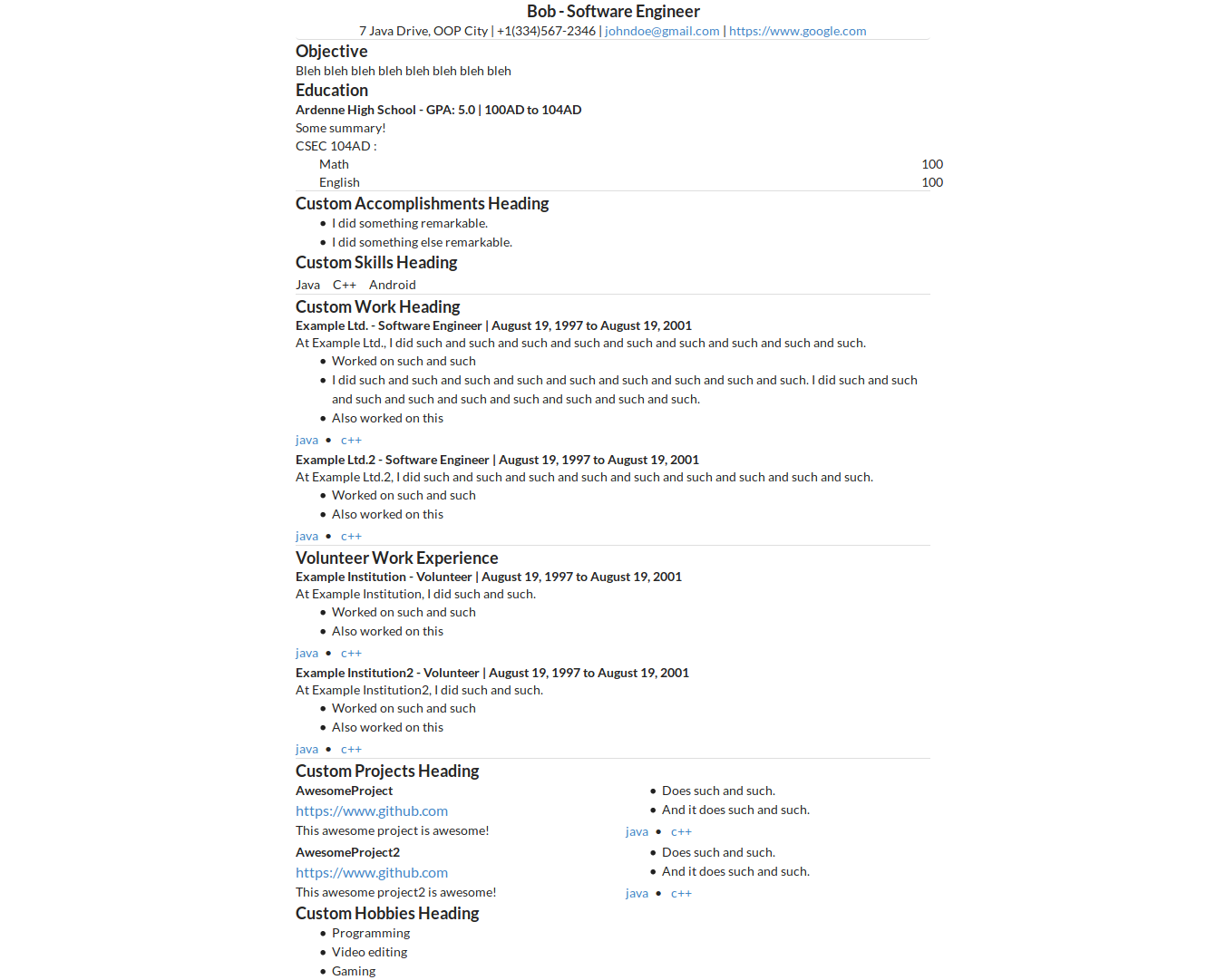
## Example usage
### Example JSON resume (example.json):
{
"skillsHeading": "Custom Skills Heading",
"jobWorkHeading": "Custom Wowellrk Heading",
"accomplishmentsHeading": "Custom Accomplishments Heading",
"projectsHeading": "Custom Projects Heading",
"hobbiesHeading": "Custom Hobbies Heading",
"person": {
"name": "Bob",
"email": "johndoe@gmail.com",
"address": "7 Java Drive, OOP City",
"phoneNumber": "+1(334)567-2346",
"jobTitle": "Software Engineer",
"website": "https://www.google.com",
"objective": "Bleh bleh bleh bleh bleh bleh bleh bleh"
},
"skills": [
"Java",
"C++",
"Android"
],
"accomplishments": [
"I did something remarkable.",
"I did something else remarkable."
],
"jobWork": [
{
"company": "Example Ltd.",
"position": "Software Engineer",
"summary": "At Example Ltd., I did such and such and such and such and such and such and such and such and such.",
"startDate": "August 19, 1997",
"endDate": "August 19, 2001",
"highlights": [
"Worked on such and such",
"I did such and such and such and such and such and such and such and such and such. I did such and such and such and such and such and such and such and such and such.",
"Also worked on this"
],
"keywords": [
"java",
"c++"
]
},
{
"company": "Example Ltd.2",
"position": "Software Engineer",
"summary": "At Example Ltd.2, I did such and such and such and such and such and such and such and such and such.",
"startDate": "August 19, 1997",
"endDate": "August 19, 2001",
"highlights": [
"Worked on such and such",
"Also worked on this"
],
"keywords": [
"java",
"c++"
]
}
],
"volunteerWork": [
{
"company": "Example Institution",
"position": "Volunteer",
"summary": "At Example Institution, I did such and such.",
"startDate": "August 19, 1997",
"endDate": "August 19, 2001",
"highlights": [
"Worked on such and such",
"Also worked on this"
],
"keywords": [
"java",
"c++"
]
},
{
"company": "Example Institution2",
"position": "Volunteer",
"summary": "At Example Institution2, I did such and such.",
"startDate": "August 19, 1997",
"endDate": "August 19, 2001",
"highlights": [
"Worked on such and such",
"Also worked on this"
],
"keywords": [
"java",
"c++"
]
}
],
"projects": [
{
"name": "AwesomeProject",
"description": "This awesome project is awesome!",
"highlights": [
"Does such and such.",
"And it does such and such."
],
"keywords": [
"java",
"c++"
],
"url": "https://www.github.com"
},
{
"name": "AwesomeProject2",
"description": "This awesome project2 is awesome!",
"highlights": [
"Does such and such.",
"And it does such and such."
],
"keywords": [
"java",
"c++"
],
"url": "https://www.github.com"
}
],
"education": {
"schools": [
{
"name": "Ardenne High School",
"startDate": "100AD",
"endDate": "104AD",
"summary": "Some summary!",
"gpa": "5.0"
}
],
"examinations": [
{
"name": "CSEC",
"startDate": "104AD",
"subjects": [
{
"name": "Math",
"result": "100"
},
{
"name": "English",
"result": "100"
}
]
}
]
},
"hobbies": [
"Programming",
"Video editing",
"Gaming"
]
}
### Server Usage:
java -jar jresume.jar --input whatever --server-mode --server-port optional_server_port
*The server will listen to port 8080 by default*
Then send send a POST request to `localhost:8080/webresume`. That will return the html file for your resume. Then send a GET request to `localhost:8080/resources` to get a zip file containing the css/js/etc used to make the resume look pretty.
In the same folder where you downloaded the html file, create a directory called "resources" and extract the contents of the resources zip file to the new resources folder. Then simply open up your web resume html file in your browser.
#### Configuring SSL in the Server:
To make jresume use ssl, you need to set the `jresume_keystore_location` and `jresume_keystore_password` environment variables.
To create a keystore from an existing letsencrypt certificate, run the following:
openssl pkcs12 -export -out keystore.p12 -inkey privkey.pem -in fullchain.pem
keytool -importkeystore -destkeystore MyDSKeyStore.jks -srcstoretype PKCS12 -srckeystore keystore.p12
Set the jresume_keystore_location and jresume_keystore_password variables to the location and password of the new keystore respectively.
Then finally to load JResume in SSL mode, pass `--server-mode --ssl-mode` to the jarfile.
### Dependencies:
1. Chrome Headless for creating PDF from HTML (available on Chrome 59 on Linux and Unix, Chrome 60 on Windows)
2. Inliner; used to embed Javascript and CSS resources into singular HTML output (requires npm to install; https://www.npmjs.com/package/inliner)
### Usage:
java -jar jresume.jar --input example.json --output output
### Output:

### Compiling
You can either compile it using Intellij IDEA or Maven.
#### Compiling using Maven
1. Clone the repository.
2. `cd` into the repository.
3. Install `maven`.
4. Run `mvn package`.
5. You can then utilize the jarfiles in the `target` subdirectory.
### Customizing the Output:
#### Customizing Section Headings
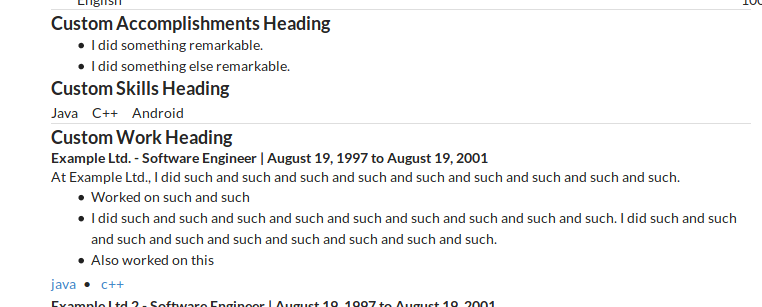
You can customize the various headings by adding the following to your resume JSON file:
1. skillsHeading
2. jobWorkHeading
3. volunteerWorkHeading
4. projectHeading
5. educationHeading
6. accomplishmentsHeading
7. hobbiesHeading
Example:
{
"skillsHeading": "Custom Skills Heading",
"jobWorkHeading": "Custom Work Heading",
"accomplishmentsHeading": "Custom Accomplishments Heading",
"projectsHeading": "Custom Projects Heading",
"hobbiesHeading": "Custom Hobbies Heading",
"person": {
"name": "Bob",
"email": "johndoe@gmail.com",
"address": "7 Java Drive, OOP City",
"phoneNumber": "+1(334)567-2346",
"jobTitle": "Software Engineer",
"website": "https://www.google.com",
"objective": "Bleh bleh bleh bleh bleh bleh bleh bleh"
},
...
Output:
### Embedding Javascript and CSS
Requires `inliner` from npm. Install it via `sudo npm -g inliner`
If inliner is available, jresume will automatically create an HTML file that has all the CSS and JS dependencies inlined into a single file.
### Converting to PDF
#### Converting to PDF With Browser
You can just open the webresume HTML file in your browser, press Ctrl+p and then follow your browser's instructions.
I personally prefer Chrome's PDF creation capabilities.
#### Converting to PDF Without Browser (Experimental)
*You need to have at least Chrome 59 on Linux/Mac or Chrome 60 on Windows and able to be executed via `google-chrome`. You may need to create a symbolic link. You will also need to globally install the `chrome-headless-render-pdf` npm package*
##### Symlinking google-chrome if it can be executed via `./google-chrome`
1. Find out where chrome is currently installed by running `whereis `. In my case, the name of the executable was `google-chrome-stable` it was located at `/usr/bin/google-chrome-stable`
2. Create a symlink to Chrome using `sudo ln -s /usr/bin/google-chrome-stable /usr/bin/google-chrome`
##### Installing chrome-headless-render-pdf
Just execute `sudo npm install -g chrome-headless-render-pdf`
On execution, a Chrome Headless command is executed using the html file output and releases a pdf output in the "output" directory.
## Creating a new Theme.
1. Create a new file in the `themes` folder and give it a name of
2. Examine the contents of `themes/default.html` to see how themes work
3. Put any resources you may want to use in the resources/resources.zip .
4. Link your resources properly by using `config.resourceDirectory`. For example, the following links to a file that is in the root directory of `resources/resources.zip`:
``
=D