https://github.com/cheshire137/hubnav
A Chrome extension for navigating github.com via keyboard shortcuts. Quickly access issues for multiple repos, as well as your org's pages.
https://github.com/cheshire137/hubnav
browser-extension bulma-css chrome-extension github javascript keyboard-navigation keyboard-shortcuts productivity
Last synced: about 1 year ago
JSON representation
A Chrome extension for navigating github.com via keyboard shortcuts. Quickly access issues for multiple repos, as well as your org's pages.
- Host: GitHub
- URL: https://github.com/cheshire137/hubnav
- Owner: cheshire137
- License: mit
- Created: 2017-07-23T00:49:23.000Z (almost 9 years ago)
- Default Branch: master
- Last Pushed: 2020-04-07T07:50:24.000Z (over 6 years ago)
- Last Synced: 2025-07-08T23:58:32.338Z (about 1 year ago)
- Topics: browser-extension, bulma-css, chrome-extension, github, javascript, keyboard-navigation, keyboard-shortcuts, productivity
- Language: JavaScript
- Homepage: https://chrome.google.com/webstore/detail/hubnav/aanefongalfonofnpgkgcibhogmgnckm
- Size: 1.43 MB
- Stars: 140
- Watchers: 7
- Forks: 12
- Open Issues: 6
-
Metadata Files:
- Readme: README.md
- Changelog: CHANGELOG.md
- License: LICENSE.txt
Awesome Lists containing this project
README
# Hubnav
[](https://travis-ci.org/cheshire137/hubnav)
A Chrome extension for navigating github.com via keyboard shortcuts.
**[Install from the Chrome Web Store](https://chrome.google.com/webstore/detail/hubnav/aanefongalfonofnpgkgcibhogmgnckm)**
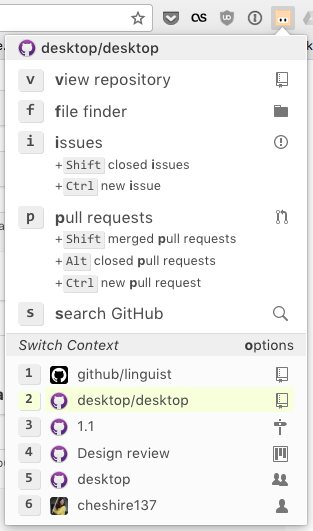
Use keyboard shortcuts to quickly access issues, pull requests, and the file finder for up to four of your most frequented GitHub repositories. Shortcuts are also available for accessing the repositories, teams, and members of your GitHub organization as well as for GitHub search.
### Extension popup:
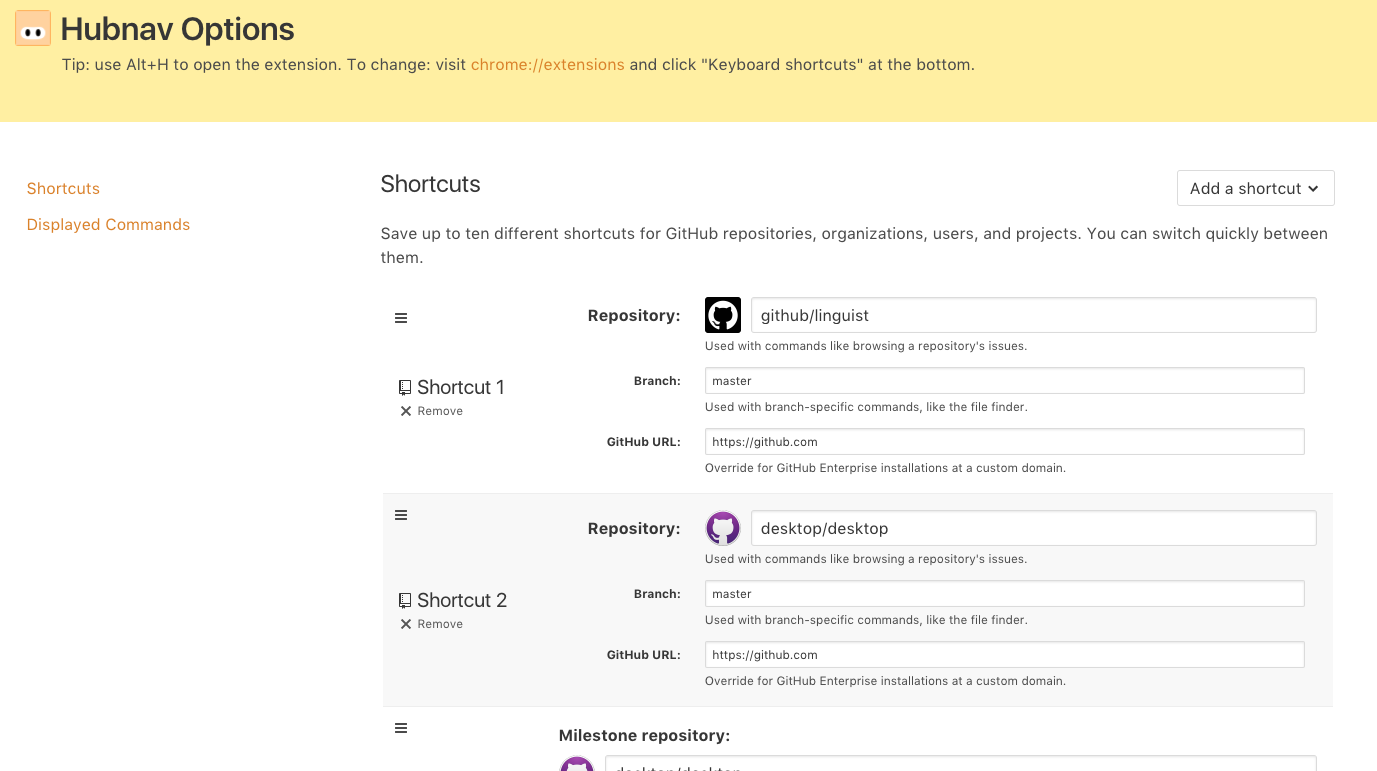
### Extension options:
## How to Use
1. Open the extension popup:
- In macOS: **Option-H**
- In Windows/Linux: **Alt-H**
The keyboard shortcut can be changed from `chrome://extensions/`
via the "Keyboard shortcuts" link at the bottom.
2. Navigate to your desired GitHub page via shortcuts:
**General commands:**
- **o** - customize options for the extension
- **s** - open global GitHub search
**Repository commands:**
- **v** - view the repository
- **f** - open file finder for the repository
- **i** - open issues for the repository
- **Shift i** - view closed issues for the repository
- **Ctrl i** - create a new issue in the repository
- **p** - open pull requests for the repository
- **Shift p** - view merged pull requests in the repository
- **Ctrl p** - create a new pull request in the repository
- **h** - open home page of the repository
**Organization commands:**
- **v** - view the organization's profile
- **t** - open teams for the organization
- **m** - list members of the organization
- **r** - list repositories in the organization
- **i** - list the open issues in the organization
- **Shift i** - list closed issues in the organization
- **p** - list open pull requests in the organization
- **Shift p** - list merged pull requests in the organization
- **Ctrl p** - list closed pull requests in the organization
**User commands:**
- **v** - view the user's profile
- **r** - list the user's repositories
- **i** - list the user's open issues
- **Shift i** - list the user's closed issues
- **p** - list the user's open pull requests
- **Shift p** - list the user's merged pull requests
- **Ctrl p** - list the user's closed pull requests
**Milestone commands:**
- **v** - view open issues and pull requests in milestone
- **n** - open a new issue in milestone
- **c** - view closed issues and pull requests in milestone
**Project commands:**
- **v** - view the project
- **i** - filter the project to show only its open issues
- **Shift i** - filter the project to show only its closed issues
- **p** - filter the project to show only its open pull requests
- **Shift p** - filter the project to show only its merged pull requests
- **Ctrl p** - filter the project to show only its closed pull requests
**Team commands:**
- **v** - view the team
- **r** - list the team's repositories
- **m** - list the team's members
**Switch context:**
- Keys **0-9** will change your context to a different repository, project, user, milestone, or organization. This changes what the other shortcuts do.
## How to Develop
Clone this repository locally via
`git clone https://github.com/cheshire137/hubnav.git`. In Chrome, go to
`chrome://extensions/` and ensure "Developer mode" is
enabled. Then click "Load unpacked extension..." and
choose the extension/ directory from wherever you cloned this repository.
## How to Test
```bash
npm install
npm test
```