https://github.com/chhaileng/fabcar-client
Fabric Car Client using React JS
https://github.com/chhaileng/fabcar-client
fabcar hyperledger-fabric react-js
Last synced: about 1 year ago
JSON representation
Fabric Car Client using React JS
- Host: GitHub
- URL: https://github.com/chhaileng/fabcar-client
- Owner: chhaileng
- Created: 2019-09-04T11:19:45.000Z (almost 7 years ago)
- Default Branch: master
- Last Pushed: 2023-11-12T01:51:47.000Z (over 2 years ago)
- Last Synced: 2024-10-29T23:07:41.044Z (over 1 year ago)
- Topics: fabcar, hyperledger-fabric, react-js
- Language: JavaScript
- Size: 391 KB
- Stars: 10
- Watchers: 2
- Forks: 11
- Open Issues: 1
-
Metadata Files:
- Readme: README.md
Awesome Lists containing this project
README
# FabCar Client (React JS)
This is the client web based application for FabCar Blockchain application which is a sample app from Hyperledger Fabric.
## Screenshots
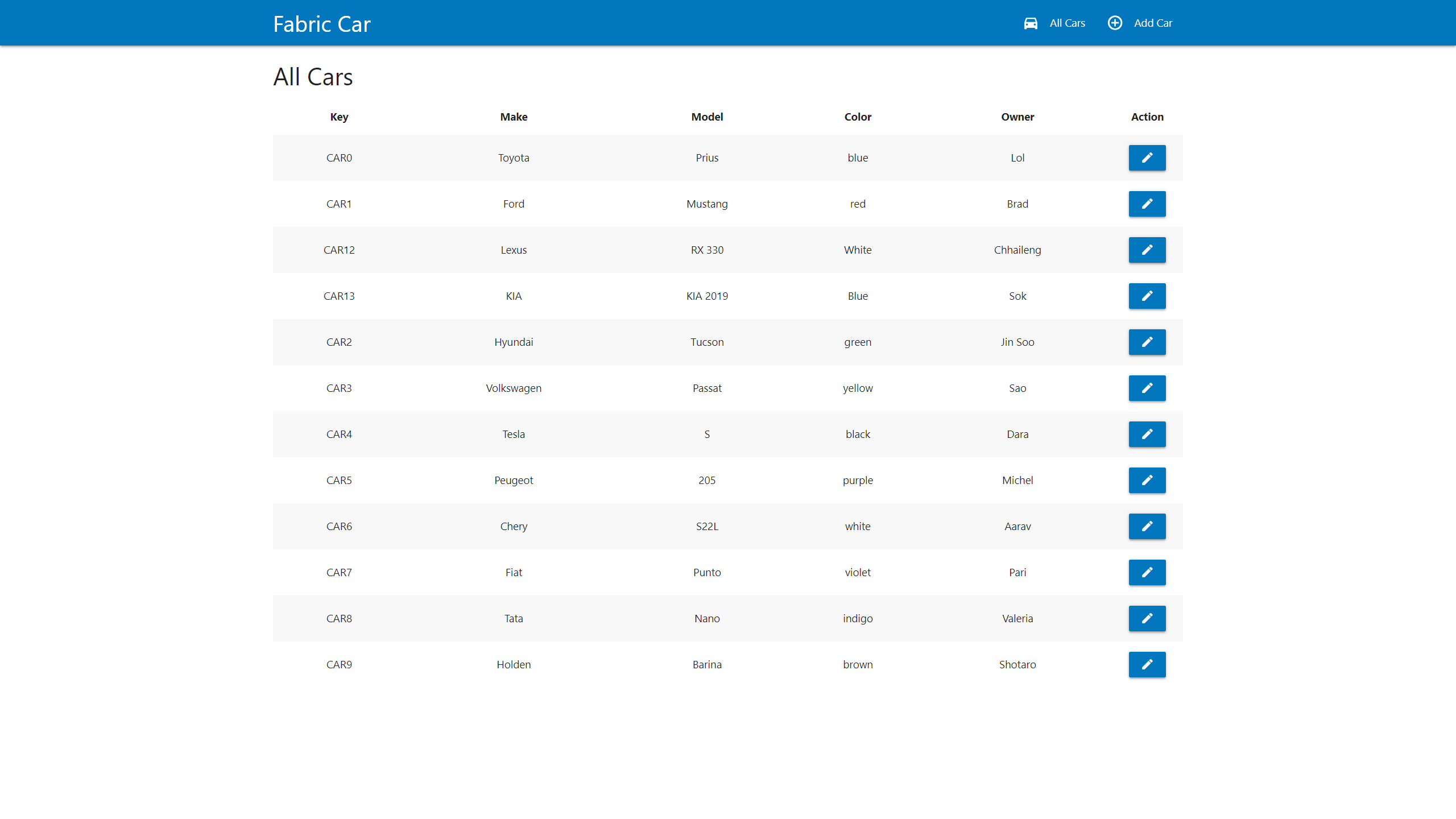
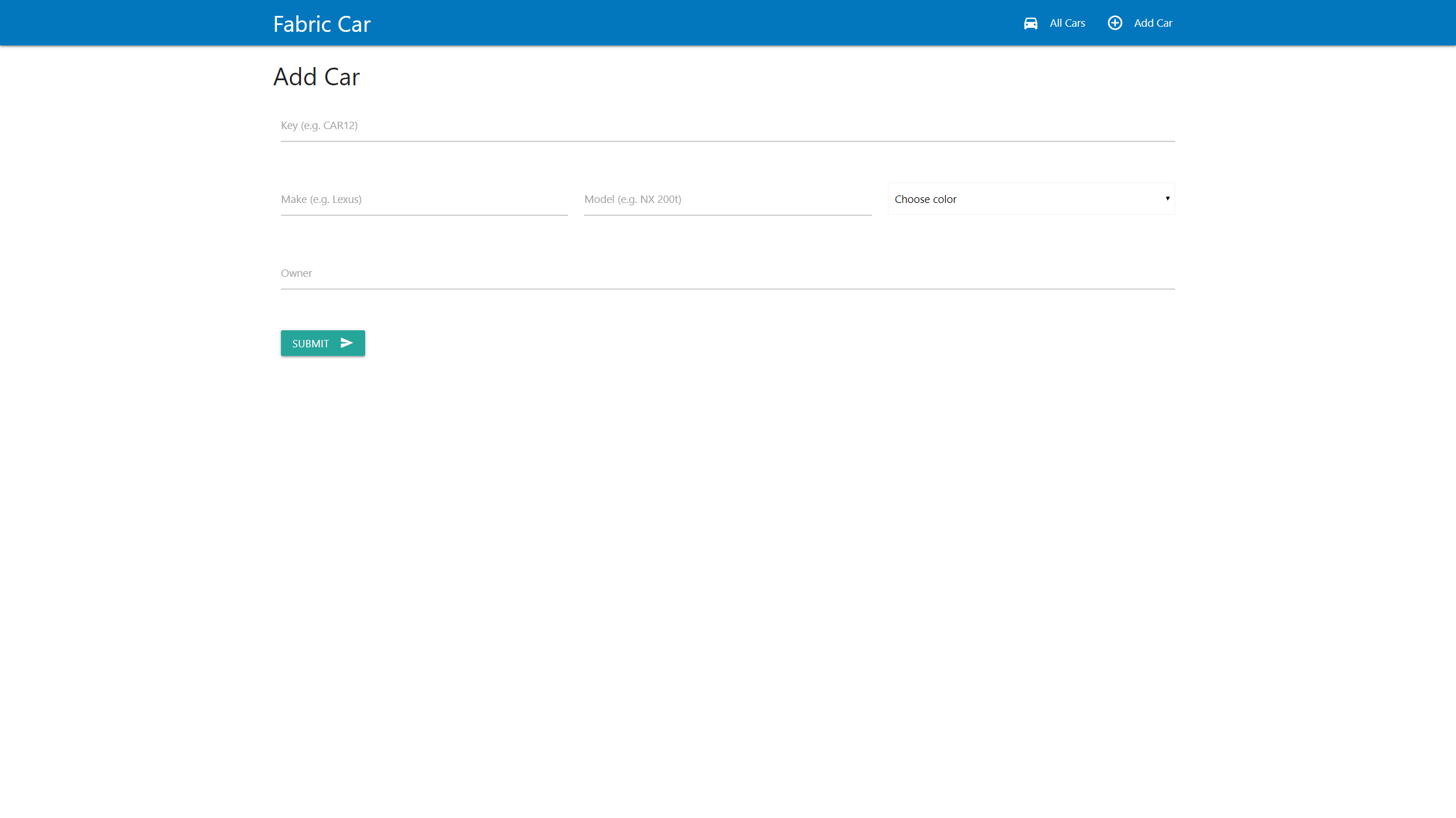
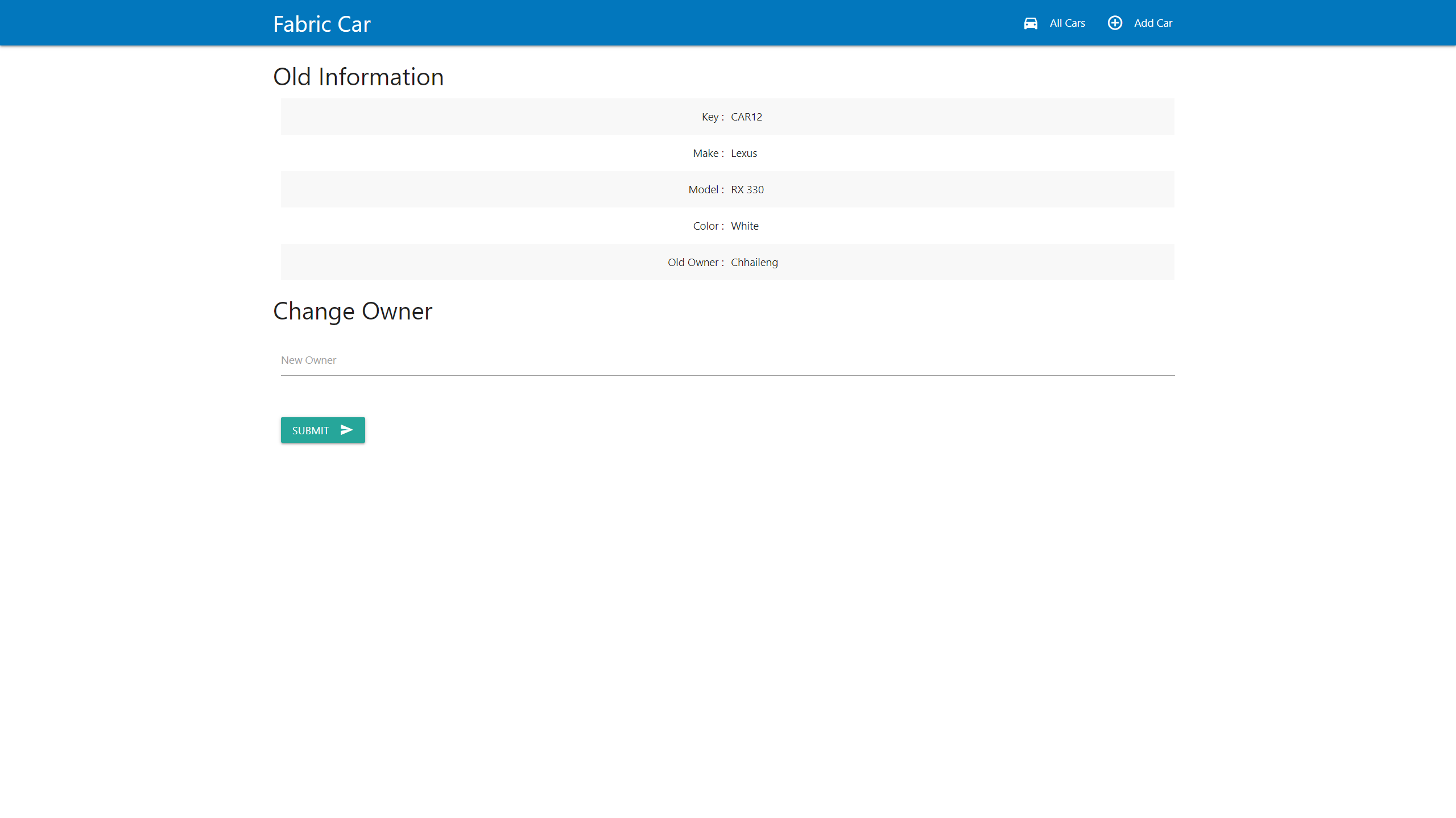
To start this application you have to setup as following.
## Steps
1. Network setup
2. Enroll admin and register user
3. REST Server
4. Client app
## Network
Clone the project from [fabric-samples](https://github.com/hyperledger/fabric-samples) repository. Go to `fabcar` directory and start the network.
```
$ git clone https://github.com/hyperledger/fabric-samples.git
$ cd fabcar
$ ./startFabric.sh
```
Now the network should be started and chaincode should be installed to the network.
## Enroll admin and register user
In the `fabcar` directory, go to javascript directory and run:
```
$ node enrollAdmin.js
$ node registerUser.js
```
After running this, we can test by querying some records from the network by running:
```
$ node query.js
```
## REST Server
Create a file `app.js` in that directory and put this code.
```
const express = require('express')
const app = express()
const { FileSystemWallet, Gateway } = require('fabric-network');
const path = require('path');
const ccpPath = path.resolve(__dirname, '..', '..', 'first-network', 'connection-org1.json');
// CORS Origin
app.use(function (req, res, next) {
res.setHeader('Access-Control-Allow-Origin', '*');
res.setHeader('Access-Control-Allow-Methods', 'GET, POST, PUT, DELETE');
res.setHeader('Access-Control-Allow-Headers', 'Origin, X-Requested-With, Content-Type, Accept, Authorization');
res.setHeader('Access-Control-Allow-Credentials', true);
next();
});
app.use(express.json());
app.get('/cars', async (req, res) => {
try {
const walletPath = path.join(process.cwd(), 'wallet');
const wallet = new FileSystemWallet(walletPath);
const userExists = await wallet.exists('user1');
if (!userExists) {
res.json({status: false, error: {message: 'User not exist in the wallet'}});
return;
}
const gateway = new Gateway();
await gateway.connect(ccpPath, { wallet, identity: 'user1', discovery: { enabled: true, asLocalhost: true } });
const network = await gateway.getNetwork('mychannel');
const contract = network.getContract('fabcar');
const result = await contract.evaluateTransaction('queryAllCars');
res.json({status: true, cars: JSON.parse(result.toString())});
} catch (err) {
res.json({status: false, error: err});
}
});
app.get('/cars/:key', async (req, res) => {
try {
const walletPath = path.join(process.cwd(), 'wallet');
const wallet = new FileSystemWallet(walletPath);
const userExists = await wallet.exists('user1');
if (!userExists) {
res.json({status: false, error: {message: 'User not exist in the wallet'}});
return;
}
const gateway = new Gateway();
await gateway.connect(ccpPath, { wallet, identity: 'user1', discovery: { enabled: true, asLocalhost: true } });
const network = await gateway.getNetwork('mychannel');
const contract = network.getContract('fabcar');
const result = await contract.evaluateTransaction('queryCar', req.params.key);
res.json({status: true, car: JSON.parse(result.toString())});
} catch (err) {
res.json({status: false, error: err});
}
});
app.post('/cars', async (req, res) => {
if ((typeof req.body.key === 'undefined' || req.body.key === '') ||
(typeof req.body.make === 'undefined' || req.body.make === '') ||
(typeof req.body.model === 'undefined' || req.body.model === '') ||
(typeof req.body.color === 'undefined' || req.body.color === '') ||
(typeof req.body.owner === 'undefined' || req.body.owner === '')) {
res.json({status: false, error: {message: 'Missing body.'}});
return;
}
try {
const walletPath = path.join(process.cwd(), 'wallet');
const wallet = new FileSystemWallet(walletPath);
const userExists = await wallet.exists('user1');
if (!userExists) {
res.json({status: false, error: {message: 'User not exist in the wallet'}});
return;
}
const gateway = new Gateway();
await gateway.connect(ccpPath, { wallet, identity: 'user1', discovery: { enabled: true, asLocalhost: true } });
const network = await gateway.getNetwork('mychannel');
const contract = network.getContract('fabcar');
await contract.submitTransaction('createCar', req.body.key, req.body.make, req.body.model, req.body.color, req.body.owner);
res.json({status: true, message: 'Transaction (create car) has been submitted.'})
} catch (err) {
res.json({status: false, error: err});
}
});
app.put('/cars', async (req, res) => {
if ((typeof req.body.key === 'undefined' || req.body.key === '') ||
(typeof req.body.owner === 'undefined' || req.body.owner === '')) {
res.json({status: false, error: {message: 'Missing body.'}});
return;
}
try {
const walletPath = path.join(process.cwd(), 'wallet');
const wallet = new FileSystemWallet(walletPath);
const userExists = await wallet.exists('user1');
if (!userExists) {
res.json({status: false, error: {message: 'User not exist in the wallet'}});
return;
}
const gateway = new Gateway();
await gateway.connect(ccpPath, { wallet, identity: 'user1', discovery: { enabled: true, asLocalhost: true } });
const network = await gateway.getNetwork('mychannel');
const contract = network.getContract('fabcar');
await contract.submitTransaction('changeCarOwner', req.body.key, req.body.owner);
res.json({status: true, message: 'Transaction (change car owner) has been submitted.'})
} catch (err) {
res.json({status: false, error: err});
}
});
app.listen(3000, () => {
console.log('REST Server listening on port 3000');
});
```
Run
```
$ node app.js
```
## Running React Client Web
### Windows
Clone this repository and update environment variables in project folder
```
$ cd fabcar-client/
```
[Optional] Change API endpoint by editing REACT_APP_API_HOST var in `.env.development`, `.env.test`, `.env.production`
- change `localhost` to `Server IP`
```ENV
REACT_APP_API_HOST=localhost # Server IP
```
Install dependencies and build project
```
$ npm install create-react-app -g
$ npm install axios react-dom react-router-dom
$ npm run build
```
### Ubuntu
Clone this repository and update environment variables in project folder
```
$ cd fabcar-client/
```
[Optional] Change API endpoint by editing REACT_APP_API_HOST var in `.env.development`, `.env.test`, `.env.production`
- change `localhost` to `Server IP`
```ENV
REACT_APP_API_HOST=localhost # Server IP
```
Create new React App
```
$ cd ../
$ npm install create-react-app -g
$ create-react-app fabcar-ui
```
Remove default files created by React and copy source codes from fabcar-client to new React App folder
```
$ cd fabcar-ui
$ rm -rf src
$ cp -r ../fabcar-client/src ../fabcar-client/.env.* ./
$ cp ../fabcar-client/public/index.html ./public/
```
Install dependencies and build project
```
$ npm install axios react-dom react-router-dom
$ npm run build
```
### Deploy docker container for both window and ubuntu
Deploy NGINX container
- Go to your React App root directory
- Create `default.conf` file
```
vi default.conf
```
Copy and paste below script to `default.conf`
```conf
server {
listen 80;
server_name localhost;
location / {
root /usr/share/nginx/html;
index index.html;
try_files $uri $uri/ /index.html;
}
}
```
Run docker NGINX container on port 8081 by exposed the port
```sh
$ docker run --name fabcar-nginx-container -d -p 8081:80 -v $(pwd)/build:/usr/share/nginx/html -v $(pwd)/default.conf:/etc/nginx/conf.d/default.conf nginx
```
## Happy hacking...