https://github.com/chicogong/snaptidy
AI-powered photo & video organizer for macOS. Deduplicate, tidy up, and restructure your library - safely, through conversation.
https://github.com/chicogong/snaptidy
agents-md ai-skill claude-code cursor deduplication macos openclaw perceptual-hash photo-management photo-organizer python skill windsurf workbuddy
Last synced: about 4 hours ago
JSON representation
AI-powered photo & video organizer for macOS. Deduplicate, tidy up, and restructure your library - safely, through conversation.
- Host: GitHub
- URL: https://github.com/chicogong/snaptidy
- Owner: chicogong
- License: mit
- Created: 2026-06-15T07:07:17.000Z (16 days ago)
- Default Branch: main
- Last Pushed: 2026-06-15T08:00:25.000Z (16 days ago)
- Last Synced: 2026-06-15T09:12:00.120Z (16 days ago)
- Topics: agents-md, ai-skill, claude-code, cursor, deduplication, macos, openclaw, perceptual-hash, photo-management, photo-organizer, python, skill, windsurf, workbuddy
- Language: Python
- Size: 46.9 KB
- Stars: 0
- Watchers: 0
- Forks: 0
- Open Issues: 0
-
Metadata Files:
- Readme: README.md
- License: LICENSE
- Agents: AGENTS.md
Awesome Lists containing this project
README
# SnapTidy
[English](README.md) | [简体中文](README.zh-CN.md)
[](https://opensource.org/licenses/MIT)
[](https://www.python.org/downloads/)
[](https://www.apple.com/macos)
[](https://github.com/topics/ai-skill)
[](https://github.com/chicogong/snaptidy/actions/workflows/ci.yml)
[](https://github.com/chicogong/snaptidy)
[](https://realtime-ai.chat/snaptidy/)
> AI-powered photo & video organizer for macOS. Deduplicate photos, find similar images via perceptual hashing (pHash) and Apple ML vectors, fix EXIF metadata, and restructure your library — safely, through natural-language conversation. Zero-risk, read-only scan with human-approved actions. Open source, MIT licensed.
## How SnapTidy Compares
| Feature | SnapTidy | Commercial Apps | Basic CLI Tools |
|---------|----------|----------------|-----------------|
| AI conversation-driven | ✓ | ✗ | ✗ |
| Zero-install core (stdlib only) | ✓ | ✗ | ~ |
| Perceptual hash (pHash) similarity | ✓ | ~ | ~ |
| Apple ML feature vector detection | ✓ | ✗ | ✗ |
| Cross-format dedup (HEIC ↔ JPEG) | ✓ | ~ | ✗ |
| Scaled duplicate detection | ✓ | ✗ | ✗ |
| Burst photo detection (SubSecTime) | ✓ | ✗ | ✗ |
| EXIF metadata extraction & editing | ✓ | ~ | ✗ |
| GPS reverse geocoding | ✓ | ✗ | ✗ |
| Privacy risk detection (ID/passport/bank cards) | ✓ | ✗ | ✗ |
| iCloud placeholder handling | ✓ | ✗ | ✗ |
| Video deduplication | ✓ | ~ | ✗ |
| Live Photo protection | ✓ | ~ | ✗ |
| Google Takeout import | ✓ | ✗ | ✗ |
| Quality assessment (7-dimension scoring) | ✓ | ~ | ✗ |
| macOS Trash recovery | ✓ | ~ | ✗ |
| Free & open source | ✓ | ✗ | ~ |
## Table of Contents
- [How SnapTidy Compares](#how-snaptidy-compares)
- [Why SnapTidy?](#why-snaptidy)
- [What's New](#whats-new-in-v314)
- [Key Features](#key-features)
- [Installation](#installation)
- [How It Works](#how-it-works)
- [Safety Guarantees](#safety-guarantees)
- [Quick Start](#quick-start)
- [Smart Priority Rules](#smart-priority-rules)
- [Auto-Categorization](#auto-categorization-15-languages)
- [Storage & Performance](#storage--performance)
- [Supported Formats](#supported-formats)
- [Scripts Reference](#scripts-reference)
- [Requirements](#requirements)
- [Platform Compatibility](#platform-compatibility)
- [Contributing](#contributing)
- [Star History](#star-history)
- [License](#license)
## Why SnapTidy?
Your photo library grows fast — iPhone shots, iCloud exports, Android transfers, WeChat saves, old backups, and screenshots pile up over time. Existing tools like [Sorty](https://github.com/nicoschmdt/sorty), [Tidy](https://github.com/nicoschmdt/tidy), and [Hazelnut](https://github.com/josephearl/hazelnut) are standalone apps you install and configure. **SnapTidy takes a different approach**: it's an AI assistant skill. You describe what you want in natural language, and it handles the rest.
**iPhone users**: You don't need iCloud sync to organize your photos. Connect your iPhone via USB and SnapTidy can scan the Photos.app library directly, or use Finder to sync photos to a local folder first. Tools like [pymobiledevice3](https://github.com/doronz88/pymobiledevice3) also allow direct USB access to your iPhone's DCIM without iCloud.
The key difference? **Safety first, zero risk.** SnapTidy never deletes anything. It scans read-only, produces a human-readable plan, and only moves files after you explicitly approve — optionally to macOS Trash (recoverable via Finder).
## What's New in v3.14
| Feature | Description |
|---------|-------------|
| 🔍 **Bad Extension Detection** | `detect_bad_extensions.py` — detect files whose magic bytes don't match their extension (e.g., JPEG content with `.png`); 20+ format signatures; `--parallel`, `--incremental`, `--report` |
| 📊 **7-Dimension Quality Scoring** | `assess_quality.py` enhanced from 3 to 7 dimensions: sharpness, exposure, contrast, resolution, format quality, file size efficiency, EXIF completeness; weighted composite score for smarter dedup decisions |
| 📝 **SKILL.md Simplified** | Reduced from 436 → 91 lines; detailed feature tables moved to `references/features.md`; description shortened to 3 sentences |
| 🔧 **CI Workflow** | `.github/workflows/ci.yml` — automated syntax checking (42 scripts) + integration tests on every PR/push |
## What's New in v3.13
| Feature | Description |
|---------|-------------|
| 🔄 **Batch EXIF Rotation Fix** | `rotate_photos.py` — detect images with incorrect EXIF Orientation, physically rotate pixels to correct direction, reset Orientation to 1; `--dry-run`, `--orientation N` filter, directory scan mode |
| 🖼️ **Format Conversion** | `convert_format.py` — JPEG/HEIC/PNG → WEBP/AVIF; preserves EXIF GPS/date/camera metadata; 30-50% space savings; `--dry-run` with savings estimate, `--quality N`, `--lossless`, `--keep-originals` |
| 📍 **GPS Neighbor Inference** | `fix_gps.py` — infer missing GPS from temporally adjacent photos (±10 min window); uses closest reference or averages multiple; `--write-exif`, `--dry-run` |
| 🎬 **Animated Image Detection** | `is_animated_image()` — detects GIF/animated WebP/APNG; new `is_animated` DB column; scan reports animated count |
| 🛡️ **Decompression Bomb Protection** | `Image.MAX_IMAGE_PIXELS` set to 60MP — prevents OOM from malicious oversized images |
| 📱 **AVIF Format Support** | Full AVIF decode support (native Pillow ≥11 or `pillow-avif-plugin`); new `AVIF_EXTS` in constants; scan warns about unconverted AVIF files |
## What's New in v3.12
| Feature | Description |
|---------|-------------|
| ☁️ **iCloud Optimization Handling** | Three modes: `--warn-icloud` (default, scan but mark), `--skip-icloud` (skip placeholders), `--download-icloud` (trigger `brctl download` then scan); detects thumbnails via `.icloud` companion files, xattr, and size heuristics |
| 🔍 **iCloud Check Script** | `check_icloud.py` — standalone tool to scan for iCloud-only files, report count/size/estimates, batch download with progress, verify all files local before downstream processing |
| 🧹 **Downstream iCloud Filtering** | `find_exact_duplicates.py --exclude-icloud` and `find_similar_photos.py --exclude-icloud` — skip unreliable iCloud placeholder hashes/pHashes in dedup |
| 📊 **Enhanced Library Health** | `library_stats.py` now shows detailed iCloud status: placeholder count, downloaded count, failed downloads — in terminal and HTML reports |
| 📦 **Shared iCloud Module** | `icloud_utils.py` — consolidated `check_icloud_status()`, `download_icloud_file()`, `is_likely_thumbnail()`, `batch_download()` into a single reusable module |
Older versions (v3.8 – v3.11)
### v3.11
| Feature | Description |
|---------|-------------|
| 🏗️ **Unified Extension Definitions** | All format sets consolidated in `constants.py`; added AVIF, WebM, MTS, ORF, RW2, etc.; dot-prefixed variants for direct suffix comparison |
| ⚡ **Parallel Scanning** | `scan_photos.py --parallel 4` — 2.9x faster; `assess_quality.py --parallel 4` — thread-pool quality assessment |
| 🔄 **Incremental Scanning** | `scan_photos.py --incremental` — skip unchanged files; second run 35x faster (0.1s vs 3.4s) |
| 🚀 **pHash Performance** | Prefix-index optimization replaces O(n²) pairwise comparison; scales to 50K+ photo libraries |
| 🗜️ **Photo Compression** | `compress_photos.py` — Smart JPEG quality by resolution tier; PNG→JPEG conversion; dry-run preview; backup safety |
| 📅 **Timeline Gap Detection** | `timeline_gaps.py` — Find abnormal date gaps indicating missing photos; adaptive threshold; severity classification |
### v3.10
| Feature | Description |
|---------|-------------|
| 💥 **Corrupted File Detection** | `detect_corrupted.py` — Find broken/truncated images and unplayable videos; layered Pillow verify+load, ffmpeg probe; parallel processing |
| 📅 **Photo Date Correction** | `fix_dates.py` — Fix missing EXIF dates from filename patterns (15+ patterns), neighbor photos, or file mtime; supports `--dry-run`, `--write-exif` |
| 🔄 **Backup Verification** | `verify_backup.py` — Verify backup completeness; quick (filename+size) or full (SHA-256, catches renames); coverage % report |
| 📂 **Duplicate Folder Detection** | `find_duplicate_folders.py` — Find folders that are complete or near-complete duplicates; Jaccard similarity; near-duplicate grouping |
| 💡 **Space What-If** | `library_stats.py --what-if` — "How much space would I save if I delete all screenshots/duplicates/RAW?" |
| 📋 **Event Album Creation** | `organize_photos.py --create-event-albums` — Auto-create Photos.app albums from event clustering results |
### v3.9
| Feature | Description |
|---------|-------------|
| 🎯 **Quality Assessment** | `assess_quality.py` — Blur/brightness/contrast/quality score (0-100), integrated with dedup strategy & review page |
| 🎵 **Live Photo Detection** | `detect_live_photos.py` — Identify paired HEIC+MOV, keep Live Photos together during dedup |
| 📷 **Orphan RAW Cleanup** | `find_orphan_raw.py` — Find RAW files without JPEG companion (or vice versa) |
| 📅 **Timeline Viewer** | `generate_timeline.py` — Interactive HTML timeline, zoom by year/month/day, category filters |
| 🔄 **Library Compare** | `compare_libraries.py` — Photos.app vs file-system, find unique & shared photos by SHA-256 |
| 📥 **Google Takeout Import** | `import_google_takeout.py` — Import Google Photos export, merge JSON metadata to EXIF |
| 🗺️ **GPX Geotagging** | `gpx_geotag.py` — Assign GPS from GPX track files to photos without coordinates |
| 📊 **Event Clustering** | `cluster_events.py` — Auto-group photos into events by time + location |
| 🎬 **Video Dedup** | `find_similar_videos.py` — Frame sampling + pHash for duplicate/similar video detection |
| ✏️ **Smart Rename** | `rename_photos.py` — Rename by EXIF date/camera/location: `2025-06-15_Beijing_iPhone15_001.jpg` |
### v3.8
| Feature | Description |
|---------|-------------|
| 📍 **Reverse Geocoding** | GPS → place names (city/region/country) via CoreLocation (offline), Locationator, or Nominatim; persistent JSON cache |
| ✏️ **EXIF Editing** | Strip GPS, set dates, write tags — `edit_exif.py` with backup/restore + `--dry-run` safety |
| 🌍 **By-Location Organize** | `--mode by-location` organizes photos into `Country/Region/City/` folder structure |
| 📊 **Location Stats** | `library_stats.py` now shows top cities by photo count in terminal & HTML reports |
| 📋 **Interactive Review** | `generate_review.py` — HTML review page with smart strategy rules (metadata/oldest/newest/resolution/preferred album), album display, favorites protection |
| 🔍 **Privacy Risk Detection** | `detect_privacy_risks.py` — find sensitive documents (ID cards, bank cards, passports, passwords) via filename/folder/category/dimension heuristics |
v3.7
| Feature | Description |
|---------|-------------|
| 📊 **Library Health & Insights** | New read-only `library_stats.py` (and `--mode stats`) — totals, category/format/year breakdowns, health flags (screenshots, no-EXIF, GPS, iCloud-only, possibly-blurry, favorites), top space consumers. Terminal / JSON / HTML output |
| 🧩 **Shared Modules Refactor** | Extracted `photo_metadata.py`, `constants.py`, `applescript_utils.py` — eliminated ~600 lines of duplicated EXIF/hash/format code (single source of truth) |
| 🎛️ **Standardized CLI** | Unified flags across all scripts — `--source` / `--index` (`-i`) / `--output` (`-o`), with old `--input`/`--library` names kept as backward-compatible aliases |
| 🔁 **Before/After Diff Report** | `--mode photos-album` HTML report now shows new/changed/unchanged albums with photo-count deltas (works with `--dry-run`) |
| 🐛 **Critical Bug Fixes** | Album separator contract, AppleScript injection in trash, NameError in share workflow, emoji drift between organizer & report |
v3.4
| Feature | Description |
|---------|-------------|
| 🧠 **Apple Quality Vector Detection** | Zero-dependency similarity detection using Apple's pre-computed 17-dim ML feature vectors from `ZCOMPUTEDASSETATTRIBUTES` |
| 📦 **Optional Dependencies** | Pillow, piexif, imagehash are now optional — core features work with just Python stdlib |
| 👥 **Semi-Automated Shared Albums** | `--share-to-album` tags & selects photos in Photos.app, you just drag to shared album (1 step) |
| 📚 **Lean SKILL.md** | SKILL.md reduced to ≤65 lines, details in `references/` directory (detection, import, performance, priority-rules, troubleshooting) |
| 🔧 **Union-Find Grouping** | Apple QL detection uses union-find algorithm for proper transitive similarity grouping |
v3.3
| Feature | Description |
|---------|-------------|
| 📱 **Import to Photos.app** | Import from external drives/Android with automatic dedup |
| 👥 **Shared Album Reading** | Read shared album info from Photos.sqlite |
| ☁️ **iCloud Sync Awareness** | Detect iCloud-only files and download status |
| 🔄 **Checkpoint & Resume** | Import workflow supports checkpoint resume on interruption |
| 💾 **Zero Data Loss** | Streaming SQLite writes — commit each entry immediately |
## Key Features
- 🎯 **SHA-256 Exact Dedup** — Find byte-perfect duplicate files across your entire library
- 👁️ **Perceptual Hash Similarity** — Detect visually identical images using pHash, with fuzzy Hamming distance threshold
- 🧠 **Apple Quality Vector Detection** — Zero-dependency similarity via Apple's pre-computed 17-dim ML vectors (`--detect-apple-ql`)
- 🔀 **Cross-Format Dedup** — HEIC + JPEG of the same photo
- 📐 **Scaled Dedup** — Same photo at different resolutions
- 📸 **Burst Detection** — Group burst photos via SubSecTime
- 📋 **Rich Metadata Index** — Extract file size, EXIF dates, GPS, camera info, dimensions, category, hashes, **place names (city/region/country)** into SQLite or CSV
- 📍 **Reverse Geocoding** — Convert GPS coordinates to place names (CoreLocation/Nominatim) with persistent cache
- ✏️ **EXIF Editing** — Strip GPS, set dates, write tags with backup/restore safety
- 🌍 **By-Location Organize** — Organize photos into `Country/Region/City/` folder structure
- 📊 **Library Health & Insights** — Read-only stats report: category/format/year/**location** breakdowns, health flags, top space consumers (terminal / JSON / HTML)
- 🔍 **Privacy Risk Detection** — Find sensitive documents (ID cards, bank cards, passports, passwords, medical records) via filename/folder/category/dimension heuristics
- 📋 **Interactive Review** — HTML review page with smart strategy rules (metadata/oldest/newest/resolution/preferred album/quality), album display, favorites protection
- 🎯 **Quality Assessment** — 7-dimension scoring (sharpness, exposure, contrast, resolution, format, file size, EXIF completeness), integrated with dedup & review
- 🎵 **Live Photo Detection** — Keep Live Photo pairs together during dedup
- 📷 **Orphan RAW Cleanup** — Find RAW files without JPEG companion
- 📅 **Timeline Viewer** — Interactive HTML timeline with zoom and category filters
- 🔄 **Library Compare** — Photos.app vs file-system, find unique & shared by SHA-256
- 📥 **Google Takeout Import** — Import Google Photos export with metadata merge
- 🗺️ **GPX Geotagging** — Assign GPS from GPX track files
- 📊 **Event Clustering** — Auto-group photos by time + location
- 🎬 **Video Dedup** — Frame sampling + pHash for video duplicates
- ✏️ **Smart Rename** — Rename by EXIF metadata with configurable templates
- 💥 **Corrupted Detection** — Find broken/truncated images and unplayable videos
- 🔄 **EXIF Rotation Fix** — Batch-rotate photos to correct orientation based on EXIF tag
- 🖼️ **Format Conversion** — Convert JPEG/HEIC to WEBP/AVIF with 30-50% space savings
- 📍 **GPS Inference** — Infer missing GPS from temporally adjacent photos
- 🎬 **Animated Detection** — Detect GIF/animated WebP/APNG for smarter dedup
- 🛡️ **Bomb Protection** — Decompression bomb guard (60MP limit)
- ☁️ **iCloud Optimization Handling** — Detect, skip, or download iCloud placeholder thumbnails before scanning; standalone `check_icloud.py` for batch pre-download with progress
- 📅 **Date Correction** — Fix missing EXIF dates from filename patterns, neighbors, or file mtime
- 🔄 **Backup Verification** — Verify backup completeness (quick or SHA-256 full mode)
- 📂 **Duplicate Folder Detection** — Find folders that are complete or near-complete duplicates
- 💡 **Space What-If** — Calculate space savings by removing specific categories
- 🛡️ **Safety-First Design** — Read-only scanning, move-only operations, Trash mode with Finder recovery, CSV-based audit trail
- 💾 **Zero Data Loss** — Streaming SQLite writes with per-entry commit
- 💬 **Conversation-Driven** — Interact through your AI assistant; no GUI or config files needed
- ⚡ **Zero Config** — Point at a directory and go
- 🔌 **Multi-Platform** — Works with Claude Code, Cursor, Windsurf, WorkBuddy, OpenClaw, and more
- 🗄️ **Scalable** — SQLite backend handles 100k+ photos
- 📦 **Zero-Install Core** — All optional deps gracefully degrade; core features (SHA-256, Apple QL, metadata) work with just Python stdlib
## Installation
### Option 1: One-Prompt Install (Recommended)
Just tell your AI assistant:
> Install this skill: https://github.com/chicogong/snaptidy
### Option 2: CLI Install
```bash
# Works with 45+ AI platforms
npx skills add chicogong/snaptidy
# Or via ClawHub
clawhub install snaptidy
```
### Option 3: Manual Install
Claude Code
```bash
git clone https://github.com/chicogong/snaptidy.git ~/.claude/skills/snaptidy
cd ~/.claude/skills/snaptidy && pip install -r requirements.txt
```
Cursor
```bash
git clone https://github.com/chicogong/snaptidy.git
cp -r snaptidy/.cursor/rules/snaptidy.mdc .cursor/rules/
```
WorkBuddy
```bash
git clone https://github.com/chicogong/snaptidy.git ~/.workbuddy/skills/snaptidy
cd ~/.workbuddy/skills/snaptidy && pip install -r requirements.txt
```
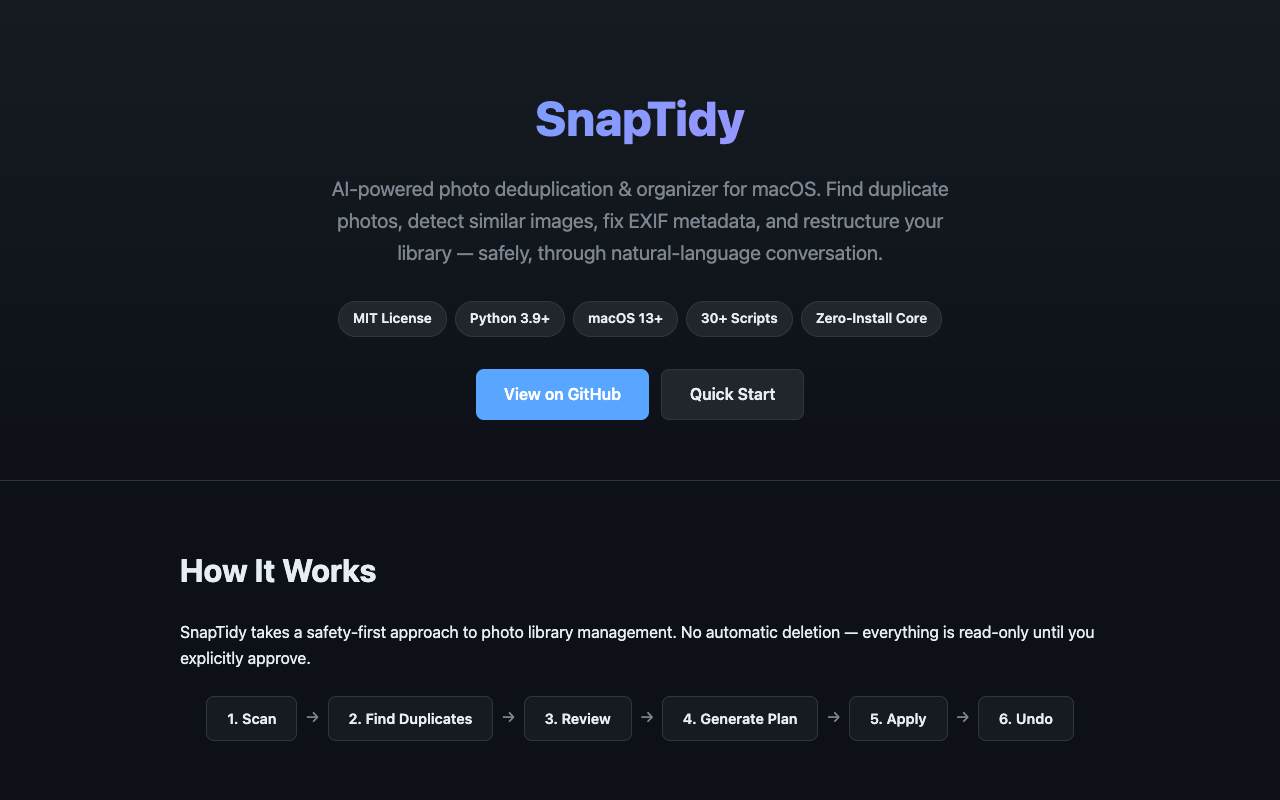
## How It Works

1. **Scan** — Walk through your photo/video directory, extract metadata (size, SHA-256, EXIF date, GPS, camera info, dimensions, perceptual hash, auto-category, folder tag), and write to SQLite (recommended) or CSV
2. **Find Duplicates** — Group files by exact hash (SHA-256) and perceptual hash (pHash), with optional fuzzy threshold
3. **Review** — Interactive HTML page to browse duplicates side-by-side, apply smart strategy rules, mark keep/remove
4. **Generate Plan** — Smart multi-factor scoring decides which duplicate to keep. Supports configurable strategies and folder preferences
5. **Apply** — Open the CSV plan, verify everything looks right, then apply. Choose between move-to-folder or macOS Trash (recoverable)
6. **Undo** — Reverse the most recent normal folder move within 30 days; Trash uses its native recovery
## Safety Guarantees
| Guarantee | How |
|-----------|-----|
| No automatic deletion | All scripts are read-only by default; `apply_move_plan.py` only moves files |
| macOS Trash mode | Use `--mode trash` to move to Trash — recoverable via Finder → Put Back |
| Photos.app trash mode | Recover from Photos.app → Recently Deleted while its retention window applies |
| Human review required | Move plans are CSV files you can inspect in any spreadsheet app |
| Full audit trail | Every move is logged to `move_log.csv` with source, destination, status, and reason |
| Zero data loss | Streaming SQLite writes with per-entry commit — crash loses at most one entry |
| Skip existing files | If a destination file already exists, the move is skipped automatically |
| Photos Library protection | `.photoslibrary` and `.photolibrary` directories are never entered |
| Backup-aware | Directories named `Original_Backup`, `.trashes`, etc. are automatically skipped |
| Smart priorities | Multi-factor scoring ensures the best-quality photo is always kept |
## Quick Start
### Prerequisites
- **macOS** (tested on 13+)
- **Python 3.9+**
- **Full Disk Access** enabled for your terminal (System Settings → Privacy & Security → Full Disk Access)
### Usage
Tell your AI assistant what you want:
> *"Scan my photo library at /Volumes/Photos and find duplicates"*
Or run the scripts directly:
```bash
# Step 1: Scan (SQLite recommended for large libraries, geocoding enabled by default)
python3 scripts/scan_photos.py --source /path/to/your/photos --output ./photo_index.db
# Step 1b: Scan without geocoding (faster, no place names)
python3 scripts/scan_photos.py --source /path/to/your/photos --output ./photo_index.db --no-geocode
# Step 1c: Quick scan (zero-install, no deps needed)
python3 scripts/quick_scan.py --source /path/to/your/photos --output ./photo_index.db --dedup
# Step 1d (Optional): Library health & insights (read-only)
python3 scripts/library_stats.py --index ./photo_index.db
python3 scripts/library_stats.py -i ./photo_index.db --report ./health.html
# Step 2: Find exact duplicates
python3 scripts/find_exact_duplicates.py --index ./photo_index.db --output ./duplicates_exact.csv
python3 scripts/find_exact_duplicates.py --index ./photo_index.db --output ./dups.txt --format human
# Step 3 (Optional): Find perceptually similar images
python3 scripts/find_similar_photos.py --index ./photo_index.db --output ./duplicates_similar.csv
python3 scripts/find_similar_photos.py --index ./photo_index.db --output ./similar.csv --detect-all
# Step 3b (Optional): Find similar photos using Apple's zero-dependency ML vectors
python3 scripts/find_similar_photos.py --index ./photo_index.db --output ./similar_apple.csv --detect-apple-ql
python3 scripts/find_similar_photos.py --index ./photo_index.db --output ./similar_apple.csv --detect-apple-ql --apple-ql-threshold 0.95
# Step 4: Generate a smart move plan
python3 scripts/generate_move_plan.py \
--duplicates ./duplicates_exact.csv \
--index ./photo_index.db \
--plan ./move_plan.csv \
--target-root /path/to/your/photos \
--prefer-folder "DCIM" --strategy quality
# Step 5: Preview with HTML thumbnails (optional but recommended)
# Use duplicates_exact.csv from Step 2 or duplicates_similar.csv from Step 3
python3 scripts/generate_preview.py \
--duplicates ./duplicates_similar.csv \
--index ./photo_index.db \
--output ./preview.html
# Step 6: Review move_plan.csv, then apply a normal reversible move
python3 scripts/apply_move_plan.py --plan ./move_plan.csv --mode move
# Step 7: Undo the normal move if needed (30-day record)
python3 scripts/apply_move_plan.py --plan ./move_plan.csv --undo
# Alternative after separate confirmation: move to macOS Trash
# Recover with Finder → Put Back; CLI --undo does not apply to Trash.
python3 scripts/apply_move_plan.py --plan ./move_plan.csv --mode trash
```
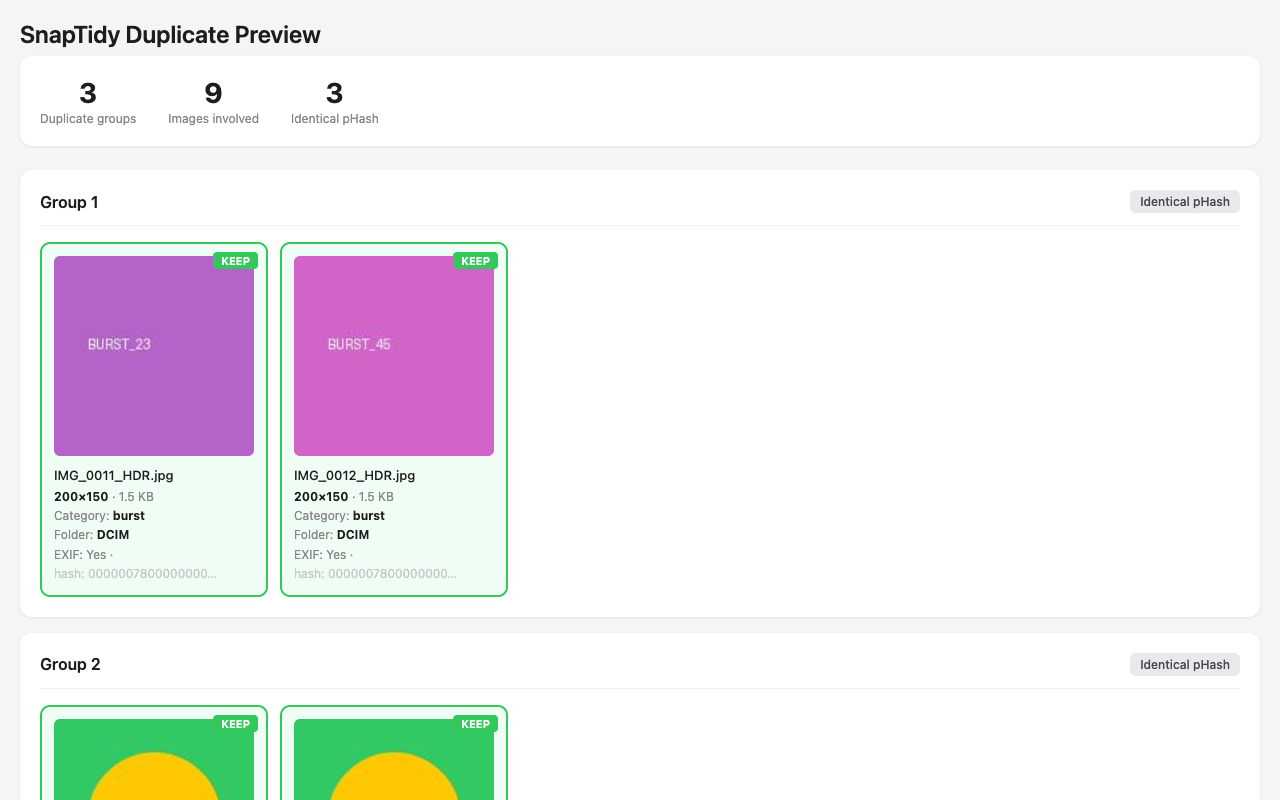
HTML preview with thumbnails — review before acting
### Import to Photos.app
```bash
# Dry-run: preview what would be imported
python3 scripts/import_to_photos.py --source /Volumes/External/Photos --dry-run
# Import all unique photos (duplicates skipped automatically)
python3 scripts/import_to_photos.py --source /Volumes/External/Photos --album "Vacation 2025"
# Import from Android DCIM
python3 scripts/import_to_photos.py --source /Volumes/Android/DCIM --album "Android Import"
# Semi-automated shared album workflow (1 manual drag step)
python3 scripts/import_to_photos.py --source /Volumes/External/Photos \
--album "Vacation 2025" \
--share-to-album "Vacation 2025"
# List shared albums (read-only)
python3 scripts/import_to_photos.py --show-shared-albums
```
### Photo Rotation, Conversion & GPS Inference
```bash
# Fix EXIF orientation (dry-run first, then apply)
python3 scripts/rotate_photos.py --index ./photo_index.db --dry-run
python3 scripts/rotate_photos.py --index ./photo_index.db
# Convert JPEG/HEIC to WEBP (30-50% space savings)
python3 scripts/convert_format.py --index ./photo_index.db --to webp --dry-run
python3 scripts/convert_format.py --index ./photo_index.db --to webp --quality 85
# Convert only large files to AVIF
python3 scripts/convert_format.py --source /path/to/photos --to avif --min-size 500 --dry-run
# Infer missing GPS from neighboring photos
python3 scripts/fix_gps.py --index ./photo_index.db --dry-run
python3 scripts/fix_gps.py --index ./photo_index.db --write-exif
```
### One-Command Interactive Workflow
```bash
# Interactive — asks preferences step by step
python3 scripts/organize_photos.py --source ~/Pictures/Export --interactive
# Non-interactive with dry-run
python3 scripts/organize_photos.py \
--source ~/Pictures/Export --dedup-method all \
--strategy quality --trash-mode trash --dry-run
# Organize by date into YYYY/MM folders
python3 scripts/organize_photos.py --source ~/Pictures/Export --mode by-date --dry-run
# Organize by category (01_Photos, 02_Screenshots, 03_WeChat, etc.)
python3 scripts/organize_photos.py --source ~/Pictures/Export --mode by-category --dry-run
# Organize by location (Country/Region/City/filename)
python3 scripts/organize_photos.py --source ~/Pictures/Export --mode by-location --dry-run
# Detect connected Android devices and external drives
python3 scripts/organize_photos.py --source /any --detect-sources
```
### Reverse Geocoding
```bash
# Look up a single GPS coordinate
python3 scripts/reverse_geocode.py --lat 39.9042 --lon 116.4074
# Specify backend and language
python3 scripts/reverse_geocode.py --lat 37.7749 --lon -122.4194 --backend nominatim --lang en
# Set custom cache directory
python3 scripts/reverse_geocode.py --lat 31.2304 --lon 121.4737 --cache-dir ./geocache
```
### Interactive Review
Review duplicates before deleting — **never acts on files directly**, only records your decisions:
```bash
# Generate interactive review page
python3 scripts/generate_review.py \
--index ./photo_index.db \
--duplicates ./duplicates_exact.csv \
--similar ./duplicates_similar.csv \
--output ./review.html
# Open review.html in browser, mark keep/remove, export decision CSV
```
**Smart strategy rules** (apply to all groups at once):
| Strategy | Keeps | Best for |
|----------|-------|----------|
| Most metadata | Highest EXIF/camera/GPS/date completeness | Keep the most informative version |
| Oldest | Earliest capture date | Keep the original |
| Newest | Latest modification date | Keep the final edit |
| Highest resolution | Largest pixel dimensions | Keep the sharpest version |
| Preferred album | Photos from specified album | Keep photos in your favorite album |
⭐ Photos marked as favorites are never auto-marked for deletion.
### Privacy Risk Detection
Find sensitive documents that shouldn't be in your photo library:
```bash
# Scan for privacy risks (auto-detect format from extension)
python3 scripts/detect_privacy_risks.py --index ./photo_index.db --output ./privacy_report.txt
# JSON format for scripting
python3 scripts/detect_privacy_risks.py --index ./photo_index.db --output ./privacy_report.json
# CSV format for spreadsheet review
python3 scripts/detect_privacy_risks.py --index ./photo_index.db --output ./privacy_report.csv
# Only show high-risk and above
python3 scripts/detect_privacy_risks.py --index ./photo_index.db --output ./report.txt --min-risk high
```
**Detection methods**: filename patterns (ID cards, passports, bank cards, passwords), folder path analysis, category+keyword matching (financial app screenshots), dimension heuristics (card-shaped images).
### Quality Assessment
Assess 7 quality dimensions for smarter dedup decisions:
```bash
# Assess quality and write scores to DB
python3 scripts/assess_quality.py --index ./photo_index.db
# Export quality report
python3 scripts/assess_quality.py --index ./photo_index.db --report quality_report.csv
# Incremental (only un-scored photos)
python3 scripts/assess_quality.py --index ./photo_index.db --incremental
```
Scores are automatically used in dedup: `generate_move_plan.py --strategy quality` considers blur penalty and quality score bonus. The review page shows quality badges (Q0-100) and adds "Keep best quality" strategy.
### Live Photo Detection
```bash
# Detect Live Photo pairs
python3 scripts/detect_live_photos.py --index ./photo_index.db
# Export report
python3 scripts/detect_live_photos.py --index ./photo_index.db --report live_photos.json
```
### Timeline Viewer
```bash
# Generate interactive timeline
python3 scripts/generate_timeline.py --index ./photo_index.db --output ./timeline.html
# Limit thumbnails for large libraries
python3 scripts/generate_timeline.py --index ./photo_index.db --output ./timeline.html --max-thumbs 2000
# Filter by year range
python3 scripts/generate_timeline.py --index ./photo_index.db --output ./timeline.html --from-year 2024
```
### Orphan RAW Cleanup
```bash
# Find RAW files without JPEG companion
python3 scripts/find_orphan_raw.py --index ./photo_index.db --output ./orphan_raw.csv
# Find both orphan RAW and orphan JPEG
python3 scripts/find_orphan_raw.py --index ./photo_index.db --output ./orphan_report.csv --both
```
### Library Compare
```bash
# Compare Photos.app vs file-system
python3 scripts/compare_libraries.py \
--library ~/Pictures/Photos\ Library.photoslibrary \
--index ./photo_index.db \
--output comparison.json
# Only show unique items
python3 scripts/compare_libraries.py \
--library ~/Pictures/Photos\ Library.photoslibrary \
--index ./photo_index.db \
--output comparison.csv --unique-only
```
### Google Takeout Import
```bash
# Scan and index Google Takeout
python3 scripts/import_google_takeout.py \
--source ~/Downloads/takeout-20250615 \
--output ./takeout_index.db
# Also write metadata to EXIF
python3 scripts/import_google_takeout.py \
--source ~/Downloads/takeout-20250615 \
--output ./takeout_index.db --write-exif
```
### GPX Geotagging
```bash
# Geotag photos from GPX track
python3 scripts/gpx_geotag.py --index ./photo_index.db --gpx track.gpx
# Preview only (dry-run)
python3 scripts/gpx_geotag.py --index ./photo_index.db --gpx track.gpx --dry-run
# Also write GPS to EXIF, with timezone offset
python3 scripts/gpx_geotag.py --index ./photo_index.db --gpx track.gpx --write-exif --timezone-offset +8
```
### Event Clustering
```bash
# Cluster photos into events (4-hour gap)
python3 scripts/cluster_events.py --index ./photo_index.db --output events.json
# Custom gap and location-aware
python3 scripts/cluster_events.py --index ./photo_index.db --output events.csv --gap-hours 2 --use-location
```
### Video Dedup
```bash
# Find similar videos (requires ffmpeg)
python3 scripts/find_similar_videos.py --index ./photo_index.db --output similar_videos.csv
```
### Smart Rename
```bash
# Preview rename (dry-run)
python3 scripts/rename_photos.py --index ./photo_index.db --template "{date}_{camera}_{seq}"
# Execute rename
python3 scripts/rename_photos.py --index ./photo_index.db --template "{date}_{camera}_{seq}" --execute
# Rename with location
python3 scripts/rename_photos.py --index ./photo_index.db --template "{date}_{city}_{seq}" --execute
```
### Corrupted File Detection
```bash
# Check for corrupted images and videos
python3 scripts/detect_corrupted.py --index ./photo_index.db
# With CSV report and parallel processing
python3 scripts/detect_corrupted.py --index ./photo_index.db --report corrupted.csv --parallel 8
# Incremental (only check files not yet verified)
python3 scripts/detect_corrupted.py --index ./photo_index.db --incremental
```
### Fix Missing Dates
```bash
# Fix dates from all sources (filename, neighbors, file mtime)
python3 scripts/fix_dates.py --index ./photo_index.db --dry-run
# Actually fix dates and write to EXIF
python3 scripts/fix_dates.py --index ./photo_index.db --write-exif --report fixed.csv
# Only use filename extraction
python3 scripts/fix_dates.py --index ./photo_index.db --strategy filename-only
```
### Backup Verification
```bash
# Quick check (filename + size)
python3 scripts/verify_backup.py --source ~/Photos --backup /Volumes/Backup/Photos
# Full SHA-256 check (catches renamed files)
python3 scripts/verify_backup.py --source ~/Photos --backup /Volumes/Backup/Photos --full
# Using existing index DB
python3 scripts/verify_backup.py --index ./photo_index.db --backup /Volumes/Backup/Photos --full --report report.csv
```
### Duplicate Folder Detection
```bash
# Find folders with ≥50% similar content
python3 scripts/find_duplicate_folders.py --index ./photo_index.db
# Scan filesystem directly (slower, no index needed)
python3 scripts/find_duplicate_folders.py --source ~/Photos --threshold 0.7 --report dup_folders.csv
```
### Space What-If Analysis
```bash
# "How much space would I save if I delete all screenshots?"
python3 scripts/library_stats.py --index ./photo_index.db --what-if
# With HTML report
python3 scripts/library_stats.py --index ./photo_index.db --what-if --report savings.html
```
### iCloud Optimization Handling
When macOS "Optimize Storage" is enabled, iCloud offloads original photos to the cloud and keeps only small thumbnails locally (2-50 KB). These thumbnails produce unreliable SHA-256 hashes and pHashes, causing false results in dedup.
```bash
# Step 1: Check which files are iCloud-only (before scanning)
python3 scripts/check_icloud.py --source ~/Pictures/Photos --report
# Step 2: Download all iCloud files (with progress + size estimates)
python3 scripts/check_icloud.py --source ~/Pictures/Photos --download
# Step 2b: Dry-run — see what would be downloaded
python3 scripts/check_icloud.py --source ~/Pictures/Photos --download --dry-run
# Step 3: Scan with iCloud awareness
python3 scripts/scan_photos.py -i ~/Pictures/Photos -o index.db # warn (default)
python3 scripts/scan_photos.py -i ~/Pictures/Photos -o index.db --skip-icloud # skip placeholders
python3 scripts/scan_photos.py -i ~/Pictures/Photos -o index.db --download-icloud # download then scan
# Step 4: Dedup with iCloud exclusion (skip unreliable placeholder hashes)
python3 scripts/find_exact_duplicates.py -i index.db -o dups.csv --exclude-icloud
python3 scripts/find_similar_photos.py -i index.db -o similar.csv --exclude-icloud
```
**Detection methods** (all three checked for each file):
1. `.icloud` companion file exists (iCloud Drive style)
2. `com.apple.iCloud.syncState` extended attribute
3. Size heuristic (HEIC < 100 KB or JPEG < 20 KB = likely thumbnail)
### EXIF Editing
```bash
# Strip GPS data from all photos in the index (dry-run first!)
python3 scripts/edit_exif.py strip-gps --index ./photo_index.db --dry-run
# Actually strip GPS data
python3 scripts/edit_exif.py strip-gps --index ./photo_index.db
# Only strip GPS from photos that have GPS data
python3 scripts/edit_exif.py strip-gps --index ./photo_index.db --only-gps
# Set EXIF date on specific files
python3 scripts/edit_exif.py set-date --date "2025-06-15T14:30:00" --paths photo1.jpg photo2.heic
# Write tags/keywords to specific files
python3 scripts/edit_exif.py set-tags --tags "vacation,beach,summer" --paths photo1.jpg photo2.jpg
```
## Smart Priority Rules
When deciding which duplicate to KEEP, SnapTidy scores files by:
| Factor | Weight | Rationale |
|--------|--------|-----------|
| Resolution (pixels) | High (0–100) | Higher res = better quality |
| File size | Medium (0–50) | Larger = less compressed |
| EXIF completeness | High (+30) | Has metadata = likely original |
| Format (RAW +20, HEIC +10) | Medium | Better format = better quality |
| Category (photo +15, screenshot -20, wechat -10) | Medium | Real photos over screenshots |
| Folder preference | Configurable (+50) | User-specified priority folders |
| Photos.app favorite | High (+50) | Never move favorited photos |
**Strategies** (`--strategy`): `quality` (default), `oldest`, `newest`, `folder`
## Auto-Categorization (15+ Languages)
| Category | Detected by |
|----------|------------|
| photo | Default for camera photos |
| screenshot | "screenshot", "截图", "截屏", "スクリーンショット", "스크린샷", "скриншот" |
| wechat | "mmexport", "wx_camera_", "microMsg", "WeiXin" |
| burst | "_HDR", "_burst", "连拍", "連拍", "버스트" |
| video | Video file extensions |
## Storage & Performance
| Format | Best For | Speed | Context Impact |
|--------|----------|-------|----------------|
| **SQLite** (.db) | 100k+ photos | 400x faster queries | Data stays in local DB, no context bloat |
| **CSV** (.csv) | Small libraries (<10k) | Fine for small sets | CSV content may bloat AI context |
### Benchmarks (MacBook Pro M3 Pro)
| Photos | Scan | Exact | Similar (all) | Plan | Total |
|--------|------|-------|---------------|------|-------|
| 1K | 1.3s | 0.06s | 1.2s | 0.1s | ~3s |
| 10K | 12s | 0.07s | 49s | 0.3s | ~66s |
| 50K | 58s | 0.13s | ~8min | 0.5s | ~10min |
## Supported Formats
| Type | Extensions |
|------|-----------|
| Images | jpg, jpeg, png, bmp, gif, tif, tiff, heic, heif, webp |
| RAW | dng, cr2, nef, arw |
| Videos | mov, mp4, m4v, avi, mkv, 3gp, mpg, mpeg, hevc, wmv, flv |
## Scripts Reference
| Script | Purpose | Input | Output |
|--------|---------|-------|--------|
| `quick_scan.py` | Zero-install quick scan (stdlib only, SHA-256 + Apple QL) | Photo directory or `.photoslibrary` | `.db` |
| `scan_photos.py` | Walk directory, extract metadata + GPS + camera + **place names** | Photo/video directory | `.db` or `.csv` |
| `scan_photos_library.py` | Scan Photos.app library (reads Photos.sqlite) | `.photoslibrary` bundle | `.db` or `.csv` |
| `find_exact_duplicates.py` | Group byte-identical files by SHA-256 | `.db` or `.csv` index | `duplicates_exact.csv` |
| `find_similar_photos.py` | Group visually identical images by pHash, Apple QL, scaled, cross-format, burst | `.db` or `.csv` index | `duplicates_similar.csv` |
| `generate_move_plan.py` | Smart priority scoring, propose which to move | Duplicates CSV + index | `move_plan.csv` |
| `apply_move_plan.py` | Execute move plan (move or Trash mode) + undo | `move_plan.csv` | `move_log.csv` |
| `organize_photos.py` | One-command interactive pipeline (by-date/by-category/**by-location**) | Source directory | Full pipeline output |
| `import_to_photos.py` | Import to Photos.app with dedup | Source directory | Import report JSON |
| `generate_preview.py` | HTML thumbnail preview | Duplicates CSV + index | `preview.html` |
| `generate_review.py` | Interactive HTML review with smart strategy rules | `.db` index + duplicates CSVs | `review.html` + decision CSV |
| `detect_privacy_risks.py` | Find sensitive documents (ID/bank cards, passports, passwords) | `.db` index | `.json` / `.csv` / `.txt` report |
| `assess_quality.py` | 7-dimension quality scoring (0-100) | `.db` index | DB columns + `.csv` / `.json` report |
| `detect_live_photos.py` | Identify Live Photo pairs (HEIC+MOV) | `.db` index | `live_photo_group` column |
| `find_orphan_raw.py` | Find orphan RAW files without JPEG companion | `.db` index | `.csv` / `.json` report |
| `generate_timeline.py` | Interactive HTML timeline (year/month/day zoom) | `.db` index | `timeline.html` |
| `compare_libraries.py` | Compare Photos.app vs file-system (SHA-256) | `.db` + `.photoslibrary` | `.json` / `.csv` report |
| `import_google_takeout.py` | Import Google Photos export + merge JSON metadata | Takeout directory | `.db` index |
| `gpx_geotag.py` | Assign GPS from GPX track files | `.db` index + `.gpx` | DB columns + EXIF |
| `cluster_events.py` | Auto-group photos into events by time+location | `.db` index | `.json` / `.csv` report |
| `find_similar_videos.py` | Video dedup via frame sampling + pHash | `.db` index | `.csv` report |
| `rename_photos.py` | Smart rename by EXIF date/camera/location | `.db` index | Renamed files + undo record |
| `detect_corrupted.py` | Find broken/truncated images and unplayable videos | `.db` index | DB columns + `.csv` report |
| `fix_dates.py` | Fix missing EXIF dates from filename/neighbors/mtime | `.db` index | DB columns + `.csv` report |
| `verify_backup.py` | Verify backup completeness (quick or SHA-256 full) | Source + backup dirs | `.csv` report + coverage % |
| `find_duplicate_folders.py` | Find duplicate/similar folders by content hash | `.db` index or directory | `.csv` report |
| `compress_photos.py` | Smart photo compression (resolution-based quality, PNG→JPEG) | `.db` index | Compressed files + `.csv` report |
| `timeline_gaps.py` | Detect abnormal date gaps (missing photo periods) | `.db` index | `.csv` report + terminal summary |
| `check_icloud.py` | Detect & pre-download iCloud placeholder files | Photo directory | Report + batch download |
| `generate_album_report.py` | HTML album organization report (before/after diff) | `.db` index + stats | `album_report.html` |
| `library_stats.py` | Library health & insights + **space what-if analysis** | `.db` index | terminal / JSON / `health.html` |
| `reverse_geocode.py` | GPS → place names (city/region/country) | Lat/lon coordinates | Place name text |
| `edit_exif.py` | EXIF editing: strip GPS, set dates, write tags | Index DB or file paths | Modified files + log |
| `icloud_utils.py` · `photo_metadata.py` · `constants.py` · `applescript_utils.py` | Shared internal modules (iCloud detection, hashing/EXIF, constants, AppleScript) | — | — |
| `rotate_photos.py` | Batch-rotate photos to correct EXIF orientation | `.db` index or directory | Rotated files + CSV report |
| `convert_format.py` | Convert JPEG/HEIC/PNG → WEBP/AVIF (save 30-50% space) | `.db` index or directory | Converted files + CSV report |
| `fix_gps.py` | Infer missing GPS from temporally adjacent photos | `.db` index | DB update + optional EXIF + CSV |
## Requirements
### Core (zero-install)
| What | How |
|------|-----|
| Python 3.9+ | Built-in stdlib: `hashlib`, `sqlite3`, `os`, `argparse`, `json`, `math` |
| Apple QL Detection | Reads pre-computed vectors from `ZCOMPUTEDASSETATTRIBUTES` — no extra deps |
| SHA-256 dedup | Uses `hashlib.sha256` from stdlib |
### Optional (enhanced features when installed)
| Package | Purpose | Fallback if missing |
|---------|---------|---------------------|
| **Pillow** | Image dimensions, format detection | Dimensions from Photos.app metadata |
| **piexif** | EXIF dates, GPS, camera info | Date from file mtime/Photos.app |
| **imagehash** | Perceptual hash (pHash) similarity | Apple QL detection (zero-dep alternative) |
| **pillow-heif** | HEIC/HEIF full support | HEIC files skipped for pHash |
| **photoscript** | High-level Photos.app import | osascript fallback (no extra deps) |
| **pyobjc-framework-Photos** | Low-level Photos.app control | osascript fallback |
**All optional dependencies degrade gracefully** — SnapTidy prints a warning and continues with reduced functionality. No crashes, no hard requirements.
## Platform Compatibility
| Platform | Config File | Install Path |
|----------|------------|--------------|
| Claude Code | `CLAUDE.md` | `~/.claude/skills/snaptidy/` |
| Cursor | `.cursor/rules/snaptidy.mdc` | Project `.cursor/rules/` |
| Windsurf | `.windsurf/rules/snaptidy.md` | Project `.windsurf/rules/` |
| WorkBuddy | `SKILL.md` | `~/.workbuddy/skills/snaptidy/` |
| OpenClaw | `SKILL.md` + `clawhub.yaml` | `~/.openclaw/skills/snaptidy/` |
| Any AI agent | `AGENTS.md` | Project root |
## Contributing
Contributions are welcome! See [CONTRIBUTING.md](CONTRIBUTING.md) for detailed guidelines.
Some areas where help is especially appreciated:
- **Date-based reorganization** — Sort photos into year/month folders based on EXIF dates
- **Video deduplication** — Key-frame hashing for video files using ffmpeg/opencv
- **Cross-platform support** — Extend beyond macOS to Linux and Windows
- **Offline geocoding fallback** — Bundle a lightweight offline reverse-geocode database
## Changelog
See [CHANGELOG.md](CHANGELOG.md) for a history of notable changes.
## License
This project is licensed under the MIT License — see the [LICENSE](LICENSE) file for details.
## Star History

## Acknowledgments
Inspired by the macOS automation community and tools like [organize](https://github.com/tfeldmann/organize), [FileLens](https://github.com/priyanshul/get-file-details), [Anthropic Skills](https://github.com/anthropics/skills), and the [Apple CLI](https://github.com/Sankalpcreat/Apple-CLI) ecosystem.