https://github.com/chrisbinsunny/flippy
Flippy is a pub widget which can be flipped by button press or drag interaction and is highly customizable.
https://github.com/chrisbinsunny/flippy
card flip flipper flutter flutter-package package
Last synced: 4 months ago
JSON representation
Flippy is a pub widget which can be flipped by button press or drag interaction and is highly customizable.
- Host: GitHub
- URL: https://github.com/chrisbinsunny/flippy
- Owner: chrisbinsunny
- License: bsd-3-clause
- Created: 2023-01-13T10:32:40.000Z (over 3 years ago)
- Default Branch: master
- Last Pushed: 2023-01-25T18:10:33.000Z (over 3 years ago)
- Last Synced: 2025-10-22T22:37:57.944Z (8 months ago)
- Topics: card, flip, flipper, flutter, flutter-package, package
- Language: Dart
- Homepage: https://pub.dev/packages/flippy
- Size: 1.03 MB
- Stars: 5
- Watchers: 1
- Forks: 0
- Open Issues: 0
-
Metadata Files:
- Readme: README.md
- Changelog: CHANGELOG.md
- License: LICENSE
Awesome Lists containing this project
README
# Flippy- Flip it 🎡
Flippy is an interactive flip widget for Flutter. With Flippy, you can easily customize and flip between two sides of a card in an intuitive way. This widget is built to be highly customizable and easy to use, making it the perfect addition to your Flutter app. Get ready to take your widgets to the next level with Flippy!
| 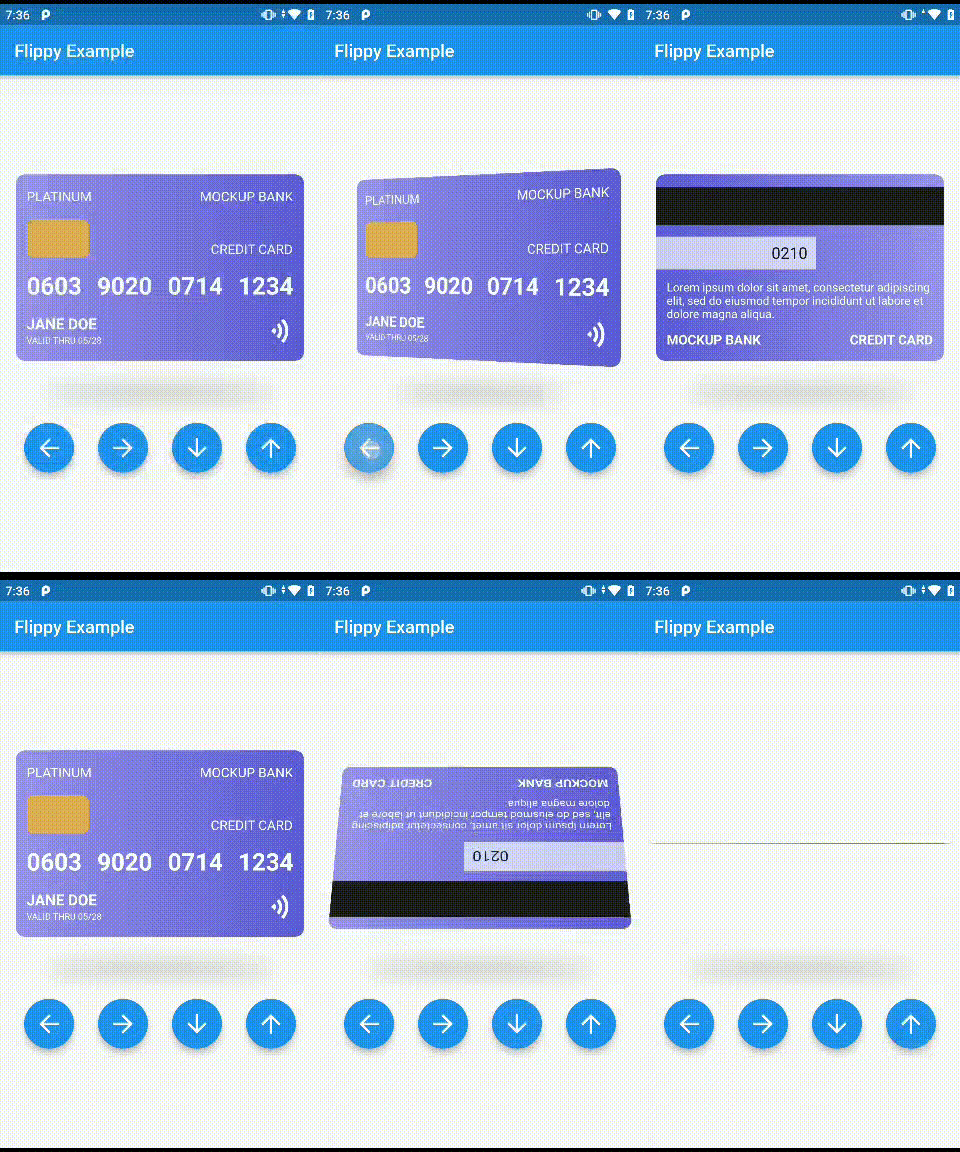 | 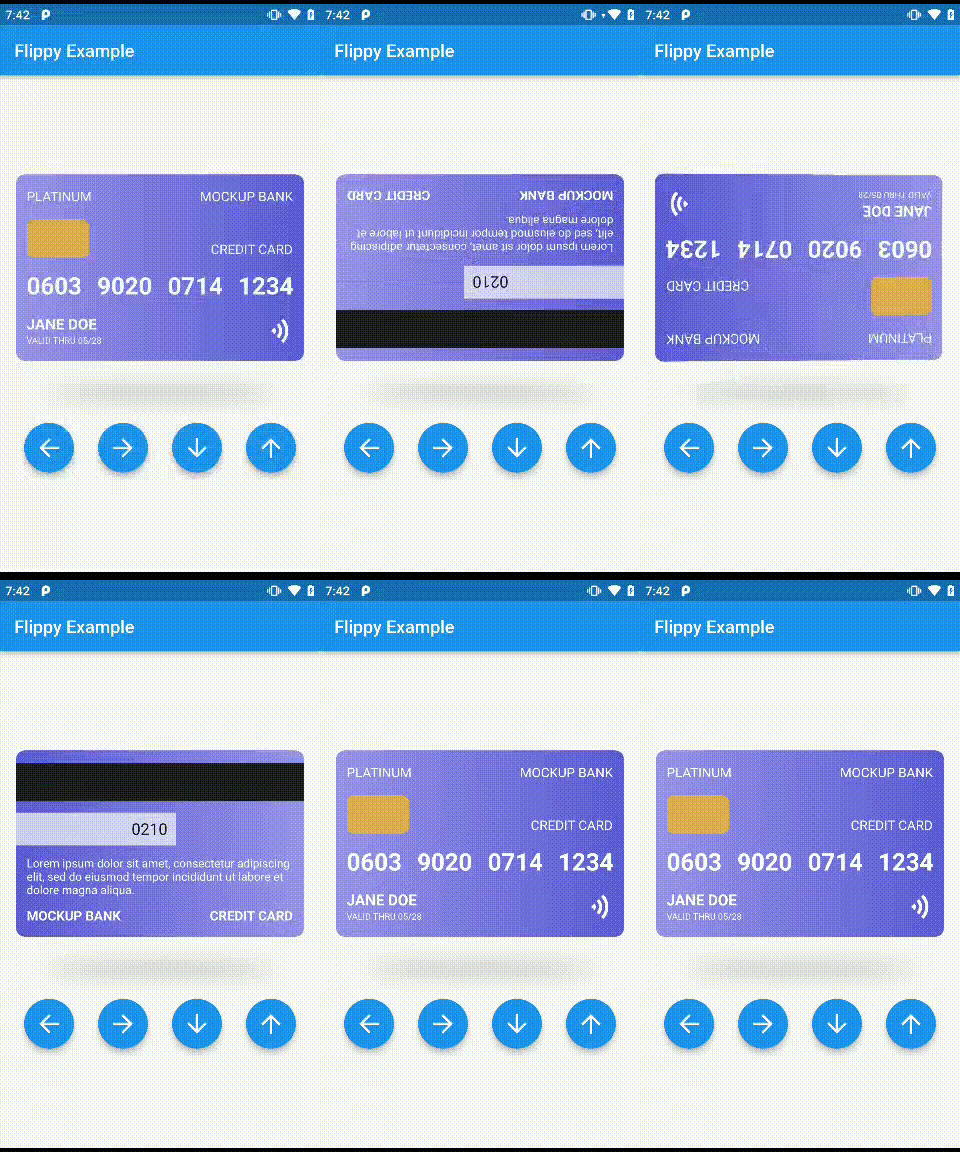 |
|--|--|
| **Flipper** | **DragFlipper** |
## Getting started
To start using Flippy, you need to add the package to your pubspec.yaml file:
Depend on it:
```yaml
dependencies:
flipper: 0.1.0
```
Import it:
```dart
import 'package:flippy/flippy.dart';
```
## Features
✅ Draggable and Non-Draggable flipper cards
✅ Funtions to turn to all sides
✅ Dynamic customisable shadow
✅ Complete control over widgets
**TODO: Coming Soon**
🟩 Animation duration
🟩 Optional sticky animation
🟩 Thickness to card
🟩 Single widget flip
🟩 Sounds on flip
## Flippy Usage
### Draggable Flipper
The Draggable Flipper is a versatile flip widget for Flutter that allows you to flip your widgets using both hand gesture and a controller with its various functions. To use the Draggable Flipper, you need to wrap the widgets you want to flip with the `DragFlipper` widget and pass a `controller`.
```dart
DragFlipper(
front: const FrontWidget(), //required
back: const BackWidget(), //required
controller: flipperController, //required
height: double,
width: double,
padding: EdgeInsets,
margin: EdgeInsets,
backgroundColor: Color,
border: Border,
borderRadius: BorderRadius,
gradient: Gradient,
shape: BoxShape,
)
```
### Regular Flipper
The Regular Flipper is a flip widget for Flutter app that allows you to flip your widgets using a controller with its various functions. Unlike the Draggable Flipper, the Regular Flipper does not support dragging or gestures as a means of flipping the widget. To use the Regular Flipper, you need to wrap the widgets you want to flip with the `RegularFlipper` widget and pass a `controller`.
```dart
Flipper(
front: FrontWidget(), //required
back: BackWidget(), //required
controller: flipperController, //required
height: double,
width: double,
padding: EdgeInsets,
margin: EdgeInsets,
backgroundColor: Color,
border: Border,
borderRadius: BorderRadius,
gradient: Gradient,
shape: BoxShape,
)
```
## Controller Usage
The FlipperController is a required parameter for both Flipper and DragFlipper. Controller allows you to control the animation of the flipper manually and programmatically. By using the `controller` parameter, you can add programmatic buttons to flip the flipper to the left or right.
To create a FlipperController, you can use the `FlipperController()` constructor, which accepts a `dragAxis` parameter. The `dragAxis` parameter defaults to `DragAxis.horizontal`, but it can also be set to `DragAxis.vertical` and `DragAxis.both` to change the direction of the flip animation.
```dart
FlipperController controller= FlipperController(
dragAxis: DragAxis.both,
);
```
### Methods
The `FlipperController` has three main methods:
- `flipLeft()`: Flips the flipper to the left for one time. Only works with `DragAxis.horizontal` and `DragAxis.both`.
- `flipRight()`: Flips the flipper to the right for one time. Only works with `DragAxis.horizontal` and `DragAxis.both`.
- `flipDown()`: Flips the flipper to the bottom for one time. Only works with `DragAxis.vertical` and `DragAxis.both`.
- `flipUp()`: Flips the flipper to the top for one time. Only works with `DragAxis.vertical` and `DragAxis.both`.
Please note that the `dragAxis` parameter of the FlipperController determines which flipping functions can be called. If `dragAxis` is set to `DragAxis.vertical`, you can only call `flipDown()` and `flipUp()`. If it is set to `DragAxis.horizontal`, you can only call `flipLeft()` and `flipRight()`.
### Example
Here is an example of how to use the `FlipperController` to add a programmatic button to flip the flipper to the left.
```dart
FlipperController flipperController= FlipperController(
dragAxis: DragAxis.horizontal,
);
@override
Widget build(BuildContext context) {
return Scaffold(
body: DragFlipper(
controller: _flipperController,
front: Text('Front'),
back: Text('Back'),
),
floatingActionButton: FloatingActionButton(
onPressed: () => flipperController.flipLeft(),
child: Icon(Icons.arrow_back),
),
);
}
```
## Additional information
Find the documentation and API References [here](https://pub.dev/documentation/flippy/latest/)
### Issues
Report the found issues [here](https://github.com/chrisbinsunny/flippy/issues).
### Contributing
1. Fork it ()
2. Create your feature branch (`git checkout -b feature/fooBar`)
3. Commit your changes (`git commit -am 'Add some fooBar'`)
4. Push to the branch (`git push origin feature/fooBar`)
5. Create a new Pull Request
**Contributors**
