https://github.com/chrissiku/github_users_api
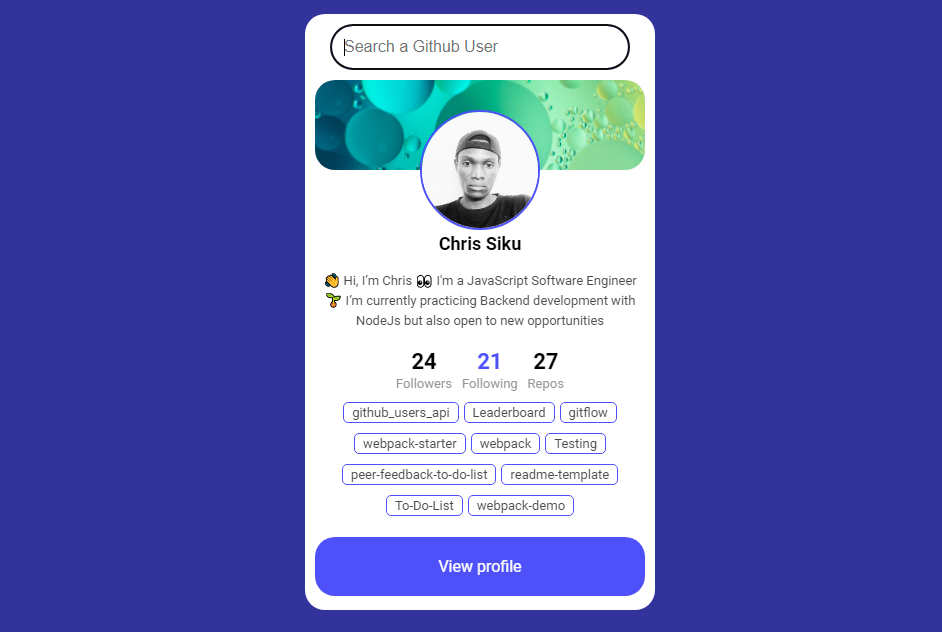
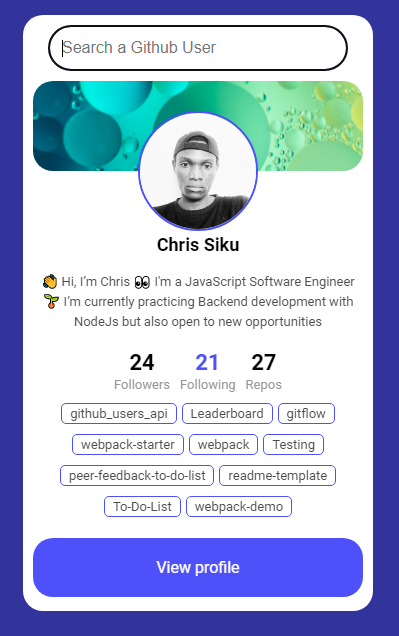
This project concern github users API, The interface is fetching GitHub user by username and display user information on the profile card using gituhGitHubb API
https://github.com/chrissiku/github_users_api
api css html javascript webpack
Last synced: 11 months ago
JSON representation
This project concern github users API, The interface is fetching GitHub user by username and display user information on the profile card using gituhGitHubb API
- Host: GitHub
- URL: https://github.com/chrissiku/github_users_api
- Owner: Chrissiku
- Created: 2022-06-19T16:21:50.000Z (about 4 years ago)
- Default Branch: main
- Last Pushed: 2022-06-19T16:53:57.000Z (about 4 years ago)
- Last Synced: 2025-02-28T05:47:42.840Z (over 1 year ago)
- Topics: api, css, html, javascript, webpack
- Language: CSS
- Homepage: https://chrissiku.github.io/github_users_api/
- Size: 346 KB
- Stars: 7
- Watchers: 1
- Forks: 0
- Open Issues: 0
-
Metadata Files:
- Readme: README.md
Awesome Lists containing this project
README

# Project Name : Github Users API
> This project concern github users API, The interface is fetching GitHub user by username and display user information on the profile card using gituhGitHubb API
>
>
> In order to achieve this project I used some resources and technologies listed below :
## Here are ScreenShoots of the project
| On Desktop | On Mobile |
| --------------------------------------------------------------------------------------------------------------------------------------------------------------------- | --------------------------------------------------------------------------------------------------------------------------------------------------------------------- |
|  |
|  |
|
## Built With
- Major languages : JavaScript (ES6 syntax), HTLM and CSS
- Frameworks : none
- Technologies used : Github, Git and Linters
## Live Demo (not avialable)
Click [Here](https://chrissiku.github.io/github_users_api/) To open the live demo
## Getting Started
To get a local copy up and running follow these simple example steps.
### Prerequisites ♻️
- A personal computer connected to the internet;
- Have a working and updated browser.
- Have a local version control like git installed on your computer
- Have an account on Github, as an online/remote Version Control System
- Code editor (Visual studio code, sublime text, notepad++, ...) installed on your computer;
- At least basic of HTML and CSS.
### Setup 🎰
- Click the [me](https://github.com/Chrissiku/github_users_api) and you'll land on the pure repository;
- click on the green (🟢) button with `Code` Inscription;
- You can choose to download the project or just clone it if you are familiar with Git and Github;
- Follow normal step once download in your computer and use it as it's yours.
### Install
- If you are familiar with git, Run `npm install` to get all dependecies required to run the linters checks, otherwise use the downloaded project on your computer without testing files
### Run test 🧪
> Run thes command bellow inside your `git bash` or command line interface..
- `npm build start` : to run the project in your default web Browser
- `npx hint .` : for the `html` codebase and use of best practices.
- `npx stylelint "**/*.{css,scss}"` : for the `css` codebase and use of best practices. you can add
- `npx eslint .` : for the `JavaScript` codebase and use of best practices
- > Note that you can add `--fix` keyword to the command for `Css` and/or `JavaScript` to make sure that you avoid all errors comming from your `code editor`
## Author
👤 **Chris Siku (Main Author)**
- GitHub: [@githubhandle](https://github.com/Chrissiku)
- Twitter: [@twitterhandle](https://twitter.com/christian_siku)
- LinkedIn: [LinkedIn](https://www.linkedin.com/in/chris-siku-4bb53b232/)

## 🤝 Contributing
Contributions, issues, and feature requests are welcome!
Feel free to check the [issues page](../../issues/).
## Show your support
Give a ⭐️ if you like this project!
## Acknowledgments
- Microverse
- Hat tip to anyone whose code was used.
## 📝 License
This project is [MIT](./MIT.md) licensed.