https://github.com/christiaanwesterbeek/switchenv
command line tool for quickly switching .env file from Keepass entries (content from the Notes field)
https://github.com/christiaanwesterbeek/switchenv
cli command-line-tool env environments keepass npm-scripts
Last synced: over 1 year ago
JSON representation
command line tool for quickly switching .env file from Keepass entries (content from the Notes field)
- Host: GitHub
- URL: https://github.com/christiaanwesterbeek/switchenv
- Owner: christiaanwesterbeek
- Created: 2018-12-08T13:41:27.000Z (over 7 years ago)
- Default Branch: master
- Last Pushed: 2022-12-03T21:56:38.000Z (over 3 years ago)
- Last Synced: 2025-03-18T14:45:33.096Z (over 1 year ago)
- Topics: cli, command-line-tool, env, environments, keepass, npm-scripts
- Language: JavaScript
- Homepage:
- Size: 1.54 MB
- Stars: 1
- Watchers: 1
- Forks: 0
- Open Issues: 14
-
Metadata Files:
- Readme: README.md
- Changelog: CHANGELOG.md
Awesome Lists containing this project
README
# switchenv
[](https://travis-ci.org/christiaanwesterbeek/switchenv)
[](https://snyk.io/test/github/christiaanwesterbeek/switchenv?targetFile=package.json)
[](https://www.npmjs.org/package/switchenv)
Command line tool to quickly switch .env file from Keepass entries (content from the Notes field)
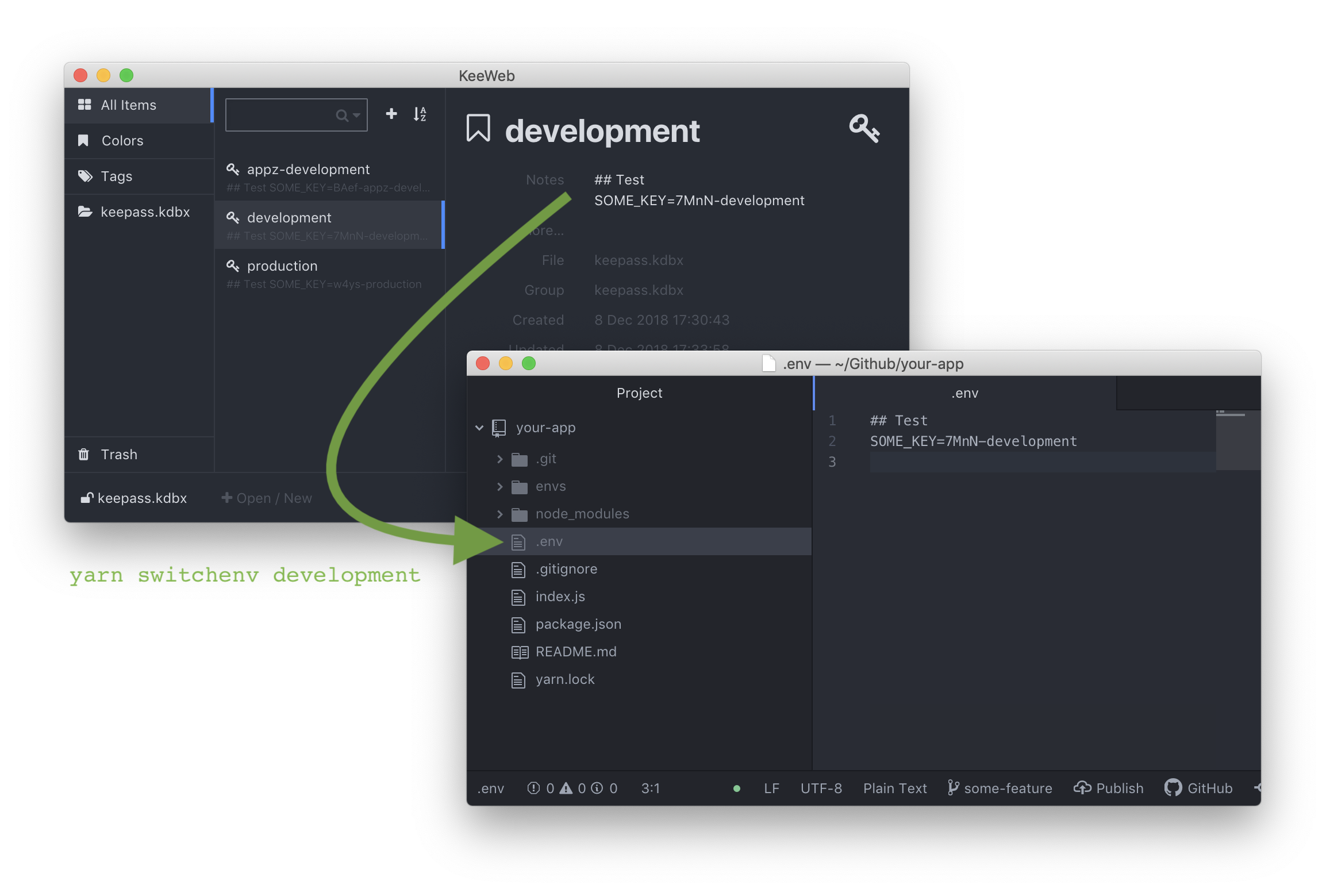
## Install
`yarn add -D switchenv`
or
`npm install -D switchenv`
## Usage
You need to go through a one time setup per project. That will take you a few minutes.
Afterwards you'll be able to run this command to change your .env file.
`yarn switchenv development`
or
`npm run switchenv development`
It will read and decrypt the keepass file and look for an entry with the title: development.
The Notes of that entry will overwrite the .env file.
Nota Bene: It will overwrite the .env file without warning!
## Setup
You need to do this setup once per project.
1. Go to your project folder where the `package.json` resides.
2. Create a directory to store your keepass file and keyfile in.
3. Add the created directory to your .gitignore file!!
NB: Your keepass and key file should never be committed!
4. In that directory create a keepass file.
5. Create a new entry in the keepass file for each environment.
- The Title field of the entry should be the name of your environment. Use names like development, staging, production.
- The Notes field of the entry is the desired contents of your .env file for that environment.
6. Generate a key file for the keepass file. Preferably store it in the same directory as your keepass file.
7. In your app's `package.json` file add a `switchenv` command in the `scripts` section.
```
{
...
"scripts": {
"switchenv": "node ./node_modules/switchenv --source /envs/keepass.kdbx --key /envs/keyfile"
},
...
}
```
In this example
- `--source /envs/keepass.kdbx` is the path to the keepass file.
- `--key /envs/keyfile` is the path to the key file.
### Optionally
- `--target /config.js` if you want to write to something else than /.env
- `--title .env-{title}-backend` if you have longer entry titles like `.env-development-backend` instead of just `development`. In this case, you can still run `yarn switchenv development`