https://github.com/christophp/elm-mark
Search Term Highlighting for Elm Apps https://package.elm-lang.org/packages/ChristophP/elm-mark/latest/
https://github.com/christophp/elm-mark
elm-lang mark search-highlighting
Last synced: about 1 year ago
JSON representation
Search Term Highlighting for Elm Apps https://package.elm-lang.org/packages/ChristophP/elm-mark/latest/
- Host: GitHub
- URL: https://github.com/christophp/elm-mark
- Owner: ChristophP
- License: bsd-3-clause
- Created: 2019-03-10T21:21:52.000Z (over 7 years ago)
- Default Branch: master
- Last Pushed: 2022-12-11T07:38:06.000Z (over 3 years ago)
- Last Synced: 2025-03-24T06:54:39.036Z (over 1 year ago)
- Topics: elm-lang, mark, search-highlighting
- Language: Elm
- Homepage:
- Size: 536 KB
- Stars: 8
- Watchers: 3
- Forks: 0
- Open Issues: 4
-
Metadata Files:
- Readme: README.md
- License: LICENSE
Awesome Lists containing this project
README
# Elm Mark
Search Term Highlighting for Elm Apps
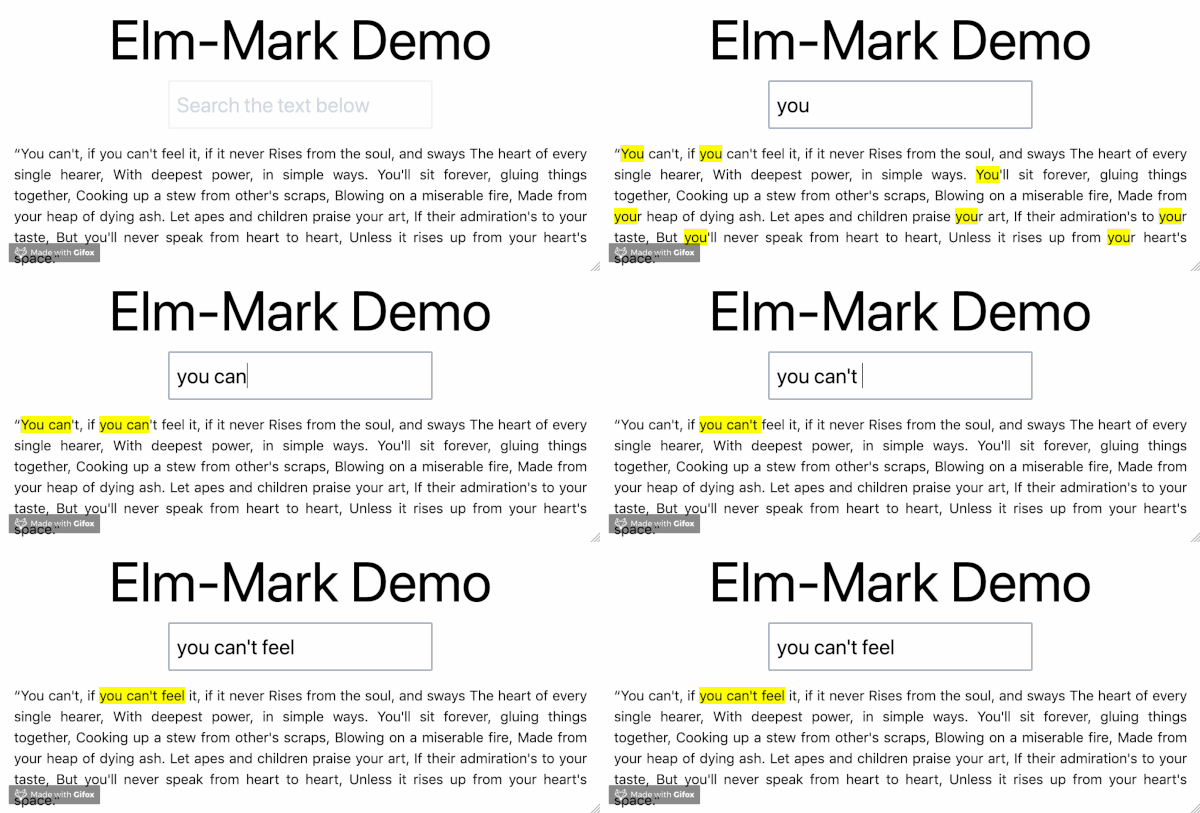
Check out the [demo](https://elm-mark-demo.deedop.de/).
**Upgrade hint from version 1.x.x:**
There is only one easy-to-fix breaking change in version 2.
The exposed module name for `elm-mark` is changed from `Mark` to `String.Mark`.
This avoids module naming collisions with other popular packages. Now feel free
to use both `elm-mark` with for example the great
[`mdgriffith/elm-markup`](https://package.elm-lang.org/packages/mdgriffith/elm-markup/latest/). 🎉
## Who's using it?
- The amazing [`ThankU`](https://www.thanku.social) [(www.thanku.social)](https://www.thanku.social): the platform to say thank you and do good.
- others: please open a PR to have your name or company added
## Why do you need it?
Marking keywords in text is harder than it sounds. I had to do it a couple of
times and was amazed with the amount of code needed to do something so seemingly simple.
This package wraps everything you need, to do search term highlighting.
I spent quite some time polishing the API to where it is right now, so I hope
you'll find it pleasant to use and highlight away. :-)
## How to use
```elm
import Html
import String.Mark as Mark
main = Html.p [] <| Mark.mark "ness" "Tennessee"
-- will render
Tennessee
```
## Options and Configuration
There are a bunch of options ranging from no-config to fully customizable.
Options include case sensitiviy, single word/multi word search and search term
length threshold. You can also provide your own custom search logic, should the
available options not meet your needs.
Here's a small example of configuring case sensitivity.
```elm
let
options = { defaultOptions | searchType = normalSearch matchCase }
in Mark.markWith options "a-search-term" "some text to search"
```
Check out the module documentation to see detailed info about the
configuration options.
## Examples
Check out the repository for `examples` and `tests`, there are also a few code
examples in the module documentation.
## Developing
Developing and running the tests.
```
npm ci
npm run dev
```
## Credits
Thanks to [@layflags](https://github.com/layflags) and [@pehota](https://github.com/pehota) for inspirational thoughts 🤔, code reviews 👓 and
lots of fun working on projects together. ❤