https://github.com/civiccc/brigade-maps
Maps of OCD Civic divisons for Brigade
https://github.com/civiccc/brigade-maps
web
Last synced: about 1 year ago
JSON representation
Maps of OCD Civic divisons for Brigade
- Host: GitHub
- URL: https://github.com/civiccc/brigade-maps
- Owner: civiccc
- Created: 2016-03-24T02:47:14.000Z (over 10 years ago)
- Default Branch: master
- Last Pushed: 2019-10-21T19:54:27.000Z (over 6 years ago)
- Last Synced: 2025-02-11T09:51:45.976Z (over 1 year ago)
- Topics: web
- Language: JavaScript
- Homepage:
- Size: 949 KB
- Stars: 1
- Watchers: 3
- Forks: 2
- Open Issues: 2
-
Metadata Files:
- Readme: README.md
Awesome Lists containing this project
README
brigade-maps
============================
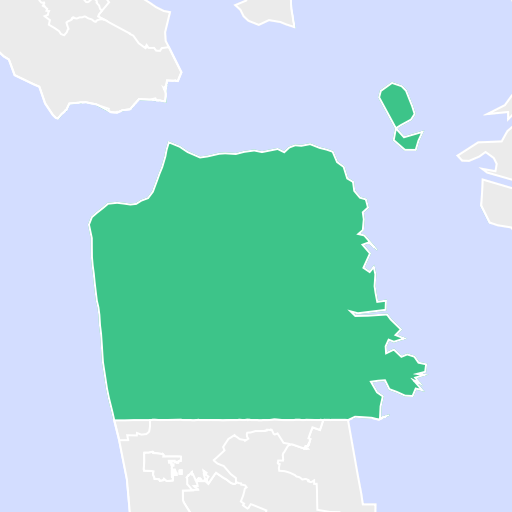
OCD Division ID (OCDID) Shapefiles
# Installation
1. install node 5.x via nodenv or via some package manager
2. `npm install`
This will download and install mapnik, the map rendering tool.
3. Install GraphicsMagick (`brew install GraphicsMagick`)
4. `npm run render`
# Commands
To see all available commands, run:
```bash
export PATH=$(npm bin):$PATH
jake -T
```
Some common commands you might find useful:
## Download all the Shapefiles
```bash
$(npm bin)/jake shapefiles
```
## Render everything
```bash
$(npm bin)/jake render
```
## Package GeoJSON for upload
```bash
$(npm bin)/jake package-geojson
# then you will want to upload it with something like:
aws s3 cp build/tmp-geojson.tar.gz s3://brigade-development/geojson-districts.tar.gz --acl=public-read
```
# Adding a New Map
To add a new map, follow the instructions [in this commit
message](https://github.com/tdooner/brigade-maps/commit/15b485c1d8c4f2e8ff4fc1542961ab991bf60cbd)
# Uploading to Cloudinary
```
node bin/upload.js > cloudinary_images.csv
# Recommended: use `jq` to count number of tiles to be uploaded, `pv` to show upload progress:
# node bin/upload.js | pv -ls ${ jq ‘. | length’ < build/tiles.json} > cloudinary_images.csv
```
Copy `cloudinary_images.csv` to a Rails server, and then update the Districts
with the appropriate images from a Rails console:
```
open('cloudinary_images.csv') do |csv|
csv.readline # advance past headers
csv.each_line do |row|
ocdid, level, version, public_id = row.strip.split(',')
District.
joins(:civic_division).
where(level: level).
where(civic_divisions: { ocd_id: ocdid }).
update_all(image: "v#{version}/#{public_id}.png")
end
end
```