https://github.com/clarkfieseln/ipradar2forlinux
Real-time detection and defense against malicious network activity and policy violations (exploits, port-scanners, advertising, telemetry, state surveillance, etc.)
https://github.com/clarkfieseln/ipradar2forlinux
api firewall firewall-rules idps ids network-analysis openstreetmap-api pyqt pyqt5 pyshark python python3 real-time realtime tshark
Last synced: 2 months ago
JSON representation
Real-time detection and defense against malicious network activity and policy violations (exploits, port-scanners, advertising, telemetry, state surveillance, etc.)
- Host: GitHub
- URL: https://github.com/clarkfieseln/ipradar2forlinux
- Owner: ClarkFieseln
- License: mit
- Created: 2024-02-03T10:48:43.000Z (over 2 years ago)
- Default Branch: main
- Last Pushed: 2026-05-18T17:15:36.000Z (2 months ago)
- Last Synced: 2026-05-18T17:33:31.272Z (2 months ago)
- Topics: api, firewall, firewall-rules, idps, ids, network-analysis, openstreetmap-api, pyqt, pyqt5, pyshark, python, python3, real-time, realtime, tshark
- Language: Python
- Homepage:
- Size: 1.86 MB
- Stars: 26
- Watchers: 2
- Forks: 3
- Open Issues: 0
-
Metadata Files:
- Readme: README.md
- License: LICENSE
- Security: SECURITY.md
Awesome Lists containing this project
README
# IPRadar2 for Linux
## Installation
- Install system dependencies:
```bash
sudo apt update
sudo apt install -y python3-dev
sudo apt install -y build-essential
sudo apt install -y libasound2-dev
sudo apt install -y whois
sudo apt install -y traceroute
sudo apt install -y tshark
sudo apt install -y qttools-dev-tools
sudo apt install -y qttools-dev
sudo apt install -y python3-pyqt5
sudo apt install -y gst123
sudo apt install -y gstreamer1.0-adapter-pulseeffects
sudo apt install -y gstreamer1.0-alsa
sudo apt install libcairo2-dev libgirepository1.0-dev pkg-config
sudo apt install libgirepository-2.0-dev
```
- Upgrade Python tooling and install the package:
```bash
pip install --upgrade pip setuptools wheel
pip install ipradar2
```
- Check installation:
```bash
pip show ipradar2
```
And check [READ_ME.txt](https://github.com/ClarkFieseln/IPRadar2ForLinux/blob/main/READ_ME.txt "READ_ME.txt") for more information.
## Overview
Real-time detection and defense against malicious network activity and policy violations (exploits, port-scanners, advertising, telemetry, state surveillance, etc.)
For more information you can check the Windows variant of this tool, which is very similar:
[Article in Code Project (Windows version)](https://www.codeproject.com/Articles/5269206/IP-Radar-2 "IP Radar 2 Article in Code Project")
[Video Playlist (Windows version)](https://www.youtube.com/watch?v=NGNqWnDRBPk&list=PLX24fhcibpHXfTWYm8Vfhc4SB6sIGgtck "IP Radar 2 Demo Video")
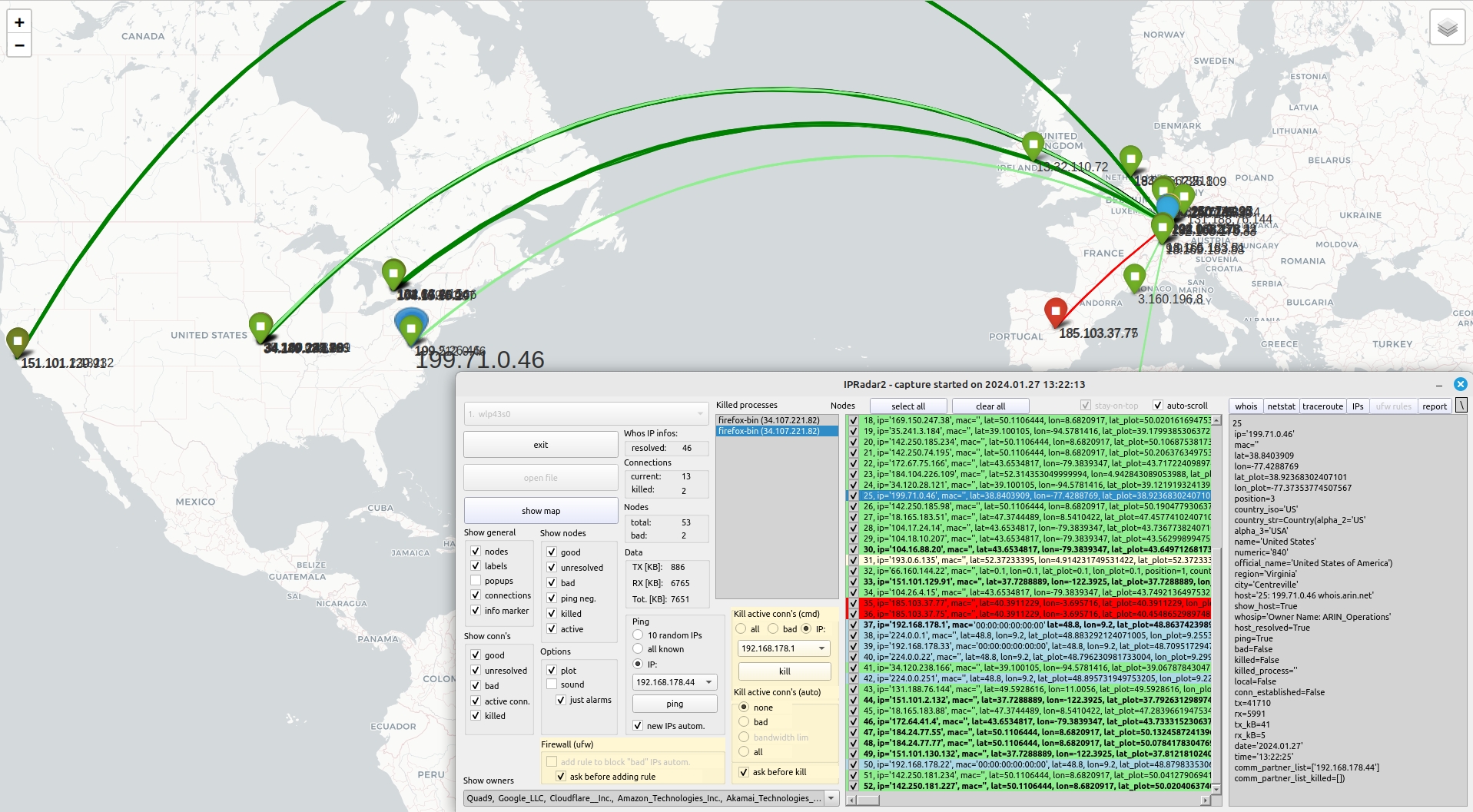
## Intrusion Detection and Prevention in Real Time Based e.g. on Geographical Locations of Hosts
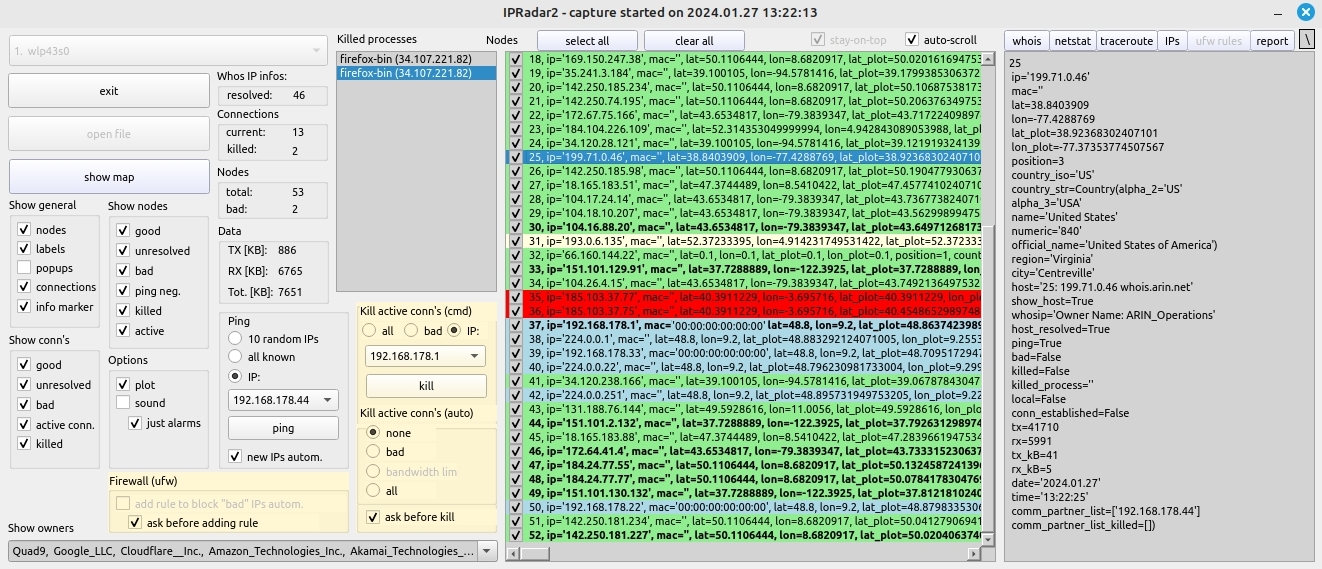
## Main Window
## IPRadar (video playlist of original version)
[Video Playlist (original version)](https://www.youtube.com/watch?v=EBGdES2b-zE&list=PLX24fhcibpHUbVMLRvzB5kC9kmXOvMXq_ "IP Radar (original SW) Video Playlist")
## PyPI project
[PyPI project](https://pypi.org/project/ipradar2/ "PyPI project")