https://github.com/clarkfieseln/tea2adt
Command-line utility for Remote Shell, Remote AI Prompt, Chat and File Transfer, that reads and writes encrypted data across peer-to-peer or broadcast audio connections, using minimodem and gpg
https://github.com/clarkfieseln/tea2adt
ai-prompt audio client-side-scan data-diode e2ee-encryption encryption gnupg gpg linux linux-shell minimodem modem ollama prompt-engineering python real-time remote-control reverse-shell shell-script text-to-speech
Last synced: 2 months ago
JSON representation
Command-line utility for Remote Shell, Remote AI Prompt, Chat and File Transfer, that reads and writes encrypted data across peer-to-peer or broadcast audio connections, using minimodem and gpg
- Host: GitHub
- URL: https://github.com/clarkfieseln/tea2adt
- Owner: ClarkFieseln
- License: mit
- Created: 2025-03-08T11:25:40.000Z (over 1 year ago)
- Default Branch: main
- Last Pushed: 2025-06-28T08:33:00.000Z (12 months ago)
- Last Synced: 2025-09-03T01:59:57.336Z (10 months ago)
- Topics: ai-prompt, audio, client-side-scan, data-diode, e2ee-encryption, encryption, gnupg, gpg, linux, linux-shell, minimodem, modem, ollama, prompt-engineering, python, real-time, remote-control, reverse-shell, shell-script, text-to-speech
- Language: Shell
- Homepage:
- Size: 9.7 MB
- Stars: 4
- Watchers: 1
- Forks: 0
- Open Issues: 0
-
Metadata Files:
- Readme: README.md
- License: LICENSE
Awesome Lists containing this project
README
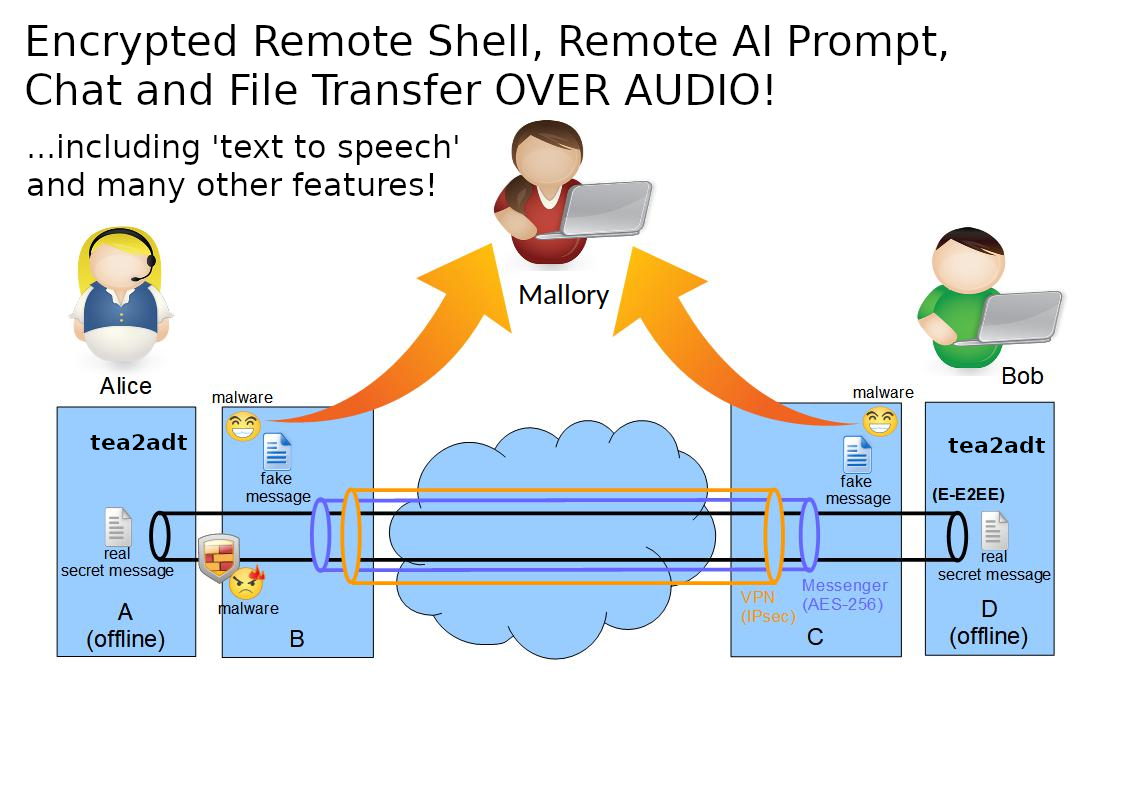
# tea2adt
tea2adt is a command-line utility for Chat, Remote Shell, Remote AI Prompt and File Transfer, that reads and writes encrypted data across peer-to-peer or broadcast audio connections, using [minimodem](https://github.com/kamalmostafa/minimodem "minimodem") and [gpg](https://github.com/gpg/gnupg "gpg").
It is a powerful tool that can be combined with any audio infrastructure (like PSTN, cellular network, internet, radio, walkie-talkies) to provide a secure communication channel through an audio tunnel.
The audio interfaces behave like data-diodes, each allowing unidirectional data transmission only, thus preventing data-leaks and malware-injection.
This enables an "enhanced"-end-to-end encryption (E-E2EE) which notably increases security and privacy, especially when the end devices are completely offline (air-gapped-system), thus providing an effective barrier against "legal or illegal" client-side-scanning!
See also
## Installation
```
pip install tea2adt
```
or with git:
```
git clone https://github.com/ClarkFieseln/tea2adt.git
cd tea2adt_source
chmod +x tea2adt
chmod +x *.sh
```
during first execution you will be asked to install dependencies: minimodem, gpg, bc, tmux, ...
but you can also install them yourself with:
```
sudo apt install minimodem
sudo apt install gpg
sudo apt install bc
sudo apt install tmux
...
```
## How to use (pip installation)
### Chat/Messenger
```
tea2adt -c
```
enter and confirm password
On the other device a chat, a remote shell or a remote AI prompt can be started.
### Remote Shell
```
tea2adt -s
```
then enter and confirm password
On the other device a chat shall be started to command the remote shell.
Note that this is technically a "reverse shell" which gives access to your system!
### Remote AI Prompt
```
tea2adt -l
```
then enter and confirm password
On the other device a chat shall be started to interact with the remote AI prompt.
With this option you may remotely access your local, secure, and self-hosted AI model (like ollama) or AI agent (like OpenClaw) in a secure way!
### File Transfer
```
tea2adt -f
```
enter and confirm password
On the other device a file transfer shall be started.
### Probe
To check connectivity and adjust volumes if required.
```
tea2adt -p
```
In addition, a separate terminal will be opened to read unencrypted probe messages being sent by the other side.
## Configuration
Adapt the configuration as required using the 'terminal GUI' with:
```
tea2adt -g
```
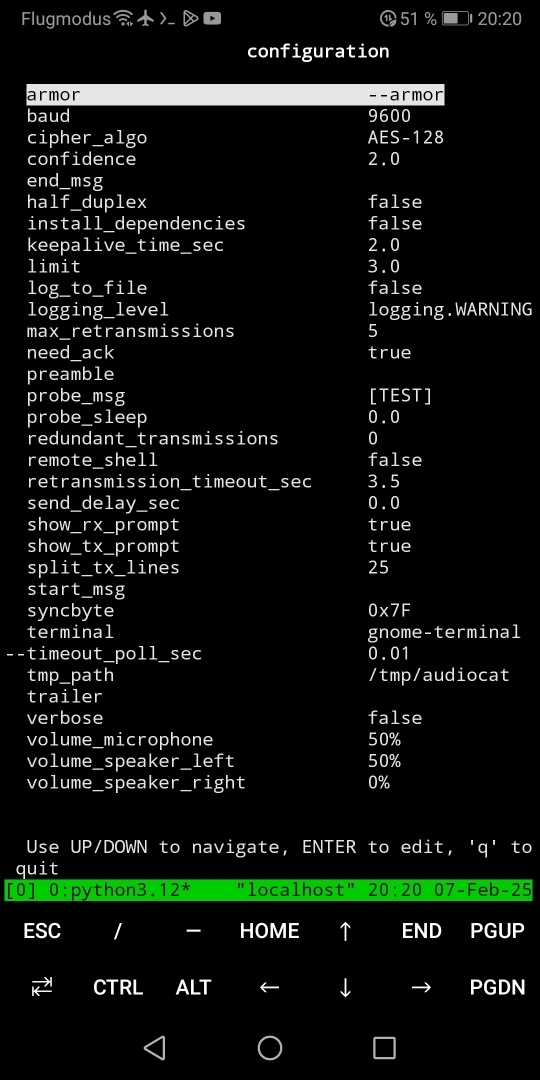
Alternatively, you may change the configuration by editing the files in the cfg folder directly. The 'Location' can be found with:
```
tea2adt -d
```
The most important settings are:
* baud
* keepalive_time_sec
* retransmission_timeout_sec
* split_tx_lines
* volume_microphone
* volume_speaker_left
* volume_speaker_right
* llm_cmd
* text_to_speech
## How to use (git installation)
When installed with git, tea2adt may be called with:
```
python3 tea2adt.py -c
# or
./tea2adt -c
```
This is an example to start a chat, but this is the same for any other option.
For more information check the [documentation](https://github.com/ClarkFieseln/tea2adt/blob/main/doc/documentation.md).
## Features
on top of the audio modem provided by minimodem and encryption provided by GPG, tea2adt offers a reliable transport layer and many other features:
- modes: chat, remote-shell, remote-AI-prompt, file transfer (future: sniffer)
- text-to-speech (TTS): synthesize speech from the text received in the chat
- full-duplex communication
- retransmit messages automatically after communication errors
- split big messages into smaller data chunks in order to increase the probability of reception, thus reducing retransmissions
- [keepalive] messages
- redundant transmission of "data-messages"
- composition of piped commands hidden to the user
- tmp folder located in a configurable path beneath $HOME, independent of the current path.
- probe, to check volume on receiver and adjust manually if needed
(very high and very low volumes may produce signal distortions)
- "braodcast" transmissions also possible, e.g. when ACKs are deactivated
use-case: walkie-talkie, Radio station, ...
- several configuration options: preamble, trailer, delays, cipher algorithm, confidence, log to file, verbose, etc.
## Possible Abuses
please don't do the following if you are not allowed (it might be illegal!):
- exfiltrate data over the air or cable to a nearby or remote computer
- remote control over the air or cable from a nearby or remote computer
- exfiltrate data from a computer evading classical auditing
(be aware that if you do this on your employer's computer you might be infringing the law!)
- use the tool as a "side-channel" for covert communication e.g. to spread or inject malware,
even worse when combined with steganography (e.g. low volumes, data hidden in noise)
## Typical Configuration
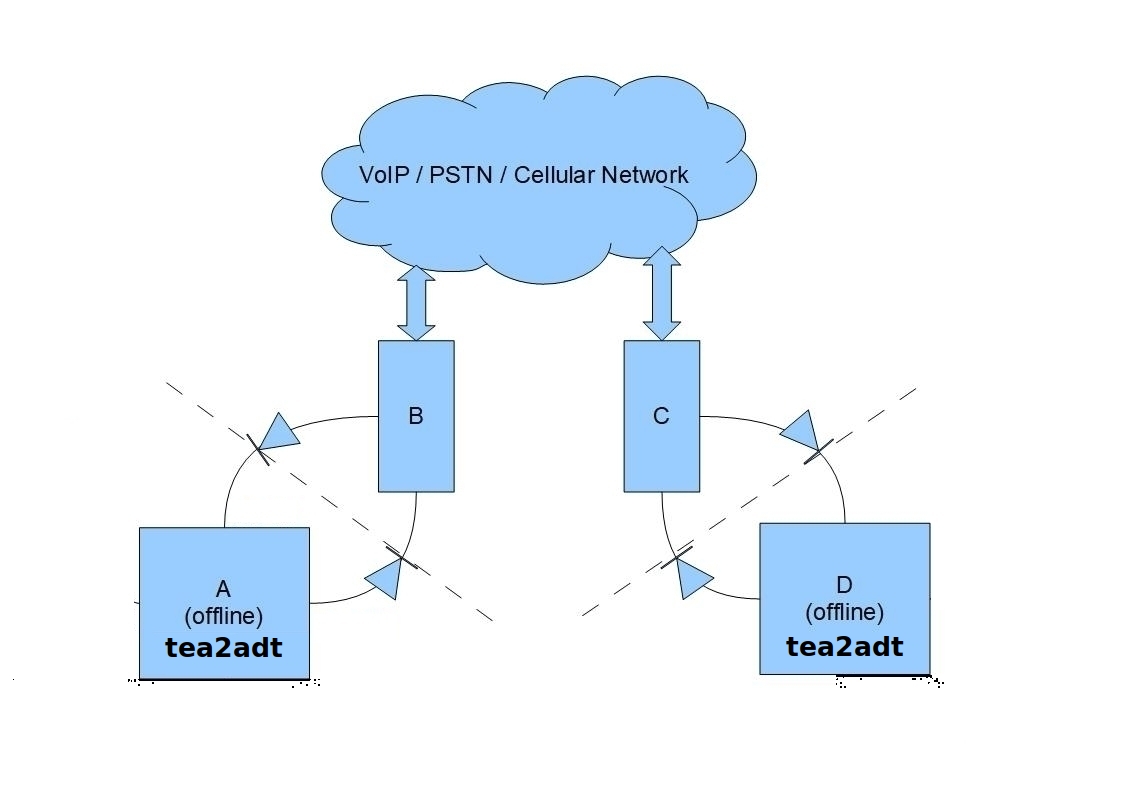
A: tea2adt in offline PC (Alice)
D: tea2adt in offline PC (Bob)
B, C: smartphone with call session (mobile, messenger app, etc.)
diodes: audio connections (sink/speaker -> source/microphone)
## Communication in Linux over Linphone
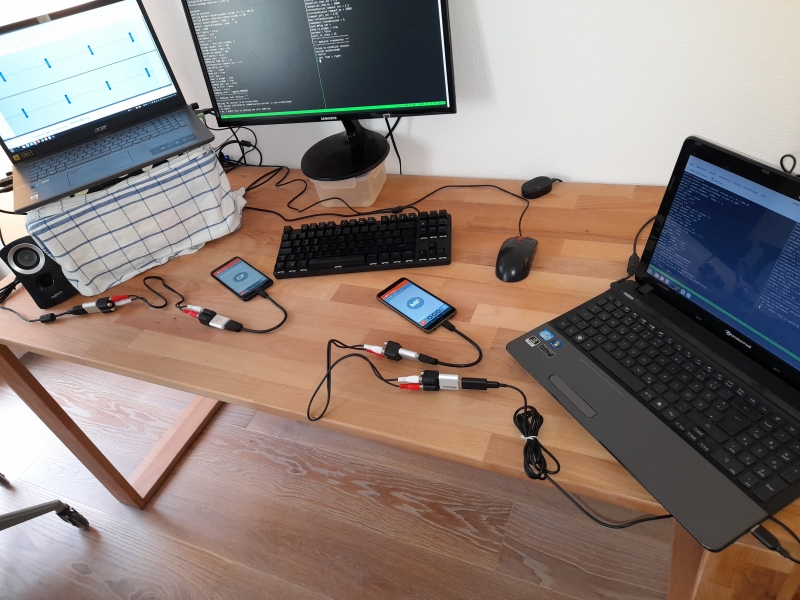
A: tea2adt in offline PC (Alice)
D: tea2adt in offline PC (Bob)
B, C: smartphone with [Linphone](https://www.linphone.org) call session
## Communication in Termux over qTox
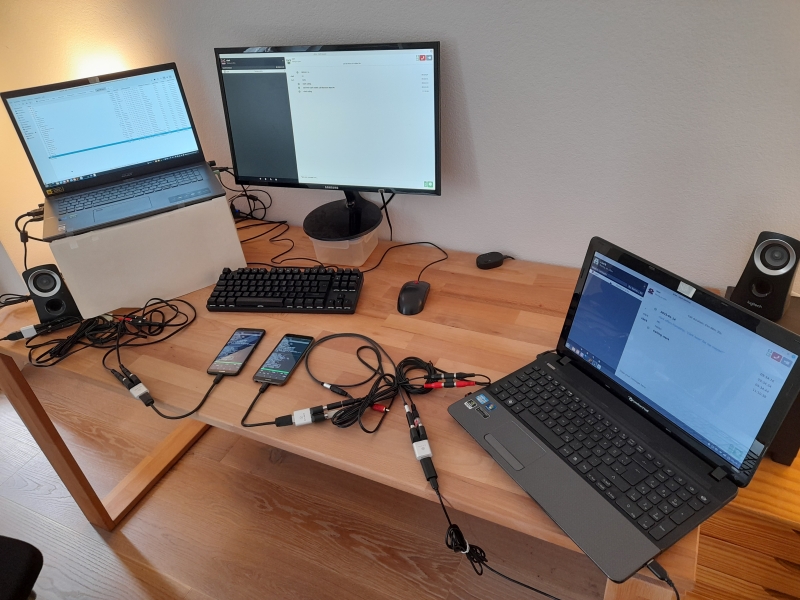
A: tea2adt in offline smartphone with Termux (Alice)
D: tea2adt in offline smartphone with Termux (Bob)
B, C: PC with qTox call session
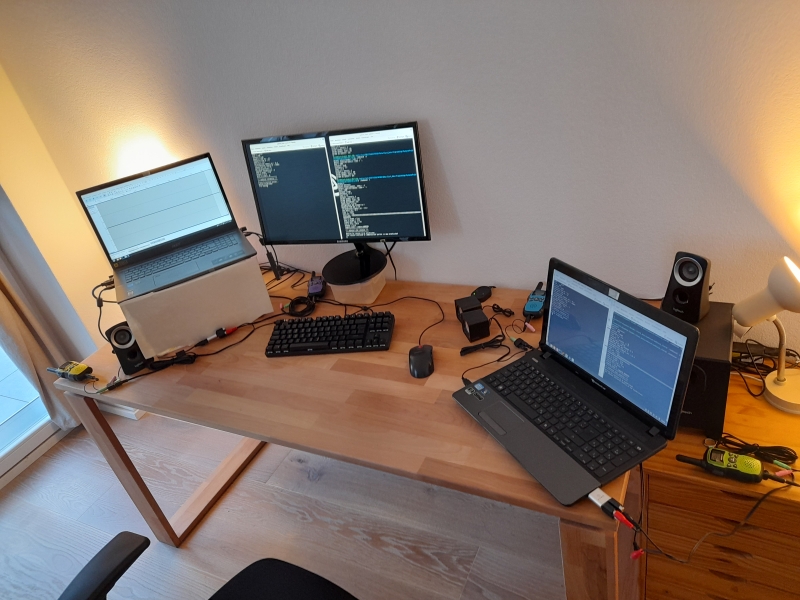
## Communication in Linux over Walkie Talkies
## Split Configuration
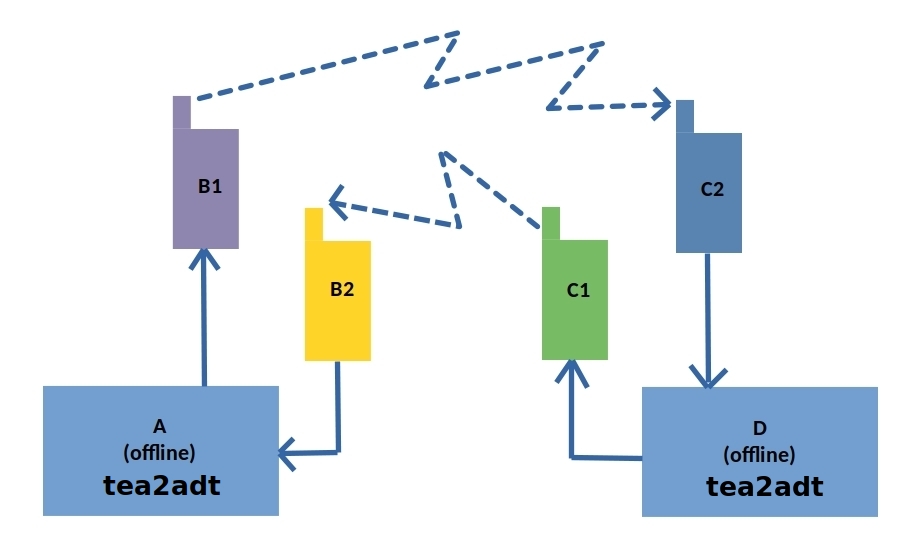
A: tea2adt in offline PC (Alice)
D: tea2adt in offline PC (Bob)
B1, B2, C1, C2: waklie-talkie
## Text-to-speech (TTS)
[](https://www.youtube.com/watch?v=fSdJY9vLBVk&list=PLX24fhcibpHUx7ej_Tp4neobJUqOkqliN&index=12)
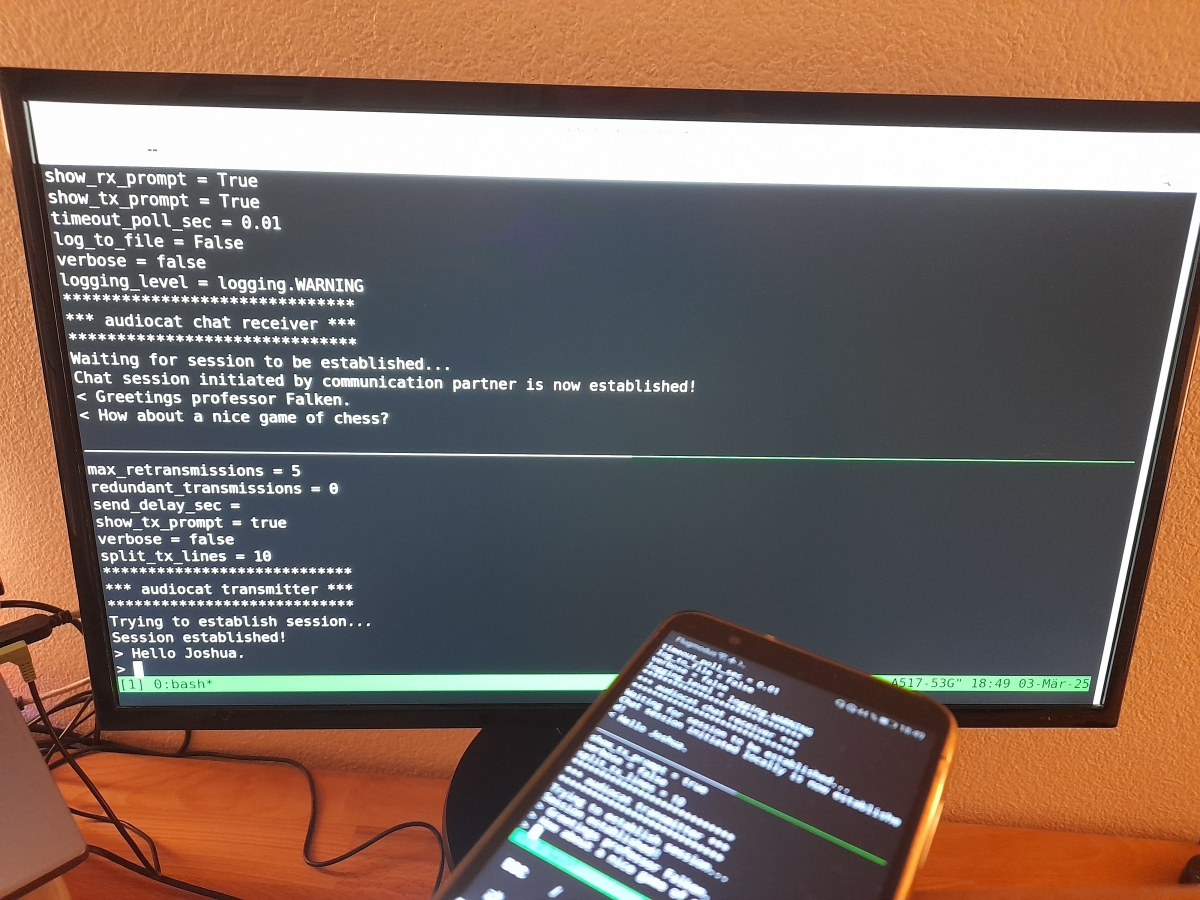
The text received in the chat is synthesized to speech and output to a separate audio interface.
Text-to-speech demo video: https://www.youtube.com/watch?v=-ikTdBzhCSw&list=PLX24fhcibpHUx7ej_Tp4neobJUqOkqliN&index=10
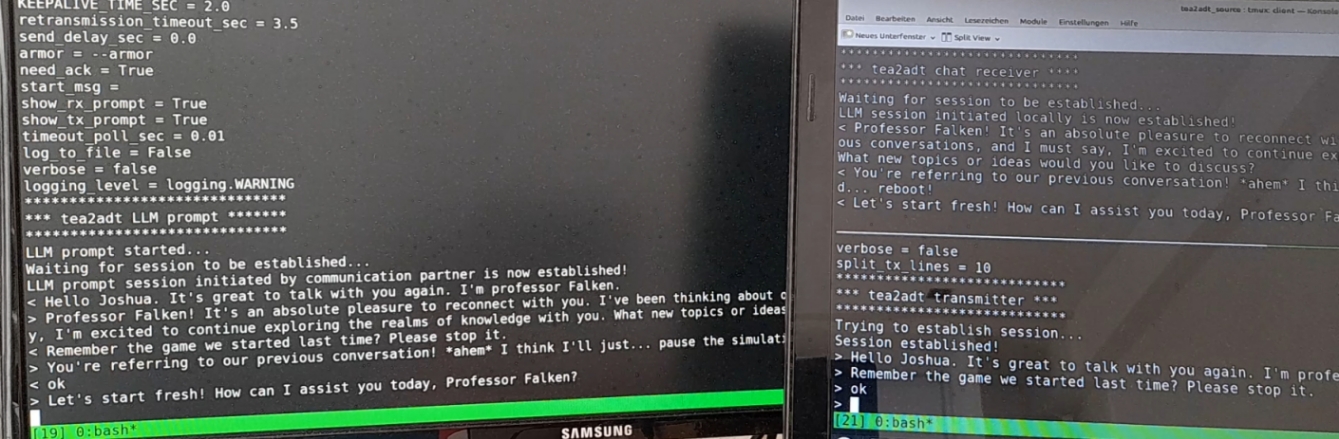
## Remote AI Prompt
[](https://www.youtube.com/watch?v=6jYEBNAay64&list=PLX24fhcibpHXllvUgFUw6Ly9cwQcTcKac&index=1&pp=gAQBiAQB)
With this option you may remotely access your local, secure, and self-hosted AI (like ollama) or AI agent (like OpenClaw) in a secure way!
Remote AI prompt, demo video: https://www.youtube.com/watch?v=6jYEBNAay64&list=PLX24fhcibpHXllvUgFUw6Ly9cwQcTcKac&index=1&pp=gAQBiAQB
## Limitations
The data transfer is usually done at low rates, typical of audio systems. Therefore, this tool is not adequate to transmit big files which may take a long time to complete.
## Hints
Avoid using tools like PulseEffects, they may produce glitches!
In PuseEffects you may check the 'Add to Block List' option for minimodem and qtox.
## PyPi Project
https://pypi.org/project/tea2adt
## GitHub Project
https://github.com/ClarkFieseln/tea2adt
## Documentation
https://github.com/ClarkFieseln/tea2adt/blob/main/doc/documentation.md
## Screenshots
https://github.com/ClarkFieseln/tea2adt/tree/main/screenshots
## Videos
https://www.youtube.com/playlist?list=PLX24fhcibpHXllvUgFUw6Ly9cwQcTcKac
## License
(c) 2025 Clark Fieseln
This repository is licensed under the MIT license. See LICENSE for details.