https://github.com/clawfleet/ClawFleet
Deploy OpenClaw on your machine in 10 minutes — use your ChatGPT subscription, no API keys, no cloud bills. Open-source fleet manager with browser dashboard.
https://github.com/clawfleet/ClawFleet
ai ai-agents automation discord-bot docker docker-compose fleet-management novnc open-source openclaw self-hosted selfhosted slack-bot telegram-bot webui
Last synced: 3 months ago
JSON representation
Deploy OpenClaw on your machine in 10 minutes — use your ChatGPT subscription, no API keys, no cloud bills. Open-source fleet manager with browser dashboard.
- Host: GitHub
- URL: https://github.com/clawfleet/ClawFleet
- Owner: clawfleet
- License: mit
- Created: 2026-03-07T10:52:57.000Z (4 months ago)
- Default Branch: main
- Last Pushed: 2026-04-09T05:57:37.000Z (3 months ago)
- Last Synced: 2026-04-09T07:36:44.093Z (3 months ago)
- Topics: ai, ai-agents, automation, discord-bot, docker, docker-compose, fleet-management, novnc, open-source, openclaw, self-hosted, selfhosted, slack-bot, telegram-bot, webui
- Language: Go
- Homepage: https://clawfleet.io
- Size: 6.97 MB
- Stars: 23
- Watchers: 0
- Forks: 3
- Open Issues: 12
-
Metadata Files:
- Readme: README.md
- Contributing: CONTRIBUTING.md
- License: LICENSE
- Code of conduct: CODE_OF_CONDUCT.md
- Codeowners: .github/CODEOWNERS
Awesome Lists containing this project
- awesome-hermes - ClawFleet - source fleet manager that deploys multiple Hermes (and OpenClaw) agents in isolated Docker containers with a browser dashboard, one-line install, and version pinning. (Deployment and Operations / Skills and skill ecosystems)
- Awesome-AI-Agents - ClawFleet - Self-hosted AI fleet management with browser dashboard, Docker isolation, and bot-to-bot collaboration in Discord. ](https://github.com/clawfleet/ClawFleet/releases)
[](https://github.com/clawfleet/ClawFleet/blob/main/LICENSE)
[](https://go.dev/)
[](https://www.docker.com/)
[](https://github.com/clawfleet/ClawFleet)
[](https://github.com/clawfleet/ClawFleet/wiki)
🌐 **Website:** [clawfleet.io](https://clawfleet.io) · 💬 **Community:** [Discord](https://discord.gg/b5ZSRyrqbt) · 📝 **Blog:** [Dev.to](https://dev.to/weiyong1024/i-built-an-open-source-tool-to-run-ai-agents-on-my-laptop-they-collaborate-in-discord-managed-1c42)
> Deploy and manage a fleet of isolated [OpenClaw](https://github.com/openclaw/openclaw) instances on a single machine — each sandboxed in Docker, managed from a browser dashboard.
[中文文档](./README.zh-CN.md)
**Imagine buying N dedicated Mac Minis**, each running its own OpenClaw instance, fully isolated, collaborating in Discord. Your own AI company — data stays on your hardware, no SaaS subscription.
**ClawFleet makes that free.** Each instance runs in its own Docker container with isolated filesystem and networking. On your existing Mac or Linux box. ~500 MB RAM per instance.

## Get Started
```bash
curl -fsSL https://clawfleet.io/install.sh | sh
```
5 minutes: Docker installed, image pulled, dashboard running at `http://localhost:8080`. Log in with your ChatGPT account — your existing Plus subscription covers inference, no API keys needed.
[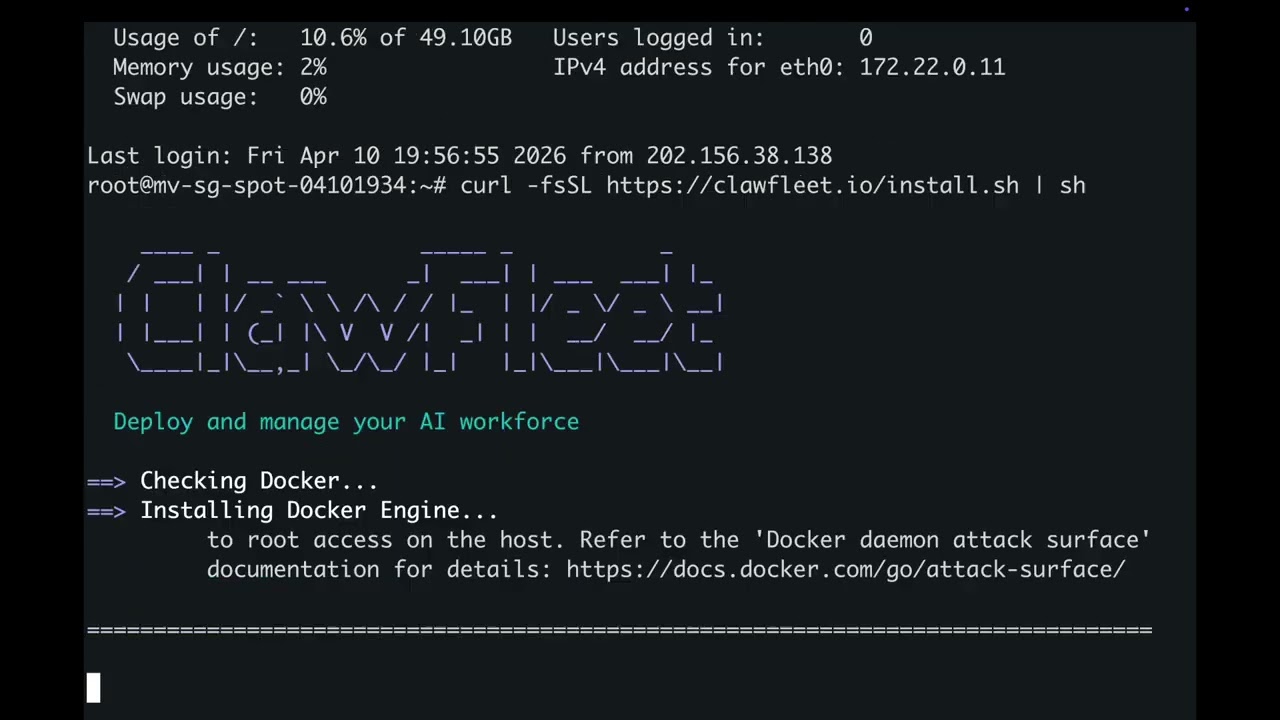](https://youtu.be/jE5ZR8g477s)
[](https://youtu.be/jE5ZR8g477s)
---
## What ClawFleet Does
- **Sandboxed instances** — each OpenClaw runs in its own Docker container, isolated from your host and from each other. No rogue skill can read your files
- **Browser dashboard** — create, configure, monitor, and destroy instances without touching a terminal
- **ChatGPT login** — authenticate with your existing ChatGPT account, or use API keys from OpenAI, Anthropic, Google AI Studio, DeepSeek
- **Version pinning** — lock a tested OpenClaw version so upstream breaking changes don't touch you
- **Fleet management** — spin up as many instances as your RAM allows, each with different models, personas, and channels
- **Character system** — define reusable personas (bio, backstory, style, traits) and assign them to instances
- **Skill management** — browse 52 built-in skills, search and install from 13,000+ community skills on ClawHub
- **Full desktop per instance** — each claw has an XFCE desktop accessible via noVNC in your browser
- **Soul Archive** — save a configured instance's soul and clone it instantly
- **Auto-recovery** — instances automatically restart their gateway after container restarts
## Requirements
- macOS or Linux
- **Mac users:** strongly recommended to install [Docker Desktop](https://www.docker.com/products/docker-desktop/) first for the best experience
Otherwise ClawFleet will automatically install Colima as an alternative Docker runtime.
## Install Details
The install command above will:
1. Install Docker if needed (Colima on macOS, Docker Engine on Linux)
2. Download and install the `clawfleet` CLI
3. Pull the pre-built sandbox image (~1.4 GB)
4. Start the Dashboard as a background daemon
5. Open http://localhost:8080 in your browser
Linux server deployment notes
The Dashboard listens on all interfaces (`0.0.0.0:8080`) by default on Linux, so you can access it remotely at `http://:8080`. To restrict to localhost only:
```bash
clawfleet dashboard stop
clawfleet dashboard start --host 127.0.0.1
```
To access the Dashboard from your local machine via SSH tunnel:
```bash
ssh -fNL 8081:127.0.0.1:8080 user@your-server
# Then open http://localhost:8081 in your browser
# To stop the tunnel later: kill $(lsof -ti:8081)
```
The `-fN` flags run the tunnel in the background so you can close your terminal without breaking the connection. Port 8081 is used here because 8080 is often occupied by a local ClawFleet instance.
The **Control Panel** (OpenClaw's built-in web UI) requires a [secure context](https://developer.mozilla.org/en-US/docs/Web/Security/Secure_Contexts) for WebSocket device identity — the SSH tunnel provides this. All other Dashboard features (fleet management, configuration, Restart Bot, etc.) work without a tunnel via direct HTTP.
> **Manual install?** See the [Getting Started](https://github.com/clawfleet/ClawFleet/wiki/Getting-Started) wiki page.
### Run Your Company
Think of ClawFleet as **your AI company**. Assets are the tools and resources your company owns; Fleet is your team of AI employees. You assign different tools to different employees, and put your AI workforce into production.
#### Stock your toolbox
**Assets → Models** — register LLM API keys. These are the "brains" your employees think with. Each model is validated before saving.

**Assets → Characters** — define reusable personas. Think of them as "job descriptions" — Tony Stark the CTO, Steve Jobs the CPO, Ray Kroc the CMO. Give each character a bio, backstory, communication style, and personality traits.

**Assets → Channels** — connect messaging platforms (Telegram, Discord, Slack, etc.). These are the "workstations" where your employees serve customers. Optional; validated before saving.

#### Hire & equip your team
**Fleet → Create** — spin up OpenClaw instances. Each one is a new employee joining your company.
**Fleet → Configure** — assign a model, character, and channel to each instance. Give your CTO a Claude brain and a Discord workstation. Give your CMO a GPT brain and a Slack feed. Different employees, different tools, different personalities.

#### Teach them new skills
**Fleet → Skills** — each instance has access to 52 built-in skills (weather, GitHub, coding, and more). Want more? Search 13,000+ community skills on [ClawHub](https://clawhub.com) and install them with one click. Different employees can learn different skills.

#### Save & clone your employees' souls
Once an employee is trained and performing well, save their soul — personality, memory, model config, and conversation history — so you can clone them instantly.
**Fleet → Save Soul** — click on any configured instance to save its soul to the archive.

**Fleet → Soul Archive** — browse all saved souls, ready to be loaded into new hires.

**Fleet → Create → Load Soul** — when creating new instances, pick a soul from the archive. The new employee starts with all the knowledge and personality of the original — no retraining needed.

#### Monitor your workforce
Click **"Desktop"** on any running instance to open its detail page — embedded noVNC desktop, live logs, and real-time resource charts.

#### Watch your team collaborate
Connect your fleet to messaging platforms and watch your AI employees work together. Here, an engineer, product manager, and marketer welcome a new teammate — all running autonomously in a Discord group chat.

## Documentation
See the **[Wiki](https://github.com/clawfleet/ClawFleet/wiki)** for full documentation, including:
- [Getting Started](https://github.com/clawfleet/ClawFleet/wiki/Getting-Started) — prerequisites, install, first instance
- [Dashboard Guide](https://github.com/clawfleet/ClawFleet/wiki/Dashboard-Guide) — sidebar navigation, asset management, fleet management
- LLM Provider guides — [Anthropic](https://github.com/clawfleet/ClawFleet/wiki/Provider-Anthropic) | [OpenAI](https://github.com/clawfleet/ClawFleet/wiki/Provider-OpenAI) | [Google AI Studio](https://github.com/clawfleet/ClawFleet/wiki/Provider-Google) | [DeepSeek](https://github.com/clawfleet/ClawFleet/wiki/Provider-DeepSeek)
- Channel guides — [Telegram](https://github.com/clawfleet/ClawFleet/wiki/Channel-Telegram) | [Discord](https://github.com/clawfleet/ClawFleet/wiki/Channel-Discord) | [Slack](https://github.com/clawfleet/ClawFleet/wiki/Channel-Slack) | [Lark](https://github.com/clawfleet/ClawFleet/wiki/Channel-Lark)
- [CLI Reference](https://github.com/clawfleet/ClawFleet/wiki/CLI-Reference) | [FAQ](https://github.com/clawfleet/ClawFleet/wiki/FAQ)
## CLI Reference
Every command supports `--help` for detailed usage and examples:
```bash
clawfleet --help # List all available commands
clawfleet dashboard --help # Show dashboard subcommands
```
Quick reference:
```bash
clawfleet create # Create N claw instances (image must be pre-built)
clawfleet create --pull # Create N instances, pull image from registry if missing
clawfleet configure # Configure an instance with a model and optional channel credentials
clawfleet list # List all instances and their status
clawfleet desktop # Open an instance's desktop in the browser
clawfleet start # Start a stopped instance
clawfleet stop # Stop a running instance
clawfleet restart # Restart an instance (stop + start)
clawfleet logs [-f] # View instance logs
clawfleet destroy # Destroy instance (data kept by default)
clawfleet destroy --purge # Destroy instance and delete its data
clawfleet snapshot save # Save an instance's soul to the archive
clawfleet snapshot list # List all saved souls
clawfleet snapshot delete # Delete a saved soul
clawfleet create 1 --from-snapshot # Create instance from a saved soul
clawfleet dashboard serve # Start the Web Dashboard
clawfleet dashboard stop # Stop the Web Dashboard
clawfleet dashboard restart # Restart the Web Dashboard
clawfleet dashboard open # Open the Dashboard in your browser
clawfleet build # Build image locally (offline/custom use)
clawfleet config # Show current configuration
clawfleet version # Print version info
```
## Reset
To destroy all instances (including data), stop the Dashboard, and remove all build artifacts — effectively returning to a clean slate:
```bash
make reset
```
After resetting, start over from [Get Started](#get-started) step 1.
## Resource Usage
Tested on M4 MacBook Air (16 GB RAM):
| Instances | RAM (idle) | RAM (Chromium active) |
|-----------|------------|-----------------------|
| 1 | ~1.5 GB | ~3 GB |
| 3 | ~4.5 GB | ~9 GB |
| 5 | ~7.5 GB | not recommended |
## Project Status
Actively developed. Both CLI and Web Dashboard are functional.
Contributions and feedback welcome — please open an issue or PR.
If you run into any problems, feel free to reach out: weiyong1024@gmail.com
## License
MIT