https://github.com/cleveroad/cr_json_widget
https://github.com/cleveroad/cr_json_widget
Last synced: over 1 year ago
JSON representation
- Host: GitHub
- URL: https://github.com/cleveroad/cr_json_widget
- Owner: Cleveroad
- License: mit
- Created: 2021-12-17T13:55:51.000Z (over 4 years ago)
- Default Branch: master
- Last Pushed: 2023-04-05T07:45:44.000Z (over 3 years ago)
- Last Synced: 2025-04-10T00:38:16.703Z (over 1 year ago)
- Language: Dart
- Size: 1.12 MB
- Stars: 2
- Watchers: 3
- Forks: 0
- Open Issues: 0
-
Metadata Files:
- Readme: README.md
- Changelog: CHANGELOG.md
- License: LICENSE
Awesome Lists containing this project
README
# cr_json_widget
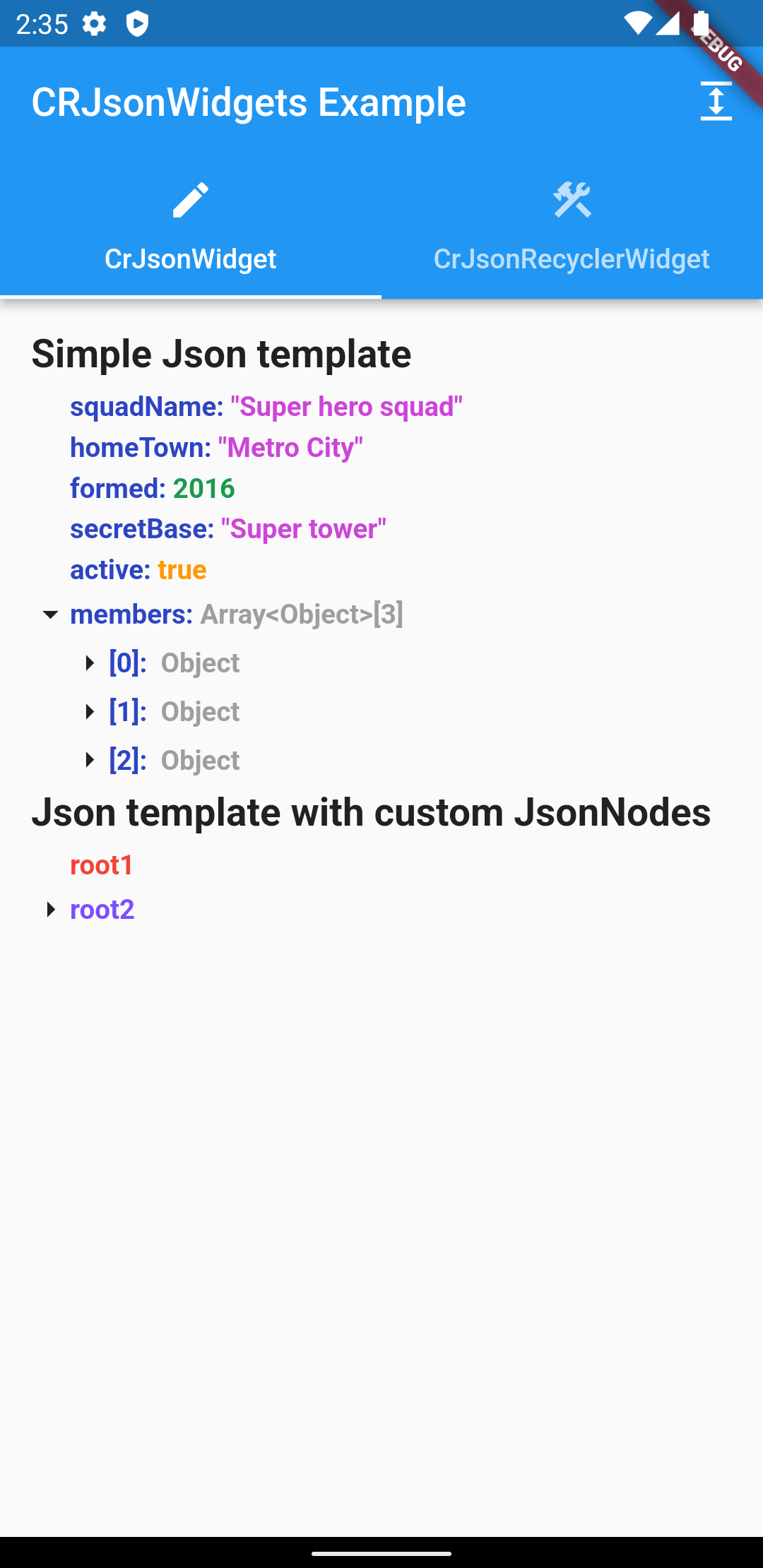
This widget visualises a tree structure, where a node can be any widget.
## Examples
## Getting Started
1. Add plugin to your project:
```yaml
dependencies:
cr_json_widget: ^1.1.0
```
## Usage
### CrJsonWidget
#### This widget display all children as simple ListView and that it does not have good performance with huge jsons.
1. Create JsonController:
```dart
final _jsonController = JsonController(
allNodesExpanded: false,
uncovered: 3,
);
```
`allNodesExpanded` - Sets whether the json tree is expanded by default
`uncovered` - Sets the value to what nesting by default the json tree will be expanded
2. Add widget:
2.1 Accepts json as Map and builds the tree automatically:
```dart
...
final data = {
'integer': 1,
'string': 'test',
}
...
CrJsonWidget(
..
json: data
)
...
```
2.2 Accepts your custom List , for placement in the form of a tree:
```dart
CrJsonWidget(
..
jsonNodes: [
JsonNode(
content: const Text(
'root1',
style: TextStyle(
fontWeight: FontWeight.bold,
color: Colors.red,
),
),
),
JsonNode(
content: const Text(
'root2',
style: TextStyle(
fontWeight: FontWeight.bold,
color: Colors.deepPurpleAccent,
),
),
children: [
JsonNode(
content: const Text('child21'),
),
JsonNode(
content: const Text('child22'),
),
JsonNode(
content: const Text('root23'),
children: [
JsonNode(
content: const Text('child231'),
),
],
),
],
),
],
),
```
Full implementation example:
```dart
...
CrJsonWidget(
iconOpened: Icon(
Icons.arrow_drop_down,
size: _iconSize,
),
iconClosed: Icon(
Icons.arrow_right,
size: _iconSize,
),
indentHeight: 5,
indentLeftEndJsonNode: _iconSize,
jsonNodes: [
JsonNode(
content: const Text(
'root1',
style: TextStyle(
fontWeight: FontWeight.bold,
color: Colors.red,
),
),
),
JsonNode(
content: const Text(
'root2',
style: TextStyle(
fontWeight: FontWeight.bold,
color: Colors.deepPurpleAccent,
),
),
children: [
JsonNode(
content: const Text('child21'),
),
JsonNode(
content: const Text('child22'),
),
JsonNode(
content: const Text('root23'),
children: [
JsonNode(
content: const Text('child231'),
),
],
),
],
),
],
jsonController: _jsonController,
),
```
`iconOpened` - Custom icon for opening a node
`iconClosed` - Custom icon for closing a node
`indentHeight` - Vertical indent between levels
`indentWidth` - Horizontal indent between levels
`indentLeftEndJsonNode` - The starting position of the ending node ***(Recommended size is the size
of the icon)***
`json` - Parsed json
`jsonNodes` - List of root level json nodes
`jsonController` - Json controller to manage the json state
### Json Recycler Widgets
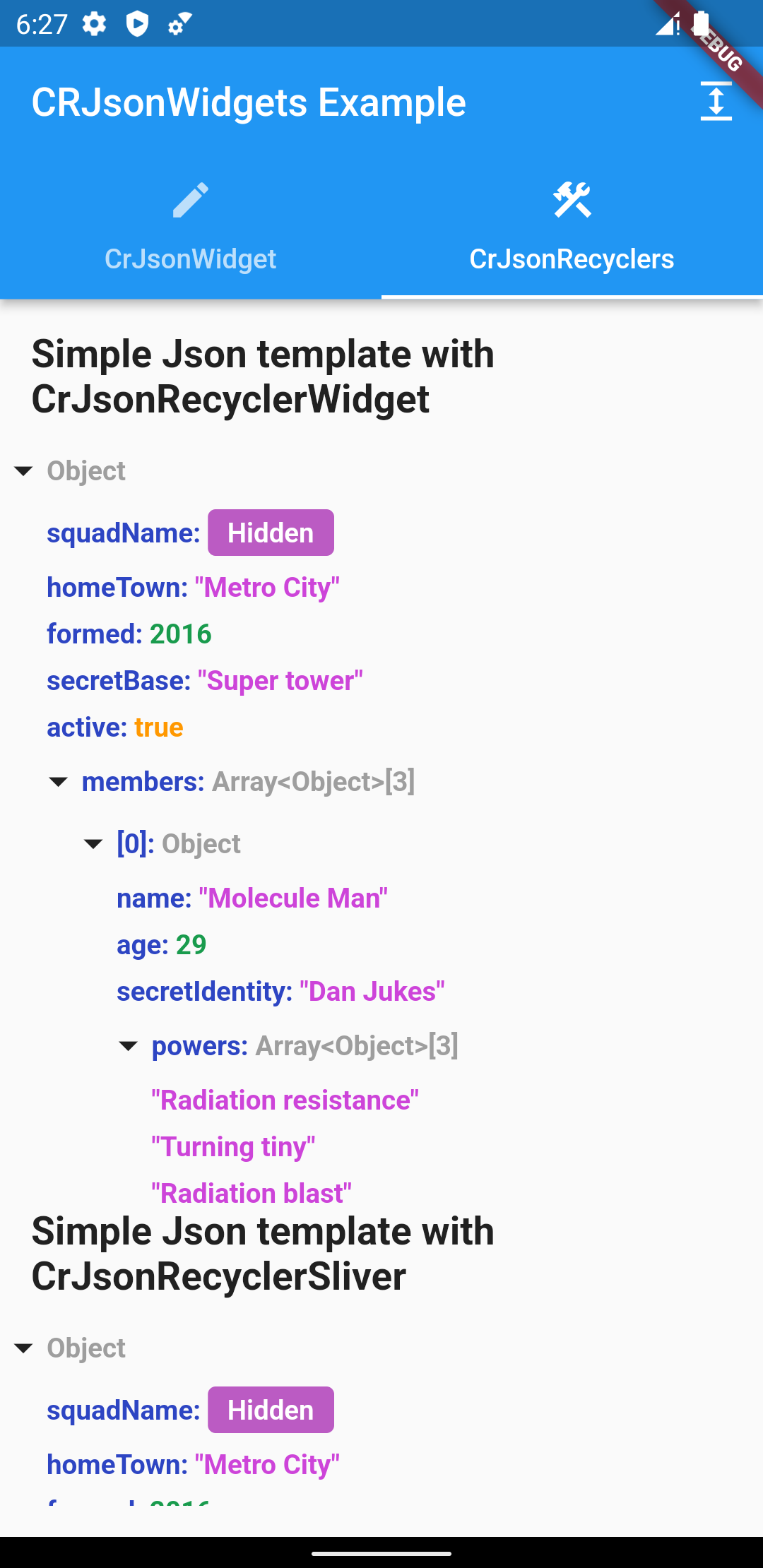
#### Use these widgets, if you have huge jsons. Since these widgets have builders, huge jsons don't affect its performance in any way.
1. Create JsonRecyclerController:
```dart
final _jsonController = JsonRecyclerController(
saveClosedHistory: false,
showStandardJson: false,
isExpanded: true,
);
```
`isExpanded` - Sets whether the json tree is expanded by default
`saveClosedHistory` - The parameter defines whether the previously opened child tabs should be saved
or not
`showStandardJson` - Will show json with curly braces
`jsonKeyColor` - Json key color in the tree
`intColor` - Set color of int parameters in the tree of json
`doubleColor` - Set color of double parameters in the tree of json
`stringColor`- Set color of string parameters in the tree of json
`nullColor`- Set color of null parameters in the tree of json
`boolColor` - Set color of bool parameters in the tree of json
`objectColor` - Set color of object parameters in the tree of json
`standardJsonBackgroundColor` - Set background color of widget
`iconOpened` - Custom icon for opening a node
`iconClosed` - Custom icon for closing a node
`fontStyle` - Set font style of text. By default, the inherited style used
`fontWeight` - Set font weight of text. By default FontWeight.bold
`horizontalSpaceMultiplier`- The distance by which the left child element will be offset from the
parent
`verticalOffset` - The space by which the child element will be offset from the parent
`additionalIndentChildElements` - Additional indentation for aligning child elements depending on
the size of the parent icon
2. Add widget:
❗ Since the CrJsonRecyclerWidget has a builder in it, you must set the height or you will get an
error
**2.1 CrJsonRecyclerWidget:**
```dart
...
final data = {
'integer': 1,
'string': 'test',
}
...
CrJsonRecyclerWidget(
..
json: data,
),
...
```
`json` - Parsed json
`jsonController` - Json controller to manage the json state
`rootExpanded` - Whether to expand the root nesting by default
Full implementation example:
```dart
...
Expanded(
child: CrJsonRecyclerWidget(
json: json,
jsonController: _jsonController,
rootExpanded: true,
),
),
...
```
**2.2 CrJsonRecyclerSliver:**
```dart
...
final data = {
'integer': 1,
'string': 'test',
}
...
CrJsonRecyclerSliver(
...
json: json,
),
...
```
`json` - Parsed json
`jsonController` - Json controller to manage the json state
`rootExpanded` - Whether to expand the root nesting by default
Full implementation example:
```dart
...
CustomScrollView(
slivers: [
CrJsonRecyclerSliver(
jsonController: _jsonController,
json: json,
rootExpanded: true,
),
],
),
...
```