https://github.com/cleveroad/cr_logger
https://github.com/cleveroad/cr_logger
Last synced: over 1 year ago
JSON representation
- Host: GitHub
- URL: https://github.com/cleveroad/cr_logger
- Owner: Cleveroad
- License: mit
- Created: 2021-12-17T13:56:46.000Z (over 4 years ago)
- Default Branch: master
- Last Pushed: 2024-02-19T12:17:48.000Z (over 2 years ago)
- Last Synced: 2025-03-21T22:22:29.658Z (over 1 year ago)
- Language: Dart
- Size: 21.9 MB
- Stars: 17
- Watchers: 3
- Forks: 24
- Open Issues: 3
-
Metadata Files:
- Readme: README.md
- Changelog: CHANGELOG.md
- License: LICENSE
Awesome Lists containing this project
README
# cr_logger

Web [example](https://cleveroad.github.io/cr_logger)
**Flutter plugin for logging**
* Simple logging to logcat.
* Network request intercepting.
* Log exporting (JSON format).
* Proxy settings for "Charles".
* Logs by level.
**Supported Dart http client plugins:**
✔️ Dio
✔️ Chopper
✔️ Http from http/http package
✔️ HttpClient from dart:io package
## Table of contents
- [Screenshots](#screenshots)
- [Getting Started](#getting-started)
- [Usage](#usage)
- [Quick actions](#quick-actions)
- [Setup](#setup)
## Screenshots
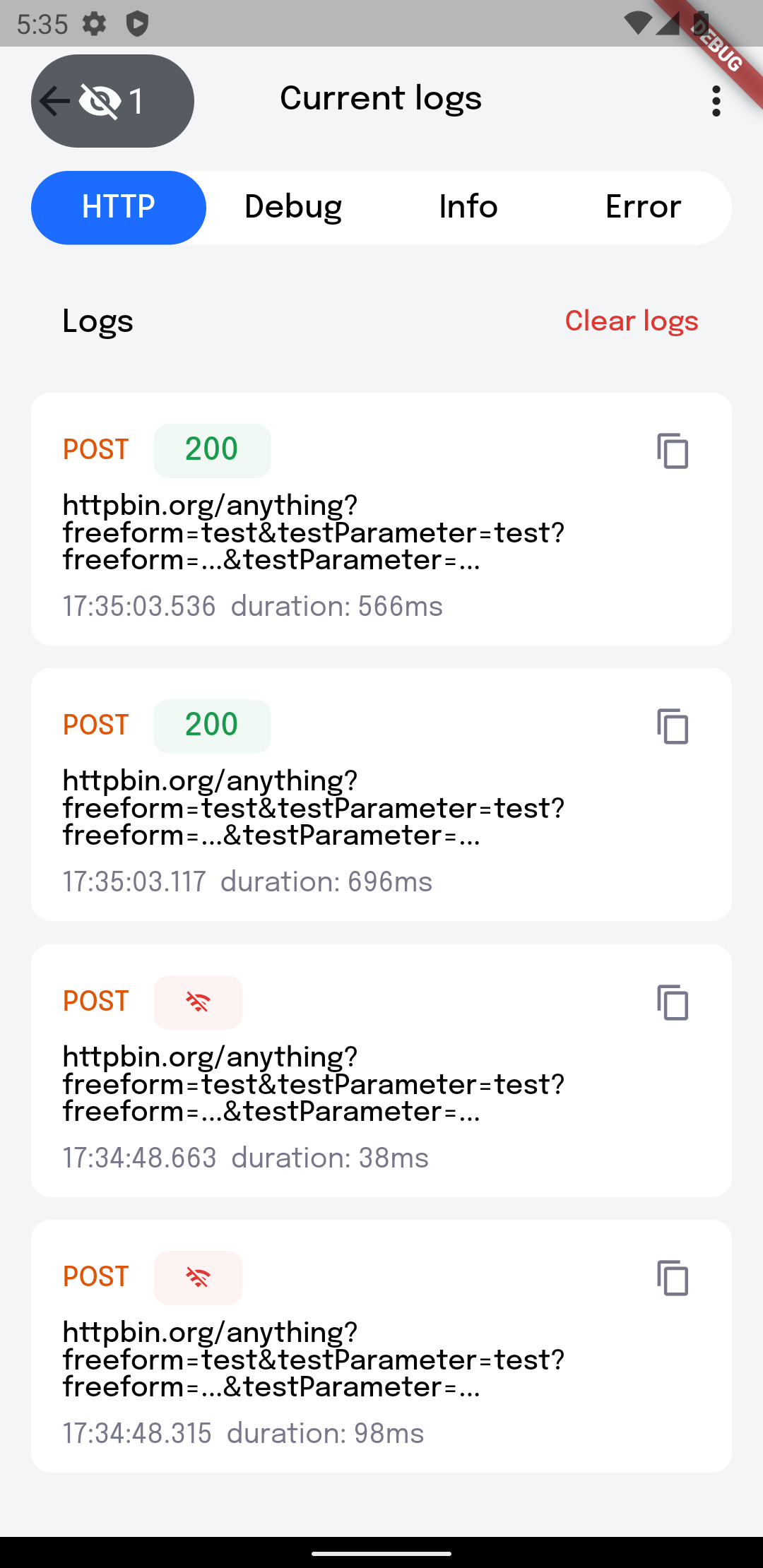
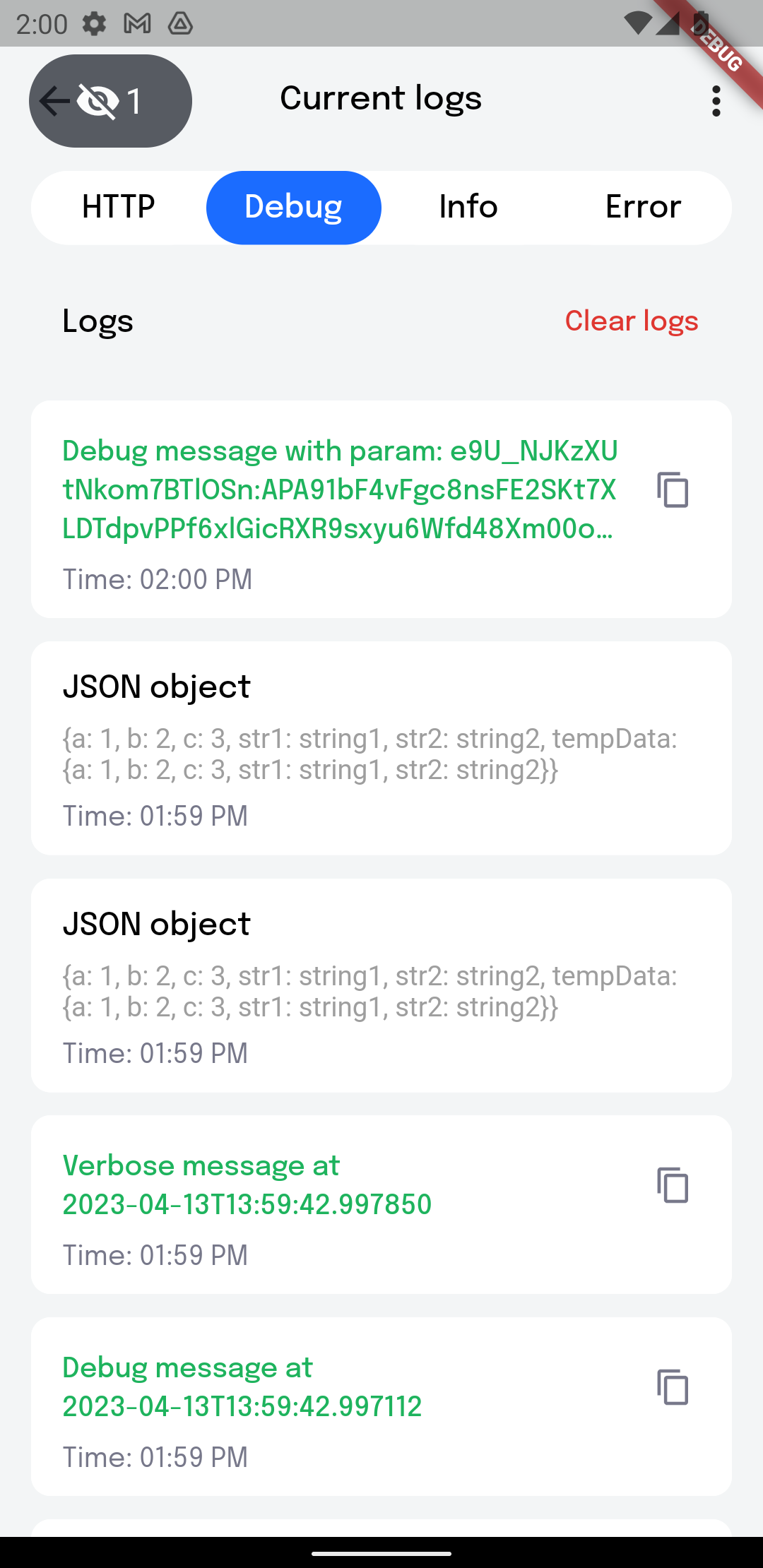
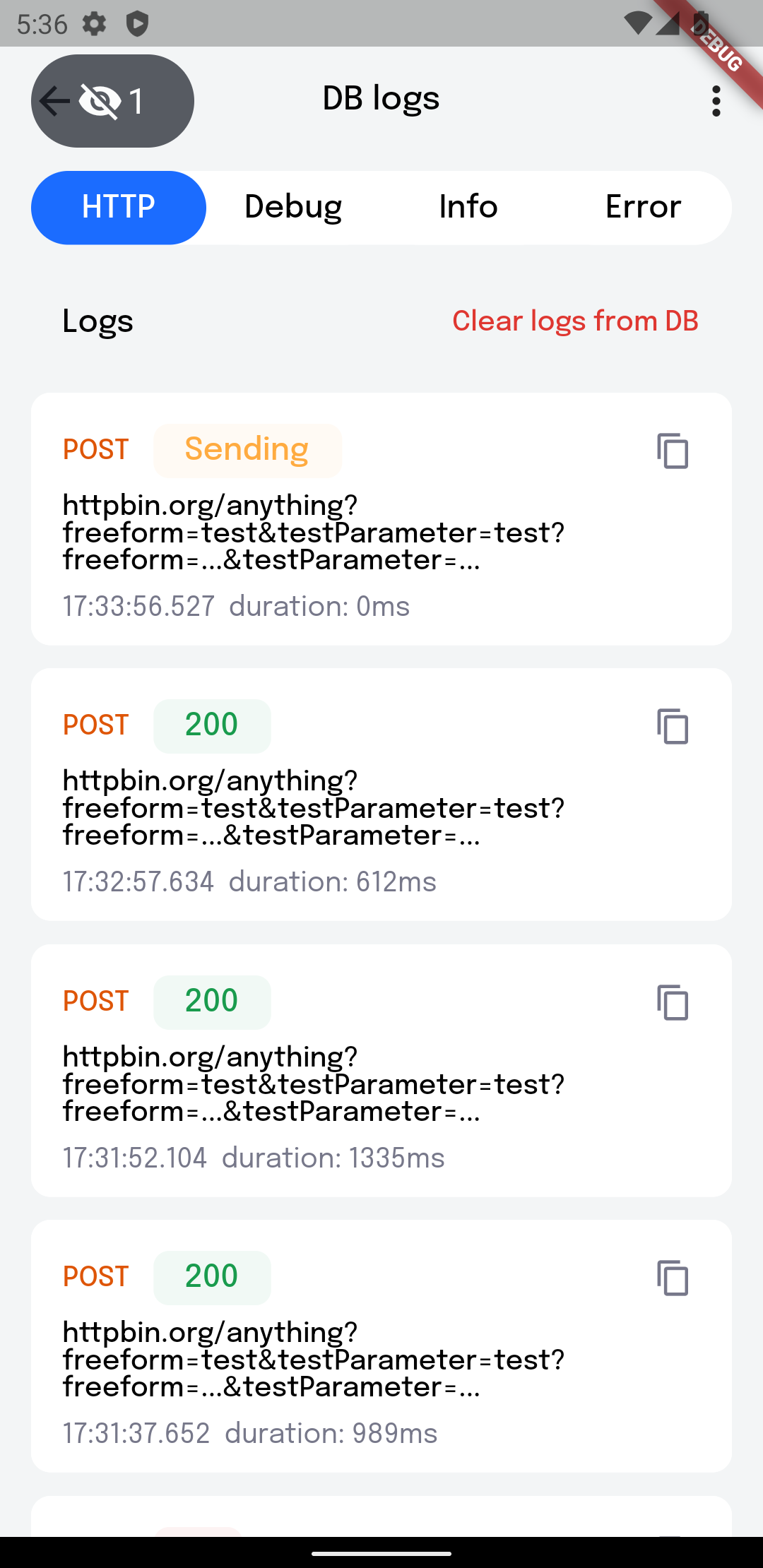
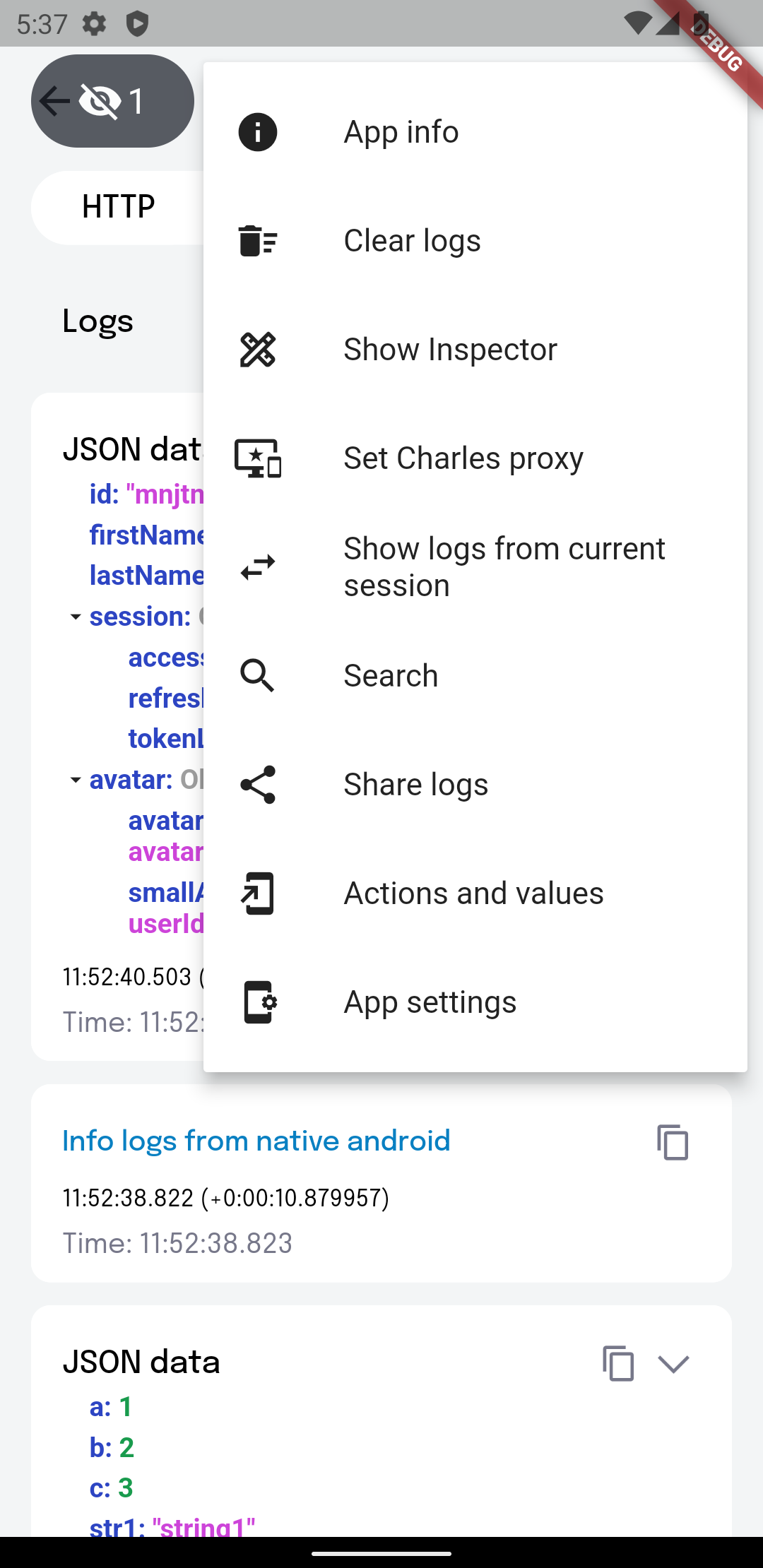
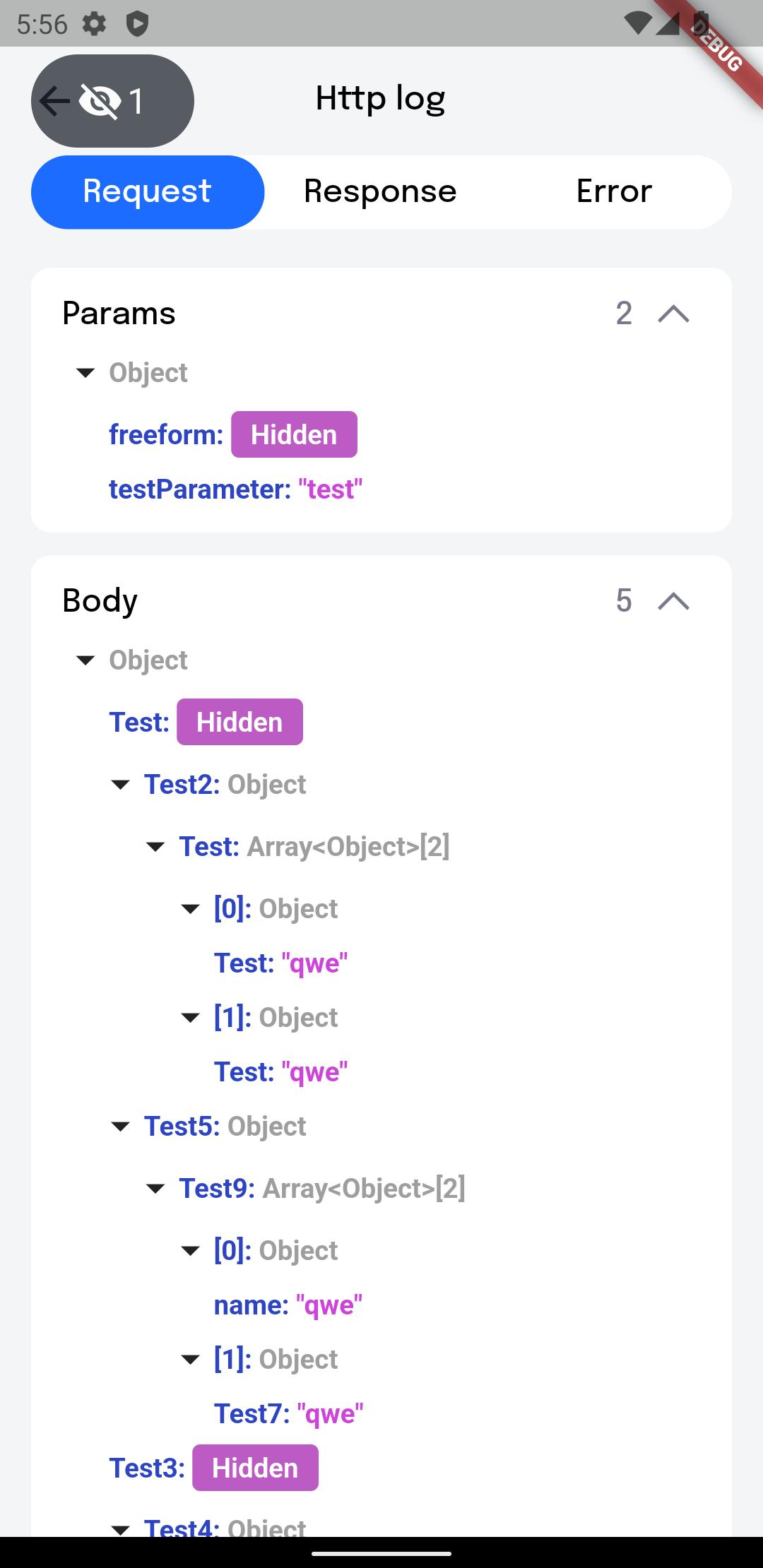
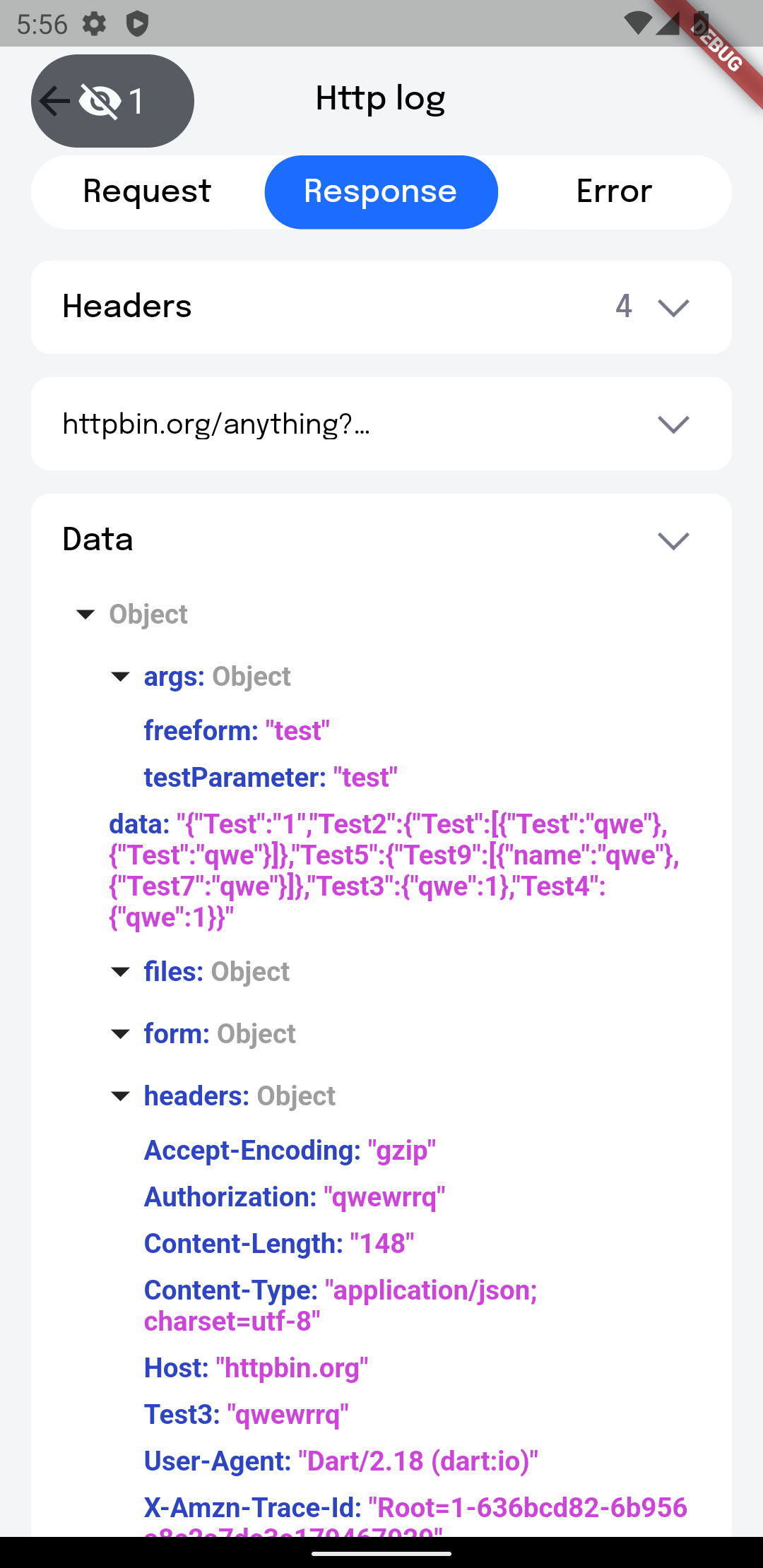
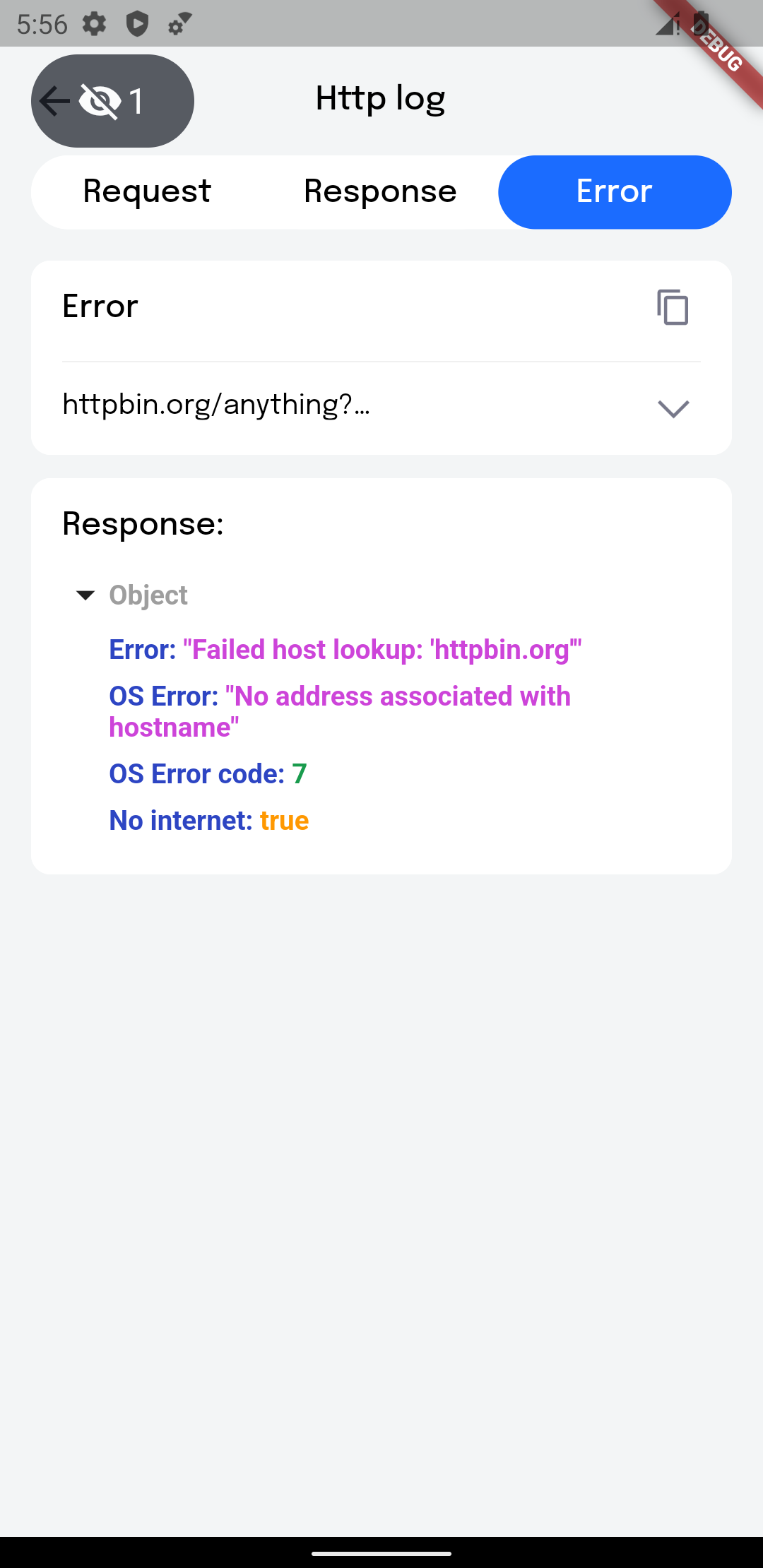
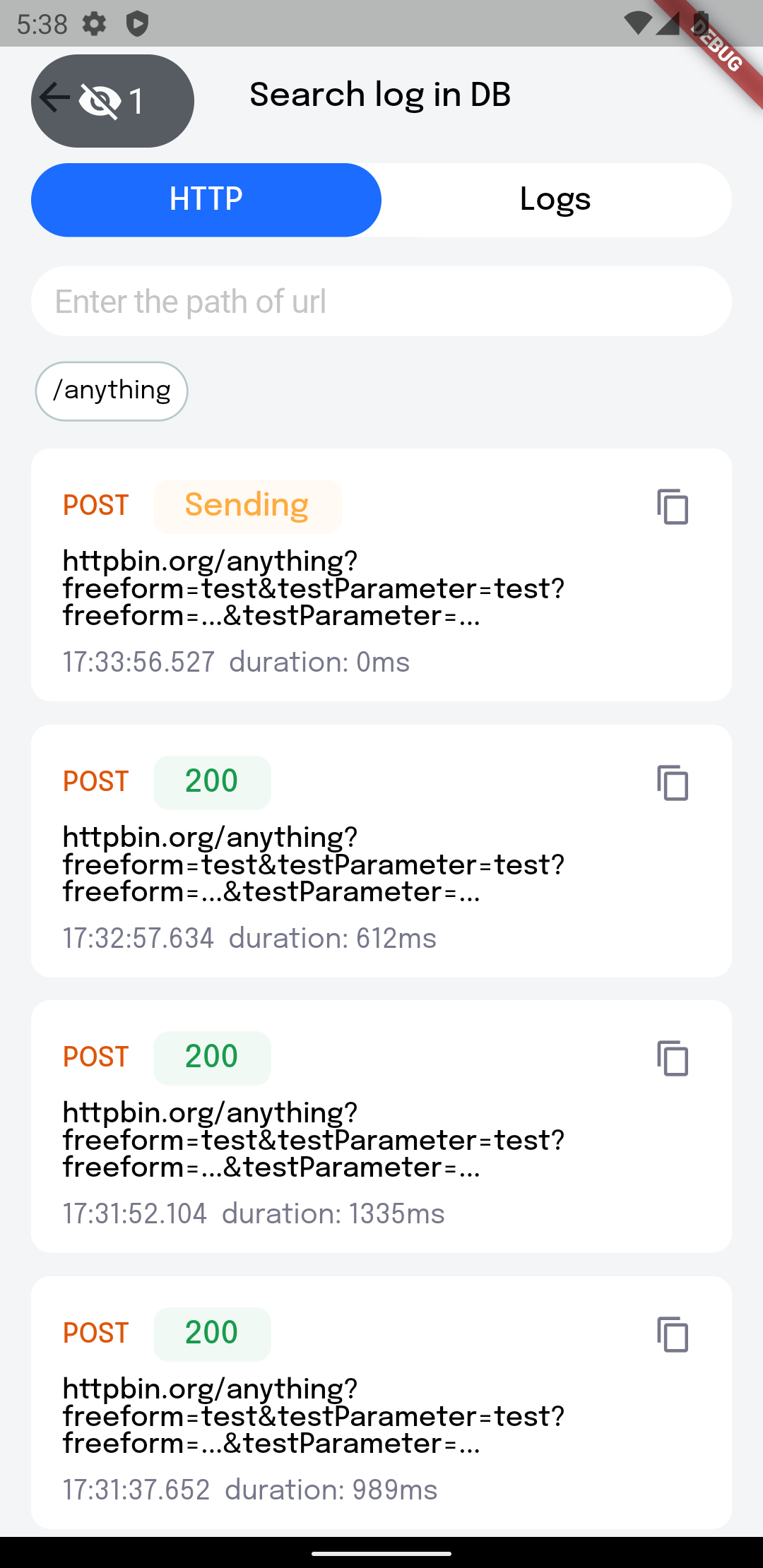
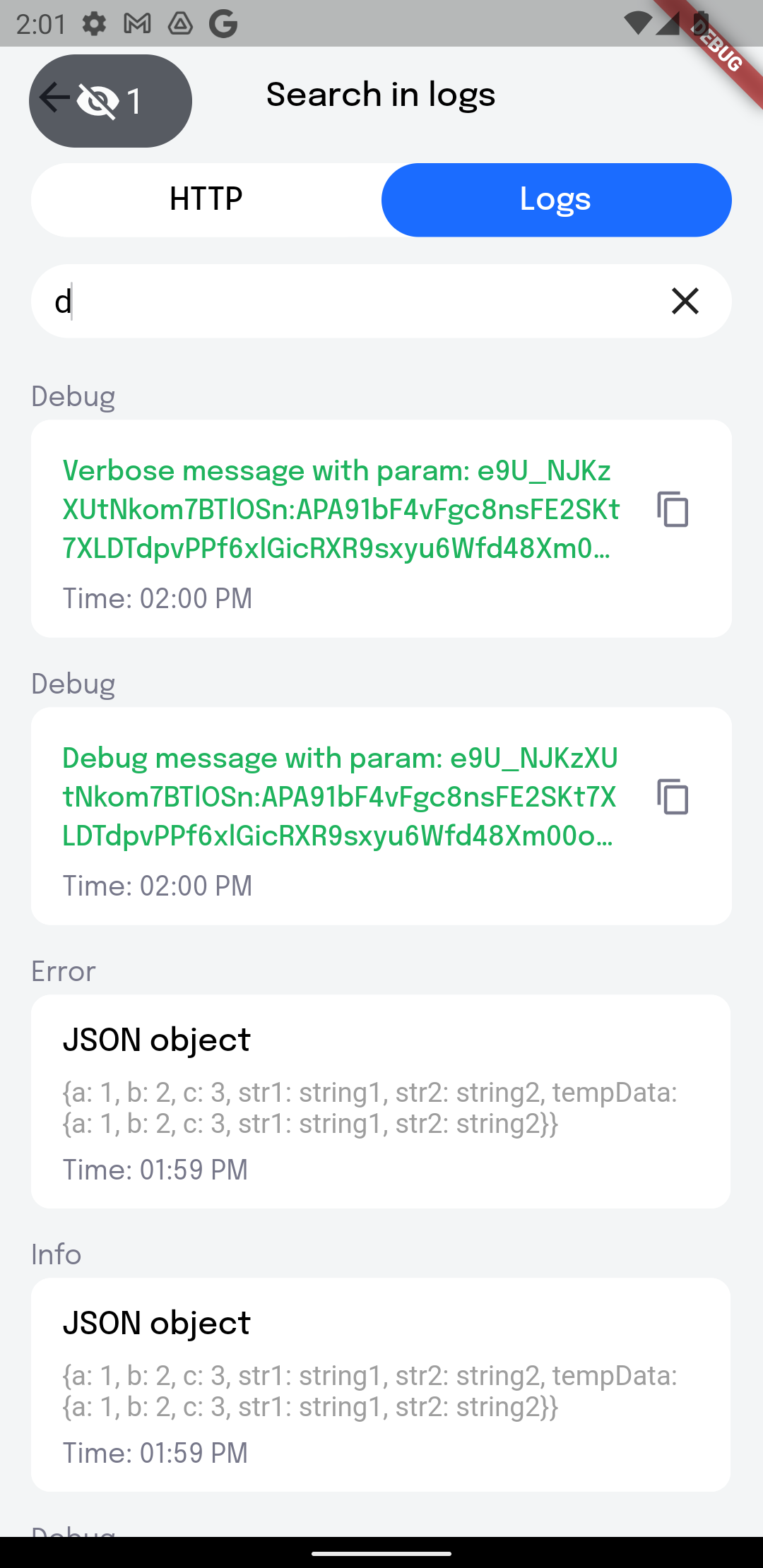
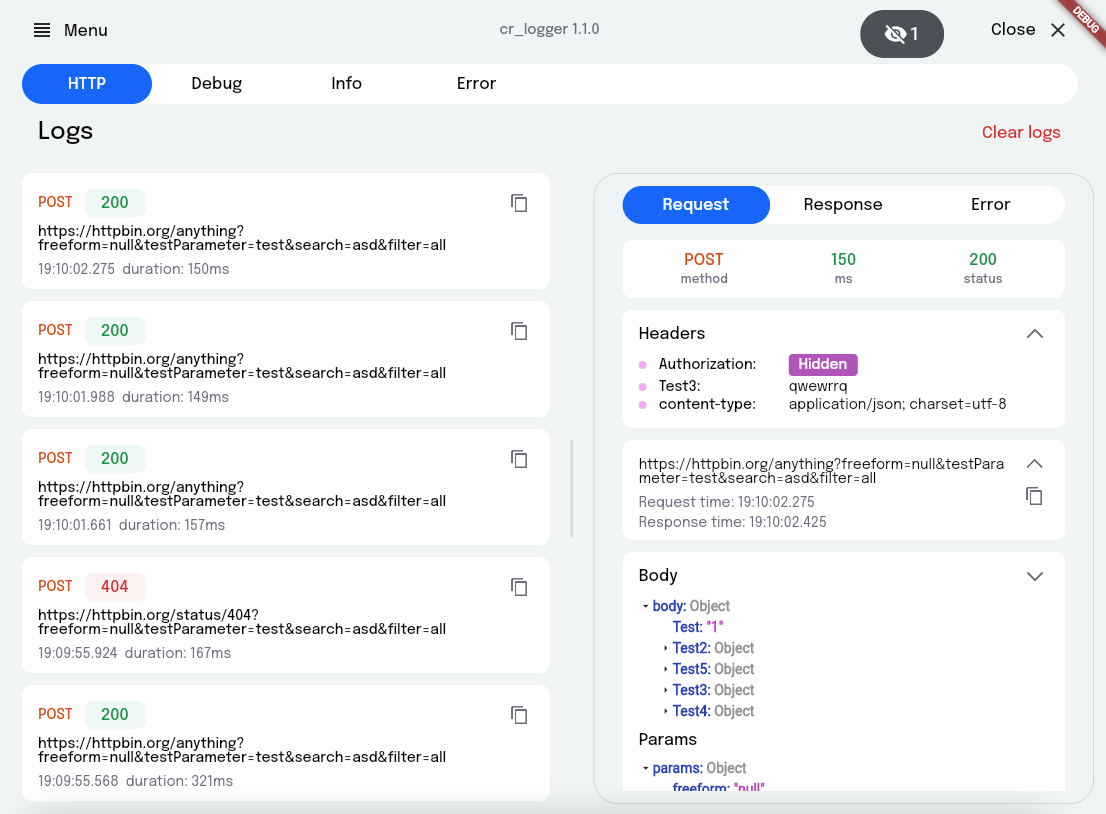
## Getting Started
1. Add plugin to the project:
```yaml
dependencies:
cr_logger: ^2.2.0
```
2. Initialize the logger. main.dart:
❗ Database won't be working in Web
```dart
void main() {
...
CRLoggerInitializer.instance.init(
theme: ThemeData.light(),
levelColors: {
Level.debug: Colors.grey.shade300,
Level.warning: Colors.orange,
},
hiddenFields: [
'token',
],
logFileName: 'my_logs',
printLogs: true,
useCrLoggerInReleaseBuild: false,
useDatabase: false,
);
}
```
`printLogs` - Prints all logs while [printLogs] is true
`useCrLoggerInReleaseBuild` - All logs will be printed and used database when [kReleaseMode] is
true
`useDatabase` - Use database for logs history. Allows persisting logs on app restart. It will
work only with [useCrLoggerInReleaseBuild] set to true.
`theme` - Custom logger theme
`levelColors` - Colors for message types levelColors (debug, verbose, info, warning, error, wtf)
`hiddenFields` - List of keys, whose value need to be replaced by string 'Hidden'
`logFileName` - File name when sharing logs
`maxLogsCount` - Maximum number of each type of logs (http, debug, info, error), by default = 50
`maxDatabaseLogsCount` - Maximum number of each type of logs (http, debug, info, error), which
will be saved to database, by default = 50
`logger` - Custom logger
`printLogsCompactly` - If the value is false, then all logs, except HTTP logs, will have borders,
with a link to the place where the print is called and the time when the log was created.
Otherwise it will write only log message. By default = true
3. Initialize Inspector (optional):
```dart
return MaterialApp(
home: const MainPage(),
builder: (context, child) => CrInspector(child: child!),
);
```
4. Define the variables:
4.1 `appInfo` - you can provide custom information to be displayed on the AppInfo page
```dart
CRLoggerInitializer.instance.appInfo = {
'Build type': buildType.toString(),
'Endpoint': 'https/cr_logger/example/',
};
```
4.2 `logFileName` - file name when exporting logs
4.3 `hiddenFields` - list of keys for headers to hide when showing network logs
5. Add the overlay button:
```dart
CRLoggerInitializer.instance.showDebugButton(context);
```
`button` - Custom floating button
`left` - X-axis start position
`top` - Y-axis start position
6. Support for importing logs from json:
```dart
await CRLoggerInitializer.instance.createLogsFromJson(json);
```
7. You can get the current proxy settings to initialise Charles:
```dart
final proxy = CRLoggerInitializer.instance.getProxySettings();
if (proxy != null) {
RestClient.instance.init(proxy);
}
```
## Usage
If the logger is enabled, a floating button appears on the screen; it also indicates the project
build number. It's quite easy to use, just click on the floating button to show the main screen of
the logger You can also `double tap` on the button to invoke **Quick Actions**.
## Quick actions
Using this popup menu, you can **quickly access** the desired CRLogger options. Called by a **long
press** or **double tap** on the debug button.
#####
#### App info
Allows you to view **Package name**, **app version**, **build version**
#### Clear logs
**Clears** certain logs or all of them. It is possible to do this with logs from the database
#### Show Inspector
If the **inspector** is enabled, then a panel appears on the right side of the screen, with buttons
to toggle size inspection and the color picker.
#### Set Charles proxy
Needed to set **proxy settings** for Charles
#### Search
Provides **search by logs**. By paths, you can search for **HTTP log** you need. Also there is a
search for logs from the database.
#### Share logs
Share logs with your team
#### Create log with parameter
You can create log with parameters. To do this use {{parameter}} pattern to highlight text needed to be displayed as parameter.
Example:
```dart
const parameter = 'PARAMETER';
log.d('Debug message with param: {{$parameter}}');
log.v('Verbose message with param: {{$parameter}}');
log.i('Info message with param: {{$parameter}}');
log.e('Error message with param: {{$parameter}}');
```
Now you can copy the value of this parameter by simply clicking on it in the details of the log.
#### Actions and values
Opens a page that contains action buttons and value notifiers.
**Action buttons** allows you to add **different callbacks** for testing
1. Add actions:
```dart
CRLoggerInitializer.instance.addActionButton('Log Hi', () => log.i('Hi'));
CRLoggerInitializer.instance.addActionButton(
'Log By',
() => log.i('By'),
connectedWidgetId: 'some identifier',
);
```
2. Remove actions by specified id:
```dart
CRLoggerInitializer.instance.removeActionsById('some identifier');
```
**Value notifiers** help keep track of changes to variables of **ValueNotifier** type.
1. Type notifiers:
```dart
/// Type notifiers
final boolNotifier = ValueNotifier(false);
final stringNotifier = ValueNotifier('integer: ');
/// Widget notifiers
final boolWithWidgetNotifier = ValueNotifier(false);
final boolWidget = ValueListenableBuilder(
valueListenable: boolWithWidgetNotifier,
builder: (_, value, __) => SwitchListTile(
title: const Text('Bool'),
subtitle: Text(value.toString()),
value: value,
onChanged: (newValue) => boolWithWidgetNotifier.value = newValue,
),
);
final textNotifier = ValueNotifier(
const Text('Widget text'),
);
final textWidget = ValueListenableBuilder(
valueListenable: textNotifier,
builder: (_, value, __) => Row(
children: [
const Text('Icon'),
const Spacer(),
value,
const Spacer(),
],
),
);
```
2. Add notifiers:
You can add either a `name` and a `notifier` or just a `widget`. If you just want to see the
value of the notifier, it's better to use `name` + `notifier`. In other case, if you need to
change notifier's value, for example via a switcher, it's better to add a `widget`.
```dart
CRLoggerInitializer.instance.addValueNotifier(
widget: boolWidget,
);
CRLoggerInitializer.instance.addValueNotifier(
name: 'Bool',
notifier: boolNotifier,
);
CRLoggerInitializer.instance.addValueNotifier(
widget: textWidget,
);
```
3. Remove notifiers by specified id:
```dart
CRLoggerInitializer.instance.removeNotifiersById('some identifier');
```
4. Clear all notifiers:
```dart
CRLoggerInitializer.instance.notifierListClear();
```
5. Initialize the following callbacks (optional):
5.1. `ShareLogsFileCallback` - when needed to share logs file on the app's side
```dart
CRLoggerInitializer.instance.onShareLogsFile = (path) async {
await Share.shareFiles([path]);
};
```
#### App settings
Opens application settings
## Setup
In IntelliJ/Studio you can collapse the request/response body:
![Gif showing collapsible body][show_body]
Set up this is by going to `Preferences -> Editor -> General -> Console`
and under `Fold console lines that contain` add these 2 rules: `║`, `╟`
and under `Exceptions` add 1 rule: `╔╣`
![Settings][settings]
[show_body]: https://raw.githubusercontent.com/Cleveroad/cr_logger/master/screenshots/http-logs-example.gif
[settings]: https://raw.githubusercontent.com/Cleveroad/cr_logger/master/screenshots/settings-screenshot.png