https://github.com/clicktodev/halcyon-zed
A dark blue theme for Zed
https://github.com/clicktodev/halcyon-zed
Last synced: 4 months ago
JSON representation
A dark blue theme for Zed
- Host: GitHub
- URL: https://github.com/clicktodev/halcyon-zed
- Owner: clicktodev
- License: mit
- Created: 2024-05-21T00:11:12.000Z (about 2 years ago)
- Default Branch: main
- Last Pushed: 2025-04-04T23:26:18.000Z (about 1 year ago)
- Last Synced: 2025-06-16T01:43:14.138Z (about 1 year ago)
- Homepage: https://zed.dev/
- Size: 3.06 MB
- Stars: 16
- Watchers: 1
- Forks: 0
- Open Issues: 0
-
Metadata Files:
- Readme: README.md
- License: LICENSE
Awesome Lists containing this project
README

Halcyon Theme for Zed
A minimal, dark blue theme for Zed.
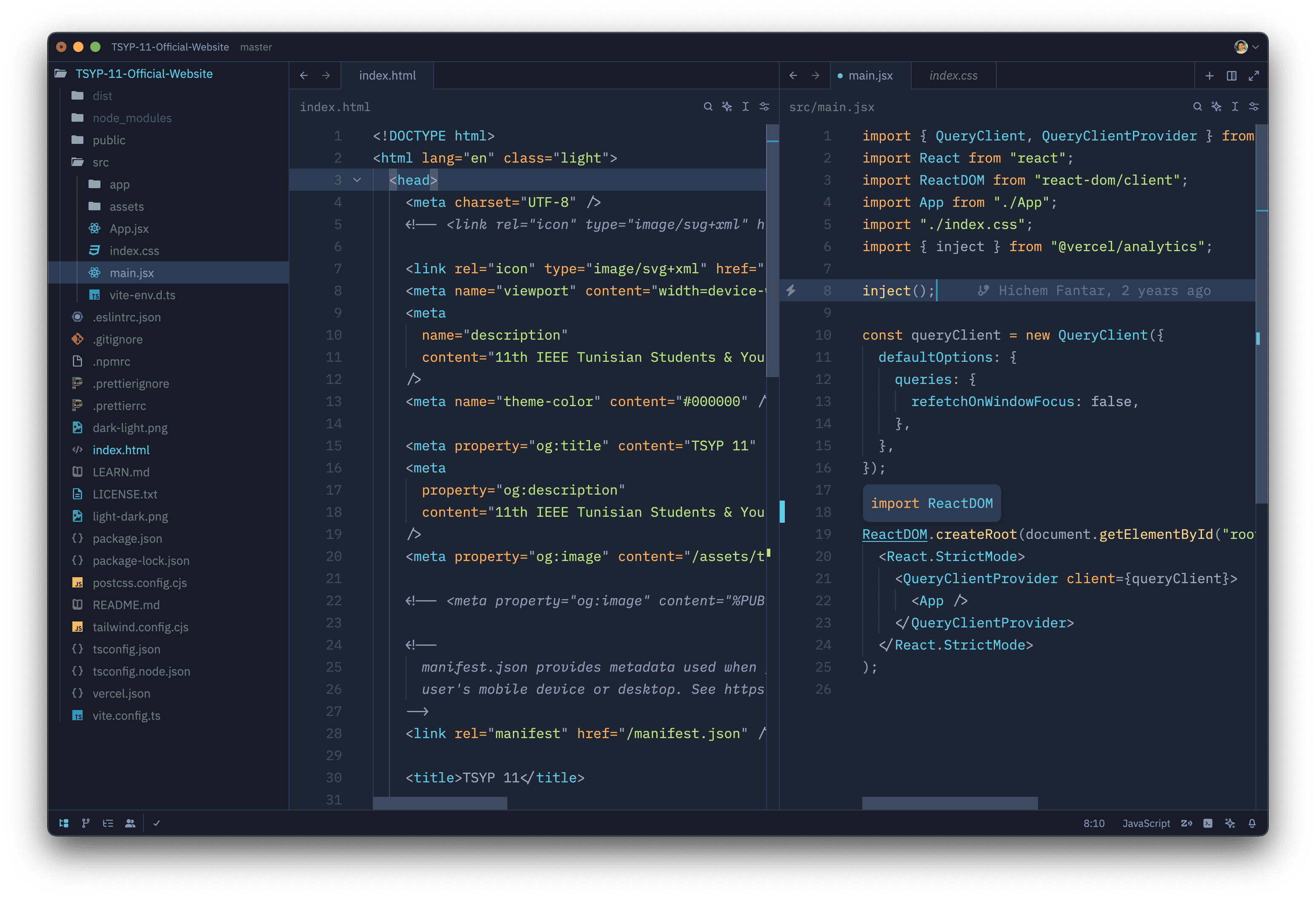
## Installation via Zed
1. Open Zed.
2. `cmd+shift+p` and select _zed: extensions_
3. Select _Halcyon Theme_ and Install
4. Select your Halcyon theme in the dropdown shown after hitting `cmd+k`, `cmd+t`
## Manual Installation
Read the [Zed User Themes Guide](https://zed.dev/docs/themes)
## Color Reference
### Syntax Colors
| Color | Usage |
| :-----: | ----------------------------------------------- |
| #c3a6ff | Keywords, constants, template literals |
| #ffd580 | Functions, classes, object literal keys |
| #ffae57 | Constants, operators |
| #bae67e | Strings, markdown headings |
| #5ccfe6 | Special keywords, classes, markdown code blocks |
| #a2aabc | Variables, property names, tags |
### UI Colors
| Color | Usage |
| :-----: | ------------------------------------------ |
| #171c28 | Workbench background |
| #1d2433 | Editor background |
| #2f3b54 | Highlight, widgets, panels |
| #6679a4 | Dividers, subtle UI elements |
| #8695b7 | Status bar text, buttons, etc |
| #d7dce2 | Active text, anything that should be white |
| #ffcc66 | Accent, list tree titles, badges, etc |
| #bae67e | Addition highlights |
| #ef6b73 | Deletion highlights, errors, warnings |
| #5ccfe6 | Modified highlights |
## Theming Reference
[Zed User Theme Reference](https://zed.dev/blog/user-themes-now-in-preview)
[Zed Theme Documentation](https://zed.dev/docs/themes)
[Zed Extensions Repository](https://github.com/zed-industries/extensions)
## Credits
Inspired by [Halcyon, The VS Code theme](https://github.com/bchiang7/halcyon-vscode)