https://github.com/cloudcmd/dword
Web editor based on CodeMirror
https://github.com/cloudcmd/dword
cloudcmd codemirror editor expressjs middleware nodejs
Last synced: about 1 year ago
JSON representation
Web editor based on CodeMirror
- Host: GitHub
- URL: https://github.com/cloudcmd/dword
- Owner: cloudcmd
- License: mit
- Created: 2015-02-19T14:25:45.000Z (over 11 years ago)
- Default Branch: master
- Last Pushed: 2024-03-16T16:29:22.000Z (over 2 years ago)
- Last Synced: 2025-03-31T10:10:01.779Z (about 1 year ago)
- Topics: cloudcmd, codemirror, editor, expressjs, middleware, nodejs
- Language: JavaScript
- Homepage:
- Size: 6.89 MB
- Stars: 39
- Watchers: 5
- Forks: 7
- Open Issues: 1
-
Metadata Files:
- Readme: README.md
- Changelog: ChangeLog
- License: LICENSE
Awesome Lists containing this project
README
# Dword [![License][LicenseIMGURL]][LicenseURL] [![NPM version][NPMIMGURL]][NPMURL]
[NPMIMGURL]: https://img.shields.io/npm/v/dword.svg?style=flat
[BuildStatusURL]: https://github.com/cloudcmd/dword/actions?query=workflow%3A%22Node+CI%22 "Build Status"
[BuildStatusIMGURL]: https://github.com/cloudcmd/dword/workflows/Node%20CI/badge.svg
[LicenseIMGURL]: https://img.shields.io/badge/license-MIT-317BF9.svg?style=flat
[NPM_INFO_IMG]: https://nodei.co/npm/dword.png?downloads=true&&stars&&downloadRank "npm install dword"
[NPMURL]: https://npmjs.org/package/dword "npm"
[LicenseURL]: https://tldrlegal.com/license/mit-license "MIT License"
[edit.json]: https://github.com/cloudcmd/dword/tree/master/json/edit.json "edit.json"
Web editor based on [CodeMirror](http://codemirror.net).
Fork of [edward](https://github.com/cloudcmd/edward "Edward").
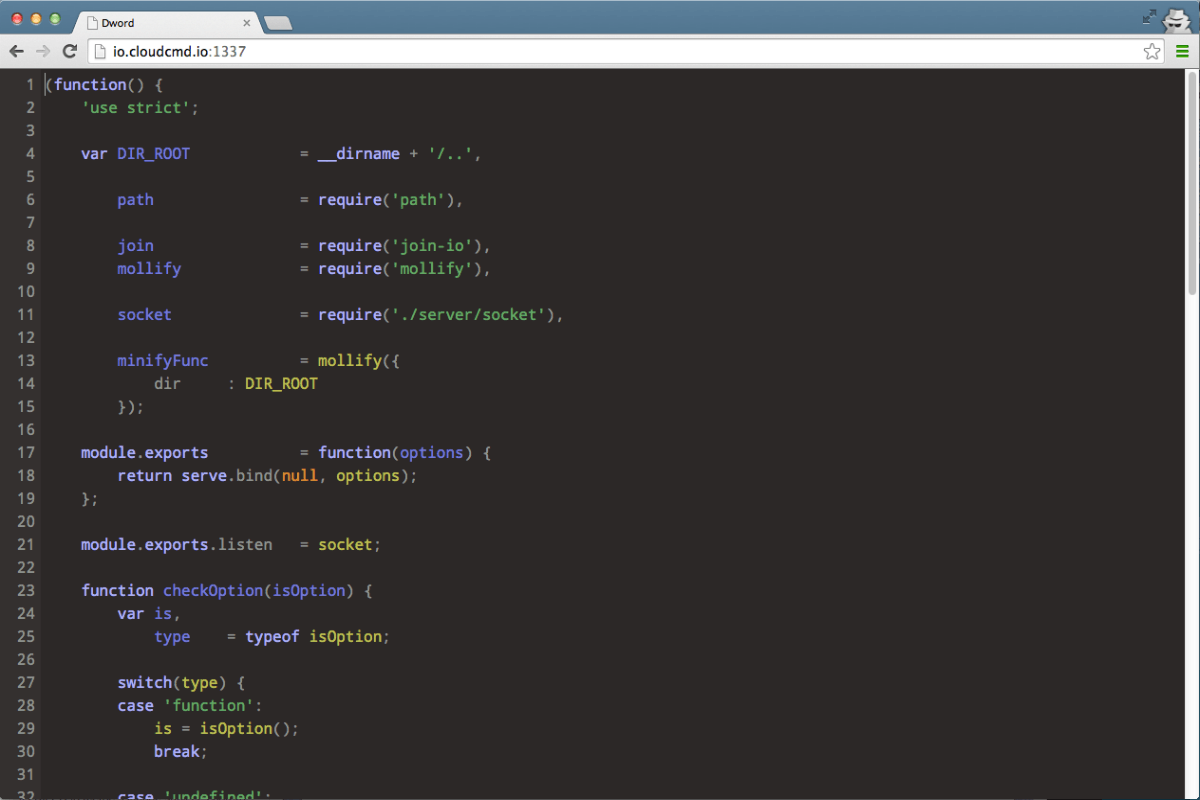
## Features
- Syntax highlighting based on extension of file for over 90 languages.
- Built-in `emmet` (for html files)
- Drag n drop (drag file from desktop to editor).
- Configurable options ([json/edit.json][edit.json] could be overriden by `~/.dword.json`)
## Install
```
npm i dword -g
```
![NPM\_INFO][NPM_INFO_IMG]
## Command line parameters
Usage: `dword [filename]`
|Parameter |Operation
|:----------------------|:--------------------------------------------
| `-h, --help` | display help and exit
| `-v, --version` | output version information and exit
## Hot keys
|Key |Operation
|:----------------------|:--------------------------------------------
| `Ctrl + s` | save
| `Ctrl + f` | find
| `Ctrl + h` | replace
| `Ctrl + g` | go to line
| `Ctrl + e` | evaluate (JavaScript only supported)
## API
dword could be used as middleware for [express](http://expressjs.com "Express").
For this purpuse API could be used.
### Server
#### dword(options)
Middleware of `dword`. Options could be omitted.
```js
const dword = require('dword');
const express = require('express');
const app = express();
app.use(dword({
root: '/', // default
online: true, // default
diff: true, // default
zip: true, // default
dropbox: false, // optional
dropboxToken: 'token', // optional
}));
app.listen(31_337);
```
#### dword.listen(socket)
Could be used with [socket.io](http://socket.io "Socket.io") to handle editor events with.
```js
const io = require('socket.io');
const socket = io.listen(server);
dword.listen(socket, {
// optional
prefixSocket: '/dword',
// optional
auth: (accept, reject) => (username, password) => {
accept();
},
});
```
### Client
Dword uses [codemirror](http://codemirror.net/ "CodeMirror") on client side, so API is similar.
All you need is put minimal `html`, `css`, and `js` into your page.
Minimal html:
```html
```
Minimal css:
```css
html, body, .edit {
height: 100%;
margin: 0;
}
```
Minimal js:
```js
dword('[data-name="js-edit"]', (editor) => {
editor.setValue('hello dword');
console.log('dword is ready');
});
```
#### Client API
##### `dword(selector, callback)`
- `selector`: **string**
- `callback`: **EditorCallback**
Initialize new instance
###### `editor.setValue(value)`
- `value`: **string**
Set value to `editor`.
###### `editor.getValue()`
- `returns`: **string**
Get value from editor.
##### Types
```ts
interface Editor {
setValue: (value: string) => void;
getValue: () => string;
}
type EditorCallback = (editor: Editor) => void;
type Dword = (selector: string, callback: EditorCallback) => void;
```
For more information you could always look around `client/dword.js` directory.
## Related
- [Edward](https://github.com/cloudcmd/edward "Edwdard") - web editor based on [Ace](https://ace.c9.io "Ace").
- [Deepword](https://github.com/cloudcmd/deepword "Deepword") - web editor based on [Monaco](https://microsoft.github.io/monaco-editor/ "Monaco").
## License
MIT