https://github.com/clxrityy/nextjs-supabase
Next.js & Supabase realtime updates & authentication template
https://github.com/clxrityy/nextjs-supabase
authentication middleware nextjs real-time realtime supabase template
Last synced: about 2 months ago
JSON representation
Next.js & Supabase realtime updates & authentication template
- Host: GitHub
- URL: https://github.com/clxrityy/nextjs-supabase
- Owner: clxrityy
- Created: 2024-10-13T18:38:05.000Z (over 1 year ago)
- Default Branch: main
- Last Pushed: 2024-12-17T02:44:31.000Z (over 1 year ago)
- Last Synced: 2025-04-07T12:48:46.050Z (about 1 year ago)
- Topics: authentication, middleware, nextjs, real-time, realtime, supabase, template
- Language: TypeScript
- Homepage: https://nextjs-supabase-one-kappa.vercel.app/
- Size: 826 KB
- Stars: 1
- Watchers: 1
- Forks: 0
- Open Issues: 1
-
Metadata Files:
- Readme: README.md
Awesome Lists containing this project
README
# Nextjs Supabase Auth & Realtime Template 
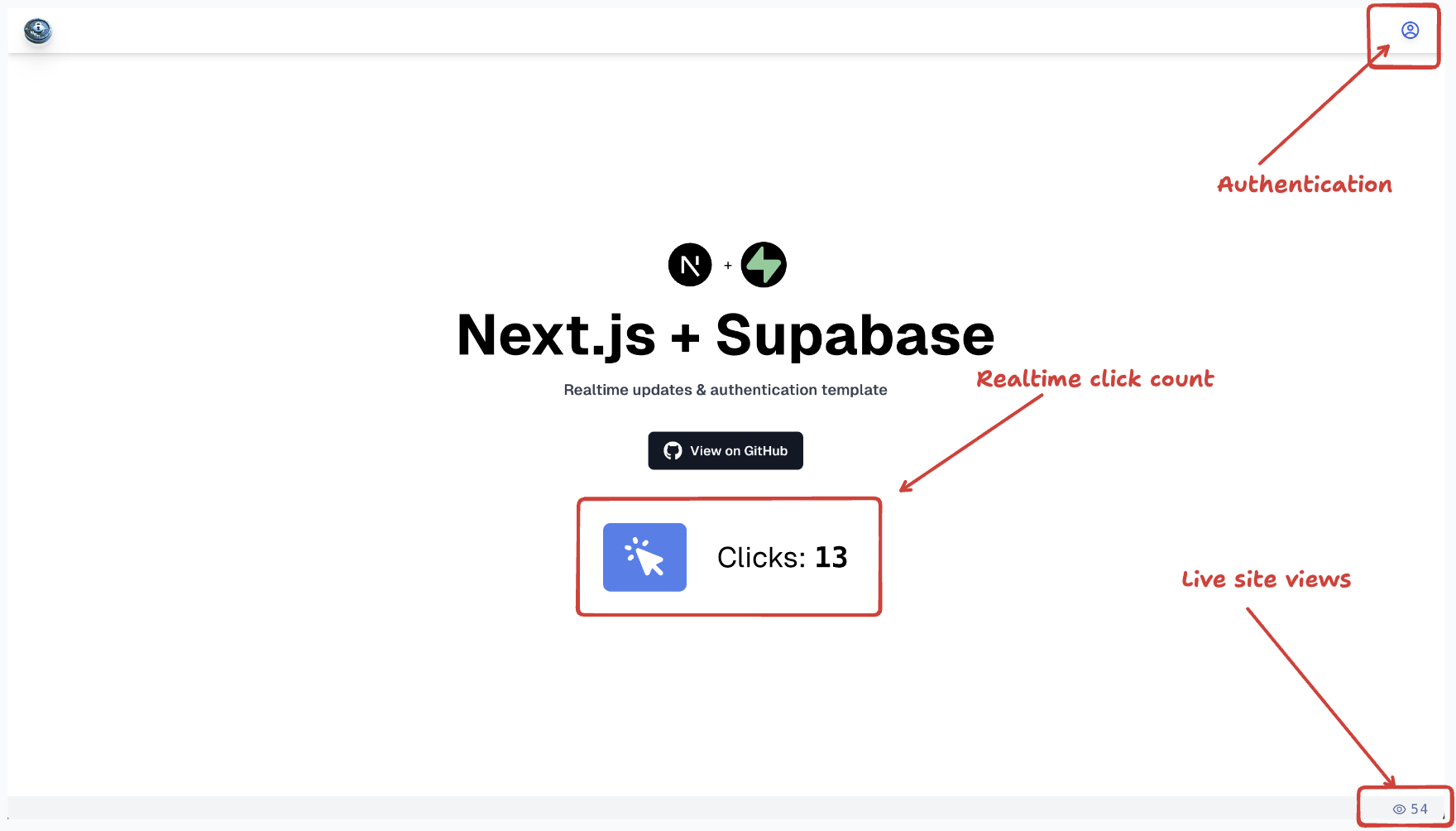
## [Demo](https://nextjs-supabase-one-kappa.vercel.app/)
## Features
- [Middleware](#middleware)
- [Authentication](#authentication)
- [Logging in](#logging-in)
- [Signing up](#signing-up)
- [API auth routes](#api-auth-routes)
- [Realtime tables](#realtime-tables)
- [Custom hooks](#custom-hooks)
## Set up
1. Clone the repository (or click use template)
```zsh
git clone https://github.com/clxrityy/nextjs-supabase-auth.git
```
2. Include your `.env` variables
```env
NEXT_PUBLIC_SUPABASE_URL=
NEXT_PUBLIC_SUPABASE_ANON_KEY=
NEXT_PUBLIC_SERVICE_ROLE_KEY=
```
- Acquire them on the [supabase dashboard](https://supabase.com/dashboard)
> More information about quickstarting Supabse with Nextjs: [Using Supabase with Nextjs](https://supabase.com/docs/guides/getting-started/quickstarts/nextjs)
---
## Middleware
The middleware will redirect any unauthenticated user to the `/login` page.
```ts
import { createMiddlewareClient } from "@supabase/auth-helpers-nextjs";
import { NextRequest, NextResponse } from "next/server";
export default async function middleware(req: NextRequest) {
// Response object
const res = NextResponse.next();
// Initialize supabase middleware client
const supabase = createMiddlewareClient({ req, res });
// Deconstruct the session object from supabase auth
const {
data: { session },
} = await supabase.auth.getSession();
// If no session is present, rewrite the route to /login
if (!session) {
return NextResponse.rewrite(new URL("/login"), req.url);
}
// Otherwise, return the response
return res;
}
export const config = {
/**
* @see https://nextjs.org/docs/app/building-your-application/routing/middleware#matcher
*/
matcher: ["/((?!api|_next/static|_next/image|favicon.ico).*)"],
};
```
> More information about Nextjs middleware: [Routing: Middleware](https://nextjs.org/docs/app/building-your-application/routing/middleware)
---
## Authentication
Once the user is redirected to the `/login` route, they're prompted with a form to either login or sign up. There are no external authentication providers (such as Google, Discord, GitHub, etc.) configured currently, but they can easily be set up.
You must login with your email & password
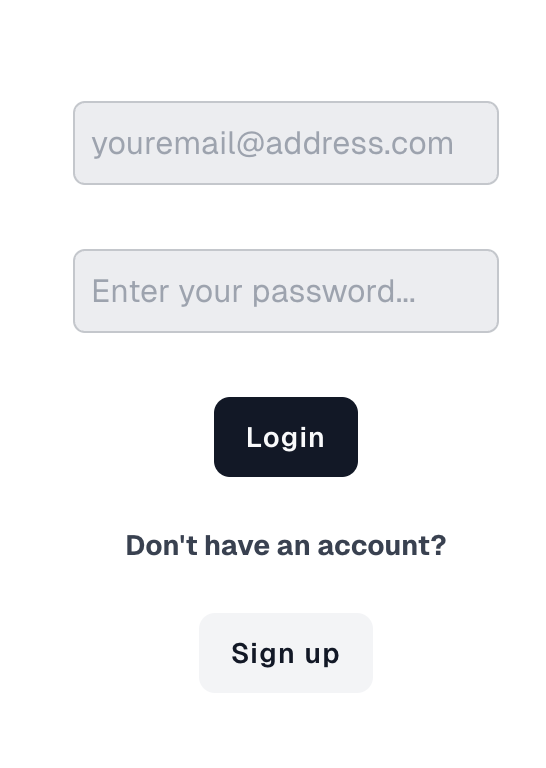
> **Note:** The form is currently configured so that the email & password inputs work for logging in OR signing up (rather than having a separate `/sign-up` route).
### Logging in
- The `email` & `password` values are saved with `useState()` and set with the `handleChange()` function.
```tsx
const [data, setData] = useState<{
email: string;
password: string;
}>();
const handleChange = (e: React.ChangeEvent) => {
const { name, value } = e.target;
setData((prev: any) => ({
...prev,
[name]: value,
}));
};
```
- A `` element is rendered with a `POST` action to `/api/auth/login`.
```tsx
Login
```
- Upon clicking the **Login** button, the `login()` function is called; which will use the data to sign in with supabase auth (and make the post request to the API route).
```tsx
const login = async () => {
if (data) {
try {
const { data: authData, error } =
await supabaseClient.auth.signInWithPassword({
email: data.email,
password: data.password,
});
if (error) {
console.log(`Error: ${error.message}`);
}
} catch (e) {
console.log(`Error: ${e}`);
} finally {
redirect("/");
}
}
};
```
### Signing up
As previously stated, there is no sign up route. The values within the input elements on the login page can be used to sign up as well.
- A separate form is rendered which has a POST action to `/api/auth/sign-up` and the **Sign Up** button will run the `signUp()` function on click.
```tsx
const signUp = async () => {
if (data) {
try {
const { data: authData, error } = await supabaseClient.auth.signUp({
email: data.email,
password: data.password,
});
if (error) {
console.log(`Error: ${error.message}`);
}
} catch (e) {
console.log(`Error: ${e}`);
}
}
};
```
```tsx
Don't have an account?
Sign up
```
### API Auth Routes
#### `/api/auth/login`
- The API route will grab the `formData()` from the request then call supabase route handler client's `auth.signInWithPassword()` passing in the given email & password from the form data.
- [Read about `createRouteHandlerClient()` from `@supabase/auth-helpers-nextjs`](https://supabase.github.io/auth-helpers/functions/nextjs_src.createRouteHandlerClient.html)
- The response is redirected to the root.
#### `/api/auth/sign-up`
- Also grabs the form data.
- ALSO utilizes `createRouteHandlerClient()`
- Calls `auth.signUp()`, passing in the email, password, and email redirect callback.
```ts
// api/auth/sign-up
import { createRouteHandlerClient } from "@supabase/auth-helpers-nextjs";
import { cookies } from "next/handlers";
import { NextRequest, NextResponse } from "next/server";
export async function POST(req: NextRequest) {
// ...
const cookieStore = cookies();
const supabase = createRouteHandlerClient({
cookies: () => cookieStore,
});
try {
await supabase.auth.signUp({
email,
password,
options: {
emailRedirectTo: `${url.origin}/api/auth/callback`,
},
});
} catch (e) {
// ...
}
return NextResponse.redirect(url.origin, {
status: 301,
});
}
```
#### `/api/auth/callback`
- Gets the code from the url search params and turns it into a session.
- Read about [sessions](https://supabase.com/docs/guides/auth/sessions) with supabase.
```ts
const url = new URL(req.url);
const code = url.searchParams.get("code");
if (code) {
const cookieStore = cookies();
const supabase = createRouteHandlerClient({
cookies: () => cookieStore,
});
await supabase.auth.exchangeCodeForSession(code);
}
return NextResponse.redirect(url.origin);
```
---
## Realtime Tables
In order to receive live updates, you must:
- Create a table

- Enable realtime

- Create a channel to subscribe to realtime changes within a `useEffect()` hook.
- [Subabase | Subscribing to Database Changes](https://supabase.com/docs/guides/realtime/subscribing-to-database-changes)
```tsx
useEffect(() => {
const channel = supabase.channel("whatever you wanna call it")
.on("postgres_changes", {
event: "INSERT", // listen to whenever a new row is added
schema: "public",
table: "table-name"
}, (payload) => {
// handle the payload
}).subscribe(); // subscribe to the channel
/**
* finally, return a callback function to unsubscribe when the component unmounts
*/
return () => {
channel.unsubscribe();
}
}, [])
```
> **Note:** Make sure to mark the component with `"use client"`
---
## Custom hooks
React hooks (such as `useState()` & `useEffect()`) can be utilized to create some custom hooks that will ease the usage of supabase within client components.
For instance, this live click counter
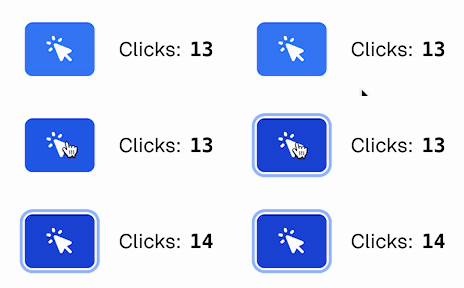
Rather than calling the supabase client directly in the component, here's how the hook is set up:
```tsx
"use client"
export default function useClicks() {
const [clicks, setClicks] = useState<{[key: number]: {
id: number:
created_at: string;
userId: string;
}}>();
const getClicks = async () => {
const { data, error } = await supabaseClient
.from("clicks-table")
.select("*");
if (data) {
setClicks(data);
}
// ...
};
return {
getClicks,
clicks,
// ...
}
}
```
Then, within a client component, deconstruct the `getClicks()` function from the hook, and call it to retreive all the clicks.
```tsx
"use client"
export default function Component() {
const { clicks, getClicks } = useClicks();
// ...
}
```