https://github.com/cmdoret/rdf-network-viz
Prefect workflow to visualize networks from RDF data
https://github.com/cmdoret/rdf-network-viz
Last synced: about 1 year ago
JSON representation
Prefect workflow to visualize networks from RDF data
- Host: GitHub
- URL: https://github.com/cmdoret/rdf-network-viz
- Owner: cmdoret
- License: mit
- Created: 2023-01-21T21:15:23.000Z (over 3 years ago)
- Default Branch: master
- Last Pushed: 2023-01-31T14:00:34.000Z (over 3 years ago)
- Last Synced: 2025-02-17T23:47:35.384Z (over 1 year ago)
- Language: Jupyter Notebook
- Size: 1.49 MB
- Stars: 1
- Watchers: 1
- Forks: 0
- Open Issues: 0
-
Metadata Files:
- Readme: README.md
- License: LICENSE
Awesome Lists containing this project
README
# RDF networks visualization
An experiment with interactive network visualizations of RDF graphs.
Based on this template: https://github.com/khuyentran1401/data-science-template/tree/prefect-poetry
## Workflow
The repository contains a Prefect workflow which runs [gimie](https://github.com/SDSC-ORD/gimie) on multiple git repositories (listed in `data/raw/sources.yml`). The extracted metadata from all repositories are then combined into a single RDF graph. This graph is converted to a networkx graph and visualized in a notebook (`notebooks/test_holoviews.ipynb`) using [holoviews](https://holoviews.org/) and [bokeh](https://bokeh.org/).
## Quick Start
### Set up the environment
1. Install [Poetry](https://python-poetry.org/docs/#installation)
2. Set up the environment:
```bash
make setup
make activate
```
### Install new packages
To install new PyPI packages, run:
```bash
poetry add
```
### Run Python scripts
To run the Python scripts to process data, train model, and run a notebook, type the following:
```bash
make pipeline
```
### View all flow runs
A [flow](https://docs.prefect.io/concepts/flows/) is the basis of all Prefect workflows.
To view your flow runs from a UI, sign in to your [Prefect Cloud](https://app.prefect.cloud/) account or spin up a Prefect Orion server on your local machine:
```bash
prefect orion start
```
Open the URL http://127.0.0.1:4200/, and you should see the Prefect UI:

### Run flows from the UI
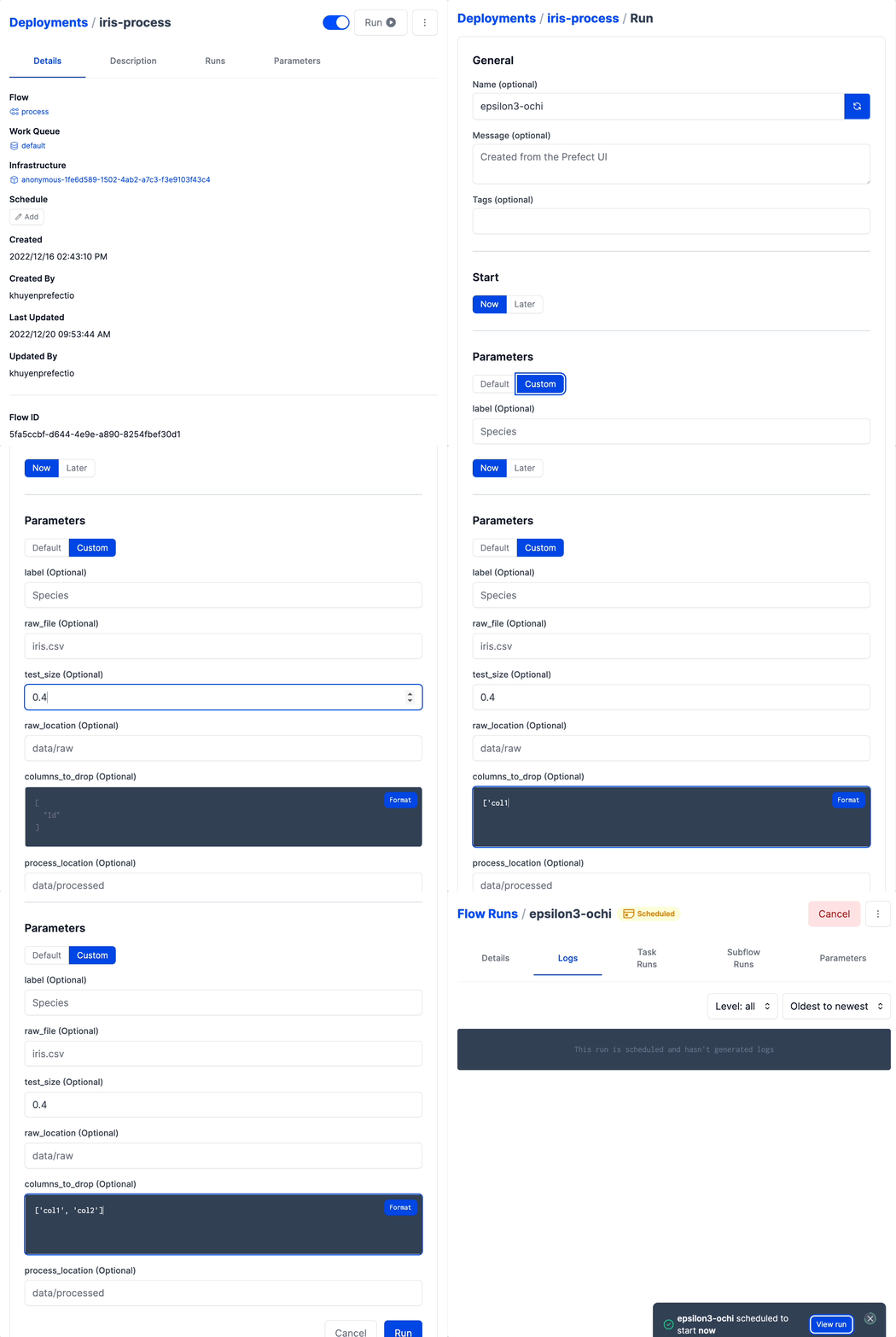
After [creating a deployment](https://towardsdatascience.com/build-a-full-stack-ml-application-with-pydantic-and-prefect-915f00fe0c62?sk=b1f8c5cb53a6a9d7f48d66fa778e9cf0), you can run a flow from the UI with default parameters:
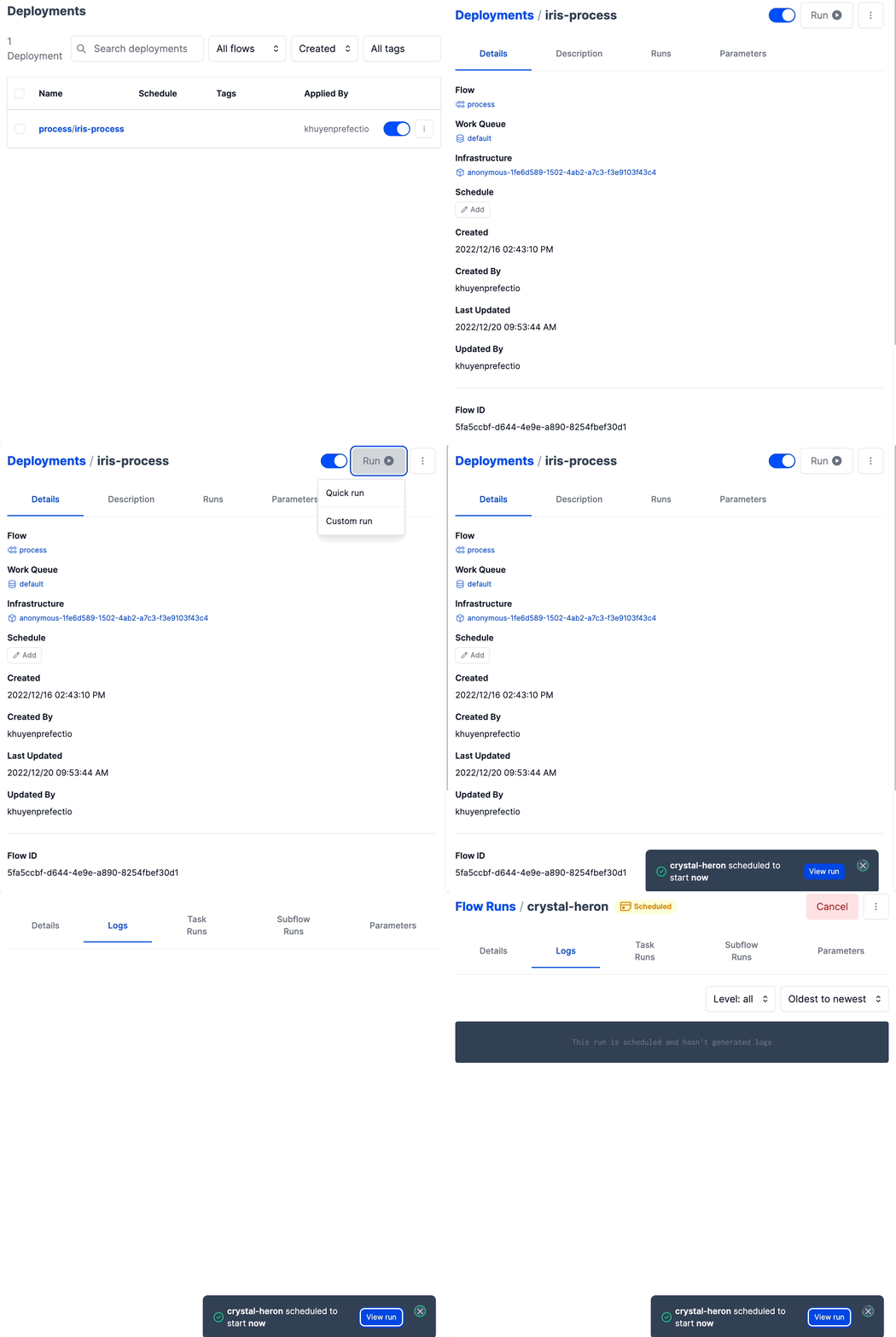
or custom parameters:
### Auto-generate API documentation
To auto-generate API document for your project, run:
```bash
make docs_save
```