https://github.com/cobanov/depth2normal
Converts a depth map image to a normal map image using Python
https://github.com/cobanov/depth2normal
blender blender-python depth-map midas normal-map normal-mapping opencv python sobel
Last synced: 2 months ago
JSON representation
Converts a depth map image to a normal map image using Python
- Host: GitHub
- URL: https://github.com/cobanov/depth2normal
- Owner: cobanov
- License: mit
- Created: 2023-04-13T05:35:30.000Z (about 3 years ago)
- Default Branch: main
- Last Pushed: 2026-04-06T08:37:57.000Z (3 months ago)
- Last Synced: 2026-04-06T10:27:11.037Z (3 months ago)
- Topics: blender, blender-python, depth-map, midas, normal-map, normal-mapping, opencv, python, sobel
- Language: Python
- Homepage:
- Size: 1.16 MB
- Stars: 112
- Watchers: 2
- Forks: 2
- Open Issues: 2
-
Metadata Files:
- Readme: README.md
- License: LICENSE
Awesome Lists containing this project
README
# depth2normal
Convert depth map images to RGB normal maps for shading and 3D workflows.
**Requirements:** Python 3.10 or newer. Runtime dependencies are NumPy, SciPy, Pillow, and Click (no OpenCV).
| Depth (input) | Normal map (output) |
| --- | --- |
| 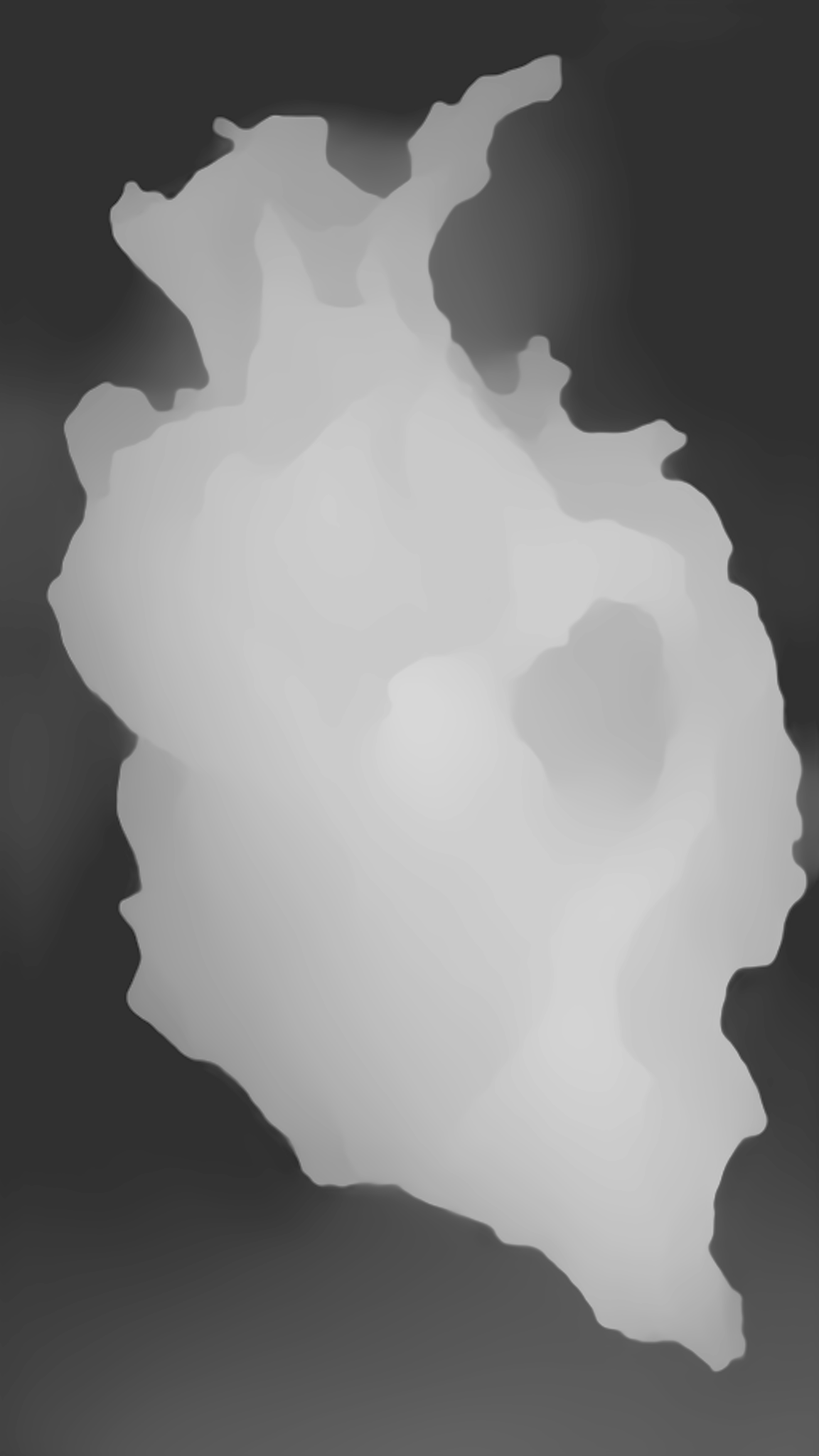 |  |
## Install
**From PyPI** (after you publish the package):
```bash
pip install depth2normal
```
With uv in **another** project (not this repository):
```bash
uv add depth2normal
```
Or without editing that project’s `pyproject.toml`:
```bash
uv pip install depth2normal
```
> **Note:** Inside this repository, do **not** run `uv add depth2normal`—the project name matches the package name, and uv blocks that self-dependency. Use `uv sync` instead (see below).
## Usage
All CLI forms share the same options (see table at the end of this section).
### After `pip install` or `uv pip install`
```bash
depth2normal path/to/depth.png -o normal.png
```
### From a clone (recommended for development)
Install the project and dev tools, then use the console script or the helper script:
```bash
git clone https://github.com/cobanov/depth2normal.git
cd depth2normal
uv sync
```
```bash
uv run depth2normal assets/depth.png -o normal.png
```
Or run the repo-root helper without an editable install (still uses deps from `uv sync`):
```bash
uv run run.py assets/depth.png -o normal.png
```
With plain `python` (dependencies must be available in that environment, e.g. after `pip install -e .`):
```bash
python run.py assets/depth.png -o normal.png
```
Module entry point when `src` is on `PYTHONPATH` or the package is installed:
```bash
PYTHONPATH=src python -m depth2normal assets/depth.png -o normal.png
```
### Python API
```python
import depth2normal
depth2normal.convert("depth.png", "normal.png")
depth2normal.convert("depth.png", "normal.png", strength=2.0, method="gaussian", sigma=1.5)
import numpy as np
depth_array = np.load("depth.npy")
normal_map = depth2normal.depth_to_normal(depth_array, method="scharr")
```
### CLI options
| Option | Default | Description |
| --- | --- | --- |
| `-o`, `--output` | `normal_map.png` | Output image path |
| `-s`, `--strength` | `1.0` | Scales gradients (stronger = more pronounced normals) |
| `-m`, `--method` | `gaussian` | Gradient algorithm: `gaussian`, `sobel`, or `scharr` |
| `--sigma` | `1.0` | Gaussian kernel width (only with `--method gaussian`) |
| `--version` | — | Print version and exit |
Positional argument: path to the depth image file.
### Gradient methods
| Method | Quality | Speed | Notes |
| --- | --- | --- | --- |
| `gaussian` | Best | Moderate | Smooth normals via Gaussian derivative. `--sigma` controls the smoothness/detail tradeoff. |
| `sobel` | Good | Fast | Classic 3x3 Sobel. Sharp but can show staircase artifacts on quantized depth. |
| `scharr` | Good | Fast | Better rotational accuracy than Sobel, similar speed. |
## How it works
1. Load depth as grayscale float array.
2. Estimate surface gradients with the selected filter (Gaussian derivative, Sobel, or Scharr).
3. Build normals (-dx, -dy, 1), normalize to unit length, then map to 8-bit RGB.
## Development
```bash
uv sync
uv run pytest
uv run ruff check .
uv run ruff format --check .
```
## License
MIT