https://github.com/codait/max-node-red-docker-image
Demo Docker image for the Model Asset Exchange Node-RED module
https://github.com/codait/max-node-red-docker-image
deep-learning docker-image model node-red-contrib
Last synced: 12 months ago
JSON representation
Demo Docker image for the Model Asset Exchange Node-RED module
- Host: GitHub
- URL: https://github.com/codait/max-node-red-docker-image
- Owner: CODAIT
- License: apache-2.0
- Created: 2019-04-19T18:42:35.000Z (about 7 years ago)
- Default Branch: master
- Last Pushed: 2020-05-08T15:12:53.000Z (about 6 years ago)
- Last Synced: 2025-05-06T23:17:38.673Z (about 1 year ago)
- Topics: deep-learning, docker-image, model, node-red-contrib
- Language: Dockerfile
- Homepage: https://github.com/CODAIT/node-red-contrib-model-asset-exchange
- Size: 1.76 MB
- Stars: 8
- Watchers: 25
- Forks: 2
- Open Issues: 0
-
Metadata Files:
- Readme: README.md
- License: LICENSE
Awesome Lists containing this project
README
# MAX Node-RED Demo (Docker Version)
## Getting started
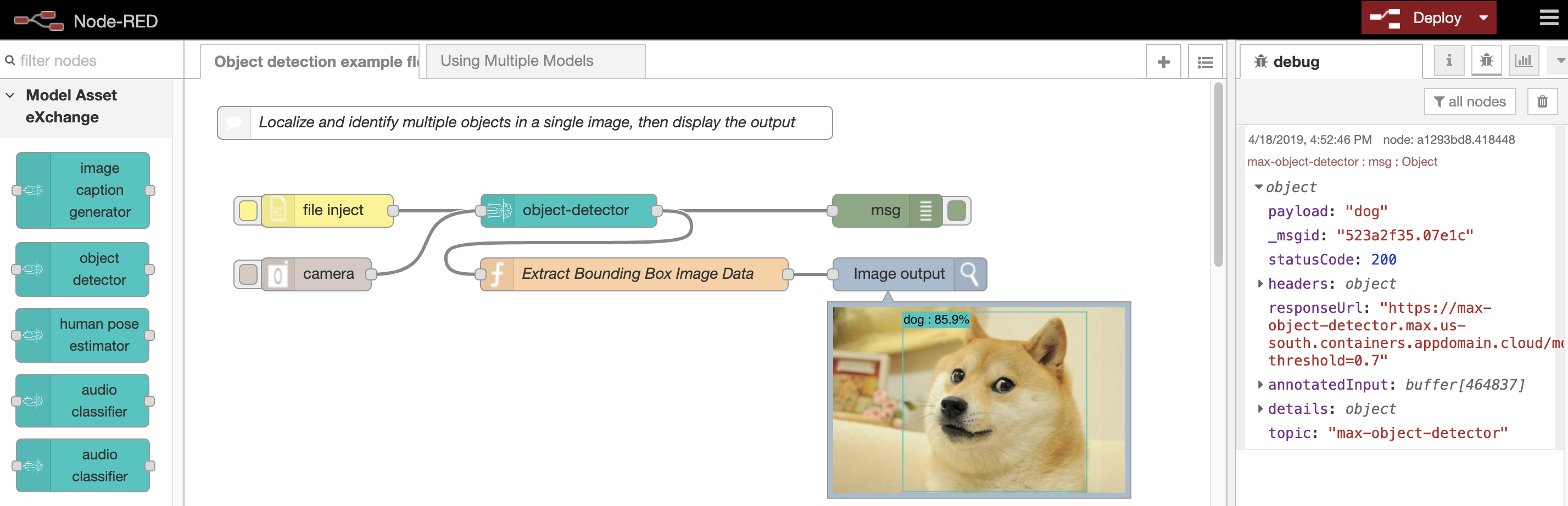
This repo is home to the containerized version of the [Model Asset Exchange Node-RED nodes and sample flows](https://github.com/CODAIT/node-red-contrib-model-asset-exchange), packaged together so it can be run with ZERO installation!
To begin, you will need one pre-requisite: [Docker](http://www.docker.com).
Once you have docker installed, one command is all it takes to get up and running.
```bash
$ docker run -p 5555:1880 codait/max-node-red-demo
```
This command will install Node-RED, the MAX nodes, and all other dependencies needed to get started. It will then load the Node-RED server, which will be available in your browser at:
```
http://localhost:5555
```
**WARNING:** Currently there is no persistent storage for flows or other files that may be saved or generated inside the container. When you terminate the container, all data inisde will be lost, and you will start with a fresh install when the container is restarted.
> **NOTE:** In this example, the container's exposed port `1880` was mapped to port `5555`. Feel free to change the value of the mapped port to anything currently available on your machine, which you would then use to access Node-RED in the second step.
## Running the example flows
The `node-red-contrib-model-asset-exchange` module includes a couple of example flows to get you started. To import the flows into the workspace:
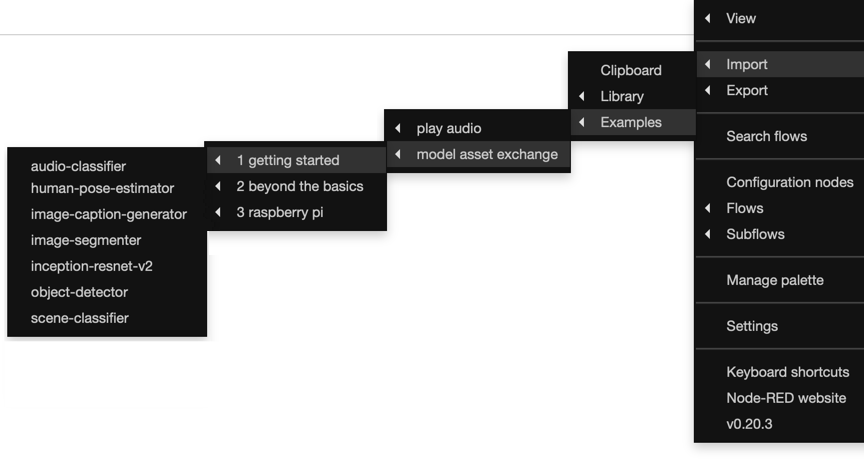
1. In the Node-RED editor open **☰** > **Import** > **Examples** > **model asset exchange**.
2. Select one of the sub-directories to choose between the basic flows in **getting started**, some more complex examples in **beyond the basics**, or some flows designed to run on the **raspberry pi**.
3. Choose a flow.
> Note: The flows utilize nodes from the [node-red-contrib-browser-util](https://flows.nodered.org/node/node-red-contrib-browser-utils) and [node-red-contrib-image-output](https://flows.nodered.org/node/node-red-contrib-image-output) modules. See the flow description for more details on which nodes are used in a particular example.
You can deploy and run these flows as is. The deep learning nodes in these flows have been pre-configured (service: _cloud_) to connect to hosted evaluation instances of the deep learning microservices.
License
-------
[Apache-2.0](LICENSE)