https://github.com/code-forge-temple/scribe-pal
ScribePal is an Open Source intelligent browser extension that leverages AI to empower your web experience by providing contextual insights, efficient content summarization, and seamless interaction while you browse.
https://github.com/code-forge-temple/scribe-pal
ai ai-assistant browser-extension chatbot chrome-extension contextual-ai edge-extension firefox-extension fortheloveofcode hacktoberfest large-language-models llm-integration local-ai local-llm manifest-v3 ollama open-source productivity-tool typescript web-extension
Last synced: 6 months ago
JSON representation
ScribePal is an Open Source intelligent browser extension that leverages AI to empower your web experience by providing contextual insights, efficient content summarization, and seamless interaction while you browse.
- Host: GitHub
- URL: https://github.com/code-forge-temple/scribe-pal
- Owner: code-forge-temple
- License: gpl-3.0
- Created: 2025-02-26T15:31:50.000Z (over 1 year ago)
- Default Branch: main
- Last Pushed: 2026-01-20T20:04:37.000Z (6 months ago)
- Last Synced: 2026-01-21T04:39:12.478Z (6 months ago)
- Topics: ai, ai-assistant, browser-extension, chatbot, chrome-extension, contextual-ai, edge-extension, firefox-extension, fortheloveofcode, hacktoberfest, large-language-models, llm-integration, local-ai, local-llm, manifest-v3, ollama, open-source, productivity-tool, typescript, web-extension
- Language: TypeScript
- Homepage:
- Size: 2.33 MB
- Stars: 22
- Watchers: 1
- Forks: 1
- Open Issues: 6
-
Metadata Files:
- Readme: README.md
- Funding: .github/FUNDING.yml
- License: LICENSE
Awesome Lists containing this project
- fucking-awesome-machine-learning - ScribePal - Chrome extension that uses local LLMs to assist with writing and drafting responses based on the context of your open tabs. (Tools / General-Purpose Machine Learning)
- awesome-machine-learning - ScribePal - Chrome extension that uses local LLMs to assist with writing and drafting responses based on the context of your open tabs. (Tools / General-Purpose Machine Learning)
README
# ScribePal
ScribePal is an Open Source intelligent browser extension that leverages AI to empower your web experience by providing contextual insights, efficient content summarization, and seamless interaction while you browse.
> ⭐️ **Love this project?** Please consider [starring the repository](https://github.com/code-forge-temple/scribe-pal) on GitHub and [supporting development](https://github.com/sponsors/code-forge-temple) to help me continue building amazing features!
## Table of Contents
- [ScribePal](#scribepal)
- [Table of Contents](#table-of-contents)
- [Privacy](#privacy)
- [Compatibility](#compatibility)
- [Features](#features)
- [Prerequisites](#prerequisites)
- [Linux](#linux)
- [macOS](#macos)
- [Windows](#windows)
- [Development](#development)
- [Prerequisites](#prerequisites)
- [Installation](#installation)
- [Building](#building)
- [I. For development](#i-for-development)
- [II. For production](#ii-for-production)
- [Linting](#linting)
- [Load in browser](#load-in-browser)
- [Alternative Installation Options](#alternative-installation-options)
- [A. Install via Browser Stores](#a-install-via-browser-stores)
- [B. Download from Releases](#b-download-from-releases)
- [Installing in the browser](#installing-in-the-browser)
- [Usage](#usage)
- [License](#license)
- [✨ My Other Projects](#-my-other-projects)
## Privacy
ScribePal works with [local Ollama](#prerequisites) models, ensuring that all AI processing and messaging is conducted within your local network. Your private data remains on your system and is never transmitted to external servers. This design provides you with full control over your information and guarantees that nobody outside your network has access to your data.
## Compatibility
It is compatible with all Chromium and Gecko-based browsers: Chrome, Vivaldi, Opera, Edge, Firefox, Brave etc.
## Features
- **AI-powered assistance:** Communicates with an AI service (using [ollama](https://www.npmjs.com/package/ollama)) to generate responses.
- **It is PRIVATE:** Because it communicates with a local (within your LAN) Ollama service and LLMs, all your information stays private.
- **Theming:** Supports light and dark themes.
- **Chat Interface:** A draggable chat box for sending and receiving messages.
- **Model Management:** Select, refresh, download, and delete models.
- **Advanced Capture Tools:** Options for capturing both text and images are available. Captured content is inserted directly into your chat using special tags (`@captured-text` for text and `@captured-image` for images).
- **Prompt Customization:** Adjust and customize prompts to instruct the AI model on how to generate responses.
- **File Attachments:** Upload files to the chat interface and reference them in discussions using the `@attached-files` tag.
## Prerequisites
Ensure that the Ollama host is installed (and configured) on your local machine or available on your LAN by following the next steps:
### Linux
1. [Install Ollama](https://ollama.com/download) on your host.
2. Edit the systemd service file by running:
```sh
sudo nano /etc/systemd/system/ollama.service
```
3. Add the following environment variables in the `[Service]` section:
```
Environment="OLLAMA_HOST=0.0.0.0"
Environment="OLLAMA_ORIGINS=chrome-extension://*,moz-extension://*"
```
> [!NOTE]
> The `OLLAMA_HOST=0.0.0.0` setting is optional if the Ollama server is running on localhost and you do not need the Ollama server to be accessed from LAN.
4. Save the file, then reload and restart the service:
```sh
sudo systemctl daemon-reload
sudo systemctl restart ollama.service
```
### macOS
1. [Install Ollama](https://ollama.com/download) on your host.
2. Set the environment variables by adding them to your shell profile:
```sh
echo 'export OLLAMA_HOST=0.0.0.0' >> ~/.zshrc
echo 'export OLLAMA_ORIGINS="chrome-extension://*,moz-extension://*"' >> ~/.zshrc
source ~/.zshrc
```
> [!NOTE]
> Use `~/.bash_profile` if you're using bash instead of zsh
> [!NOTE]
> The `OLLAMA_HOST=0.0.0.0` setting is optional if the Ollama server is running on localhost and you do not need the Ollama server to be accessed from LAN.
3. Restart the Ollama application for the changes to take effect.
### Windows
1. [Install Ollama](https://ollama.com/download) on your host.
2. Set the environment variables:
```
OLLAMA_HOST=0.0.0.0
OLLAMA_ORIGINS=chrome-extension://*,moz-extension://*
```
You can do this via the System Properties or using PowerShell.
> [!NOTE]
> The `OLLAMA_HOST=0.0.0.0` setting is optional if the Ollama server is running on localhost and you do not need the Ollama server to be accessed from LAN.
3. Restart Ollama app.
## Development
### Prerequisites
Before installing ScribePal, ensure that you have Node Version Manager (nvm) installed. You can install nvm by following the instructions at [nvm-sh/nvm](https://github.com/nvm-sh/nvm#installing-and-updating). nvm helps you easily switch to the Node.js version specified in [`.nvmrc`](.nvmrc).
### Installation
1. Clone the repository:
```sh
git clone https://github.com/code-forge-temple/scribe-pal.git
cd scribe-pal
```
2. Set the Node.js version:
- For Unix-based systems:
```sh
nvm use
```
- For Windows:
```sh
nvm use $(cat .nvmrc)
```
3. Install dependencies:
```sh
npm install
```
### Building
#### I. For development
To build the project for development, run:
A. For Chromium-based browsers like Chrome, Vivaldi, Edge, Brave, Opera and others:
```sh
npm run dev:chrome
```
B. For Gecko-based browsers like Firefox, Waterfox, Pale Moon, and others:
```sh
npm run dev:firefox
```
#### II. For production
To build the project for production, run:
1. For Chromium-based browsers:
```sh
npm run build:chrome
```
2. For Gecko-based browsers:
```sh
npm run build:firefox
```
### Linting
To lint the project, run:
```sh
npm run lint
```
### Load in browser
Follow these [installation intructions](#installing-in-the-browser).
## Alternative Installation Options
If you're not a developer, you can choose one of the following methods:
### A. Install via Browser Stores
[](https://chromewebstore.google.com/detail/godcjpkfkipmljclkgmohpookphckdfl?utm_source=github-repo)
[](https://microsoftedge.microsoft.com/addons/detail/scribepal/omffcjaihckmfdphencecfigafaoocmb)
[](https://addons.mozilla.org/en-US/firefox/addon/scribe-pal/)
> [!NOTE]
> Releases available in the browser stores might be slightly out of sync with the GitHub releases. This can be due to the review process, packaging delays, or manual submission requirements. For the most up-to-date version, please refer to the [Download from Releases](#b-download-from-releases) section.
### B. Download from Releases
Visit the [Releases](https://github.com/code-forge-temple/scribe-pal/releases) page to download the latest packages:
- For Chromium-based browsers, download `chrome.zip`.
- For Gecko-based browsers, download `firefox.zip`.
After downloading, unzip the package and [install](#installing-in-the-browser) the extension manually.
#### Installing in the browser
To install the the compiled extension, for:
- Chromium based browsers you need to go to
- `chrome://extensions/` (in Chrome browser)
- `vivaldi://extensions/` (in Vivaldi browser)
- `opera://extensions/` (in Opera browser)
- etc.
and activate the `Developer Mode`, then `Load unpacked` then select `/dist/chrome` folder.
- For Gecko-based browsers, navigate to
- `about:debugging#/runtime/this-firefox`
- etc.
and click on `Load Temporary Add-on…` then select `/dist/firefox` folder.
## Usage
1. **Open the Extension Popup:**
- Once installed, click the extension icon in your browser’s toolbar.
- The popup allows you to set your configuration options.
2. **Configure Settings:**
- **Ollama Server URL:**
Enter the URL for your Ollama API server in the provided text field and click “Save”.
- **Theme Selection:**
Use the toggle switch to activate the dark theme as desired.
3. **Launch the Chat Interface:**
- Click “Show ScribePal chat” in the popup or press Ctrl+Shift+Y.
- A responsive, draggable chat box will open on the active webpage.
- Use the chat interface to send messages to the Ollama AI service, review conversation history, and manage models.
- Additional features include capturing selected HTML content (that can be referenced in the discussion with `@captured-text` tag), capturing an image of an area on the page (that can be referenced in the discussion with `@captured-image` tag) for VISION LLMs, and customizing prompts (to instruct the loaded model on how to answer).
- You can also attach files to the chat using the **Attach Files** button. Uploaded files can be referenced in the discussion using the `@attached-files` tag.
4. **Interacting with the Chat:**
- Type your query in the chat input and press Enter or click the `Send` button.
- The AI response is rendered below the input as markdown.
- You can manage (delete or refresh) available Ollama models using the available controls in the model select dropdown.
Some short video tutorials on how to use the plugin:
1. Release 1.0.x:
[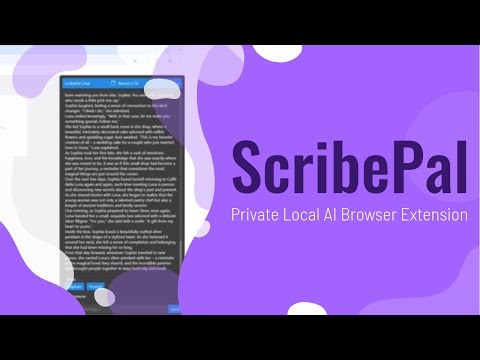](https://www.youtube.com/watch?v=IR7Jufc0zxo)
2. Release 1.2.x:
[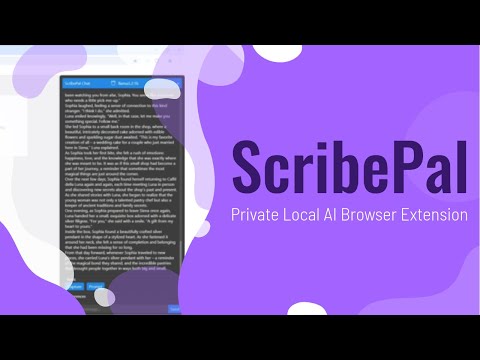](https://www.youtube.com/watch?v=m7pw6q5qgY0)
## License
This project is licensed under the GNU General Public License v3.0. See the [LICENSE](LICENSE) file for more details.
## ✨ My Other Projects
✦ [**Agentic Signal**](https://github.com/code-forge-temple/agentic-signal) – Visual AI agent workflow automation platform with local LLM integration - build intelligent workflows using drag-and-drop interface, no cloud dependencies required.
✦ [**Local LLM NPC**](https://github.com/code-forge-temple/local-llm-npc) – An interactive educational game built for the Google Gemma 3n Impact Challenge.
✦ [**Circuit Sketcher - Obsidian Plugin**](https://github.com/code-forge-temple/circuit-sketcher-obsidian-plugin) – A plugin for Obsidian to draw circuits on a canvas.
✦ [**Circuit Sketcher - Web App**](https://github.com/code-forge-temple/circuit-sketcher-app) – A web application to draw circuits on a canvas, based on circuit-sketcher-core.