https://github.com/code3743/layer_canvas_flutter
Flutter widgets and adapters for layer_canvas, a 2D compositing engine written in pure Dart (no dart:ui dependency) that rasterizes via Blend2D through FFI.
https://github.com/code3743/layer_canvas_flutter
blend2d dart flutter package
Last synced: 17 days ago
JSON representation
Flutter widgets and adapters for layer_canvas, a 2D compositing engine written in pure Dart (no dart:ui dependency) that rasterizes via Blend2D through FFI.
- Host: GitHub
- URL: https://github.com/code3743/layer_canvas_flutter
- Owner: code3743
- License: mit
- Created: 2026-07-04T16:05:33.000Z (20 days ago)
- Default Branch: main
- Last Pushed: 2026-07-04T18:09:22.000Z (20 days ago)
- Last Synced: 2026-07-04T18:13:13.503Z (20 days ago)
- Topics: blend2d, dart, flutter, package
- Language: Dart
- Homepage:
- Size: 511 KB
- Stars: 0
- Watchers: 0
- Forks: 0
- Open Issues: 0
-
Metadata Files:
- Readme: README.md
- Changelog: CHANGELOG.md
- License: LICENSE
Awesome Lists containing this project
README
# layer_canvas_flutter
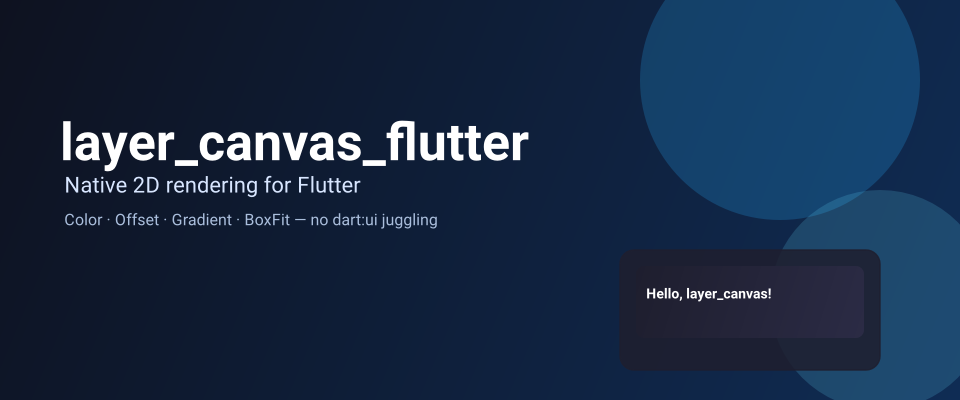
Native 2D rendering for Flutter, using only the Flutter types you already
know. [`layer_canvas`](https://pub.dev/packages/layer_canvas) composites
typed layers to a PNG through [Blend2D](https://blend2d.com) via FFI.
This package is the Flutter-native
front door to it: build a scene with `Color`, `Offset`, `Gradient`, and a
`Path`-shaped builder, drop it in a widget, done.
## Quick start
```dart
LayerCanvas(
sceneBuilder: (logicalSize, pixelRatio) => Scenes.of(
width: logicalSize.width * pixelRatio,
height: logicalSize.height * pixelRatio,
children: [
Layers.rectangle(
size: logicalSize,
gradient: const LinearGradient(
colors: [Color(0xFF1E1E2E), Color(0xFF2B2B45)],
),
pixelRatio: pixelRatio,
),
Layers.text(
text: 'Hello, layer_canvas!',
position: const Offset(24, 24),
color: const Color(0xFFFFFFFF),
fontSize: 22,
fontWeight: FontWeight.w600,
pixelRatio: pixelRatio,
),
],
),
)
```
That's a native Blend2D render, dropped into your widget tree like any
other `Image` — no `Color32`, no `Point2D`, nothing from the core package
imported directly. See [Usage](#usage) below for gradients, custom shapes,
SVG, and tap handling.
## Features
* **`Layers`** — static factories (`rectangle`, `text`, `image`, `path`,
`svg`, `group`) that build `layer_canvas` layers from Flutter types, with
an optional `pixelRatio` to scale a layer built in logical units to
physical-pixel resolution.
* **Gradients** — pass a Flutter `LinearGradient`/`RadialGradient`/
`SweepGradient` as `Layers.rectangle`/`Layers.path`'s `gradient:`, no core
gradient types involved.
* **`LayerPathBuilder`** — draws a `Layers.path` shape with the same method
names as `dart:ui`'s own `Path` (`moveTo`, `lineTo`, `cubicTo`,
`arcToPoint`, `close`...), so it reads like drawing on a `Canvas`.
* **`Layers.svg`** — places an already-parsed `SvgDocument` as a layer.
* **`SvgLayer`** — a widget that displays an `SvgDocument` at a given
size with a real `BoxFit` — not `SvgPicture` (that's `flutter_svg`'s
widget; a different rendering path entirely).
* **`Scenes.of`** — builds a `Scene` from a `children` list instead of the
core's mutate-after-construction `Scene(...)..add(...)..add(...)`.
* **`LayerCanvas`** — a widget that renders a `Scene` (fixed, or built from
the widget's measured size and device pixel ratio) as an `Image`, with
render caching, a placeholder while it's rendering, an error builder, and
an `onLayerTap` to find which `Layer` was tapped.
* **`SceneWidget`** — `Scenes.of` + `LayerCanvas` in one widget, shaped like
`Stack(children: [...])`, for fixed-size scenes that don't need per-build
DPR scaling.
* **`LayerCanvasFonts`** — loads every declared weight of the fonts in your
app's `pubspec.yaml` into `layer_canvas`'s native font registry at
startup, so you can turn off the core's embedded default font and use
your own.
## Getting started
Requires Flutter 3.27+ (for `Color.toARGB32()`, which the color adapter
relies on). Add this package — `layer_canvas` comes along transitively, so
you don't need to add it yourself, and you shouldn't need to import it
directly either: `Layers`, `Scenes.of`, `LayerCanvas` and `SceneWidget`
cover the whole surface you need from Flutter code.
```yaml
dependencies:
layer_canvas_flutter: ^0.1.0-beta.1
```
`layer_canvas` embeds a default font (Roboto) in its native library so text
renders out of the box, at a cost of roughly 1.4 MB. Since a Flutter app
already ships its own fonts, you can turn the embed off in **your app's**
`pubspec.yaml` (this only works in the final app, not in a package):
```yaml
hooks:
user_defines:
layer_canvas:
embed_default_font: false
```
Then declare a font your app uses for canvas text and preload it with
`LayerCanvasFonts` before `runApp`:
```yaml
flutter:
fonts:
- family: Roboto
fonts:
- asset: assets/fonts/Roboto-Regular.ttf
```
```dart
Future main() async {
WidgetsFlutterBinding.ensureInitialized();
await LayerCanvasFonts.ensureInitialized(
asDefault: 'Roboto',
families: {'Roboto'}, // scopes registration to just this font
);
runApp(const MyApp());
}
```
See `example/` for a full app wired up this way.
## Usage
The snippets below build on [Quick start](#quick-start) above and assume:
```dart
import 'package:flutter/material.dart';
import 'package:layer_canvas_flutter/layer_canvas_flutter.dart';
```
Passing `pixelRatio` to each `Layers` factory scales its measurements
(position, size, and type-specific lengths like `cornerRadius`/`fontSize`)
together, so a scene built in logical units still rasterizes at physical-pixel
resolution.
`Layers.group` shares one transform/opacity across a set of children, so
moving, rotating or fading a cluster of layers only requires updating the
group, not every child:
```dart
Layers.group(
position: const Offset(60, 60),
rotation: -0.08,
pixelRatio: pixelRatio,
children: [
Layers.rectangle(
size: const Size(160, 70),
color: const Color(0xFF4C6EF5),
cornerRadius: 10,
pixelRatio: pixelRatio,
),
Layers.text(
text: 'Grouped!',
position: const Offset(16, 22),
color: const Color(0xFFFFFFFF),
fontSize: 20,
fontWeight: FontWeight.w600,
pixelRatio: pixelRatio,
),
],
)
```
### Gradients
Pass a Flutter `LinearGradient`, `RadialGradient`, or `SweepGradient` as
`gradient:` — same types you'd give a `BoxDecoration`:
```dart
Layers.rectangle(
size: const Size(300, 120),
gradient: const LinearGradient(
colors: [Color(0xFFFF6B6B), Color(0xFFFFD93D)],
begin: Alignment.topLeft,
end: Alignment.bottomRight,
),
cornerRadius: 16,
pixelRatio: pixelRatio,
)
```
### Custom shapes with LayerPathBuilder
`LayerPathBuilder` mirrors `dart:ui`'s `Path` — the same method names, in
the same order, so a shape you'd know how to draw in a `CustomPainter`
reads the same way here:
```dart
Layers.path(
path: LayerPathBuilder()
..moveTo(const Offset(60, 0))
..lineTo(const Offset(120, 100))
..lineTo(const Offset(0, 100))
..close(),
color: const Color(0xFF06D6A0),
pixelRatio: pixelRatio,
)
```
`LayerPathBuilder.circle`/`.oval`/`.polygon`/`.polyline` cover the common
shapes without building one command at a time.
### SVG
Parse an `SvgDocument` once (it's real XML parsing — don't do it inside a
`sceneBuilder` that runs every frame) and place it with `Layers.svg`:
```dart
class _MyWidgetState extends State {
static final _logo = SvgDocument.parse(myLogoSvgSource);
@override
Widget build(BuildContext context) {
return LayerCanvas(
sceneBuilder: (logicalSize, pixelRatio) => Scenes.of(
width: logicalSize.width * pixelRatio,
height: logicalSize.height * pixelRatio,
children: [
Layers.svg(_logo, size: const Size(64, 64), pixelRatio: pixelRatio),
],
),
);
}
}
```
Displaying one SVG on its own (not composed with other layers) is simpler
with `SvgLayer`, the `Image.asset`-shaped widget for a single document:
```dart
class _MyIconState extends State {
static final _logo = SvgDocument.parse(myLogoSvgSource);
@override
Widget build(BuildContext context) => SvgLayer(_logo, width: 48, height: 48);
}
```
`SvgLayer` is not `flutter_svg`'s `SvgPicture` — same idea (display a
parsed SVG at a size, with a `BoxFit`), different rendering path entirely
(this one goes through `layer_canvas`'s native Blend2D renderer). `fit`
here is real Flutter box-fitting (`FittedBox`), not something
`layer_canvas` does natively: a `Group` (what a placed `SvgDocument` is)
has no native crop/cover concept to clip against, so `SvgLayer` rasterizes
the document at its own natural size and lets Flutter's ordinary layout
scale/position that result, the same way it would any other
fixed-aspect-ratio child.
### Tap handling with onLayerTap
`LayerCanvas.onLayerTap` reports which `Layer` (if any) was under a tap,
using the core's `hitTestScene`:
```dart
LayerCanvas(
scene: scene,
onLayerTap: (layer, localPosition) {
if (layer?.id == 'submit-button') {
submit();
}
},
)
```
It's a bounding-box test against each layer's own `size` (not its exact
painted shape — a circular `PathLayer` hit-tests as its bounding square),
and a layer with no explicit `size` (intrinsic sizing, e.g. an unset-size
`TextLayer`) never matches, since its true rendered bounds are only known
to the native backend once it's actually laid out. Give an interactive
layer an explicit `size` if it needs to receive taps. Coordinates are
mapped through `fit`, so this works whether the widget's box matches the
scene's own aspect ratio or not.
### SceneWidget
`SceneWidget` combines `Scenes.of` and `LayerCanvas` in one widget shaped
like `Stack`, for fixed-size scenes whose layers you'd rather write as a
plain `children` list instead of a `sceneBuilder` callback:
```dart
SceneWidget(
width: 300,
height: 160,
children: [
Layers.rectangle(size: const Size(300, 160), color: const Color(0xFF1E1E2E)),
Layers.text(text: 'SceneWidget', position: const Offset(24, 24)),
],
)
```
Unlike `LayerCanvas(scene: someStableScene)`, `SceneWidget` builds a new
`Scene` on every `build()` — there's no cheap way to tell "same content,
new list" apart from "different content" (`layer_canvas`'s `Layer` types
have no value equality). That's fine for content that changes rarely; if
`SceneWidget` sits somewhere that rebuilds often (an animation, frequent
`setState`), prefer building a `Scene` once with `Scenes.of` and passing it
to `LayerCanvas` directly, so re-renders happen only when you decide to
build a new one.
### Treat `Scene` as immutable
`LayerCanvas` re-renders when it sees a *new* `Scene` instance (or a change
in measured size/pixel ratio) — not when an existing `Scene`'s contents
change. Build a new `Scene` whenever its contents change; if you must mutate
one in place, pass a changing `rebuildKey` to force a re-render:
```dart
LayerCanvas(scene: scene, rebuildKey: generation)
```
## Additional information
This package only depends on `layer_canvas` and re-exports only the pieces
of its API that this package's own public API surfaces as parameters or
return types: `Scene`, `Layer` and its subclasses (`RectangleLayer`,
`TextLayer`, `ImageLayer`, `PathLayer`, `Group`), `LayerImageSource` (with
`FileImageSource`/`MemoryImageSource`), `SvgDocument`/`SvgParseException`,
`Renderer`/`RenderException`, and `FontRegistry`/`FontRegistrationException`.
Value types the core exposes that `Layers` and the adapters exist
specifically to shield you from (`Color32`, `Point2D`/`Size2D`,
`TextWeight`, `TextAlignment`, `ImageFit`, `LayerPaint`, `LayerTransform`,
`FillRule`, and the core's own `Gradient`/`LinearGradient`/
`RadialGradient`/`ConicGradient`, which would otherwise collide with
Flutter's own same-named gradient types) are intentionally not re-exported
— building UI with this package should never require importing
`package:layer_canvas` directly.
See [`layer_canvas`](https://pub.dev/packages/layer_canvas) and its
[repository](https://github.com/code3743/layer_canvas) for the underlying
model and rendering engine.