https://github.com/codeadamca/mdbgo-deploy-html
A sample HTML webpage deployed to a MDBGO server.
https://github.com/codeadamca/mdbgo-deploy-html
deployment html mdbgo
Last synced: 5 months ago
JSON representation
A sample HTML webpage deployed to a MDBGO server.
- Host: GitHub
- URL: https://github.com/codeadamca/mdbgo-deploy-html
- Owner: codeadamca
- Created: 2023-03-17T14:03:21.000Z (over 3 years ago)
- Default Branch: main
- Last Pushed: 2025-01-26T22:21:15.000Z (over 1 year ago)
- Last Synced: 2025-08-20T00:50:15.336Z (10 months ago)
- Topics: deployment, html, mdbgo
- Language: HTML
- Homepage:
- Size: 760 KB
- Stars: 0
- Watchers: 1
- Forks: 0
- Open Issues: 0
-
Metadata Files:
- Readme: README.md
Awesome Lists containing this project
README
# Deploying HTML to an MDB GO server
To deply a sample HTML webpage to an MDB GO server follow these steps:
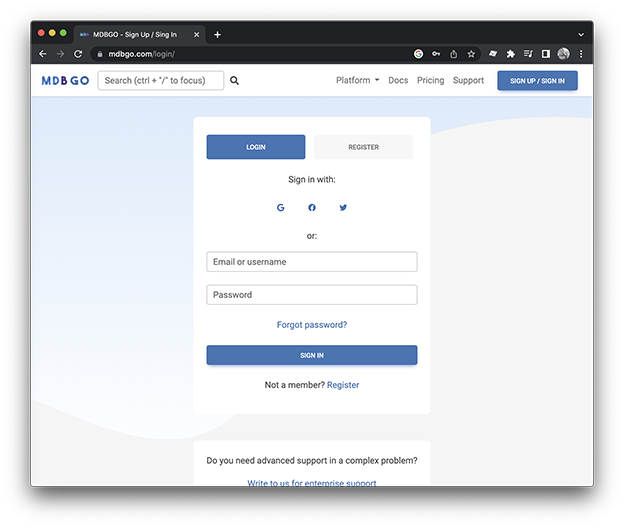
1. Register for an MDB GO account (https://mdbgo.com/):
2. Using NPM install the MDB GO CLI (Command Line Interfact):
```sh
npm install -g mdb-cli
```
3. Using the Terminal (or Git Bash on a Windows machine) navigate to your project folder:
```sh
cd
li
```
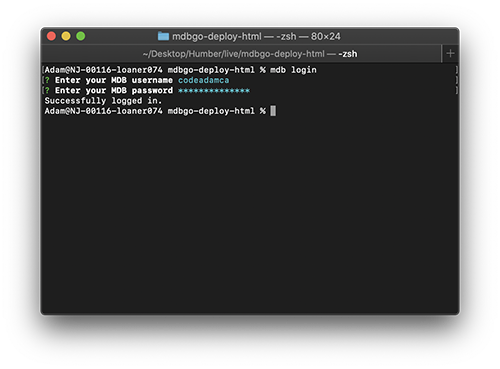
4. Login to you MDB GO account using the Terinal:
```sh
mdb login
```
5. Deploy the project:
```sh
mdb publish
```
If you don't have a `package.json` file, This process will walk you through creating one and then deploy the applicationand profide you a working URL.
You can customize the URL using the Terminal:
```sh
mdb config domain .mdbgo.io
```
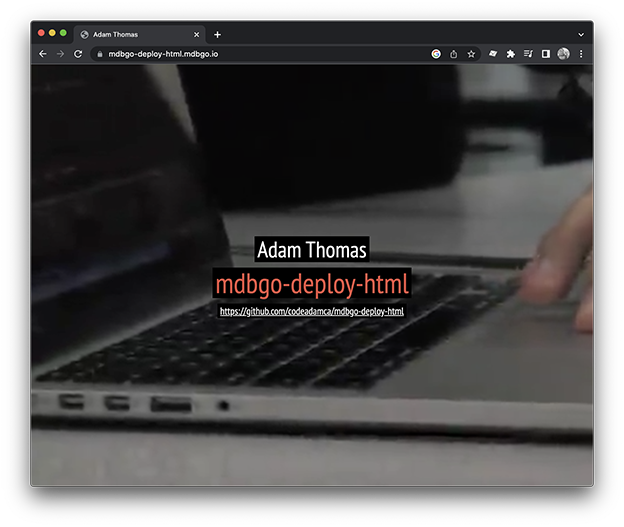
This repository is available to view on [MDB GO](https://mdbgo.com/) at https://mdbgo-deploy-html.mdbgo.io!
***
## Repo Resources
* [MDB GO](https://mdbgo.com/)
* [MDB GO Custom Domain](https://mdbgo.com/docs/custom-domains/mdbgo-subdomains/)
