https://github.com/codeandtheory/ycarousel-ios
An easy-to-use carousel that comes in both view and view controller flavors.
https://github.com/codeandtheory/ycarousel-ios
Last synced: 6 months ago
JSON representation
An easy-to-use carousel that comes in both view and view controller flavors.
- Host: GitHub
- URL: https://github.com/codeandtheory/ycarousel-ios
- Owner: codeandtheory
- License: apache-2.0
- Created: 2023-02-26T11:40:23.000Z (over 3 years ago)
- Default Branch: main
- Last Pushed: 2023-05-05T10:11:50.000Z (about 3 years ago)
- Last Synced: 2025-10-27T14:49:00.393Z (8 months ago)
- Language: Swift
- Size: 180 KB
- Stars: 5
- Watchers: 7
- Forks: 2
- Open Issues: 1
-
Metadata Files:
- Readme: README.md
- License: LICENSE
Awesome Lists containing this project
README

[](https://swiftpackageindex.com/yml-org/ycarousel-ios) [](https://swiftpackageindex.com/yml-org/ycarousel-ios)
_An easy-to-use carousel that comes in both view and view controller flavors._
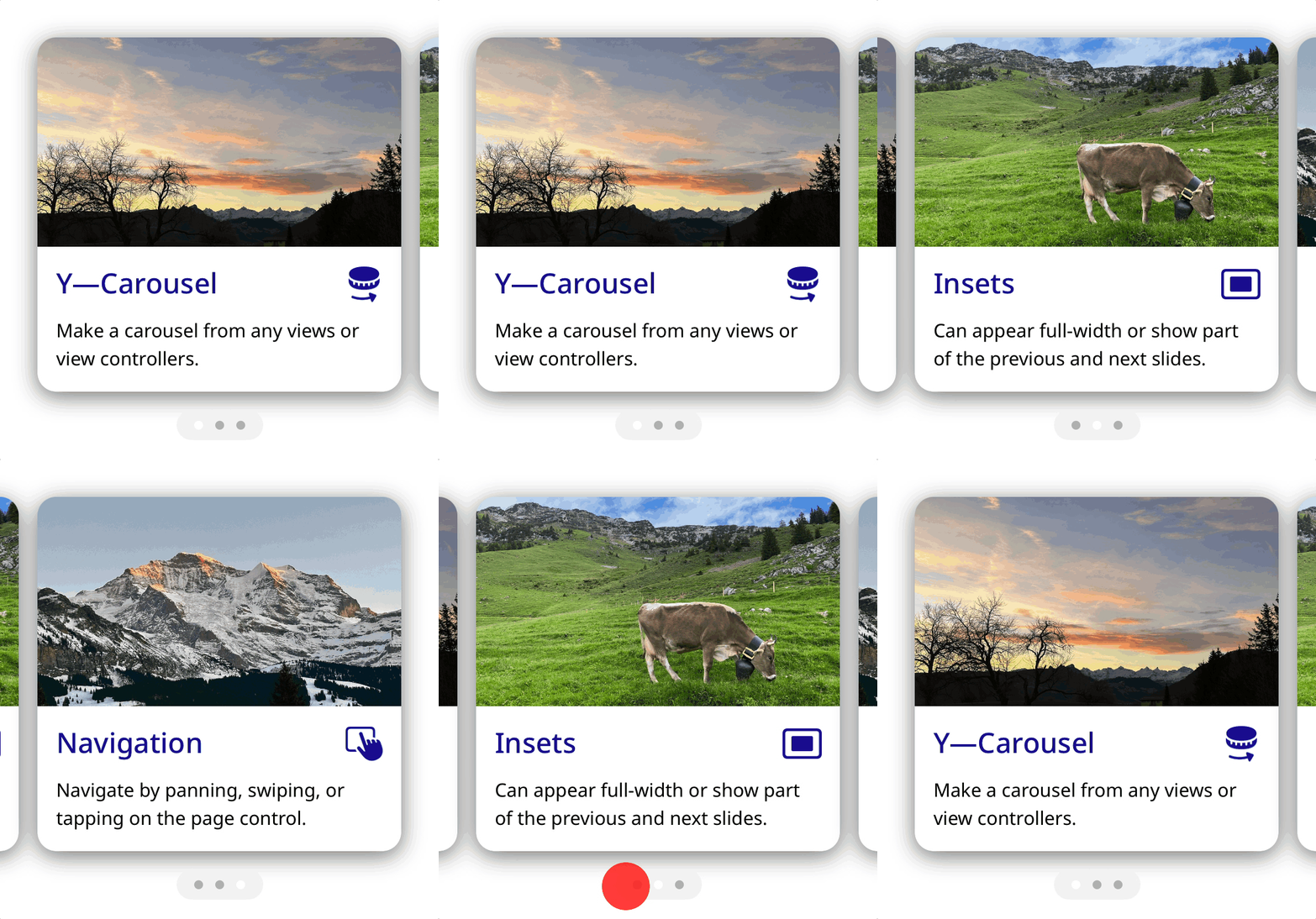
This framework lets you populate a carousel with an array of views. Pages can occupy the full width of the carousel or be inset slightly to show part of the adjacent pages. The carousel can be navigated by panning, swiping, or tapping on the page control.
Licensing
----------
Y—Carousel is licensed under the [Apache 2.0 license](LICENSE).
Documentation
----------
Documentation is automatically generated from source code comments and rendered as a static website hosted via GitHub Pages at: https://yml-org.github.io/ycarousel-ios/
Usage
----------
### `CarouselView`
#### Simple use case
```swift
import YCarousel
final class ViewController: UIViewController {
private let carouselView: CarouselView = {
let page1 = UIImageView(image: UIImage(named: "tutorial1"))
let page2 = UIImageView(image: UIImage(named: "tutorial2"))
let page3 = UIImageView(image: UIImage(named: "tutorial3"))
let carouselView = CarouselView(views: [page1, page2, page3])
return carouselView
}()
override func viewDidLoad() {
super.viewDidLoad()
view.addSubview(carouselView)
carouselView.constrainSize(width: 300, height: 300)
carouselView.constrainCenter()
}
}
```
#### Using a data source
```swift
import YCarousel
final class ViewController: UIViewController {
private let carouselView = CarouselView()
private let dataSource = CarouselViewProvider()
override func viewDidLoad() {
super.viewDidLoad()
carouselView.dataSource = dataSource
view.addSubview(carouselView)
carouselView.constrainSize(width: 300, height: 300)
carouselView.constrainCenter()
}
}
final class CarouselViewProvider {
private let imageNames = ["tutorial1", "tutorial2", "tutorial3"]
}
extension CarouselViewProvider: CarouselViewDataSource {
func carouselView(pageAt index: Int) -> UIView {
UIImageView(image: UIImage(named: imageNames[index]))
}
var numberOfPages: Int { imageNames.count }
}
```
### `CarouselViewController`
#### Use case 1: pages as views
```swift
import YCarousel
let page1 = UIImageView(image: UIImage(named: "tutorial1"))
let page2 = UIImageView(image: UIImage(named: "tutorial2"))
let page3 = UIImageView(image: UIImage(named: "tutorial3"))
let pages = [page1, page2, page3]
let carouselViewController = CarouselViewController(views: pages)
present(carouselViewController, animated: true, completion: nil)
```
#### Use case 2: pages as child view controllers
```swift
import YCarousel
let childVC1 = OnboardingViewController()
let childVC2 = OnboardingViewController()
let childVC3 = OnboardingViewController()
let childVCs = [childVC1, childVC2, childVC3]
let carouselViewController = CarouselViewController(viewControllers: childVCs)
present(carouselViewController, animated: true, completion: nil)
```
Dependencies
----------
Y—Carousel depends upon our [Y—CoreUI](https://github.com/yml-org/ycoreui) framework (also open source and Apache 2.0 licensed).
Installation
----------
You can add Y—Carousel to an Xcode project by adding it as a package dependency.
1. From the **File** menu, select **Add Packages...**
2. Enter "[https://github.com/yml-org/ycarousel-ios](https://github.com/yml-org/ycarousel-ios)" into the package repository URL text field
3. Click **Add Package**
Contributing to Y—Carousel
----------
### Requirements
#### SwiftLint (linter)
```
brew install swiftlint
```
#### Jazzy (documentation)
```
sudo gem install jazzy
```
### Setup
Clone the repo and open `Package.swift` in Xcode.
### Versioning strategy
We utilize [semantic versioning](https://semver.org).
```
{major}.{minor}.{patch}
```
e.g.
```
1.0.5
```
### Branching strategy
We utilize a simplified branching strategy for our frameworks.
* main (and development) branch is `main`
* both feature (and bugfix) branches branch off of `main`
* feature (and bugfix) branches are merged back into `main` as they are completed and approved.
* `main` gets tagged with an updated version # for each release
### Branch naming conventions:
```
feature/{ticket-number}-{short-description}
bugfix/{ticket-number}-{short-description}
```
e.g.
```
feature/CM-44-button
bugfix/CM-236-textview-color
```
### Pull Requests
Prior to submitting a pull request you should:
1. Compile and ensure there are no warnings and no errors.
2. Run all unit tests and confirm that everything passes.
3. Check unit test coverage and confirm that all new / modified code is fully covered.
4. Run `swiftlint` from the command line and confirm that there are no violations.
5. Run `jazzy` from the command line and confirm that you have 100% documentation coverage.
6. Consider using `git rebase -i HEAD~{commit-count}` to squash your last {commit-count} commits together into functional chunks.
7. If HEAD of the parent branch (typically `main`) has been updated since you created your branch, use `git rebase main` to rebase your branch.
* _Never_ merge the parent branch into your branch.
* _Always_ rebase your branch off of the parent branch.
When submitting a pull request:
* Use the [provided pull request template](.github/pull_request_template.md) and populate the Introduction, Purpose, and Scope fields at a minimum.
* If you're submitting before and after screenshots, movies, or GIF's, enter them in a two-column table so that they can be viewed side-by-side.
When merging a pull request:
* Make sure the branch is rebased (not merged) off of the latest HEAD from the parent branch. This keeps our git history easy to read and understand.
* Make sure the branch is deleted upon merge (should be automatic).
### Releasing new versions
* Tag the corresponding commit with the new version (e.g. `1.0.5`)
* Push the local tag to remote
Generating Documentation (via Jazzy)
----------
You can generate your own local set of documentation directly from the source code using the following command from Terminal:
```
jazzy
```
This generates a set of documentation under `/docs`. The default configuration is set in the default config file `.jazzy.yaml` file.
To view additional documentation options type:
```
jazzy --help
```
A GitHub Action automatically runs each time a commit is pushed to `main` that runs Jazzy to generate the documentation for our GitHub page at: https://yml-org.github.io/ycarousel-ios/