https://github.com/codeblock-dev/codeblock.devkit.saas.template
SaaS Development Kit for Entrepreneurs
https://github.com/codeblock-dev/codeblock.devkit.saas.template
devkit saas saas-template startup
Last synced: 6 months ago
JSON representation
SaaS Development Kit for Entrepreneurs
- Host: GitHub
- URL: https://github.com/codeblock-dev/codeblock.devkit.saas.template
- Owner: CodeBlock-Dev
- Created: 2024-11-19T20:17:37.000Z (over 1 year ago)
- Default Branch: main
- Last Pushed: 2025-09-01T21:29:22.000Z (10 months ago)
- Last Synced: 2025-09-01T23:28:04.910Z (10 months ago)
- Topics: devkit, saas, saas-template, startup
- Language: C#
- Homepage: https://codeblock.dev
- Size: 1.92 MB
- Stars: 3
- Watchers: 1
- Forks: 0
- Open Issues: 21
-
Metadata Files:
- Readme: README.md
Awesome Lists containing this project
README
# CodeBlock DevKit SaaS Template
[](https://github.com/CodeBlock-Dev/CodeBlock.DevKit.SaaS.Template/actions)
[](https://github.com/CodeBlock-Dev/CodeBlock.DevKit.SaaS.Template/issues)
[](https://github.com/CodeBlock-Dev/CodeBlock.DevKit.SaaS.Template/issues?q=is%3Aissue)
[](https://github.com/CodeBlock-Dev/CodeBlock.DevKit.SaaS.Template/releases/latest)
[](https://docs.codeblock.dev/)
A comprehensive SaaS application template built with the [CodeBlock DevKit](https://codeblock.dev). This template provides a complete foundation for building modern, scalable SaaS applications with enterprise-grade architecture.
.
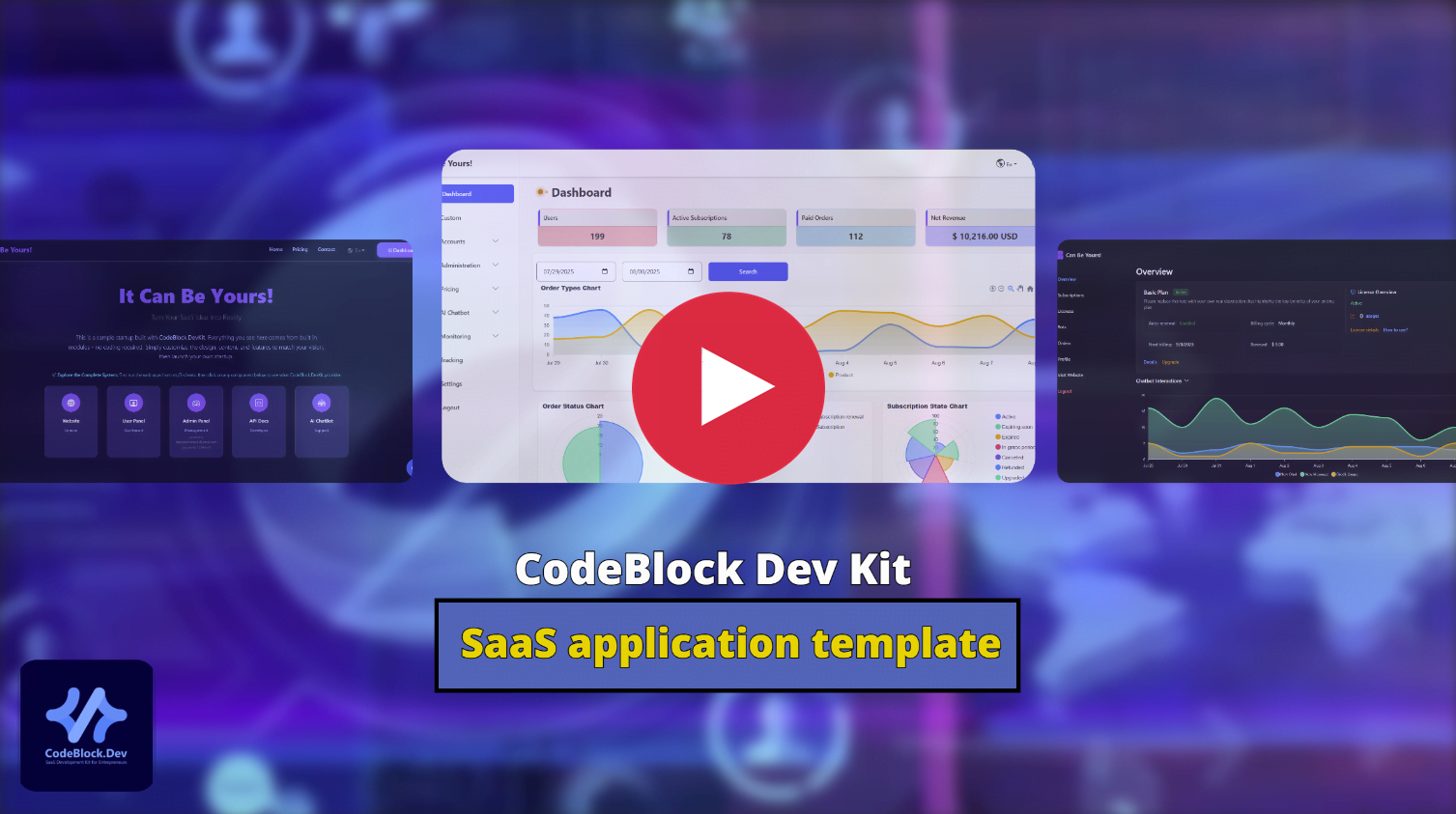
# 📥 Download the Template
You can download this template in two ways:
#### Option 1: Download ZIP File
1. Go to the [GitHub](https://github.com/CodeBlock-Dev/CodeBlock.DevKit.SaaS.Template) repository
2. Click the green `< > Code` button
3. Select `Download ZIP`
4. Extract the ZIP file to your desired location on your PC
#### Option 2: Clone with Git
```bash
git clone https://github.com/CodeBlock-Dev/CodeBlock.DevKit.SaaS.Template.git
cd CodeBlock.DevKit.SaaS.Template
```
**Note**: All DevKit modules are delivered via [NuGet packages](https://www.nuget.org/profiles/CodeBlock.Dev), so you only need to maintain your own business logic.
# 📋 Purchase a License
To use this template, you need to purchase a license from theCodeBlock DevKit website. Here's how to get started:
1. Visit [codeblock.dev](https://codeblock.dev/#pricing) and purchase a plan.
2. Go to your [dashboard](https://codeblock.dev/dashboard) and download your license file (`codeblock.dev.license.lic`).
3. Copy the license file to the root directory of this template project
4. Execute the setup script to configure your SaaS application
- **⚠️ Warning**: Do not share your license publicly. If your repository is public, add the license to your .gitignore file to prevent it from being uploaded.
# ⚙️ Setup the Template
The template includes automated setup scripts for different operating systems:
1. Go to the `/setup` directory in the template root
2. Run the appropriate setup script for your OS:
3. Configure your application via the setup wizard.
# 🗄️ Prerequisite Dependencies
This template requires three dependencies to run:
#### .NET 8 SDK
- **Purpose**: Required to build and run the .NET applications
- **Version**: .NET 8.0+
- **Download**: [.NET 8 SDK](https://dotnet.microsoft.com/download/dotnet/8.0)
- **Installation**: Follow the official installation guide for your operating system
- **Verification**: Run `dotnet --version` in your terminal to confirm installation
#### MongoDB
#### MongoDB
- **Purpose**: Primary database for storing application data
- **Minimum Version**: 4.4+
- **Download**: [MongoDB Community Server](https://www.mongodb.com/try/download/community)
- **Connection**: Default connection is `mongodb://localhost:27017` in all `appsettings.json` and `appsettings.Development.json` files. If you change the default port while installing MongoDB server, remember to update the connection in appsettings files as well.
- **Run as service**: The MongoDB server needs to be running as a service on your server or PC.
- **⚠️ Important**: For security reasons, do not use the default connection in production and use username/password authentication for your MongoDB connection
#### QdrantDB
- **Purpose**: Vector database for AI chatbot features (optional)
- **Minimum Version**: 1.7+
- **Download**: [Qdrant Vector Database](https://qdrant.tech/documentation/guides/installation/)
- **Connection**: Default connection is `http://localhost:6334` in all `appsettings.json` files
- **⚠️ Important**: Change default connection in production
- **Note**: Only required if your application includes AI chatbot functionality
**Configuration**: After installation, update connection strings in all client projects (`AdminPanel`, `Api`, `WebApp`) `appsettings.json` files if you change from defaults.
# 🚀 Implement Your Logic and Build Your SaaS
The template includes a complete example implementation called 'DemocThings' to help you understand how to build your own features.
- Run the `src/2-Clients/Api` project and see `DemocThings` APIs.
- Run the `src/2-Clients/AdminPanel` project and navigate to `Demo` menu item.
- Look at the code in the `src/1-Libraries/Application/Services/DemoThings` to see how the application services are structured.
- Look at `src/1-Libraries/Application/UseCases/DemoThings/` to see how the use cases are implemented.
- Look at the `src/1-Libraries/Core/Domain/DemoThings/` to see how the domain logic is structured.
- Look at the `src/3-Tests/Application.Tests.Unit/UseCases/DemoThings/` to see how unit tests are written.
- Look at the `src/3-Tests/Application.Tests.Integration/UseCases/DemoThings/` to see how integration tests are structured.
For detailed guidance on implementing features and customizing the template, refer to the [CodeBlock DevKit Documentation](https://docs.codeblock.dev/).
**💡 AI Coding Tip**: When using AI coding agents (like GitHub Copilot, Cursor), you can reference the `DemoThings` sample implementation to help the AI understand your project's architecture and coding patterns. This sample serves as a great example for the AI model to follow when implementing similar features in your SaaS application.
# 🔧 Build, Deploy and Maintenance
This template includes comprehensive build automation that covers compilation, linting, and testing. The build system is already integrated into the CI workflow at `.github/workflows/ci.yml`.
#### Local Build Scripts
For convenience, we've provided scripts to run build tasks locally:
| Script Location | Purpose |
|----------------|----------|
| `src/4-Build/scripts/compile/` | Builds the entire solution |
| `src/4-Build/scripts/lint/` | Runs code quality checks |
| `src/4-Build/scripts/tests/` | Executes unit and integration tests |
| `src/4-Build/scripts/packages/` | UpdatesCodeBlock DevKit NuGet packages |
For detailed build system documentation, see the [Build README](src/4-Build/README.md).
#### CI/CD Configuration
- **CI Workflow** (`.github/workflows/ci.yml`): Pre-configured to build, test, and package your application
- **CD Workflow** (`.github/workflows/cd.yml`): Configured for Windows IIS deployment
You can modify these workflows based on your deployment environment. The template is not limited to any specific platform - you can deploy to cloud services, Linux servers, Windows servers, or any other environment of your choice.
For detailed CI/CD guidance, refer to the [CodeBlock DevKit Documentation](https://docs.codeblock.dev/).
# ⚙️ Configure Required Services
After setting up and running the template, you need to configure essential services in the admin panel to ensure all pre-built modules work correctly and provide a complete user experience.
#### Access the Settings Page
1. Run the `AdminPanel` project
2. Navigate to the **Settings** page in the admin panel
3. Configure the following three service providers:
#### Email Service Configuration
- **Purpose**: Required for user registration, password reset, and notification emails
- **Recommended**: [Mailgun](https://www.mailgun.com/) (suggested for production)
- **Alternatives**:
- [SendGrid](https://sendgrid.com/)
- Self-hosted email server
- **Setup**: Configure email settings with your chosen provider's credentials
#### SMS Service Configuration
- **Purpose**: Required for two-factor authentication and SMS notifications
- **Recommended**: [Twilio](https://www.twilio.com/)
- **Setup**: Add your Twilio Account SID, Auth Token, and phone number
#### Payment Service Configuration
- **Purpose**: Required for subscription management and payment processing
- **Recommended**: [Stripe](https://stripe.com/)
- **Setup**:
1. Create a [Stripe account](https://dashboard.stripe.com/register)
2. Configure payment settings with your Stripe API keys (Publishable Key and Secret Key)
**⚠️ Important**: These services are essential for the template to function properly. Without proper configuration, features like user authentication, notifications, and subscription management will not work correctly.
# 🛟 Support & Feedback
If you need help, have a question, or want to report a bug, you can create an issue and we will respond as soon as possible.
1. Visit [GitHub Issues](https://github.com/CodeBlock-Dev/CodeBlock.DevKit.SaaS.Template/issues)
2. Click the green "New issue" button
3. Input a title and explain the issue
4. Submit your request
Soon, we will provide a Discord server for easier communication and community support.