https://github.com/codecademy/cclistview
CCListView is a highly customizable sequential view container.
https://github.com/codecademy/cclistview
Last synced: 12 months ago
JSON representation
CCListView is a highly customizable sequential view container.
- Host: GitHub
- URL: https://github.com/codecademy/cclistview
- Owner: Codecademy
- License: mit
- Created: 2014-07-02T18:13:29.000Z (about 12 years ago)
- Default Branch: master
- Last Pushed: 2022-04-05T11:52:32.000Z (over 4 years ago)
- Last Synced: 2025-06-22T15:01:58.833Z (about 1 year ago)
- Language: Objective-C
- Size: 640 KB
- Stars: 9
- Watchers: 30
- Forks: 3
- Open Issues: 1
-
Metadata Files:
- Readme: README.md
- License: LICENSE.md
Awesome Lists containing this project
README
CCListView
===
[](http://cocoadocs.org/docsets/CCListView/)
[](http://cocoadocs.org/docsets/CCListView/)
[](http://cocoadocs.org/docsets/CCListView/)
[](https://travis-ci.org/Codecademy/CCListView)
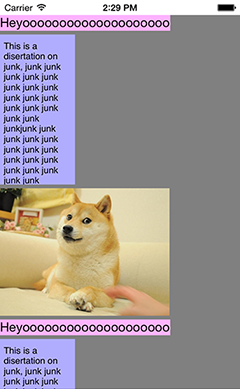
**CCListView** is a highly customizable sequential view container. It can be configured to:
* optionally scroll contained content
* arrange content horizontally or vertically
You can build **CCListViews** that contain **CCListViews** (that contain **CCListViews**...) and they even support scrolling views within scrolling views.
Installation
---
**CCListView** is available through **[cocoapods](http://cocoapods.org)**, to install simple add the following line to your `PodFile`:
``` ruby
pod "CCListView"
```
Alternatively you can clone the **[github repo](https://github.com/Codecademy/CCListView)**.
Setup
---
Once you've installed the class:
* Include the CCListView header
``` objective-c
#import
```
* From there you can either create your CCListView instance in Interface Builder (for now will default to vertical content and scrolling enabled) or in code by using:
``` objective-c
CCListView *listView = [ [CCListView alloc] initWithFrame:(CGRect)frame horizontal:(BOOL)horizontal scrolling:(BOOL)scrolling];
```
Passing `YES` into `horizontal` will result in content being arranged horizontally left to right, passing `NO` will result in content being arranged vertically from top to bottom.
Passing `YES` into `scrolling` will enable scrolling within your list view, passing `NO` will disable scrolling.
* From here you can add, insert, and remove content views as well as customize further behaviors of the list view. For now please check out the class interface declared in `CCListView.h` to learn what's available!
Contributing
---
**CCListView** is a simple utility class, as such the class interface has largely been built out of need. If you have any ideas, suggestions or bugs to report please [create an issue](https://github.com/Codecademy/CCListView/issues/new) labeled *feature* or *bug* (check to see if the issue exists first please!). Or suggest a pull request!