https://github.com/codecentric/nsmenufx
https://github.com/codecentric/nsmenufx
Last synced: 12 months ago
JSON representation
- Host: GitHub
- URL: https://github.com/codecentric/nsmenufx
- Owner: codecentric
- License: other
- Created: 2015-03-30T11:50:53.000Z (about 11 years ago)
- Default Branch: master
- Last Pushed: 2020-11-24T19:48:50.000Z (over 5 years ago)
- Last Synced: 2024-12-12T09:42:03.814Z (over 1 year ago)
- Language: Java
- Size: 1.81 MB
- Stars: 127
- Watchers: 125
- Forks: 27
- Open Issues: 4
-
Metadata Files:
- Readme: README.md
- Changelog: CHANGELOG.md
- License: LICENSE
Awesome Lists containing this project
README
# NSMenuFX
[](https://www.codacy.com/app/0x4a616e/NSMenuFX?utm_source=github.com&utm_medium=referral&utm_content=codecentric/NSMenuFX&utm_campaign=badger)
---
**NOTE**
This repository is currently not receiving any updates.
More recent versions and new maven central coordinates can be found here: https://github.com/0x4a616e/NSMenuFX
---
A simple library to customize the OS X menu bar to give your JavaFX app
a more [native look and feel](https://developer.apple.com/library/mac/documentation/UserExperience/Conceptual/OSXHIGuidelines/MenuBarMenus.html).
NSMenuFX helps you to
* Customize the auto-generated application menu of your JavaFX app
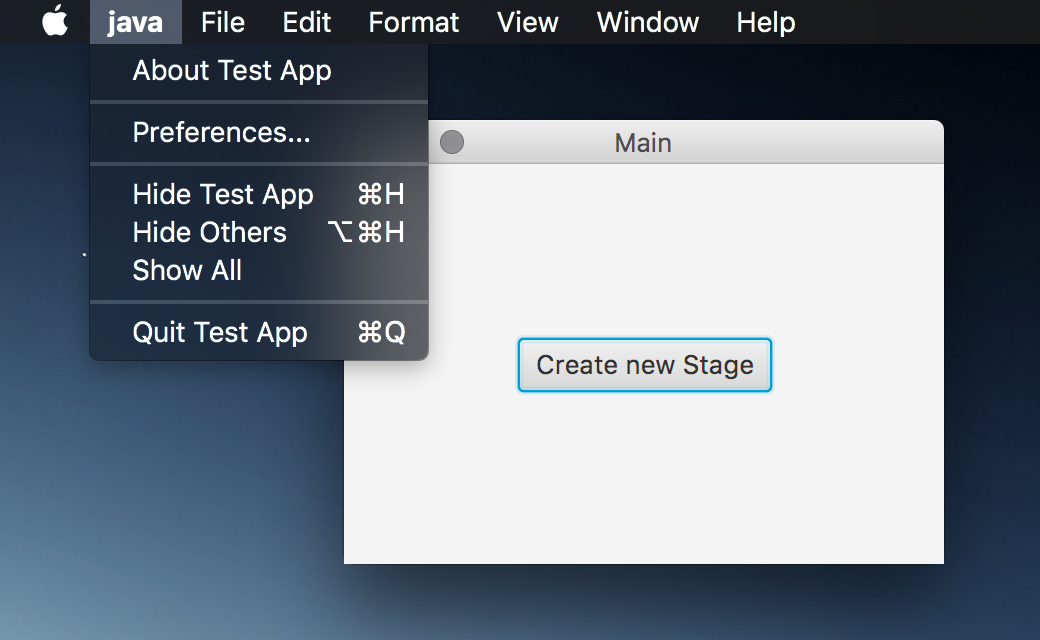
* Create common OS X menus like the Window menu
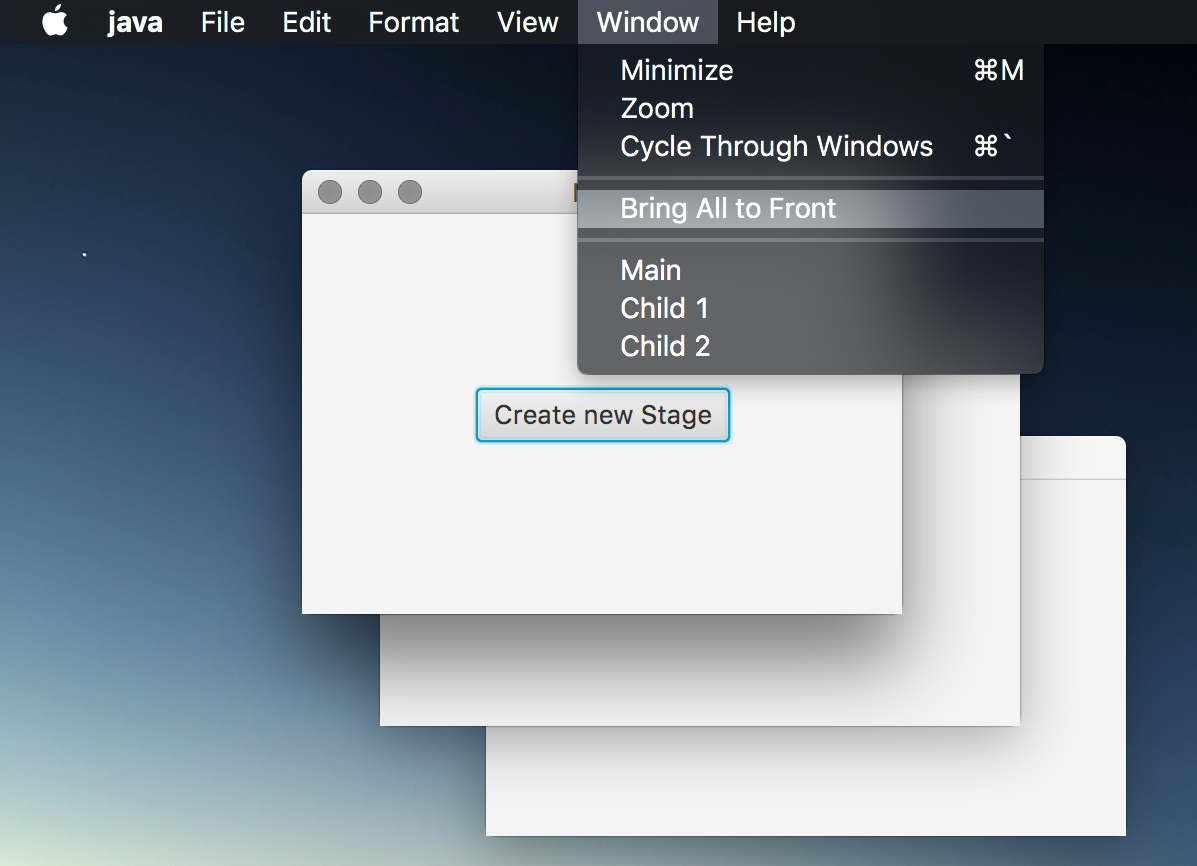
* Quickly create an about menu
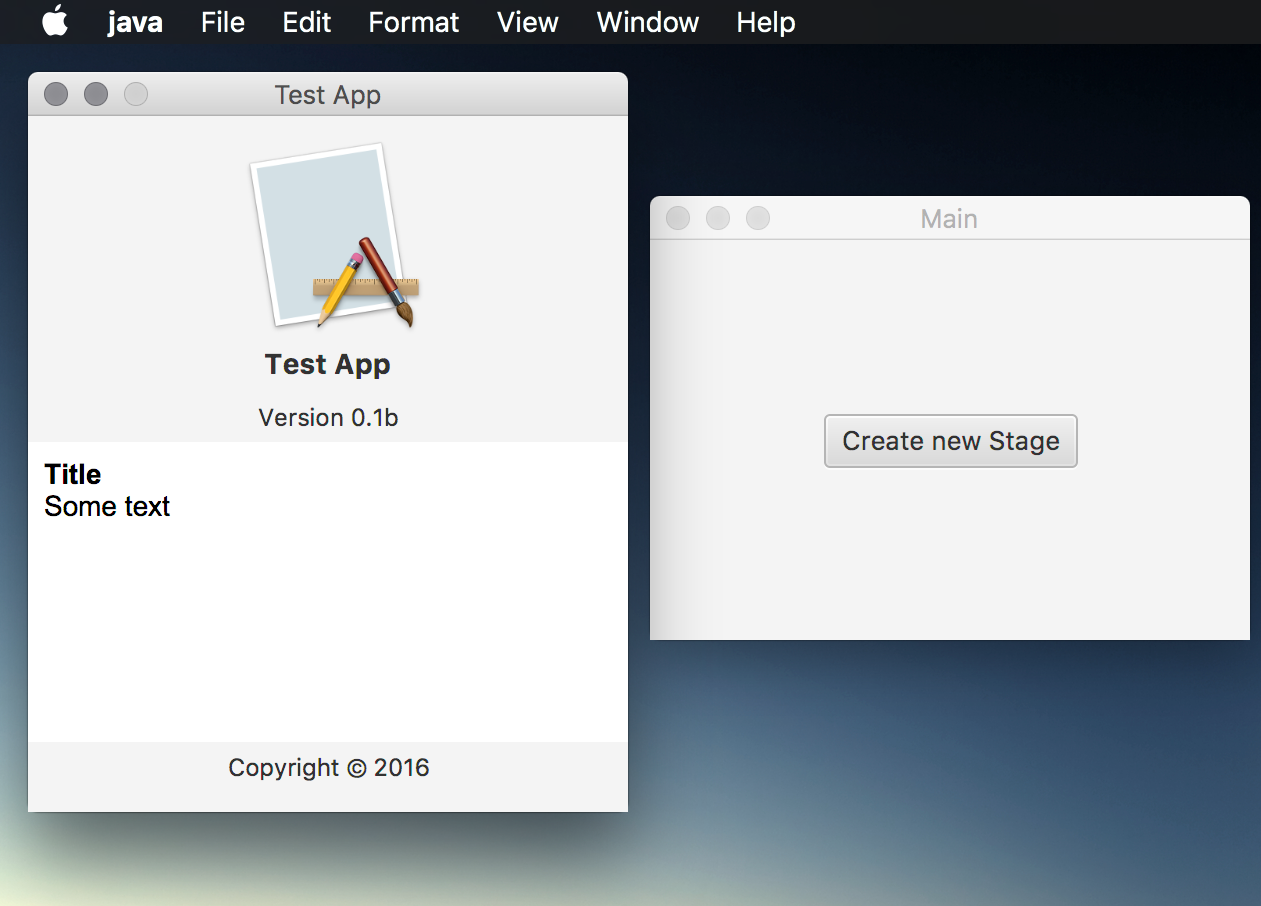
* Automatically use the same menu bar for all stages
NSMenuFX is now completely written in JavaFX and does no longer use any
further dependencies.
## Maven
Add the following lines to the dependencies in your `pom.xml`
de.codecentric.centerdevice
centerdevice-nsmenufx
2.1.7
## Gradle
Add the following line to the dependencies in your `build.gradle`
compile "de.codecentric.centerdevice:centerdevice-nsmenufx:2.1.7"
## Usage Examples
The following snippet shows a simple example on how to change a menu item in
the application menu:
// Get the toolkit
MenuToolkit tk = MenuToolkit.toolkit();
// Create the default Application menu
Menu defaultApplicationMenu = tk.createDefaultApplicationMenu("test");
// Update the existing Application menu
tk.setApplicationMenu(defaultApplicationMenu);
// Since we now have a reference to the menu, we can rename items
defaultApplicationMenu.getItems().get(1).setText("Hide all the otters");
To set a global menu bar that is used for all stages:
// Create a new menu bar
MenuBar bar = new MenuBar();
// Add the default application menu
bar.getMenus().add(tk.createDefaultApplicationMenu("test"));
// Add some more Menus...
// Use the menu bar for all stages including new ones
tk.setGlobalMenuBar(bar);
To find more usage examples, have a look into the test classes.
## Known issues
NSMenuFX no longer supports changing the title of the application menu at
runtime. This has always been a bit "hacky" as it is not really supported
by OS X. As a result, the new name was no longer bold faced when it was
changed with previous versions of NSMenuFX.
To set the title of the application menu to the name of your application,
you need to bundle the application and set `CFBundleName` in `Info.plist`.