https://github.com/codecoll/feedly
Read your Feedly feeds from Emacs
https://github.com/codecoll/feedly
emacs feedly
Last synced: 11 months ago
JSON representation
Read your Feedly feeds from Emacs
- Host: GitHub
- URL: https://github.com/codecoll/feedly
- Owner: codecoll
- Created: 2020-04-09T15:27:49.000Z (about 6 years ago)
- Default Branch: master
- Last Pushed: 2022-07-05T20:38:12.000Z (almost 4 years ago)
- Last Synced: 2024-08-05T06:03:20.570Z (almost 2 years ago)
- Topics: emacs, feedly
- Language: Emacs Lisp
- Size: 109 KB
- Stars: 23
- Watchers: 2
- Forks: 1
- Open Issues: 1
-
Metadata Files:
- Readme: README.md
Awesome Lists containing this project
README
# Feedly client for Emacs
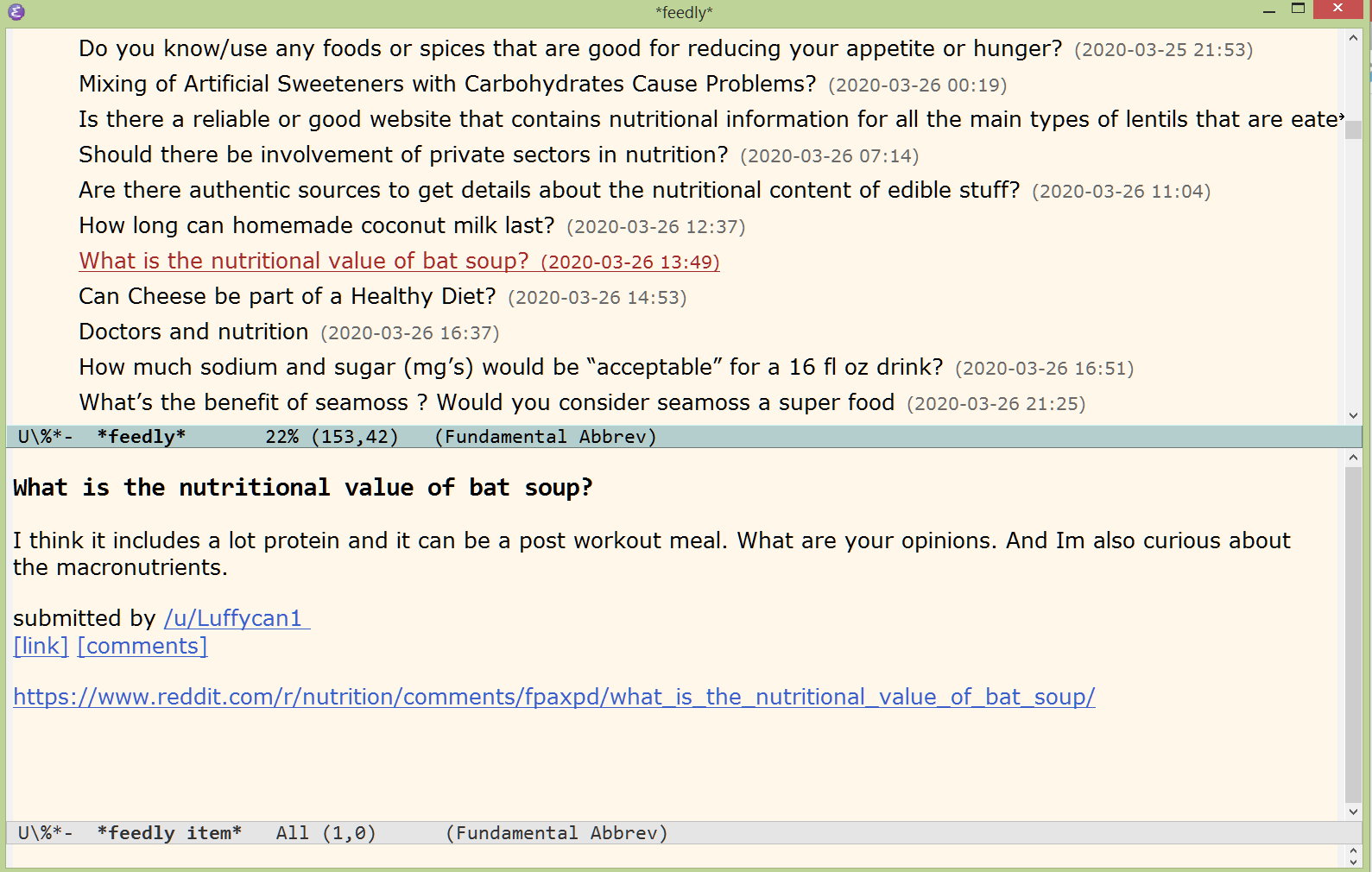
It's an Emacs client for your Feedly account. You can read your feeds and the read-state is synchronized back to the Feedly server.
## Installation
In order to read your own feeds you need a developer API token for authorization. [You can get one here](https://developer.feedly.com/v3/developer/). When you have your token then set it with
(setq feedly-access-token "your token")
If you use an incorrect token then **the secure connection will ask for a username/password which shouldn't happen**, so if it happens then check your token again.
If you set the token then you can fetch your feeds with
M-x feedly
## Usage
The current selection is marked with underline. The client was designed for keyboard control in mind. Here are the keys:
Key | Action
--------|-----------
`cursor up` | move selection up
`cursor down` | move selection down
`cursor right` | expand current feed
`cursor left` | collapse current feed
`return` | show preview of selected feed item (press again to open it in your browser)
`a` | mark all items in the current feed as read
`g` | fetch new items from the server
`w` | close item preview window and show only the item list
`s` | mark all items in the current feed as read and then quit
`q` | quit the Feedly buffer and restore window configuration
## Screenshot