https://github.com/codecommander03/hacktoberfest-2023
To join Hacktoberfest, make sure to fork the repository and click the star button to show your interest. Without these steps, you won't be eligible to participate. Feel free to follow me for future updates and information!
https://github.com/codecommander03/hacktoberfest-2023
Last synced: over 1 year ago
JSON representation
To join Hacktoberfest, make sure to fork the repository and click the star button to show your interest. Without these steps, you won't be eligible to participate. Feel free to follow me for future updates and information!
- Host: GitHub
- URL: https://github.com/codecommander03/hacktoberfest-2023
- Owner: codecommander03
- License: mit
- Created: 2023-09-24T04:21:49.000Z (almost 3 years ago)
- Default Branch: main
- Last Pushed: 2023-09-24T10:32:32.000Z (almost 3 years ago)
- Last Synced: 2025-04-12T16:15:08.319Z (over 1 year ago)
- Language: JavaScript
- Homepage:
- Size: 1010 KB
- Stars: 3
- Watchers: 0
- Forks: 6
- Open Issues: 0
-
Metadata Files:
- Readme: README.md
- Contributing: CONTRIBUTING.md
- License: LICENSE
Awesome Lists containing this project
README

[](https://github.com/Anandsg/Hacktoberfest-2023/issues)
[](https://github.com/Anandsg/Hacktoberfest-2023/network)
[](https://github.com/Anandsg/Hacktoberfest-2023/stargazers)


## Want to Contribute 🔥 :
- Refer to Contributing Guide
- Don't forget to follow [@Anandsg](https://github.com/Anandsg) ⭐😊
And yes it is open source with a [public repository](https://github.com/Anandsg/Hacktoberfest-2023)
on GitHub.
## Contributing for the first time? :
- Refer to [Steps to Contribute](#crt)
# Guidelines 🚦 :
Before pushing code please go through our guidelines:
1. Always push the code in the specified folder.
2. Mention proper name for the code before making PR.
3. Repetetive Pull Requests with same code in the same language won't be counted and will be marked as spam.
4. If you want to push the code in some other language which is not present in this repo, make a seperate folder with language name and then push it.
5. Explain your code with proper comments along with problem statement(especially for DSA). It's better if you can write time and space complexities.
### **Contribute First, Think Later.**
_If you're not comfortable with command line, [here are tutorials using GUI tools.](#tutorials-using-other-tools)_
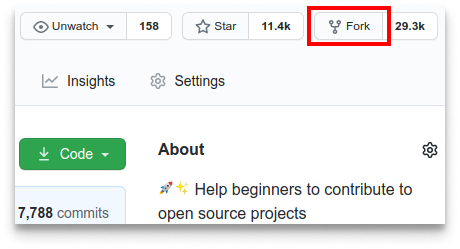
#### If you don't have git on your machine, [install it](https://docs.github.com/en/get-started/quickstart/set-up-git).
## Fork this repository
Fork this repository by clicking on the fork button on the top of this page.
This will create a copy of this repository in your account.
## Clone the repository
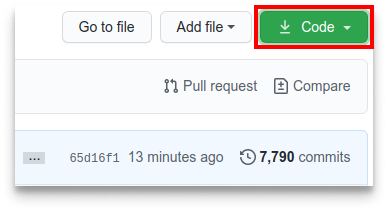
Now clone the forked repository to your machine. Go to your GitHub account, open the forked repository, click on the code button and then click the _copy to clipboard_ icon.
Open a terminal and run the following git command:
```
git clone "url you just copied"
```
where "url you just copied" (without the quotation marks) is the url to this repository (your fork of this project). See the previous steps to obtain the url.
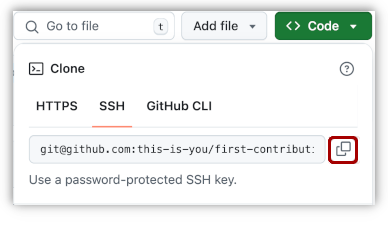
For example:
```
git clone
```
## Create a branch
Change to the repository directory on your computer (if you are not already there):
```
cd Hacktoberfest-2023
```
Now create a branch using the `git switch` command:
```
git switch -c your-new-branch-name
```
For example:
```
git switch -c add-Anandsg
```
## Make necessary changes and commit those changes
Now open `Contributors.md` file in a text editor, add your name to it. Don't add it at the beginning or end of the file. Put it anywhere in between. Now, save the file.
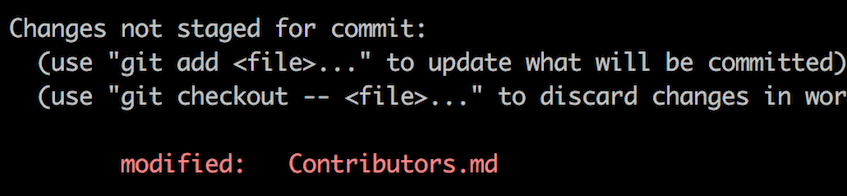
If you go to the project directory and execute the command `git status`, you'll see there are changes.
Add those changes to the branch you just created using the `git add` command:
```
git add Contributors.md
```
Now commit those changes using the `git commit` command:
```
git commit -m "Add Vasu to Contributors.md"
```
replacing `your-name` with your name.
## Push changes to GitHub
Push your changes using the command `git push`:
```
git push -u origin your-branch-name
```
replacing `your-branch-name` with the name of the branch you created earlier.
If you get any errors while pushing, click here:
- ### Authentication Error
remote: Support for password authentication was removed on August 13, 2021. Please use a personal access token instead.
remote: Please see https://github.blog/2020-12-15-token-authentication-requirements-for-git-operations/ for more information.
fatal: Authentication failed for 'https://github.com//first-contributions.git/'
Go to [GitHub's tutorial](https://docs.github.com/en/authentication/connecting-to-github-with-ssh/adding-a-new-ssh-key-to-your-github-account) on generating and configuring an SSH key to your account.
## Submit your changes for review
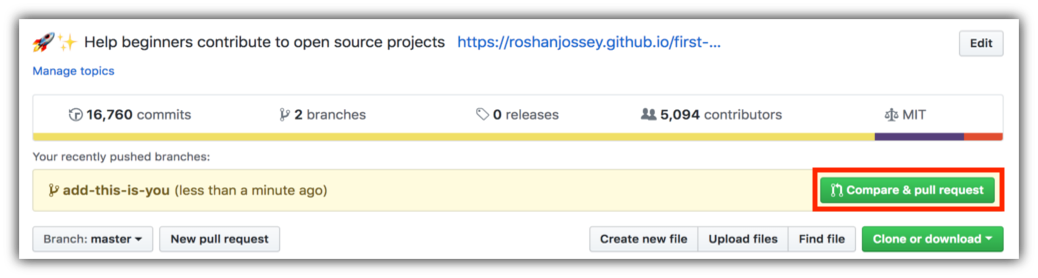
If you go to your repository on GitHub, you'll see a `Compare & pull request` button. Click on that button.
Now submit the pull request.
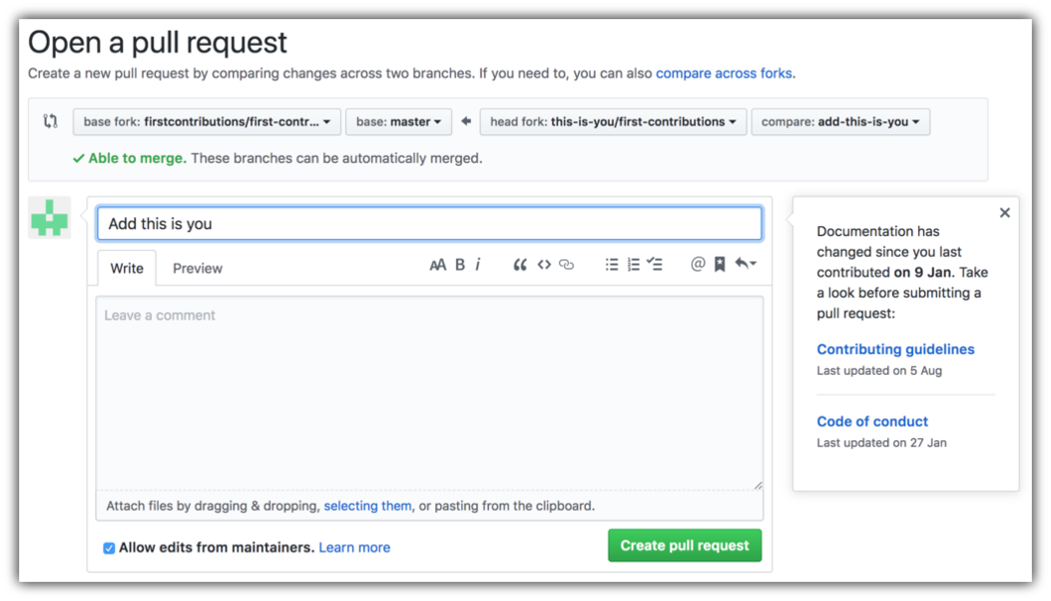
I will merge all your changes into the main project branch shortly, and you will receive a notification email once the merge is complete.
## All the best 🙌🏼
## Our Amazing Contributors
#### Currently there are minimal contributors for this repository. Feel free to contribute! 🚀

