https://github.com/codecov/example-swift
Codecov: Swift coverage example
https://github.com/codecov/example-swift
codecov coverage gather-coverage-data swift xcode8
Last synced: 11 months ago
JSON representation
Codecov: Swift coverage example
- Host: GitHub
- URL: https://github.com/codecov/example-swift
- Owner: codecov
- License: mit
- Created: 2015-09-14T10:54:57.000Z (almost 11 years ago)
- Default Branch: master
- Last Pushed: 2024-01-22T20:55:33.000Z (over 2 years ago)
- Last Synced: 2025-04-02T16:55:33.330Z (over 1 year ago)
- Topics: codecov, coverage, gather-coverage-data, swift, xcode8
- Language: Swift
- Homepage: https://codecov.io
- Size: 116 KB
- Stars: 127
- Watchers: 16
- Forks: 80
- Open Issues: 3
-
Metadata Files:
- Readme: README.md
- License: LICENSE.md
Awesome Lists containing this project
README
[Codecov][1] Swift Example
==========================
[](https://travis-ci.org/codecov/example-swift) [](https://codecov.io/gh/codecov/example-swift/branch/master)
[](https://app.fossa.com/projects/git%2Bgithub.com%2Fcodecov%2Fexample-swift?ref=badge_shield)
## Guide
### Travis Setup
Add to your `.travis.yml` file.
```yml
language: swift # or objective-c
osx_image: xcode7
script:
- xcodebuild -scheme SwiftExample -workspace SwiftExample.xcworkspace -sdk iphonesimulator -destination 'platform=iOS Simulator,name=iPhone 6S,OS=9.1' build test
after_success:
- bash <(curl -s https://codecov.io/bash)
```
### Produce Coverage Reports
Enable "Gather coverage data" in your test scheme:

### Bitrise CI
1. Open dashboard.
2. Click on workflow
3. Add a workflow step
4. Search for `Codecov`
5. Paste the `Codecov Token`
6. You are all set
## Private Repos
> Set `CODECOV_TOKEN` in your environment variables.
#### Strategies for producing coverage reports
##### plist coverage `default`
This technique will upload the plist containing coverage data.
- This format includes all files and projects. However, this can be very large causing issues processing.
- Partial coverage data is included, which will look beautiful in Codecov UI.
Again, this is enabled by default.
##### llvm-cov
This technique will run `llvm-cov` which produces coverage reports.
- You can specify specific packages to run coverage against (see below)
- No partial coverage data
To enable:
```
bash <(curl -s https://codecov.io/bash) -X xcodellvm
# - or -
bash <(curl -s https://codecov.io/bash) -J '^MyPackage$'
# ^^ will enable xcodellvm and only process MyPackage coverage
```
You may provide your Codecov token by either:
- Setting `CODECOV_TOKEN` in your environment variables and adding the following to Travis:
```yml
after_success:
- bash <(curl -s https://codecov.io/bash)
```
- Providing the Codecov token directly to the invocation by adding the following to Travis:
```yml
after_success:
- bash <(curl -s https://codecov.io/bash) -t {YOUR-TOKEN-HERE}
```
## Speed up the build
The uploader has a *boil-the-ocean* approach, which can take a longer time to complete coverage report processing.
We suggest you add the following to only build reports for the project being tested:
```sh
bash <(curl -s https://codecov.io/bash) -J 'SwiftExample'
```
> Use your project name instead of `SwiftExample`. You can also provide multiple arguments via `-J 'ProjA' -J 'ProjB'`
## Caveats
### Private Repos
> Set `CODECOV_TOKEN` in your environment variables.
Add to your `.travis.yml` file.
```yml
after_success:
- bash <(curl -s https://codecov.io/bash) -t uuid-repo-token
```
> Or you can set the environment variable `CODECOV_TOKEN` to your token.
### Xcode8/Swift3 resulting in `0%` coverage.
1. Update the test scheme with Xcode 8
2. Do not use `xcpretty`. Seems broken with code coverage Xcode 8...
Example project with Xcode8/Swift3: [yannickl/DynamicColor](https://github.com/yannickl/DynamicColor/blob/6ac768ba5c14941be5ebe169aca408655e185b20/.travis.yml)
### Parsing Xcode 10 Coverage Reports
Older versions of Codecov (<4.4) are not able to parse the coverage output directly from Xcode 10. As a workaround, you can feed the raw coverage information to a tool such as Slather, have it create a Cobertura XML style report, and upload that to Codecov. Detailed information on this workaround can be found (here)[https://github.com/SlatherOrg/slather#usage-with-codecov].
## Support
### Contact
- Email: support@codecov.io
- Slack: slack.codecov.io
- [gh/codecov/support](https://github.com/codecov/support)
1. More documentation at https://docs.codecov.io
2. Configure codecov through the `codecov.yml` https://docs.codecov.io/docs/codecov-yaml
We are happy to help if you have any questions. Please contact email our Support at [support@codecov.io](mailto:support@codecov.io)
[1]: https://codecov.io/
[4]: https://github.com/codecov/codecov-python
## License
[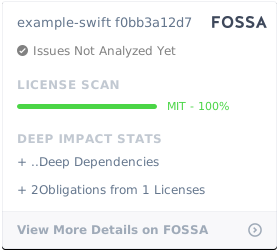](https://app.fossa.com/projects/git%2Bgithub.com%2Fcodecov%2Fexample-swift?ref=badge_large)