https://github.com/codegyan-llc/quickc
Quick C is a lightweight yet powerful C language runner for Visual Studio Code, allowing developers to write, compile, and execute C code instantly—right inside their editor.
https://github.com/codegyan-llc/quickc
codegyan prathmeshyelne quickc vscode-extension
Last synced: about 1 month ago
JSON representation
Quick C is a lightweight yet powerful C language runner for Visual Studio Code, allowing developers to write, compile, and execute C code instantly—right inside their editor.
- Host: GitHub
- URL: https://github.com/codegyan-llc/quickc
- Owner: Codegyan-LLC
- License: mit
- Created: 2025-02-01T08:14:39.000Z (over 1 year ago)
- Default Branch: main
- Last Pushed: 2025-02-01T12:36:49.000Z (over 1 year ago)
- Last Synced: 2025-03-28T14:13:24.207Z (about 1 year ago)
- Topics: codegyan, prathmeshyelne, quickc, vscode-extension
- Language: TypeScript
- Homepage: https://marketplace.visualstudio.com/items?itemName=Codegyan.quickc
- Size: 180 KB
- Stars: 0
- Watchers: 0
- Forks: 0
- Open Issues: 0
-
Metadata Files:
- Readme: README.md
- Changelog: CHANGELOG.md
- License: LICENSE.md
- Security: SECURITY.md
Awesome Lists containing this project
README
# QuickC - C Inline Execution for VS Code
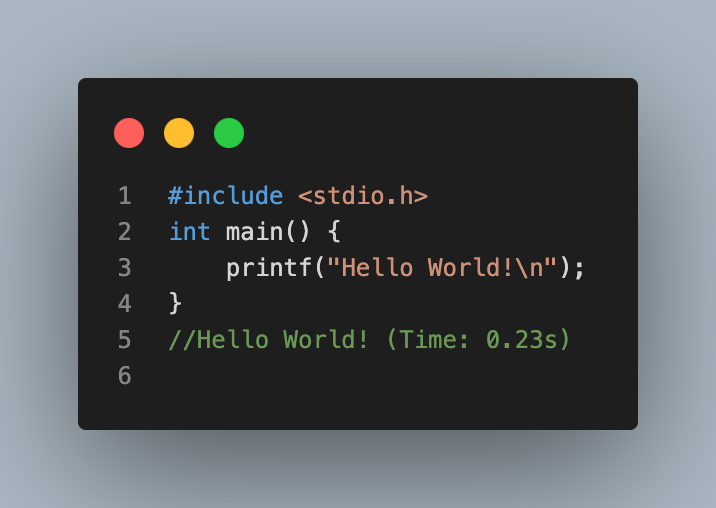
**QuickC** is a lightweight VS Code extension that executes C code inline, similar to how QuickPy works for C. It helps C developers see their output directly within the editor, without switching to the terminal.
## Getting Started
Installation
1. **VS Code Marketplace :**
* Open Visual Studio Code.
* Navigate to the Extensions view (Ctrl+Shift+X or Cmd+Shift+X on macOS).
* Search for QuickC.
* Click "Install" to add the extension to your VS Code.
2. **Install from VSIX :**
- Download the latest `.vsix` package from the [Releases](#) page.
- Open Visual Studio Code.
- Go to the Extensions view by clicking on the Extensions icon in the Activity Bar or pressing `Ctrl+Shift+X`.
- Click on the ellipsis (`...`) in the top-right corner of the Extensions view and select "Install from VSIX...".
- Navigate to the downloaded `.vsix` file and select it to install.
## Features
* `Inline Code Execution`: Run C code directly in the editor and display results as inline comments.
* `Real-Time Updates`: Automatically executes code on text changes or cursor movements.
* `Error Feedbac`k: Catch errors like NameError and display clear, formatted messages inline.
* `Temporary File Execution`: Ensures safe execution using temporary files without modifying your project files.
* `Output Formatting`: Displays clean and non-intrusive inline output for easy readability.
* `Enhanced Debugging`: Provides feedback for incomplete or invalid code to help developers debug faster.
## Usage
### Auto Execution
Just write a C echo, print_r, or var_dump statement, and the output will appear inline.
``` c
#include
int main() {
printf("Hello, QuickC!\n"); // Output: Hello, QuickC!
return 0;
}
```
### Error Highlighting
Errors are shown inline, with the file and line number.
``` c
#include
int main() {
printf("Hello, QuickC!\n"); // error: expected ';' before 'return'
return 0
}
```
## Known Issues
* Large scripts or complex logic may cause delays in execution.
* Inline execution is limited to the lines above the current cursor.
Feel free to report bugs or suggest features by opening an issue on GitHub.
## Contributing
Contributions are welcome! If you have suggestions for improvements or new features, feel free to open an issue or submit a pull request on the Github.
## License
This extension is licensed under the **[MIT license](https://opensource.org/licenses/MIT)**..
## Contact
For questions or feedback, please contact support@codegyan.in.
---
Thank you for using **QuickC**! We hope it enhances your coding experience.