https://github.com/codeitlikemiley/cargo-bin
Cargo Crates Runner for VSCode
https://github.com/codeitlikemiley/cargo-bin
Last synced: 16 days ago
JSON representation
Cargo Crates Runner for VSCode
- Host: GitHub
- URL: https://github.com/codeitlikemiley/cargo-bin
- Owner: codeitlikemiley
- License: mit
- Created: 2024-01-01T06:51:32.000Z (over 2 years ago)
- Default Branch: main
- Last Pushed: 2024-01-02T01:58:57.000Z (over 2 years ago)
- Last Synced: 2025-10-20T22:36:38.481Z (9 months ago)
- Language: TypeScript
- Size: 1.92 MB
- Stars: 1
- Watchers: 1
- Forks: 0
- Open Issues: 0
-
Metadata Files:
- Readme: README.md
- Changelog: CHANGELOG.md
- License: LICENSE
Awesome Lists containing this project
README
# Cargo Bin
> **VSCode Command Runner for any Cargo Crates CLI**
- A Quick ,and simple way to launch cargo crates cli / commands on Vscode
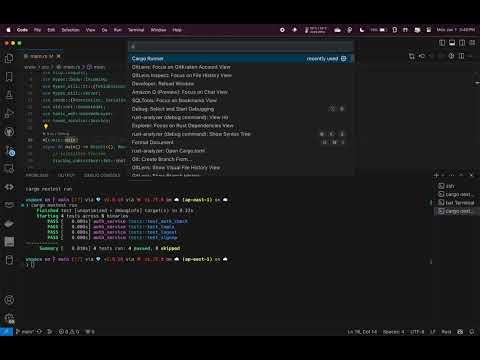
See Demo on youtube:
[](https://youtu.be/GSry26wY7Tc)
## Usage
1. Press CMD +SHIFT+ P , select `Cargo Runner` , press ENTER
1. Pick among the listed Cargo Commands e.g. `cargo-nextest`,press ENTER
1. You will be shown `Commands` and `options` (prefix with --) , you can choose a command and press ENTER or immediately press ENTER to avoid choosing anything and do the manual overrides at the last step.
1. Last Step, Add any arguments you want e.g. `--package example --bin example -- test::test_fn`
## Keymap
The Command is binded to alt+f1 or option+f1 on mac