https://github.com/codelikeagirl29/css-profile-card
Social links profile - Frontend Mentor challenge | Deployed with Netlify
https://github.com/codelikeagirl29/css-profile-card
design frontend-mentor frontendmentor-challenge html mdbootstrap netlify styling
Last synced: about 1 year ago
JSON representation
Social links profile - Frontend Mentor challenge | Deployed with Netlify
- Host: GitHub
- URL: https://github.com/codelikeagirl29/css-profile-card
- Owner: CodeLikeAGirl29
- Created: 2024-07-24T20:17:37.000Z (almost 2 years ago)
- Default Branch: main
- Last Pushed: 2024-07-24T20:59:00.000Z (almost 2 years ago)
- Last Synced: 2025-02-01T02:41:57.563Z (over 1 year ago)
- Topics: design, frontend-mentor, frontendmentor-challenge, html, mdbootstrap, netlify, styling
- Language: CSS
- Homepage: https://main--a-profile-card.netlify.app/
- Size: 907 KB
- Stars: 0
- Watchers: 1
- Forks: 0
- Open Issues: 0
-
Metadata Files:
- Readme: README.md
Awesome Lists containing this project
README
# Frontend Mentor - Social links profile solution
This is a solution to the [Social links profile challenge on Frontend Mentor](https://www.frontendmentor.io/challenges/social-links-profile-UG32l9m6dQ). Frontend Mentor challenges help you improve your coding skills by building realistic projects.
## Table of contents
- [Overview](#overview)
- [The challenge](#the-challenge)
- [Screenshot](#screenshot)
- [Links](#links)
- [My process](#my-process)
- [Built with](#built-with)
- [What I learned](#what-i-learned)
- [Continued development](#continued-development)
- [Useful resources](#useful-resources)
- [Author](#author)
- [Acknowledgments](#acknowledgments)
## Overview
### The challenge
Users should be able to:
- See hover and focus states for all interactive elements on the page
### Screenshot
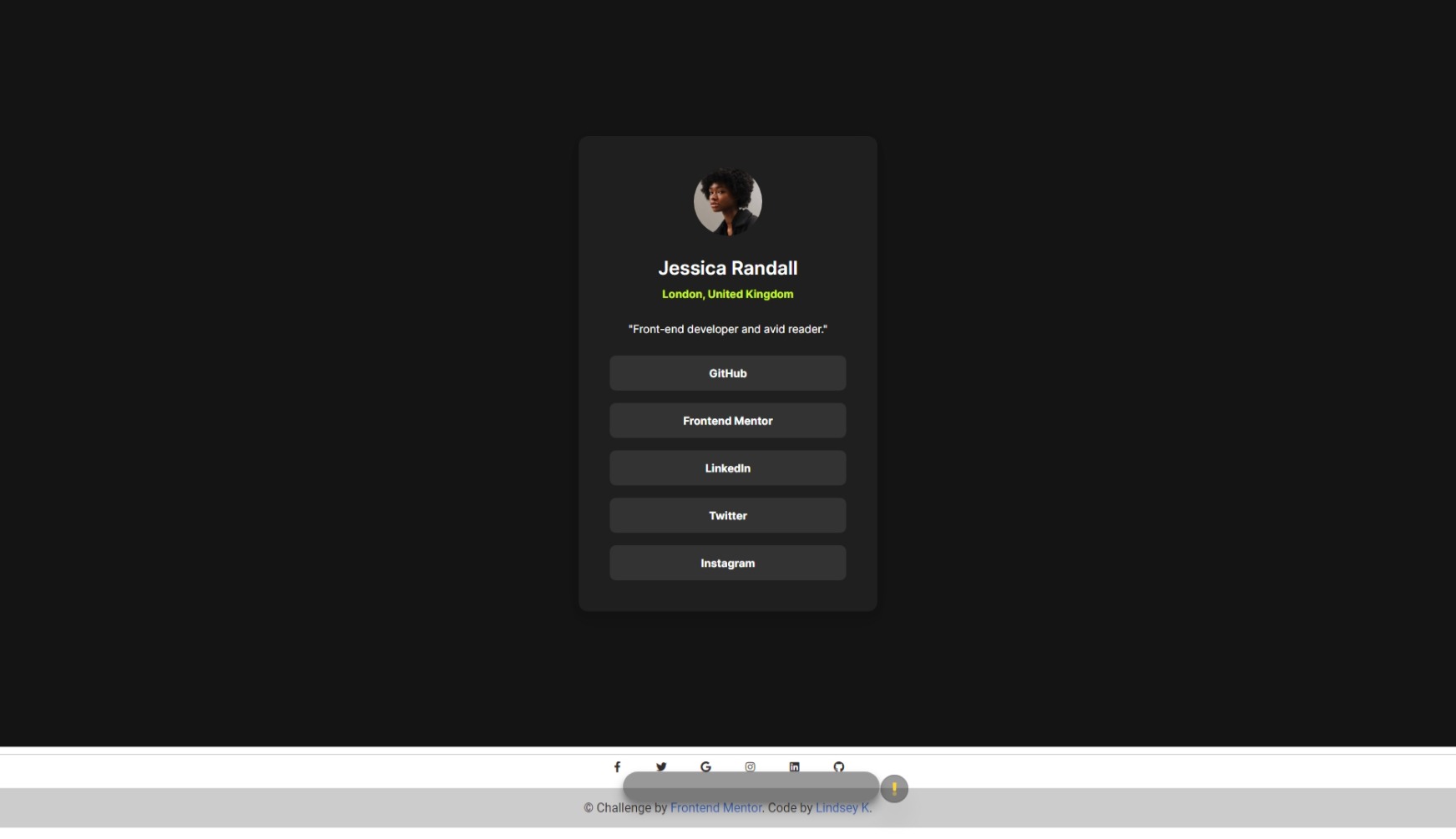
### Links
- Solution URL: [github page](https://github.com/codelikeagirl29/css-profile-card)
- Live Site URL: [Add live site URL here](https://main--a-profile-card.netlify.app/)
## My process
### Built with
- Semantic HTML5 markup
- CSS
- MDB Bootstrap
- Mobile-first workflow
### What I learned
Use this section to recap over some of your major learnings while working through this project. Writing these out and providing code samples of areas you want to highlight is a great way to reinforce your own knowledge.
To see how you can add code snippets, see below:
```html
Some HTML code I'm proud of
```
```css
.proud-of-this-css {
color: papayawhip;
}
```
```js
const proudOfThisFunc = () => {
console.log('🎉')
}
```
If you want more help with writing markdown, we'd recommend checking out [The Markdown Guide](https://www.markdownguide.org/) to learn more.
### Continued development
Use this section to outline areas that you want to continue focusing on in future projects. These could be concepts you're still not completely comfortable with or techniques you found useful that you want to refine and perfect.
### Useful resources
- [Example resource 1](https://www.example.com) - This helped me for XYZ reason. I really liked this pattern and will use it going forward.
- [Example resource 2](https://www.example.com) - This is an amazing article which helped me finally understand XYZ. I'd recommend it to anyone still learning this concept.
## Author
- Website - [Profile Card](https://main--a-profile-card.netlify.app/)
- Frontend Mentor - [@CodeLikeAGirl29](https://www.frontendmentor.io/profile/CodeLikeAGirl29)
- Twitter - [@dev_lindseyk](https://www.twitter.com/dev_lindseyk)
## Acknowledgments
This is where you can give a hat tip to anyone who helped you out on this project. Perhaps you worked in a team or got some inspiration from someone else's solution. This is the perfect place to give them some credit.