https://github.com/codelikeagirl29/octavia-grimstone
Vampire Slayer | Vixen | Octavia 🦇
https://github.com/codelikeagirl29/octavia-grimstone
fictional-character javascript nextjs practice-project sass scss styling
Last synced: about 2 months ago
JSON representation
Vampire Slayer | Vixen | Octavia 🦇
- Host: GitHub
- URL: https://github.com/codelikeagirl29/octavia-grimstone
- Owner: CodeLikeAGirl29
- Created: 2024-12-09T06:51:07.000Z (over 1 year ago)
- Default Branch: main
- Last Pushed: 2024-12-15T21:59:50.000Z (over 1 year ago)
- Last Synced: 2024-12-27T21:15:01.761Z (over 1 year ago)
- Topics: fictional-character, javascript, nextjs, practice-project, sass, scss, styling
- Language: JavaScript
- Homepage: https://octavia-grimstone.vercel.app/
- Size: 1.07 MB
- Stars: 0
- Watchers: 1
- Forks: 0
- Open Issues: 0
-
Metadata Files:
- Readme: README.md
Awesome Lists containing this project
README
# Octavia Grimstone - Vampire Slayer
**Live Demo**: [Octavia Grimstone](https://octavia-grimstone.vercel.app/)
## About the Project
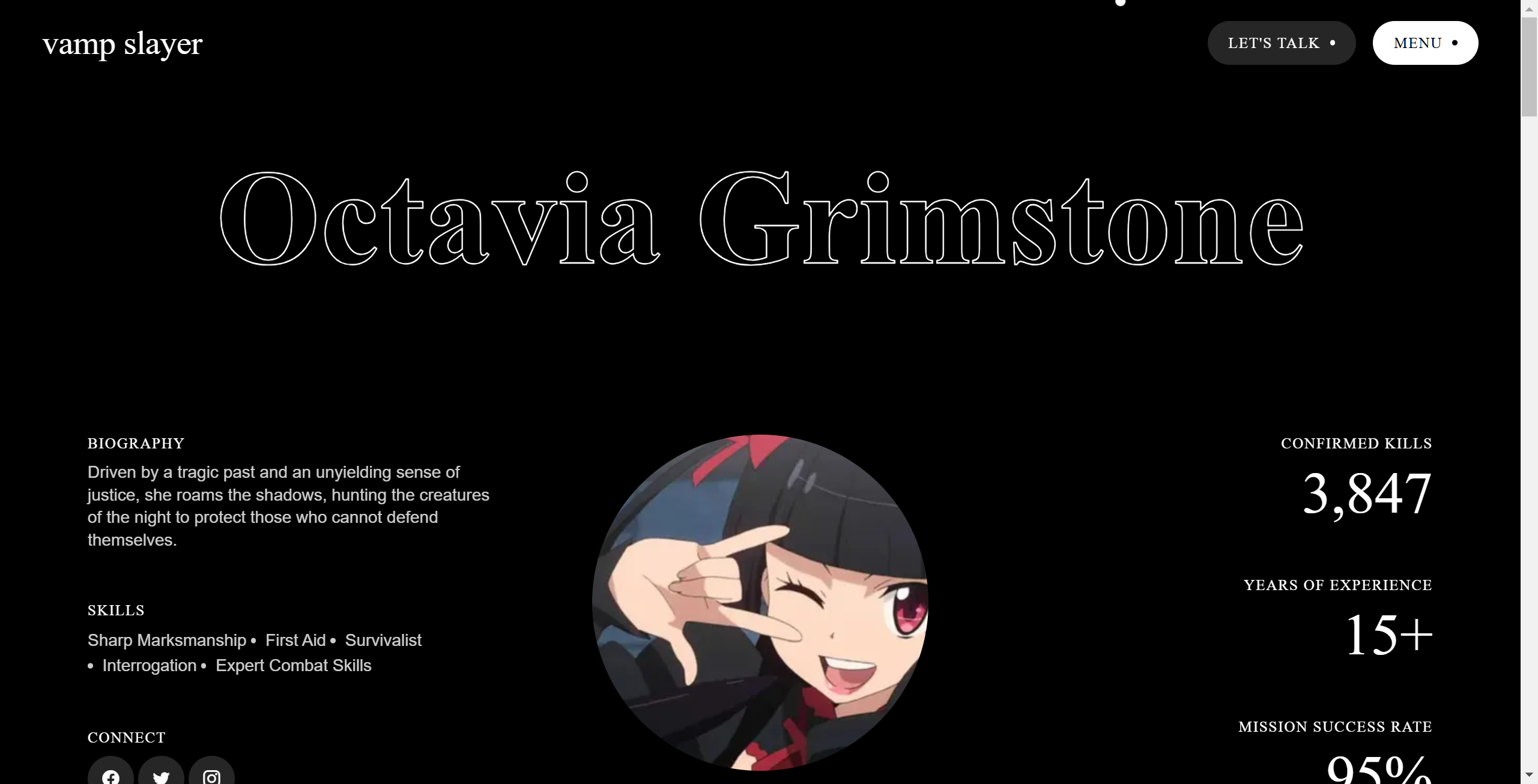
Octavia Grimstone is a web-based storytelling experience that follows the adventures of Octavia, a fierce and skilled vampire slayer. Using cutting-edge web development with **Next.js**, this project showcases the intersection of narrative design and modern frontend technologies.
## Features
- **Immersive Storytelling**: Dive into Octavia's world with interactive elements and rich visuals.
- **Responsive Design**: Optimized for viewing on all devices, from desktops to smartphones.
- **Dynamic Content**: Powered by Next.js for fast, server-side rendering and seamless navigation.
- **Interactive Elements**: Engage with Octavia's journey through user-driven decisions and interactive components.
## Technologies Used
- **Next.js**: For building fast, scalable web applications.
- **React.js**: The foundation for interactive UI components.
- **CSS Modules**: Modular and maintainable styling.
- **Vercel**: Hosting for rapid deployment and performance optimization.
## Getting Started
### Prerequisites
- Node.js (v14 or later)
- npm or yarn
### Installation
1. Clone the repository:
```bash
git clone https://github.com/CodeLikeAGirl29/octavia-grimstone.git
```
2. Navigate to the project directory:
```bash
cd octavia-grimstone
```
3. Install dependencies:
```bash
npm install
# or
yarn install
```
### Running the Project Locally
Start the development server:
```bash
npm run dev
# or
yarn dev
```
Visit `http://localhost:3000` in your browser to view the project.
## Deployment
The project is deployed using [Vercel](https://vercel.com/). You can deploy your own version by connecting the GitHub repository to Vercel.
## Contributing
Contributions are welcome! Feel free to fork the repository, create a new branch, and submit a pull request.
## Contact
For questions or feedback, please reach out to [lindseye](mailto:lindseykdev@gmail.com).